This review was first published in German on handgetestet.de.
Transparency note: Curry Smarter provided this roller shutter switch to us free of charge for testing. We were not paid, and there were no requirements regarding the content. We installed, set up and used the switch in everyday life ourselves. The verdict is our own opinion – not a bought one.
The 8th-generation Wi-Fi roller shutter switch from Curry Smarter replaces the normal roller shutter push button in the flush-mounted wall box and lets you control the shutter via app, Alexa, Google Assistant and Siri shortcut. We unpacked it, installed it in place of an existing Z-Wave actuator, paired it, calibrated it, used it in everyday life – and in the end removed it again. Why is explained in this review. In short: the switch itself is really good. The problem lies elsewhere.
What’s in the box
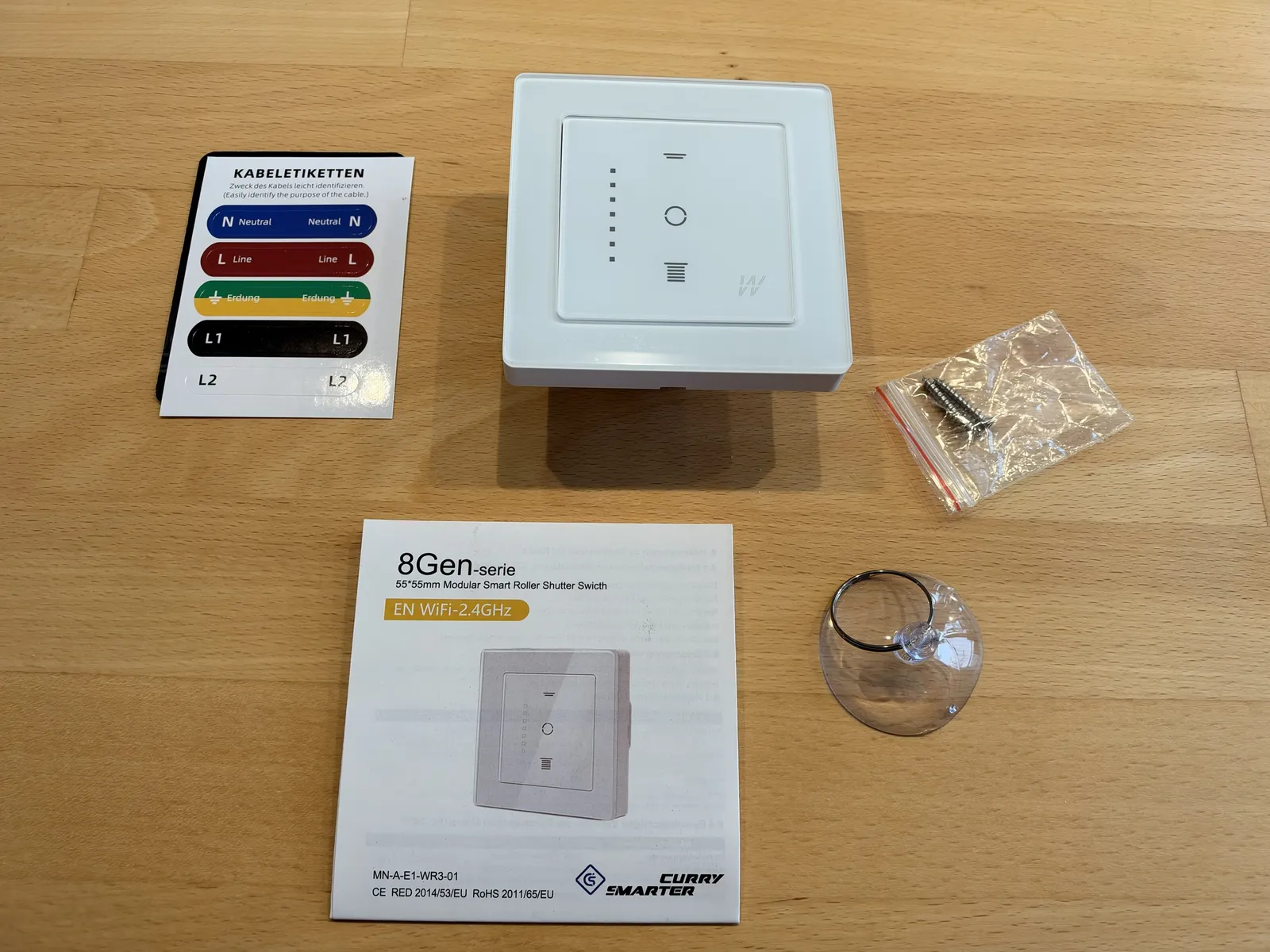
The box contains the switch with its glass frame, two screws, a suction cup, a quick start guide and a sheet of cable labels for neutral, live, ground and the two motor wires. The labels are a small but useful help: if you mark the old wires before disconnecting them, you will not mix anything up when connecting. The little suction cup is a clever touch: otherwise the smooth glass front offers hardly any grip. With the suction cup you can hold it securely, place it straight on the base and clip it into the guide until the plug connection to the base clicks into place – no fiddling. Everything was neatly packed and undamaged.
Switch and module in one device
What makes this switch special: the control panel and wireless module are a single unit. With many other solutions, such as the FIBARO Roller Shutter from our earlier review, a module sits behind an existing push button. Here you replace the push button entirely with the new device. That saves space in the box and makes installation simpler.
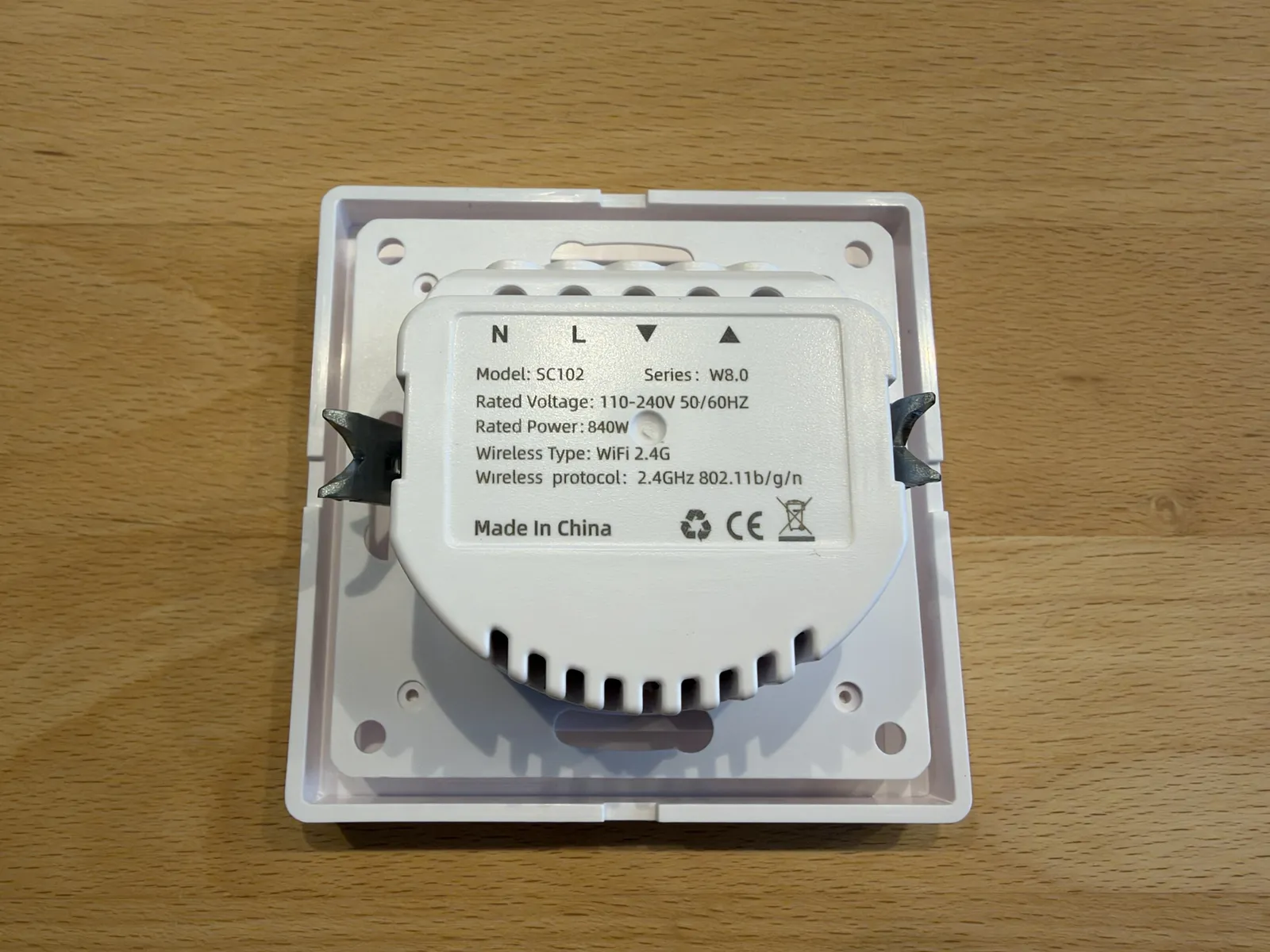
The back has the terminals N and L as well as Down and Up for the motor. According to the rating plate, this is model SC102 of the W8.0 series, designed for 110 to 240 volts and a motor power of up to 840 watts, with Wi-Fi in the 2.4 GHz band (802.11 b/g/n). In the app, the device identifies itself as „8.0 (WLAN) Vorhangschalter – Standardausführung“ (8.0 Wi-Fi curtain switch – standard version). At the time of writing (November 2026), the 8th generation was not yet listed on the manufacturer’s website; the range there goes up to generation 7 Pro. We therefore rely on the packaging, rating plate, instructions and app. The quick start guide states the format as 55 × 55 mm and the module as MN-A-E1-WR3-01.
What the instructions say about power and load
For the „8.0 Intelligent Roller Shutter Switch“ SC102, the instructions state an operating voltage of 240 volts at 50/60 Hz, a rated current of 4.1 A (peak 5 A), a rated power of 840 W (peak 960 W), Wi-Fi in the 2.4 GHz band and a housing of 5.5 × 5.5 × 3 cm for the flush-mounted box. It is controlled via the Smart Life or Tuya apps. A few small inconsistencies stand out: the rating plate says 110 to 240 volts, the table only 240 volts; the troubleshooting table mentions a load limit of 1,000 W, the technical data a rated power of 840 W. Either is more than enough for a typical roller shutter motor.
According to the instructions, the manufacturer is Shenzhen Shiling Paoke Chuangyou Xiangongsi in Shenzhen (China); eVatmaster Consulting GmbH in Rodgau (Germany) is named as the authorized representative in the EU. The device bears the CE mark (Radio Equipment Directive RED, RoHS) and the WEEE symbol for disposal as electronic waste.
First impression and design
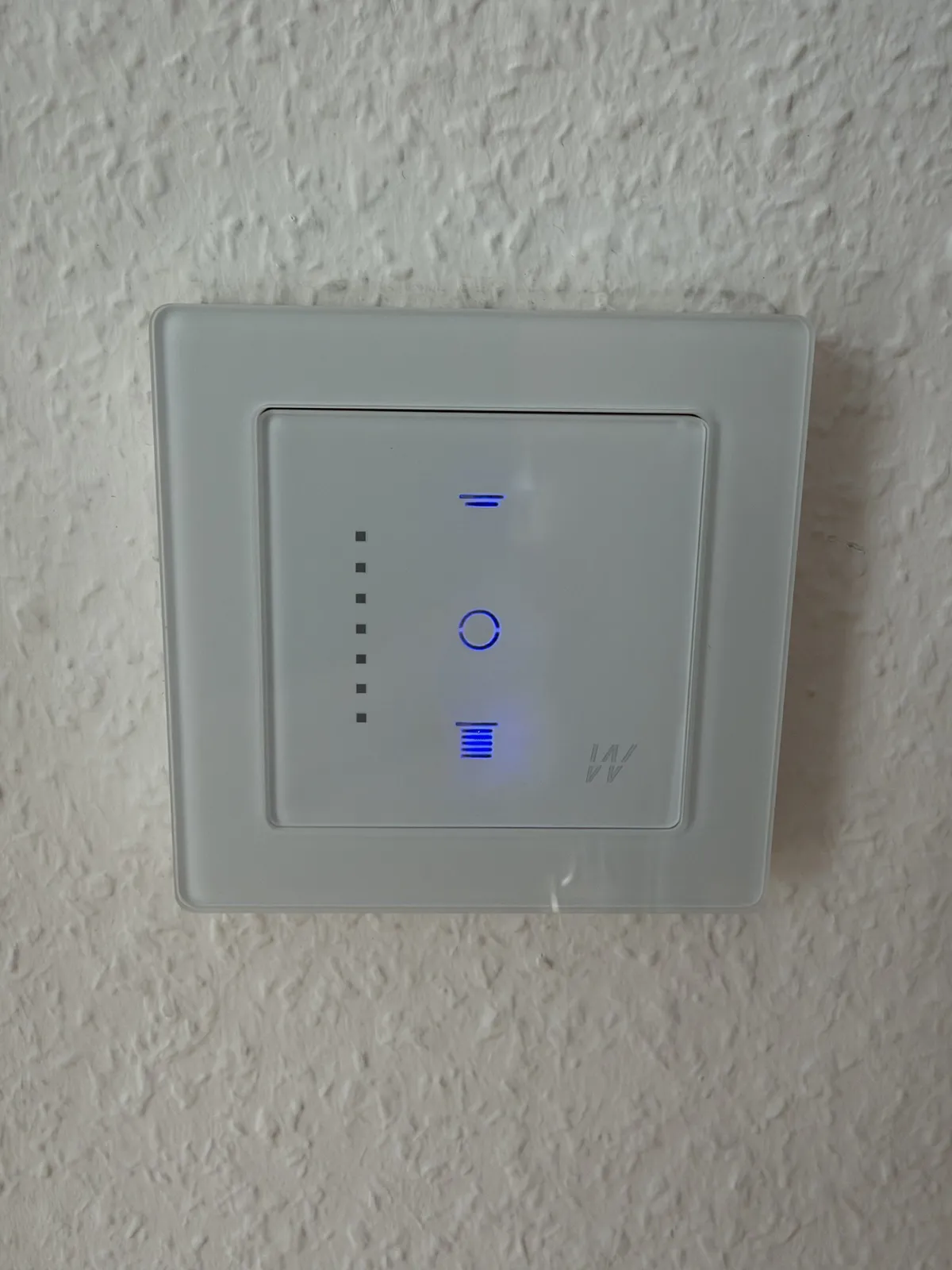
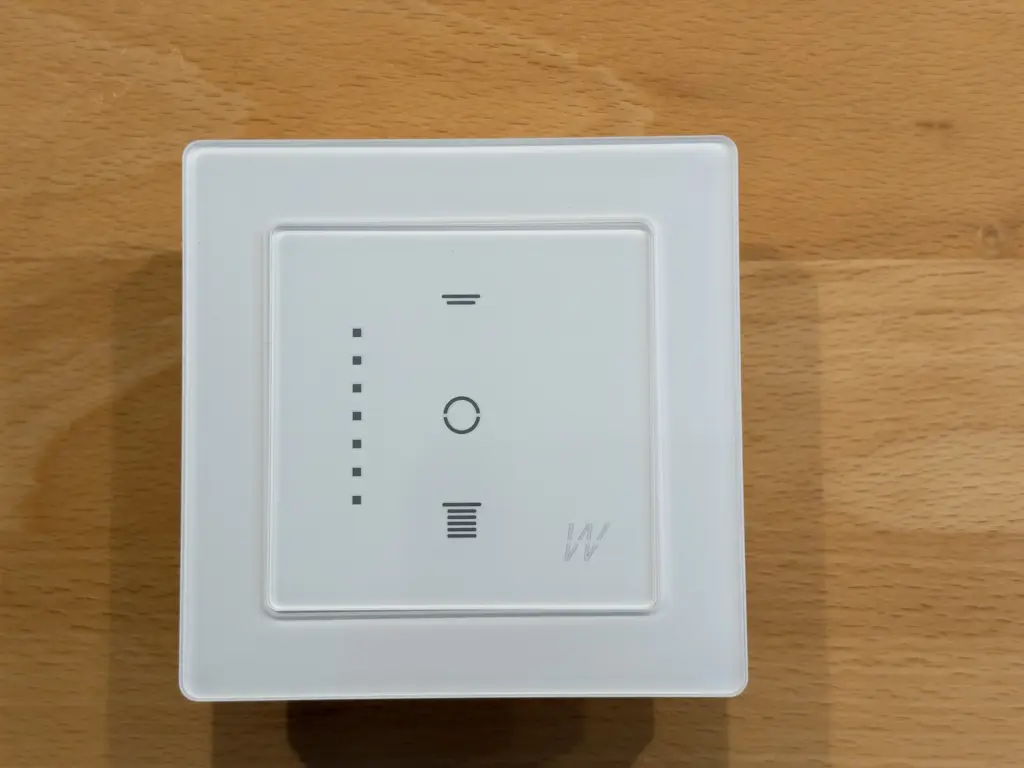
The front looks high-quality: a smooth glass surface with clear symbols for Up, Stop and Down, plus a row of dots that shows the position of the shutter. The frame fits snugly, nothing rattles. On the wall, the switch is a clear improvement over classic roller shutter push buttons: flat, calm, with subtle blue illumination. It looks elegant – this is not a cheap switch that merely wants to be smart.
Instructions
The printed instructions are bilingual, in German and English. They are illustrated, clearly structured and written in proper German – you find your way around right away. In addition to the instructions, Curry Smarter offers a detailed installation video.
Installation: what matters when switching from an old actuator
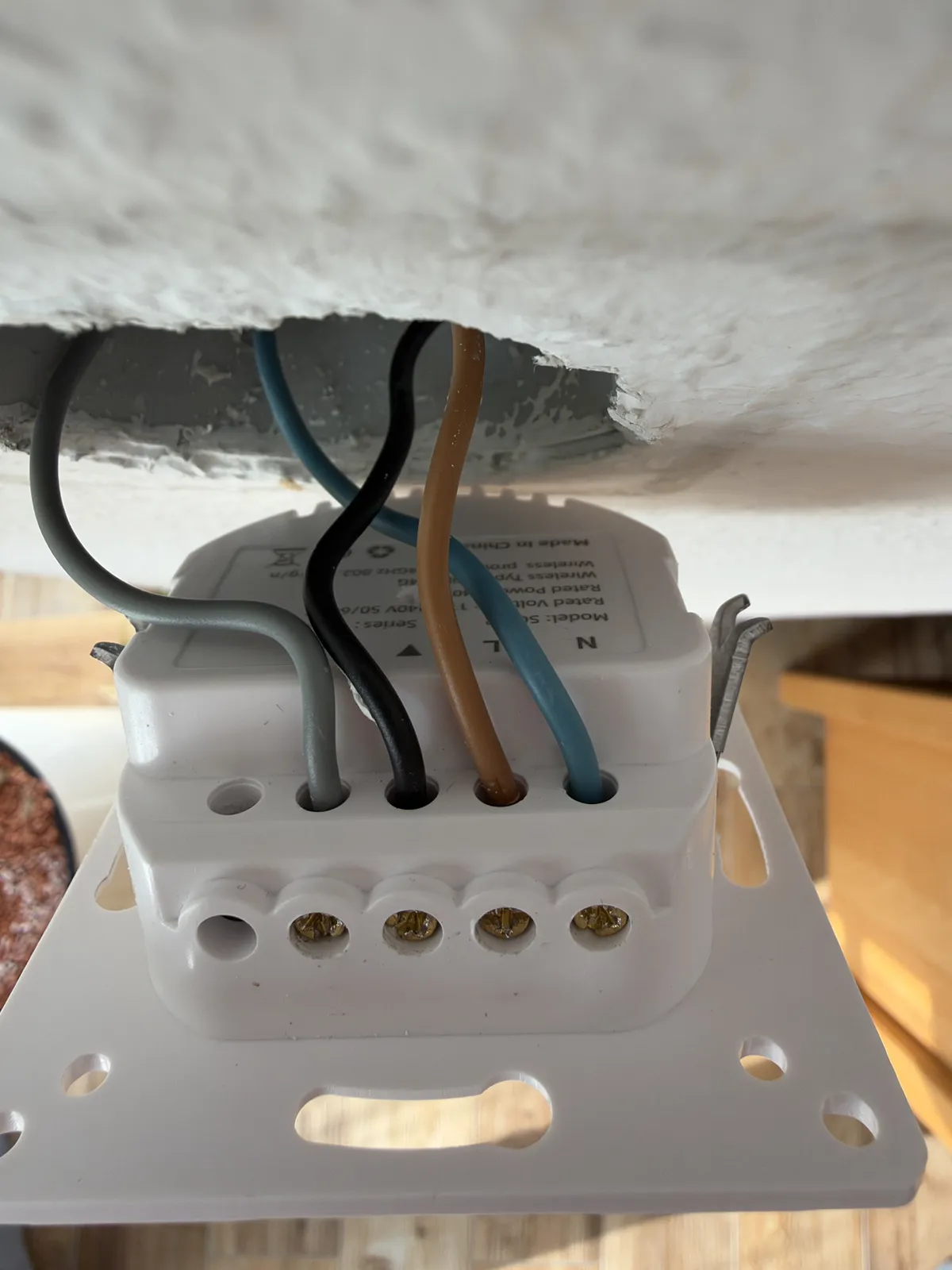
We installed the switch in place of a FIBARO Roller Shutter 3 with a mechanical push button. The wiring itself is done quickly: neutral, live and the two motor wires for Up and Down. But quick does not mean it is for everyone: working with 230 volts requires expertise, because a mistake can be fatal. Without experience in electrical installation, the job belongs in the hands of a licensed electrician – if in doubt, ask one. There are two pitfalls you should know about.
- Measure the live wire, do not just read it off. In our case, the live wire came via a lever connector that supplied both the old actuator and the push button. If you simply copy the wiring from the old device, you can easily get it wrong. If the live wire accidentally ends up on a motor output, the switch stays dark – nothing was damaged in our case.
- Check the direction of travel. After switching on for the first time, the shutter moved the wrong way: „Up“ went down. The fix: switch off the power and swap the two motor wires.
In the end, our wiring was: blue to N, brown (the live wire from the lever connector) to L, black to Down, gray to Up. These colors apply only to our installation – yours may be different. So the rule is: measure, mark, then connect.
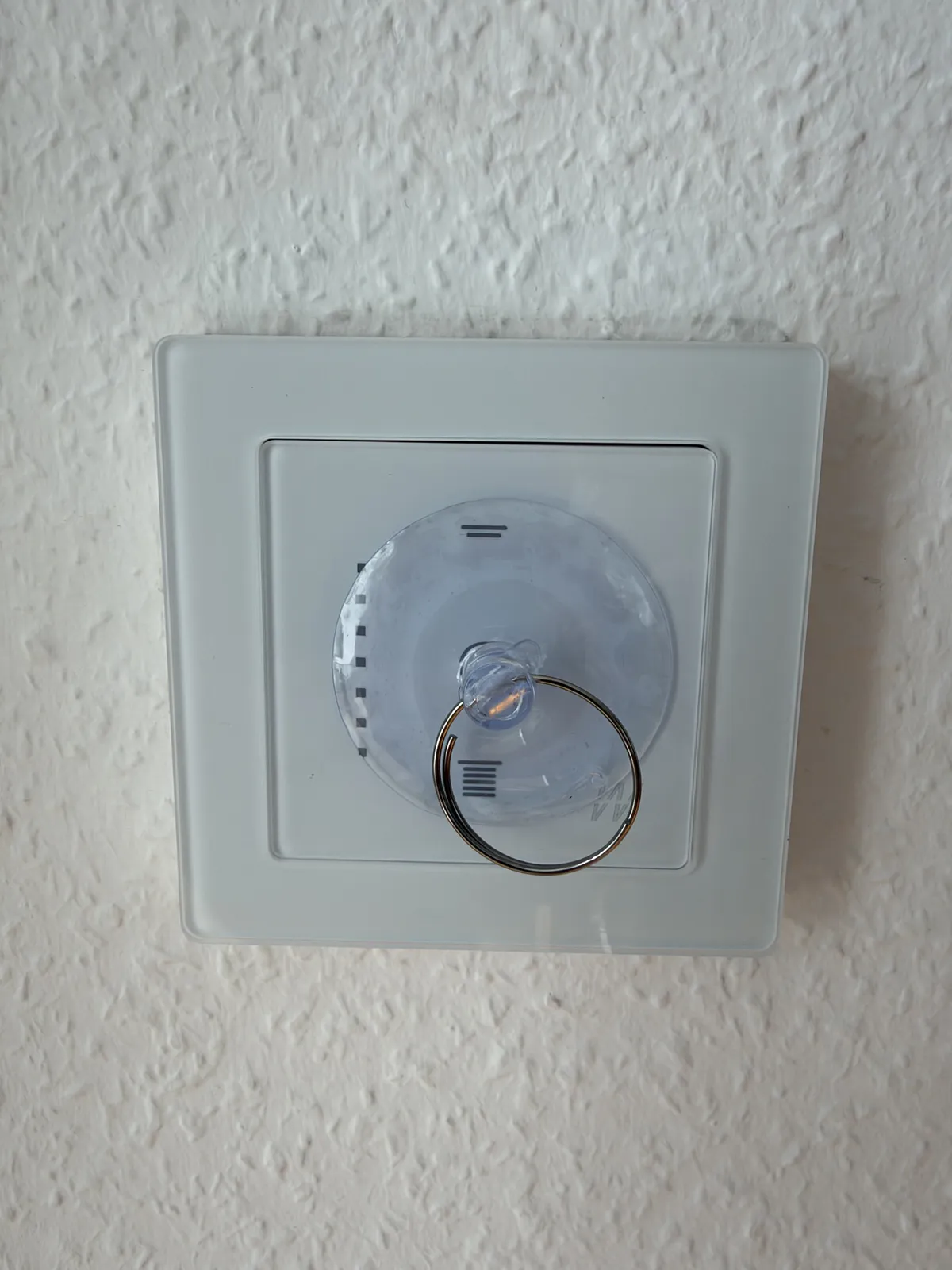
After switching on, the symbols for Up, Stop and Down light up blue, and the relay clicks audibly when you tap. The position dots only light up after calibration – the instructions say so as well.
Setup in the app
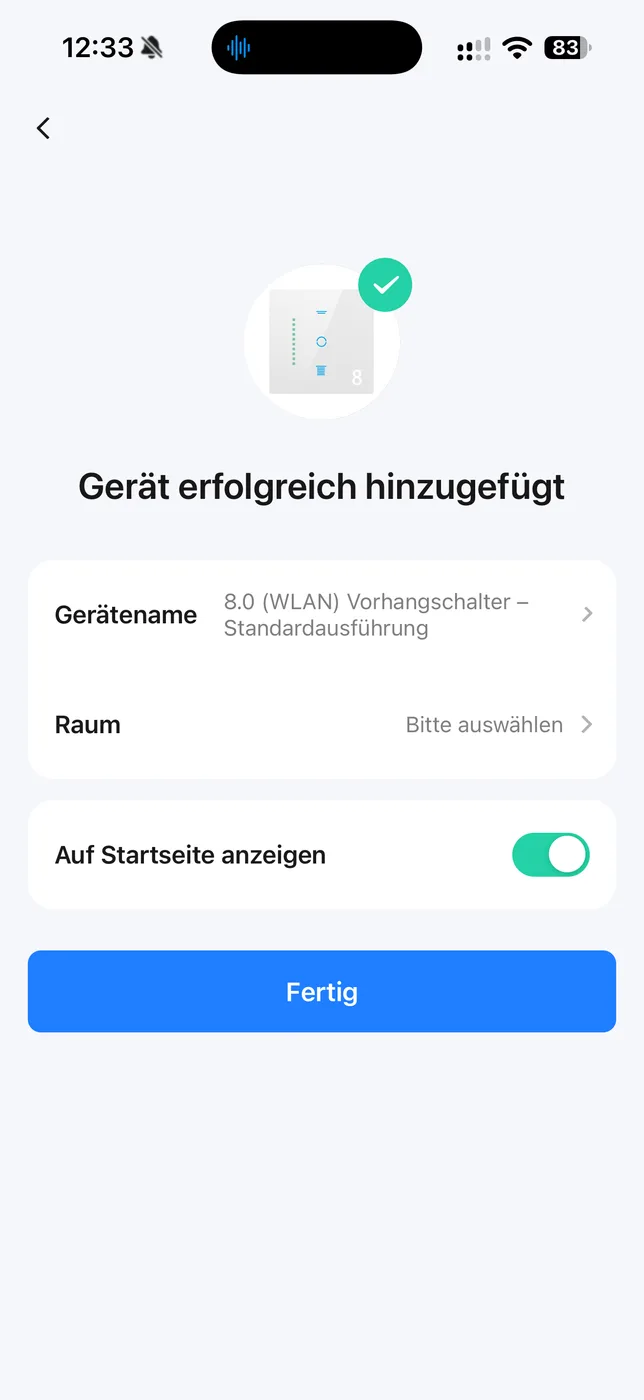
The switch is set up in the Smart Life app. Before pairing, the app asks for access to location, the local network and Bluetooth – it needs these to find the switch on the Wi-Fi network. The search found the device immediately. The app then reported „device added successfully“ with the name „8.0 (WLAN) Vorhangschalter – Standardausführung“. We renamed it „Rollo Terrasse rechts“ (right patio shutter) and assigned it to a room. That took less than five minutes.
Control
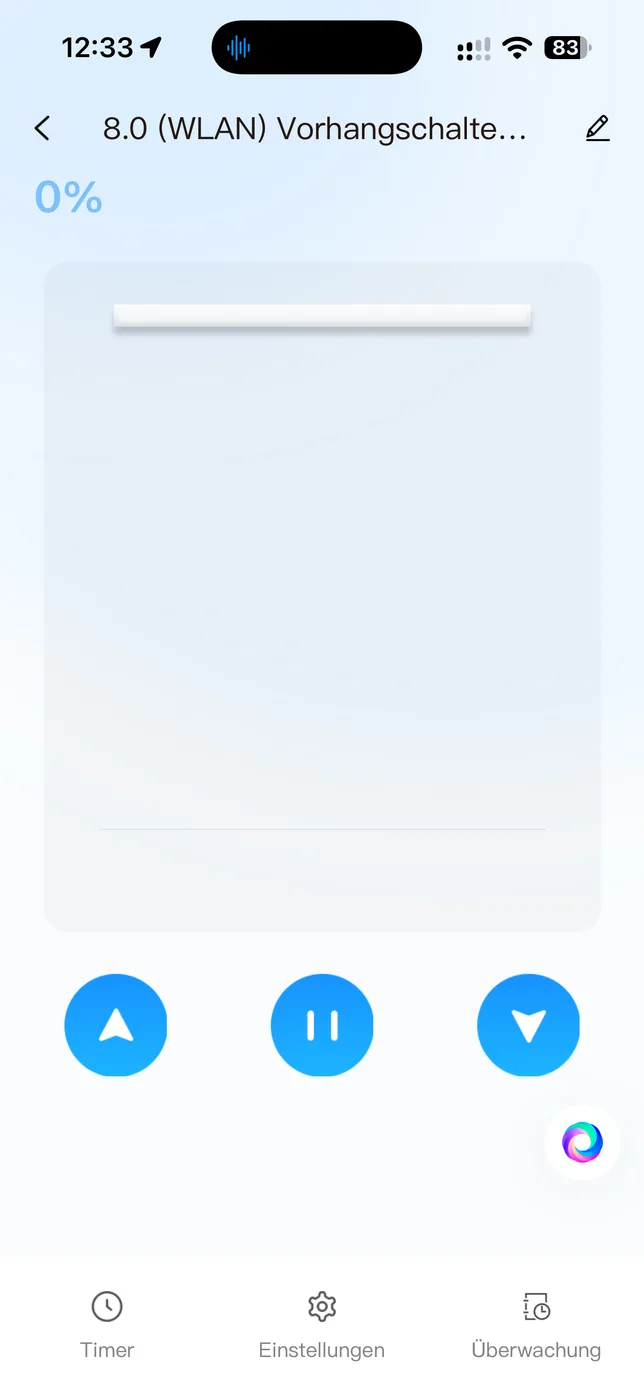
The app has three large buttons for Up, Pause and Down and shows the position in percent. On the switch itself, a tap on the glass is enough: the shutter travels to its end position and stops there by itself. A tap on Stop halts it at any intermediate position. In our test, the app ran reliably and responded without any noticeable delay.
Calibration
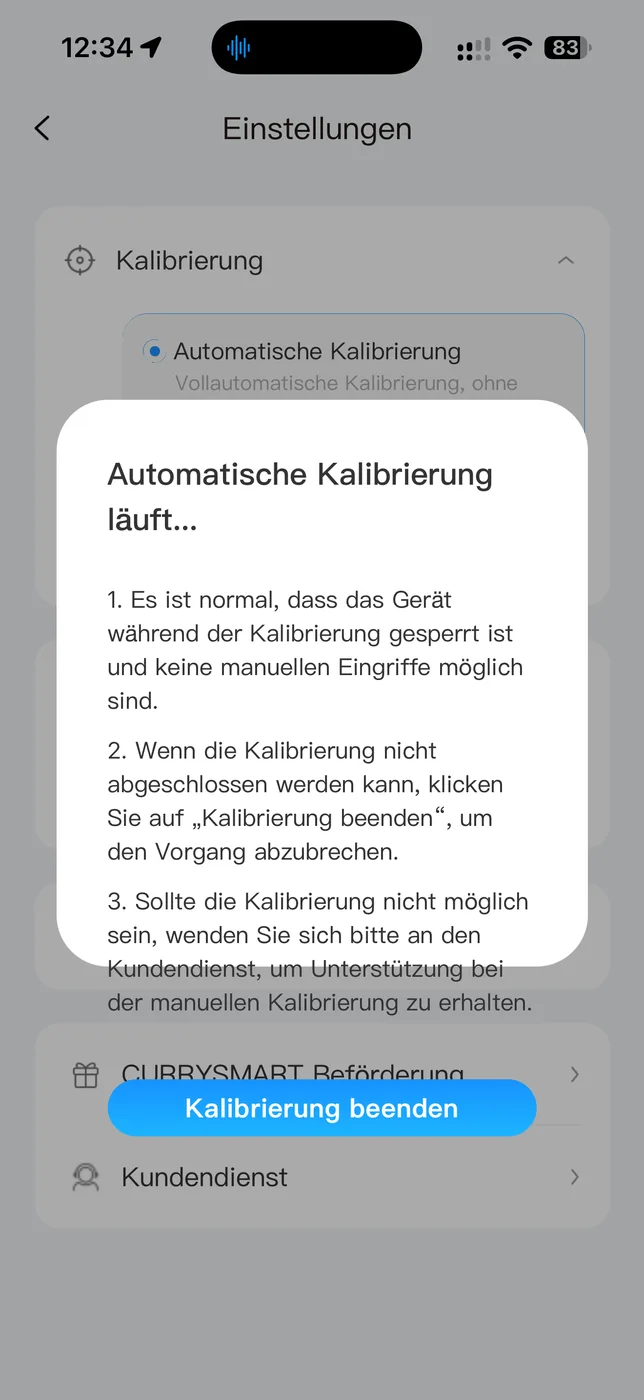
So that the switch knows how long the shutter takes to travel from fully open to fully closed, it has to be calibrated once. You start this in the device settings; the app then runs the shutter through its full travel on its own and remembers the time. That is simple and immediately understandable. Afterwards, the dots on the left of the switch show the position, and the app can move the shutter to a specific percentage. The settings also include a child lock and a switch for the indicator light.
Video: how the switch works
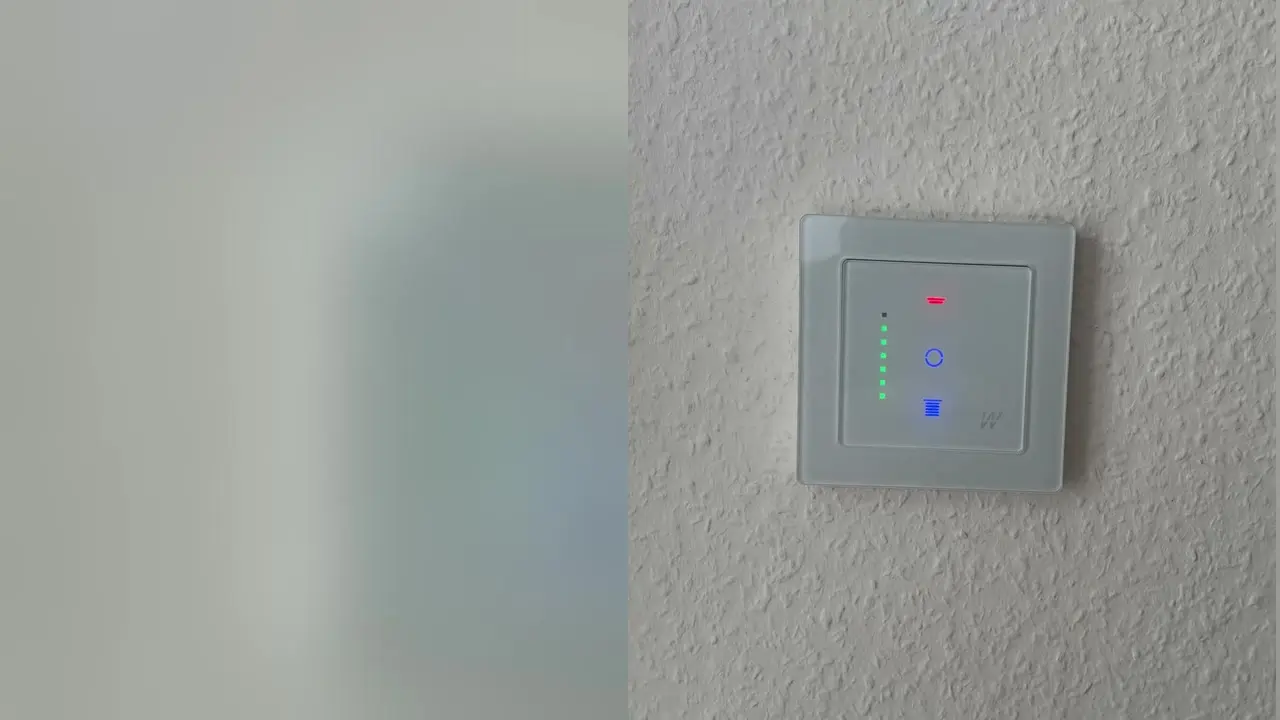
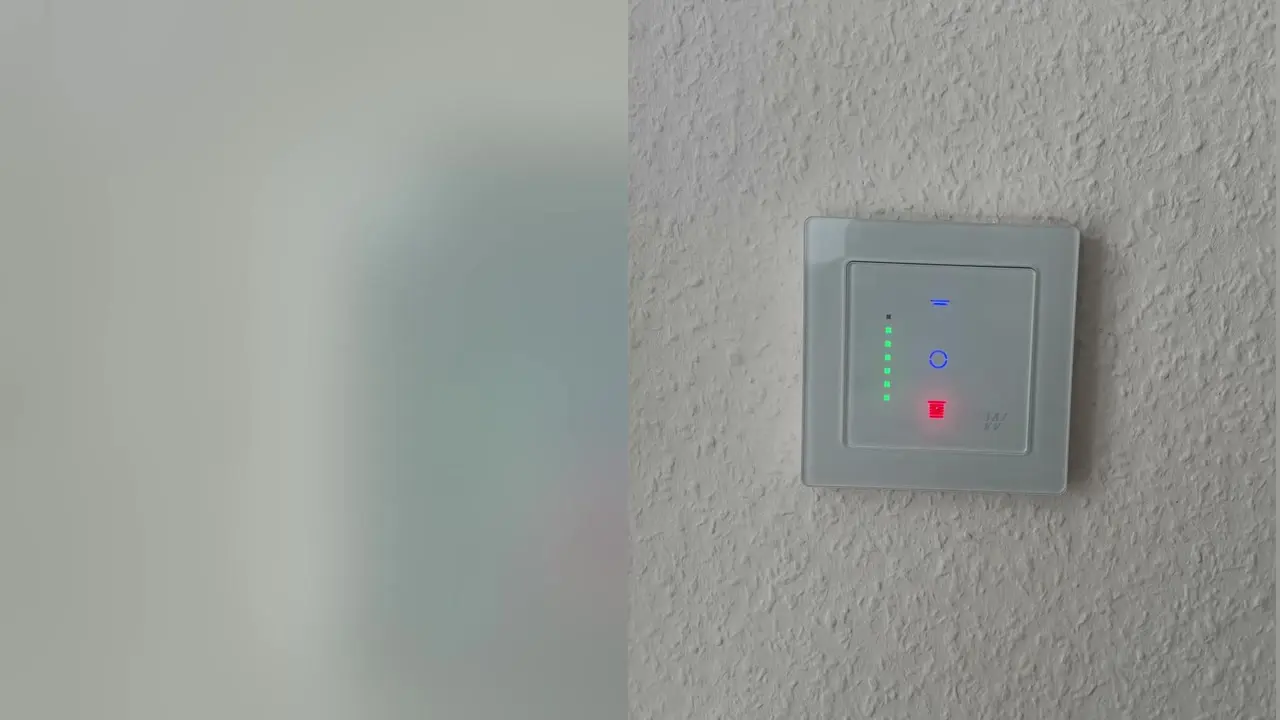
The first video shows the entire review (in German); the two short clips below it show the switch in operation: once the shutter travels to its end position, once we stop it at an intermediate position.
The full review on video
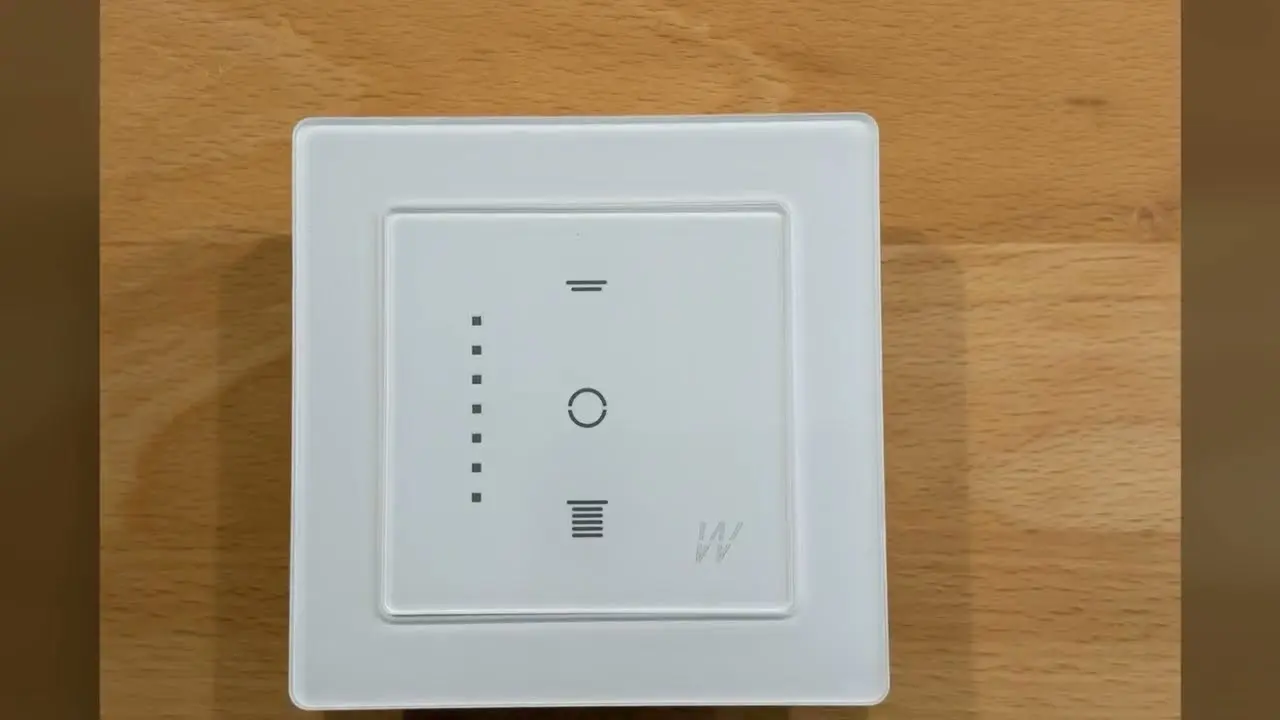
Shutter travels to its end position
Stopping the shutter at an intermediate position
Wi-Fi in the 2.4 GHz band
The switch uses the 2.4 GHz band. That is standard for Wi-Fi smart home devices and actually the better choice for a switch: the band has a longer range and gets through walls better than 5 GHz – and a roller shutter switch only sends small amounts of data, so a stable connection matters more than speed. In practice, this means your smartphone has to be on the 2.4 GHz network during setup. With a FRITZ!Box (a router widely used in Germany) using one name for both bands, this usually works on its own; if pairing fails, AVM recommends briefly switching off the 5 GHz network for setup and then switching it back on. Curry Smarter points this out in its instructions as well.
Voice assistants: Alexa, Google – and Siri only via detours
According to the packaging, the switch works with Amazon Alexa, Google Assistant and Siri. Here, however, „Siri“ does not mean Apple Home: the switch does not appear in the iPhone’s Home app – neither via the accessory search nor via a code. Siri can only reach it indirectly. In Smart Life, you create a scene to run manually („Tap-to-Run“, for example „patio up“), run it once and then add it to the Shortcuts app. From then on, Siri responds to exactly that phrase. Choose a distinctive name: if the shortcut has the same name as a device in Apple Home, Siri may send the command to the Home app, and nothing happens.
The sticking point: no place in an existing smart home
This is where the real weakness shows, and it weighs more heavily than any detail of the device. Our test household is not an empty house. There, 16 flush-mounted FIBARO Roller Shutter actuators control the shutters, all connected via Z-Wave to a homee hub (a German smart home controller). Automations depend on this: open in the morning, close in the evening, sun protection at midday, all together for the whole house. Via homee’s HomeKit bridge (currently still in beta), the same shutters also appear in Apple Home on the iPhone. The entire house is built around Apple.
The Smart Life app itself can do quite a lot. You can create schedules, build scenes such as „all shutters down“ and set up automations that trigger, for example, by time of day, sunrise and sunset or the status of other Smart Life devices. If you build your smart home entirely within this ecosystem, you will get along well with it.
But that does not help if another system is already running in the house. Then a new switch should fit into what is there, not open up a second world next to it. The Curry Smarter was supposed to replace one of the FIBARO actuators and simply run along with the rest. That is exactly what does not work:
- homee offers no integration for Tuya or Smart Life devices. The switch does not show up in the hub, and the automations bypass it.
- Apple Home does not see it either. Neither the packaging, the instructions nor the app mention HomeKit or Matter, and it cannot be added in the Home app. For other devices in the series, Curry Smarter itself states that only Siri is supported, not HomeKit. The manufacturer does not yet offer a device with Matter. An automation in the Home app therefore cannot address the switch.
- Smart Life controls it reliably but does not know about the other 15 shutters. Every automation would have to be maintained twice, once in homee and once in Smart Life, and neither knows anything about the other. If the time for sun protection changes, you have to update it in two places.
The result is an island: a beautiful switch that works flawlessly on the wall but does not play along with the rest of the system. When all the shutters close in the evening, this one stays open. So after the test we removed it again and put the old actuator back – with a heavy heart, because we would have liked to keep it. And replacing 16 existing actuators for several hundred euros just to have a nicer switch on the wall is out of the question – especially since in everyday life the automations move the shutters anyway, not a finger on the switch.
In our view, this is also a missed opportunity for the manufacturer. People who already have a smart home in particular care about design and would gladly use this switch. Without Matter or HomeKit, Curry Smarter locks out exactly these buyers. That is a criticism the manufacturer has to accept.
Is there a workaround?
The door is not completely closed, but every route has a catch:
- Via a cloud service: homee can call a web address (webhook) as part of an automation. The IFTTT service can then trigger a Smart Life scene („Activate Scene“). This runs via two third-party servers and requires an IFTTT account, uses up credits from the monthly allowance there (depending on usage, the free plan is enough or you need a subscription), responds with a delay and does not report the shutter’s status back to homee. If the internet goes down, the shutter stays where it is.
- Via a DIY solution: with Homebridge or Home Assistant and a Tuya plugin, the switch can be brought into Apple Home. This requires a computer running permanently, a Tuya developer account and maintenance after every update. It still does not end up in homee.
- Curry Smarter’s Tasmota version: the manufacturer sells a separate roller shutter switch with preinstalled Tasmota software (model T01). It works locally without a cloud and can be integrated via MQTT into Home Assistant, ioBroker or Domoticz – and from there on into Apple Home. It has no app, it is set up via Home Assistant, and it is a different device from the 8th-generation switch we tested. It does not end up in homee either.
- Flashing different firmware: technically possible with some Tuya devices, but not something for regular users with a 230-volt switch in the living room – and the warranty is questionable afterwards.
For an existing smart home, none of these is a clean solution. If you are starting from scratch and only use Smart Life, Alexa or Google anyway, you do not have this problem. But if a hub such as homee, Homey or Apple Home is at the center of your setup, look for a switch with Matter, HomeKit or Z-Wave.
Two shutters in one place?
The SC102 controls exactly one shutter: it has one output for Up and one for Down. If you currently operate two shutters with a double switch, for example two kitchen windows side by side, you need two devices next to each other. Curry Smarter offers multi-gang frames for up to four units in the 55 mm format; ready-made 2-gang and 3-gang sets with frames are currently only available from the manufacturer for the older generation 6.1, and even there each module controls one motor („each switch controls one motor“, according to the manufacturer). The manufacturer does not explicitly say whether the SC102 fits these frames. Then there is the space issue: two devices need two wall boxes.
Simply connecting two motors in parallel to one switch is not a solution: according to manufacturers (Becker, for example), tubular motors with mechanical limit switches must not be connected in parallel; isolating relays exist for this purpose. Only motors with electronic limit switches allow it, if their instructions permit it – and together they must stay below the switch’s rated power of 840 W.
The Curry Smarter system: multi-gang frames, light switches, sockets
The roller shutter switch is part of a whole range of switches. If you are planning from scratch anyway, you can bring several shutters, the lighting and sockets together in the same design and the same app. Curry Smarter offers its own frames for one to four units – 1-gang and 2-gang in crystal glass, 3-gang and 4-gang in acrylic – and allows combinations of roller shutter, light and socket modules within them, for example two roller shutter switches side by side for two windows, or shutter and light in a double frame. For generation 6.1, such combinations are also available as ready-made sets. According to the manufacturer, the frames are intended „only for use with roller shutter switches, light switches and sockets of the CURRYSMARTER System 55“; if you currently have a multi-gang set from another brand, you may end up switching the whole set to Curry Smarter.
- Curry Smarter Wi-Fi roller shutter switch – the switch we tested, for one shutter
- Curry Smarter roller shutter switch, 2-gang set – two shutters in one place, one module per motor
- Curry Smarter multi-gang frames (2-, 3- and 4-gang) – for your own combinations of shutter, light and socket
- Curry Smarter Wi-Fi light switch – lighting in the same design and the same app
- Curry Smarter Wi-Fi socket – switchable flush-mounted socket from the series
The same applies to all of these devices as to the switch we tested: they work via Smart Life, Alexa and Google, but not via Apple Home or hubs such as homee. If you are building a new system, you get a consistent, stylish range of switches from a single source. With multi-gang frames, make sure the module generation matches the frame – the manufacturer currently offers the ready-made multi-gang sets for generation 6.1.
Warranty: 180 days – and what really applies
Update of November 12, 2026: Curry Smarter informed us that the warranty information has since been updated consistently and that customer service and warranty periods follow German law. The following information describes the documents that came with our test unit.
On the enclosed warranty card, the manufacturer promises a „limited warranty“ of 180 days for Europe. It also states that Amazon usually only offers a warranty of 7 to 30 days, and an extended warranty program is offered. That is misleading. The information on the extension does not add up either: according to the instructions, registering in the manufacturer’s „VIP Club“ brings a three-year warranty extension and lifetime technical support, whereas the warranty card speaks of „180 days of additional warranty“, with „180 Gesamt Days“ in large print at the bottom. On its website, Curry Smarter in turn advertises a „3-year warranty“. Which of these applies to this device remains unclear. Neither the instructions nor the card contain the statement that the buyer’s statutory rights are not limited by the warranty – exactly the statement that German law requires for warranty declarations to consumers (Section 479 of the German Civil Code, BGB).
Because regardless of any manufacturer’s warranty, when you buy a new device in Germany the seller’s statutory liability for defects applies: claims for defects only become time-barred two years after delivery (Section 438 (1) No. 3 BGB). If a defect appears within one year, it is presumed to have existed at the time of purchase (Section 477 BGB). The buyer can first demand a repair or a defect-free replacement (Section 439 BGB); if that fails, withdrawal from the contract or a price reduction may be possible. A warranty only applies in addition to these rights (Section 443 BGB). The 30 days at Amazon refer to the voluntary return policy, not to the statutory warranty. Our tip: keep your receipt – for the first two years, the seller is your point of contact for defects.
Who the switch is for
A good fit: anyone who wants to make individual shutters smart without an existing hub, or who is building a new smart home, is happy with the Smart Life app, Alexa or Google and values an elegant glass front. For these buyers, the switch is a very good choice.
Not a good fit: anyone who already automates shutters via homee, Homey, Apple Home or another hub and wants to integrate the switch there. If you use only an iPhone and want to see everything in the Home app, you will not be happy either.
Which roller shutter switches fit which system – Apple Home, Matter, Homematic IP or Z-Wave with homee – and what they cost is covered in our guide Smart roller shutter switches: which one suits your smart home? (in German)
How much does the switch cost?
Curry Smarter currently sells the 8th generation via Amazon; the link in the buy box shows the current price. For comparison: in the manufacturer’s shop, the predecessors cost from €24.91 each (generation 6.1) or from €29.52 (generation 7), with multi-gang sets costing correspondingly more (as of November 8, 2026). That puts the switch well below Z-Wave or Matter solutions, which often also require a hub. For an existing house with many shutters, switching systems still does not pay off: replacing 16 actuators just to have a different design on the wall quickly costs several hundred euros – plus the electrician.
Technical data
Manufacturer’s specifications from the enclosed instructions and the rating plate, as of November 14, 2026. We have not verified them ourselves.
| Product name per instructions | 8.0 Intelligent Roller Shutter Switch |
|---|---|
| Model | SC102, series W8.0 |
| Operating voltage | 240 V, 50/60 Hz (rating plate: 110 to 240 V) |
| Rated current | 4.1 A |
| Maximum peak current | 5 A |
| Rated power | 840 W |
| Maximum peak power | 960 W |
| Wireless | Wi-Fi 2.4 GHz, 802.11 b/g/n |
| Installation | flush-mounted |
| Housing | 5.5 × 5.5 × 3 cm (length × width × height) |
| Terminals | N, L, Up, Down (one shutter motor) |
| App | Smart Life / Tuya |
Our verdict: 4 out of 5 stars
On its own, the Curry Smarter is a five-star device: elegant, well made, quick to install, easy to calibrate, with a stable app and instructions you can actually understand. If you are setting up a new smart home and use Smart Life, Alexa or Google, you get one of the most attractive roller shutter switches we have had in our hands so far.
We deduct one star because the switch shuts itself off from everything that is already there: no Matter, no HomeKit, no integration with hubs such as homee. If you have existing smart home components, you want to bring a new switch into your system – and for that, this solution is unfortunately the wrong one. A pity, because with Matter it would be a clear recommendation for everyone.
Important before installation
The switch is connected to 230 volts. Work on the home’s electrical installation belongs in the hands of a qualified electrician. Before opening the wall box, the circuit must be switched off and checked to make sure it is de-energized.
Are you a manufacturer or retailer and would like us to review your product? Offer a product for review (in German).
Frequently asked questions
Does the Curry Smarter roller shutter switch work with Apple HomeKit?
No. The switch supports neither HomeKit nor Matter and does not appear in the Home app. Siri can only reach it via a shortcut that triggers a scene in the Smart Life app.
Can the switch be integrated into homee or Homey?
Not into homee; the hub cannot add Tuya or Smart Life devices. Only workarounds are possible, such as a webhook via IFTTT to a Smart Life scene – with a delay and without position feedback.
Which Wi-Fi does the switch need?
It uses the 2.4 GHz band, which has a longer range and gets through walls better. With a FRITZ!Box using one network name for both bands, setup usually works on its own; otherwise briefly switch off the 5 GHz network for pairing.
What if the shutter moves the wrong way?
Switch off the power and swap the two motor wires on Up and Down. Then recalibrate.
How long is the warranty?
The information is contradictory: the warranty card says 180 days, the instructions up to three years after registration, the manufacturer's website three years. Regardless of this, the seller in Germany is liable for defects for two years (statutory warranty).
Conclusion
On its own, a five-star device: an elegant glass front, high-quality build, quick to install, easy to calibrate, a stable app and clear instructions. If you are setting up a new smart home and use Smart Life, Alexa or Google, you get a very attractive roller shutter switch.
We deduct one star: no Matter, no HomeKit, no integration with hubs such as homee. If you already have a smart home with automations, you cannot add the switch to it – for these buyers it is unfortunately the wrong solution.
Where to buy
- Curry Smarter WLAN-RollladenschalterCheck price at Amazon.de