This review was first published in German on handgetestet.de.
We tested the model with M1 Max, 64 GB of memory and a 1 TB SSD, mainly for video editing. Our verdict: five out of five stars.
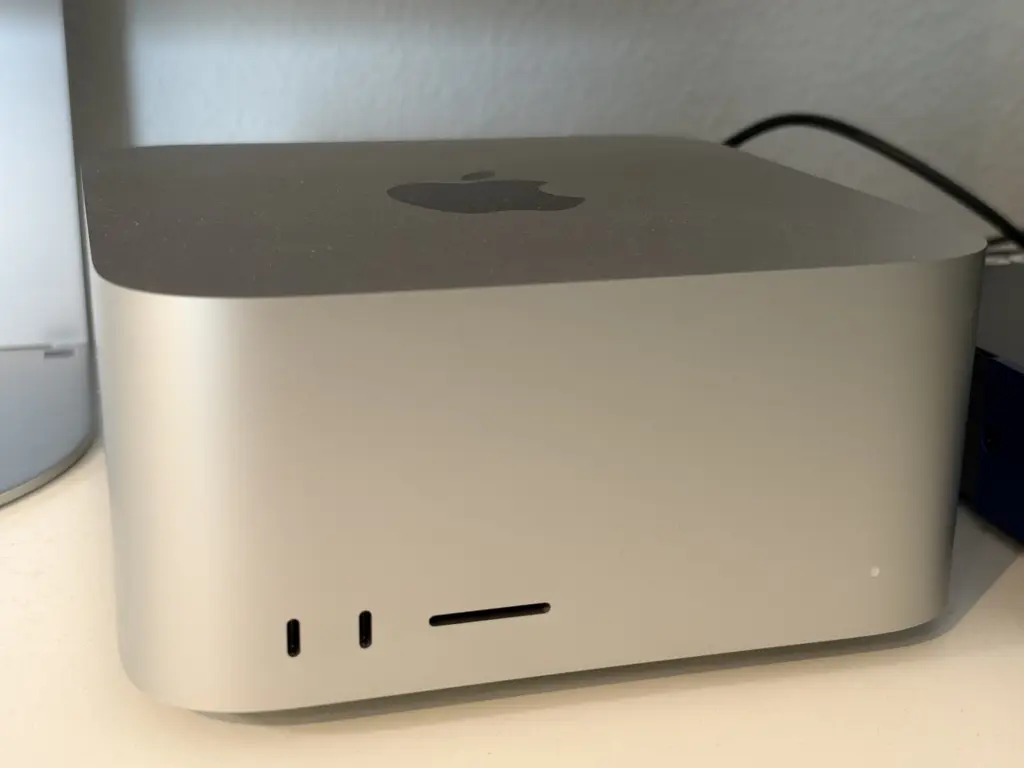
Build quality and size
The housing is solid and very well made. The footprint is square, according to Apple 19.7 by 19.7 centimeters, at a height of 9.5 centimeters. That makes the Mac Studio surprisingly portable: without a permanently connected display, you can quickly pack it up and set it up again in another room or somewhere else. Apple states the weight of the M1 Max model as 2.7 kilograms.
Ports
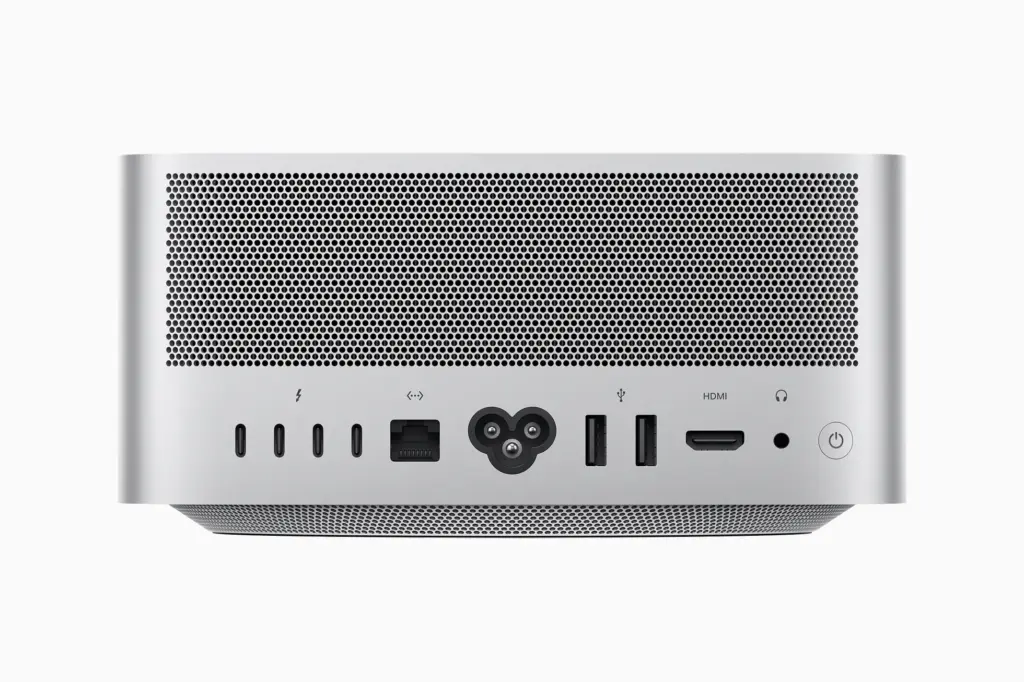
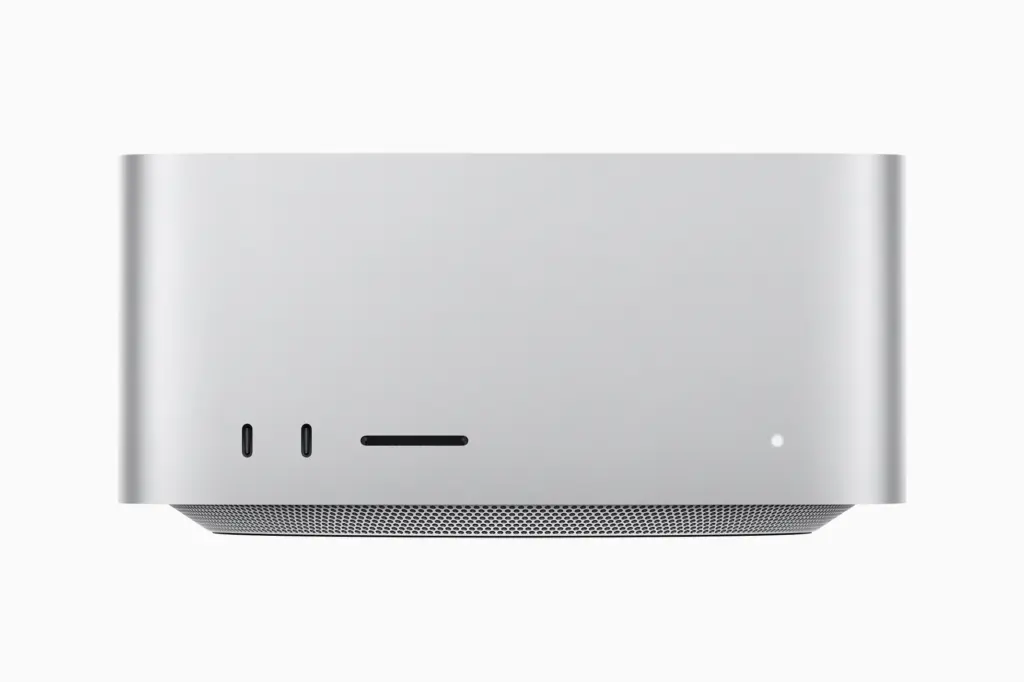
There is no shortage of ports. According to Apple, the back has four Thunderbolt 4 ports, two USB-A, HDMI, 10-gigabit Ethernet and a headphone jack. The front has an SD card slot and two USB-C ports with up to 10 Gbit/s. Only the version with the Ultra chip has Thunderbolt on the front. The device has no dedicated DisplayPort connector; monitors connect via HDMI or Thunderbolt.
Video editing in everyday use
For video editing, the Mac Studio runs very smoothly, and that still holds true for the first generation. Plenty of memory pays off; we would not skimp on it. Apple does not state how many 8K streams the M1 Max can handle in parallel, and we did not count them. The 18 streams of 8K ProRes 422 from Apple’s announcement apply to the M1 Ultra, measured with a prototype with 128 GB of memory.
A 1 TB SSD is enough for most tasks if you edit projects on external SSDs. The interplay of hardware and operating system ran stably and without friction in our test.
Noise
The fan is pleasantly quiet. Under heavy load you can hear it a little, but it was not bothersome in our test.
Technical data
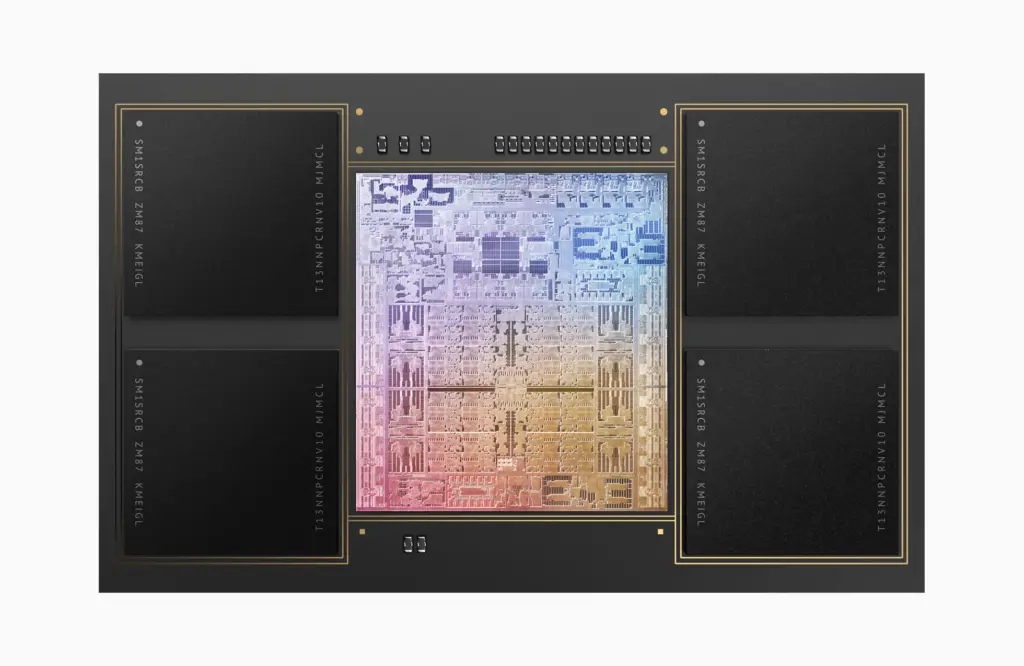
All values are Apple’s specifications from the technical data, the overview of power consumption and the launch press release. We have not verified them ourselves. Most important for video editing is the Media Engine: it processes H.264, HEVC and ProRes in dedicated hardware, taking load off the processor and graphics.
| Chip | |
|---|---|
| Chip | Apple M1 Max |
| CPU | 10 cores: 8 performance cores, 2 efficiency cores |
| GPU | 24 cores, optionally 32 |
| Neural Engine | 16 cores |
| Memory bandwidth | 400 GB/s |
| Media Engine | hardware acceleration for H.264, HEVC, ProRes and ProRes RAW; 1 decoder, 2 encoders, 2 ProRes engines |
| Memory and storage | |
| Memory | 32 GB, optionally 64 GB (our test unit: 64 GB) |
| SSD | 512 GB to 8 TB (our test unit: 1 TB) |
| Displays | |
| Number | up to 5 at the same time |
| Via Thunderbolt | up to 4 Pro Display XDR at 6K and 60 Hz |
| Via HDMI | 1 display up to 4K at 60 Hz |
| Rear ports | |
| Thunderbolt 4 | 4 ports, up to 40 Gbit/s, with DisplayPort and USB 4 |
| USB-A | 2 ports, up to 5 Gbit/s |
| Network | 10-gigabit Ethernet (also 1, 2.5 and 5 Gbit/s) |
| Other | HDMI, 3.5 mm headphone jack for high-impedance headphones |
| Front ports | |
| USB-C | 2 ports, up to 10 Gbit/s |
| Card reader | SDXC, UHS-II |
| Wireless | |
| Wi-Fi | Wi-Fi 6 (802.11ax) |
| Bluetooth | 5.0 |
| Power and noise | |
| Power consumption | 11 W idle, 115 W maximum (Apple measurement, M1 Max with 32-core GPU) |
| Power supply | built-in, 100 to 240 V |
| Noise | 15 dB sound pressure at the workstation when idle (Apple measurement) |
| Housing | |
| Dimensions | 19.7 × 19.7 × 9.5 cm |
| Weight | 2.7 kg |
| Operating temperature | 10 to 35 °C |
| Color | silver |
| Launch | |
| Announced | March 8, 2022, shipping from March 18, 2022 |
| OS at launch | macOS Monterey |
| Launch price | from €2,299 (M1 Max, 32 GB, 512 GB) |
Our verdict
The Mac Studio is very well built, compact and ideally suited to video editing. Even the M1 Max is enough for that. Apple no longer sells the M1 models; the current generation comes with M5 Max and M5 Ultra. If you edit video and have a fixed workstation with your own display, we give it a clear recommendation. Five out of five stars. Mobile alternatives can be found in our guide to laptops for video editing (in German).
Are you a manufacturer or retailer and would like us to review your product? Offer a product for review (in German).
Frequently asked questions
Is the Mac Studio M1 Max enough for video editing?
Yes. We tested the model with 64 GB of memory and a 1 TB SSD, and editing ran very smoothly, even on the first generation. Plenty of memory pays off; we would not skimp on it.
Is a 1 TB SSD enough in the Mac Studio?
For most tasks, yes, if you edit projects on external SSDs. The Mac Studio offers enough fast ports for that, including four Thunderbolt 4 ports on the back.
Which ports does the Mac Studio have?
According to Apple, on the back four Thunderbolt 4 ports, two USB-A, HDMI, 10-gigabit Ethernet and a headphone jack; on the front an SD card slot and two USB-C ports with up to 10 Gbit/s. There is no dedicated DisplayPort connector.
Is the Mac Studio loud?
The fan is pleasantly quiet. Under heavy load during video editing you can hear it a little, but it was not bothersome in our test. The interplay of hardware and operating system ran stably and without friction.
How big is the Mac Studio?
According to Apple, 19.7 by 19.7 centimeters and 9.5 centimeters tall; with the M1 Max it weighs 2.7 kilograms. Without a permanently connected display, you can quickly pack it up and set it up again somewhere else.
Sources
- Apple: Mac Studio (2022), technical specifications
- Apple: Mac Studio, power consumption and thermal output
- Apple: Mac Studio press release, March 2022
- Apple: Mac Studio, technical specifications of the current generation
Conclusion
Very well built, compact, with lots of ports and smooth in video editing. Under heavy load the fan is slightly audible. A clear recommendation for fixed workstations.
Where to buy
- Apple Mac Studio (2026) M5 MaxView at CoolblueCheck price at Amazon.de