Contents14 sections
This guide was first published in German on handgetestet.de.
When choosing a laptop for video editing, almost everyone looks at the processor first. What actually makes the work smooth, though, are three other things: enough RAM, a large SSD and a display with a wide color gamut. For photo editing, a MacBook Air 15 with M5 and at least 24 GB is often enough.
If you regularly edit 4K video, you are better served by a MacBook Pro with M5 Pro or a Windows laptop with RTX graphics and OLED, such as the ASUS ProArt P16 or the Lenovo Yoga Pro 9i Aura Edition. And for 8K, many tracks or demanding effects, you need the MacBook Pro with M5 Max. If you edit photos and regularly cut 4K, our assessment is to go for the MacBook Pro 14 with M6, 32 GB of RAM and a 1 TB SSD. It comes with a bright XDR display, a card reader and HDMI. If photo editing is all you need, the MacBook Air 15 with 24 GB is the more affordable choice.
You cannot buy more memory later
In most laptops in this class, the RAM is soldered on. Upgrading? Not possible. And this is exactly where people tend to cut corners in the wrong place. 16 GB is the minimum for photo editing, 32 GB makes sense for 4K editing, and for 8K, many layers or effects, 64 GB or more.
It is similar with the SSD. Do not start below 1 TB, because video projects and RAW archives grow quickly. Apple solders the SSD in place, whereas some Windows laptops have a second M.2 slot. Large archives are cheaper to move to a fast external SSD on a Thunderbolt port or to a NAS anyway.
What a display for editing and color work needs
The benchmark for video is the DCI-P3 or Display P3 color space; for print and photography, Adobe RGB is added. Reliable indicators are manufacturer specifications such as „100% DCI-P3“ or factory calibration. HDR editing requires a bright display with high contrast. That means OLED or mini-LED, which Apple calls „Liquid Retina XDR“.
Same graphics chip, different performance
Editing software uses the GPU for effects, previews and exports. With Windows laptops, however, the name of the RTX graphics card only tells half the story, because the manufacturer limits the power draw in watts, so the same designation can perform very differently depending on the device. The data sheet or an independent review tells you more than any marketing copy.
An SD card reader saves you an adapter. You need Thunderbolt or USB4 for fast external SSDs and monitors, and HDMI helps with a second screen. If you sit for long periods and do color-critical work, you will put a large, calibratable monitor on your desk anyway. What matters there is explained in our guide to monitors for photo and video editing (in German).
Seven laptops for video and photo editing
| Model | Chip and graphics | Display | RAM | Best for |
|---|---|---|---|---|
| Apple MacBook Air 15 (M5, 24 GB, 1 TB) | M5, 10-core CPU, 10-core GPU | 15.3 inches, LCD, 500 nits, P3 | 16 to 32 GB | Photos, occasional editing |
| Apple MacBook Pro 14 (M6, 32 GB, 1 TB) | M6, 12-core CPU, 12-core GPU | 14.2 inches, Liquid Retina XDR, 120 Hz | 16 to 32 GB | Photos and 4K editing on the go |
| Apple MacBook Pro 14/16 (M5 Pro/Max) | Up to 18-core CPU, up to 40-core GPU | Liquid Retina XDR or PROLED XDR | 24 to 128 GB | Professionals, 8K, many tracks |
| ASUS ProArt P16 (H7606) | Ryzen AI 9 HX 370, RTX 5060 to RTX 5090 | 16 inches, OLED up to 4K, 100% DCI-P3 | 32 or 64 GB | Windows creatives with heavy graphics workloads |
| Lenovo Yoga Pro 9i Aura Edition 16 (Gen 11) | Core Ultra 7/9, RTX 5050 to RTX 5070 | 16 inches, 3.2K tandem OLED, 120 Hz | 32 or 64 GB | All-round creatives on Windows |
| Dell 16 Premium (DA16250) | Core Ultra 7/9, RTX 5050 to RTX 5070 | 16.3 inches, 4K OLED touch or IPS | 32 GB (review unit) | Premium design, photos and light editing |
| MSI Creator A16 AI+ | Ryzen AI 9 HX 370, RTX 4060 | 16 inches, QHD+ OLED, 240 Hz | 32 GB | Lots of room to add storage |
MacBook Air 15 (M5): enough for photographers
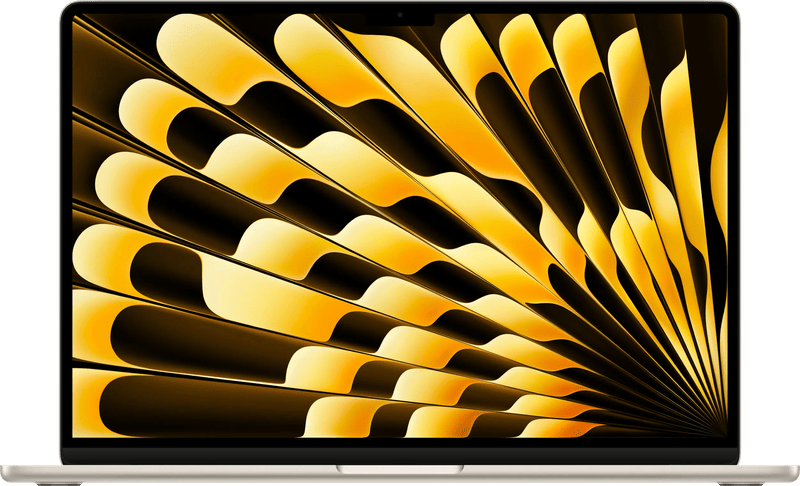
Apple sells the MacBook Air 15 with M5 with 16, 24 or 32 GB of RAM and up to 4 TB of SSD storage. The 15.3-inch display covers the P3 color gamut and reaches 500 nits. It cannot do HDR. At 1.51 kg, it is pleasantly light to carry. The ports are its weak point: no SD card reader, no HDMI, only two Thunderbolt 4 ports. For photo editing and shorter video projects, it is still enough.
MacBook Pro 14 (M6): the new entry-level Pro
Apple introduced the model at the end of October 2026, with shipping starting on November 6, according to Apple. The M6 has 12 CPU and 12 GPU cores, and according to Apple, graphics are up to 30 percent faster than on the M5. The Liquid Retina XDR display delivers 1,000 nits sustained, 1,600 nits peak in HDR and ProMotion up to 120 Hz. An SD card reader, HDMI and three Thunderbolt 4 ports are included.
RAM is the limitation. It tops out at 32 GB. That is enough for 4K, but not really for 8K.
MacBook Pro 14/16 (M5 Pro/Max): for large projects
With M5 Pro or M5 Max, up to 128 GB of RAM, up to 8 TB of SSD storage and three Thunderbolt 5 ports are possible. According to Apple, the M5 Max has two ProRes engines and the M5 Pro one. Since the end of October 2026, there has also been a version with a PROLED XDR display: tandem OLED, touch, up to 2,000 nits and, according to Apple, coverage of P3 and Adobe RGB. The classic model with the Liquid Retina XDR display remains available. This class is aimed at 8K footage and large projects and is priced at the high end. If you only edit photos, you are paying for reserves you will never need.
ASUS ProArt P16 (H7606): Windows with plenty of graphics power
With the ProArt P16, you choose between an RTX 5060, 5070, 5080 or 5090, with 32 or 64 GB of RAM depending on the configuration. The 16-inch OLED comes in 3K or 4K, according to ASUS with 100% DCI-P3 and Pantone validation. The fast SD Express card reader, USB4 and HDMI 2.1 are practical. If you do not need dedicated graphics and mainly edit photos, the lighter ASUS Zenbook S16 with a 16-inch OLED is an alternative.
Lenovo Yoga Pro 9i Aura Edition 16 (Gen 11): the brightest OLED in the lineup
Third-series Intel Core Ultra 7 or 9, plus an RTX 5050, 5060 or 5070. According to the data sheet, the 3.2K tandem OLED reaches up to 1,600 nits peak, covers 100% of P3 and Adobe RGB and is Pantone-validated. Lenovo has built in an SD card reader (UHS-II), two Thunderbolt 4 ports and HDMI 2.1. Weight: from 1.9 kg.
Dell 16 Premium (DA16250): attractive, but held back
The Dell 16 Premium succeeds the earlier XPS 16 with RTX graphics. In Notebookcheck’s review, its 4K OLED showed almost complete P3 coverage, but at around 400 nits it is not particularly bright. The graphics matter more. The RTX 5070 runs at only about 55 to 60 watts here, making it slower than in other devices. Instead of a full-size SD slot, there is only a microSD reader in the chassis. Incidentally, the new 2026 XPS 16 no longer has Nvidia graphics.
MSI Creator A16 AI+: room for more SSD storage
Here a Ryzen AI 9 HX 370 meets a previous-generation RTX 4060 and 32 GB of soldered RAM. According to MSI, the QHD+ OLED with 240 Hz typically covers 100% DCI-P3. Its real strength? Two M.2 slots for more storage. The data sheet does not mention a card reader, and it weighs 2.1 kg.
Which laptop suits which kind of work
Mainly photos, the occasional video: MacBook Air 15 (M5) with 24 GB of RAM and a 1 TB SSD. Nothing more. Photos and 4K editing on a Mac are handled by the MacBook Pro 14 with M6 and 32 GB, and if memory gets tight, by the model with M5 Pro. Professional editing in 8K and HDR belongs on a MacBook Pro 14 or 16 with M5 Max, with a PROLED XDR display if you wish.
On Windows, if you need strong graphics, the way leads to the ASUS ProArt P16 with an RTX 5070 or higher. A device for many tasks, with a bright OLED, is the Lenovo Yoga Pro 9i Aura Edition 16. If lots of internal storage matters, the MSI Creator A16 AI+ becomes interesting.
Whichever laptop you choose, photo and video archives need a second destination, such as a NAS. How to set one up is shown in our NAS guide for photo and video backup (in German).
Black Friday and Christmas: compare the configuration on laptops
Around Black Friday on November 27, many laptops appear with big discounts. With an editing machine, the trap lies in the configuration. A MacBook with 16 GB is not the same device as one with 32 GB, and the memory cannot be upgraded later. So a deal is only worthwhile if the RAM, SSD and, on Windows devices, the graphics card including its wattage match what you determined above for your work. With Apple, also pay attention to the keyboard: German retailers sell the same configuration with German QWERTZ and with QWERTY layouts.
Check the strike-through price against the reference value. Anyone advertising a price reduction must state the lowest price of the last 30 days (Section 11 of the German Price Indication Ordinance, PAngV). For our pick, you can set a price alert above. More price drops at our partner retailers are collected on the Black Friday 2026 (in German) page.
If your focus is gaming rather than editing, our guide to the gaming laptop (in German) puts graphics and cooling into perspective.
If you do not need a laptop for editing, our Mac Studio review covers a compact computer with smooth video editing and a quiet fan.
Frequently asked questions
How much RAM does a laptop for video editing need?
16 GB is the minimum for photo editing, 32 GB makes sense for 4K editing, and for 8K, many layers or effects, 64 GB or more. In most laptops in this class, the RAM is soldered on and cannot be upgraded later.
How large should the SSD be?
Do not start below 1 TB, because video projects and RAW archives grow quickly. Apple solders the SSD in place, while some Windows laptops such as the MSI Creator A16 AI+ have a second M.2 slot. Large archives are cheaper to move to an external SSD on a Thunderbolt port or to a NAS.
What display do you need for photo and video editing?
The benchmark for video is the DCI-P3 or Display P3 color space; for print and photography, Adobe RGB is added. Specifications such as "100% DCI-P3" or factory calibration are reliable. HDR editing requires a bright, high-contrast display, so OLED or mini-LED.
Is every RTX graphics card equally fast?
No. With Windows laptops, the manufacturer limits the power draw in watts, so the same designation can perform very differently depending on the device. In the Dell 16 Premium, the RTX 5070 runs at only about 55 to 60 watts. The data sheet or an independent review tells you more than the name.
Is a MacBook Air enough for image editing?
For photo editing and shorter video projects, yes. The MacBook Air 15 with M5 covers the P3 color gamut and weighs 1.51 kg, but cannot do HDR. It lacks an SD card reader and HDMI, with only two Thunderbolt 4 ports. 24 GB of RAM and a 1 TB SSD are recommended.
Which ports matter on an editing laptop?
An SD card reader saves you an adapter. Thunderbolt or USB4 is needed for fast external SSDs and monitors, and HDMI helps with a second screen. The ASUS ProArt P16, for example, offers an SD Express card reader, USB4 and HDMI 2.1.
Which laptop is suitable for video editing?
For regular 4K editing, a device with at least 32 GB of RAM, a 1 TB SSD and a display with full P3 coverage, such as the MacBook Pro 14 with M6 and 32 GB, or on Windows the ASUS ProArt P16 with RTX graphics. For 8K and many tracks, you need a MacBook Pro with M5 Max.
Sources
- Apple: MacBook Air, tech specs
- Apple: MacBook Pro, tech specs
- Apple: MacBook Pro 14 (M5 Pro/M5 Max), tech specs
- Apple Newsroom: MacBook Pro 14 with M6
- Apple Newsroom: MacBook Pro with PROLED XDR display
- ASUS: ProArt P16 (H7606), tech specs
- Lenovo: data sheet Yoga Pro 9i Aura Edition 16 (Gen 11)
- MSI: data sheet Creator A16 AI+
- Dell: XPS 16 (2026)
- Notebookcheck: Dell 16 Premium review
- German Price Indication Ordinance, Section 11: price reductions
Where to buy
- Apple MacBook Air 15 (M5)View at CoolblueCheck price at Amazon.de
- Apple MacBook Pro 14 (M6, 1 TB, Space Schwarz)Check price at Amazon.de
- Apple MacBook Pro (M5 Pro, 14 Zoll, 24 GB, 1 TB, Space Schwarz)View at CoolblueCheck price at Amazon.de
- Apple MacBook Pro (M5 Max, 16 Zoll, 36 GB, 2 TB, Space Schwarz)View at CoolblueCheck price at Amazon.de
- Apple MacBook Pro PROLED XDR (14 Zoll, M5 Pro, 24 GB, 1 TB, Silber)Check price at Amazon.de
- ASUS ProArt P16 (H7606WM, RTX 5060)Check price at Amazon.de
- ASUS Zenbook S16 (UM5606WA)Check price at Amazon.de
- Lenovo Yoga Pro 9i Aura Edition 16 (Gen 11)Check price at Amazon.de
- Dell 16 Premium (DA16250, RTX 5070)Check price at Amazon.de
- MSI Creator A16 AI+Check price at Amazon.de
- Apple MacBook Pro 14 (M6, 32 GB, 1 TB, Schwarz)View at Coolblue
- Apple MacBook Air 15 (M5, 24 GB, 1 TB, Blau)View at Coolblue