Contents16 sections
This guide was first published in German on handgetestet.de.
A UPS will not get you through a long power outage. It buys your devices a few minutes, and in those minutes your NAS and PC shut down properly instead of cutting out in the middle of a write. For the typical desk with a computer, monitor and NAS, we recommend a line-interactive UPS with a pure sine wave, around 1,000 W of real power and a USB port, specifically the CyberPower CP1600EPFCLCD. Smaller setups get by with considerably less.
Four technical questions decide the purchase. Once you know them, you can read any spec sheet in two minutes.
VA or watts: what the number in the name means
Almost every UPS carries a VA figure in its model name. 1600 sounds like a lot. What matters, though, is the second figure in watts, the real power your devices are actually allowed to draw. The ratio between the two is called the power factor, and for the home units in our table it is usually 0.6. That turns 1,600 VA into 960 W at APC and 800 VA into 480 W at Riello. Online units are more generous: according to the manufacturer, the CyberPower OLS1000EA-DE delivers 900 W at 1,000 VA.
So always calculate in watts. An example: a gaming PC under load at 450 W, a monitor at 40 W and a NAS at 35 W add up to 525 W. A UPS rated at 900 VA and 480 W would be overloaded, even though the VA figure looks generous. With 1,000 W of real power, the same combination runs just under half load, and for that CyberPower quotes about 9.7 minutes of runtime on the CP1600EPFCLCD. At full load it is only 2.6 minutes.
The label on the PC power supply is no basis for this, as it only gives the upper limit. The real figure comes from a plug-in power meter, measured during a game scene or a large export.
Offline, line-interactive, online
These three terms stand for three designs. The simplest, often called an offline or standby UPS, passes mains power through unchanged and only switches to battery when the power fails. Fluctuations in mains voltage reach the devices unfiltered.
Line-interactive units add automatic voltage regulation, usually called AVR on the spec sheet. If the voltage dips or rises a little, a transformer compensates without tapping the battery, which spares it. If the power fails completely, a few milliseconds pass before the switchover: CyberPower quotes a typical 4 ms for the BR700ELCD and a typical 8 ms for the CP1600EPFCLCD. A decent PC power supply normally bridges gaps that short with its own capacitors. For a home office or equipment closet, this class is therefore the sensible default.
The online or double-conversion UPS works in a fundamentally different way. It constantly converts mains power to direct current and back again, so the devices are always running off the inverter. There is no transfer time. In return, electronics run continuously, generating heat and requiring a fan. For a single PC, we consider that overkill. It makes sense for sensitive equipment, a very unstable grid, or a small server that must never drop out for even a millisecond.
Pure sine wave or stepped waveform?
On battery, the UPS generates its own alternating current. Inexpensive models only approximate the sine wave in steps. Manufacturers call this a simulated sine wave, pseudo-sine or stepped sine wave. Routers, switches and most NAS power supplies handle it fine, especially since this phase only lasts a few minutes.
Desktop PCs are a different story. Many modern power supplies use active power factor correction (PFC), and some of them are sensitive to the stepped waveform. That is why CyberPower explicitly markets its sine-wave models as PFC-compatible. If you are protecting a powerful computer, choose a UPS with a pure sine wave. For a router alone, the extra cost buys you nothing.
Shutting down over USB: PC, Mac, NAS and NUT
Without a data connection, a UPS is just an expensive power strip with a battery. Once the battery is empty, everything goes off. The USB cable is what makes the difference. Almost all current home units identify themselves as HID devices, meaning a standard power source that Windows, macOS and Linux recognize without drivers. The computer then sees the battery level just as it would on a laptop and can shut itself down.
The manufacturers‘ software offers more settings. CyberPower names PowerPanel Personal for the BR700ELCD and PowerPanel Business for the larger models, Riello points to PowerShield3, and APC lists SmartConnect on its spec sheet. You rarely need to buy the data cable separately. CyberPower includes a USB cable with the BR700ELCD; on the UPS it plugs into a Type B port, the kind you know from printers.
On a NAS, it usually runs through the built-in UPS function. In the DSM help, Synology describes how to connect the UPS via USB and enable it under Control Panel, Hardware & Power, UPS. The NAS can then also act as a network UPS server and notify other Synology devices on the network in time. Under the hood of many NAS systems and Linux servers is Network UPS Tools, NUT for short. According to the project documentation, its standard driver usbhid-ups covers newer Eaton models as well as some units from APC and CyberPower. The project maintains a separate driver for Riello. Whether your NAS recognizes a particular model is shown on the NAS maker’s compatibility list, and you should read it before you order.
One thing many people forget: the router and switch belong on the UPS too. Otherwise the network goes down during an outage, and the NAS can no longer reach the PC to pass on the shutdown signal. You will find suitable devices in our guides to DSL and fiber routers (in German) and network switches (in German).
The battery ages even if the power never fails
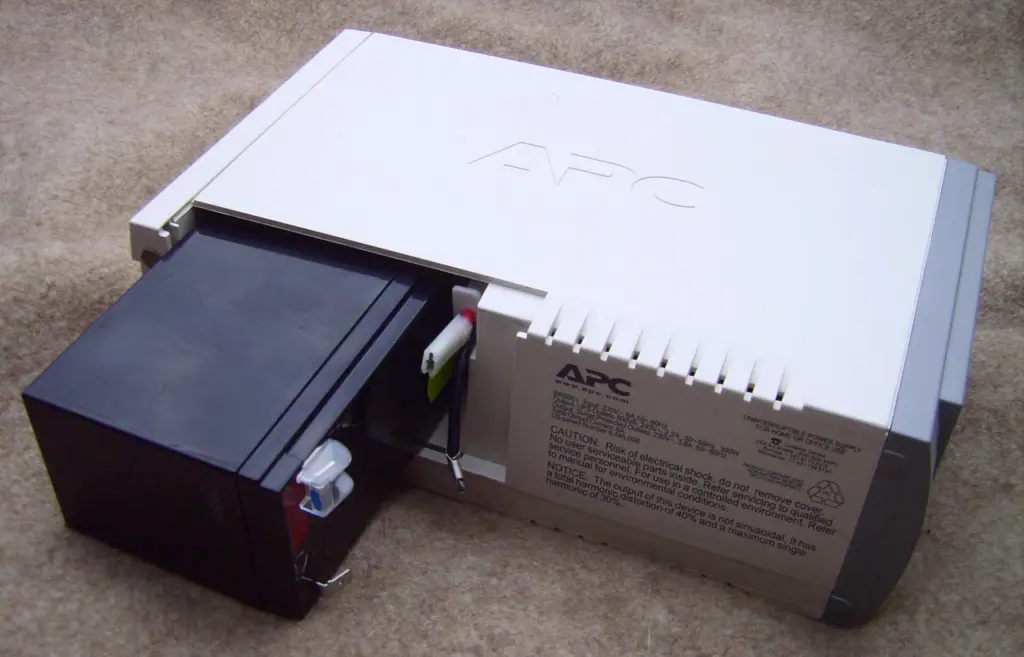
All the units in this selection use sealed lead-acid batteries. APC puts the battery life of the BR1600SI at three to five years and names the APCRBC163 as the replacement module. For the 5E series, Eaton advises replacing the batteries after four years at the latest. On many units, a battery test alarm tells you when it is time.
Manufacturers differ on who is allowed to do the swap. On the CyberPower CP1600EPFCLCD, the battery is user-replaceable according to the manufacturer, and CyberPower names the RBP0142 as the replacement set. On the smaller BR700ELCD, only qualified personnel should do it, and on the OLS1000EA-DE online UPS only an authorized service center. That sounds like fine print, but it determines the follow-up costs. The manual for each unit is what counts.
Six UPS units for the home office and equipment closet
| Model | Power | Design and waveform | Outlets and data | Best for |
|---|---|---|---|---|
| CyberPower CP1600EPFCLCD | 1,600 VA / 1,000 W | Line-interactive, pure sine wave | 6 Schuko with battery, USB (HID) | PC with monitor and NAS |
| APC Back-UPS Pro BR1600SI | 1,600 VA / 960 W | Line-interactive, pure sine wave | 8 IEC C13 (6 with battery), USB | Devices with IEC power cords |
| Eaton 5E Gen2 900 USB DIN | 900 VA / 480 W | Line-interactive, stepped sine wave | 2 Schuko, USB (HID) | NAS with router |
| CyberPower BR700ELCD | 700 VA / 420 W | Line-interactive, simulated sine wave | 8 Schuko (4 with battery), USB (HID) | Router, switch, small NAS |
| Riello Net Power NPW 800 | 800 VA / 480 W | Line-interactive, pseudo-sine | 4 IEC C13, USB | Linux servers and NAS with NUT |
| CyberPower OLS1000EA-DE | 1,000 VA / 900 W | Online, pure sine wave | 2 Schuko and 1 IEC C13, USB (HID) | Home server with no transfer gap |
CyberPower CP1600EPFCLCD
This is our pick for the desk. With 1,000 W of real power and a pure sine wave, it has enough headroom for a powerful PC plus NAS, and all six Schuko outlets (the standard German socket type) are on battery. According to the manufacturer, you can replace the battery yourself, and the warranty is three years on the unit and two on the battery. If you are only protecting a router, this is far more than you need.
APC Back-UPS Pro BR1600SI
Technically its closest rival: 960 W, line-interactive, sine-wave output and an LCD control panel. Instead of Schuko outlets, it has eight IEC C13 outlets, six of them with battery backup. That suits a PC, monitor and NAS, which already use IEC power cords anyway. For plug-in power adapters you will need adapters. APC states the warranty as 24 months.
Eaton 5E Gen2 900 USB DIN
A compact tower with 480 W, two Schuko outlets and a 12 V, 9 Ah battery. Eaton lists the output on battery as a stepped sine wave. That is enough for a NAS with a router. We would not hang a gaming PC on it. Two outlets fill up quickly, and a power strip behind the UPS is the usual solution.
CyberPower BR700ELCD
The candidate for the hallway or equipment closet. 420 W is enough for a router, switch and small NAS. Of its eight Schuko outlets, only four have battery backup; the others only offer surge protection. Do not mix them up when plugging in. According to CyberPower, it runs for about six minutes at half load, which is enough for an orderly shutdown.
Riello Net Power NPW 800
The NPW 800 delivers 480 W with a pseudo-sine wave, four C13 outlets and USB, and according to the spec sheet two power cords are included. It is interesting for Linux servers and NAS systems that use NUT, because the project maintains its own Riello driver. Whether a Synology or QNAP NAS recognizes it is answered by the compatibility list.
CyberPower OLS1000EA-DE
The online UPS in the lineup. It always supplies sine-wave power from the inverter, and there is no transfer gap. For a home server with many drives or a very unstable grid, that matters. On the other side are a constantly running, though speed-controlled, fan and a battery that, according to CyberPower, only service technicians may replace. In ECO mode it reaches over 95 percent efficiency according to the manufacturer, but then gives up the continuous double conversion. In a home office it is more of a nuisance.
What independent tests say
We do not have our own lab measurements of the six units; the figures above are manufacturer specifications. Independent measurements so far mainly cover the small class up to 420 W. Two German editorial teams have published solid data on it.
The most detailed freely readable source is the comparison by heise Bestenlisten dated 21.12.2022, from the German tech publisher heise. Thomas Rau had five plug-style UPS units rated 240 to 420 W bridge a simulated power outage, once with a 100 W load from an office PC, monitor, router and NAS, and once with 200 W. First place went to the CyberPower BR700ELCD from our table: 28:18 minutes at 100 W and 11:44 minutes at 200 W. Behind it came the APC Back-UPS ES 400VA, PowerWalker VI 600 MS, Digitus All-in-One 600VA and APC Easy UPS BV500VA. All five lasted longer than ten minutes at 100 W. All of them also passed the response-time check according to the ATX standard.
One side finding is instructive. Doubling the load does not halve the runtime; it cuts it more sharply. The longest-lasting units still managed about 40 percent of the time at 200 W, most only a quarter. The tester therefore advises building a buffer into the power rating.
In its individual review of the BR700ELCD dated 14.12.2022, the same team measured 2.7 W of idle power draw, while other line-interactive units there needed around 10 W. The review lists price, weight and a sparse manual as drawbacks. An empty battery took 11:45 hours to recharge fully.
The German computer magazine c’t has taken UPS units into the lab twice. In issue 3/2018 (page 110), Rudolf Opitz tested eight inexpensive units for the office PC, including models from AEG, APC, BlueWalker, CyberPower and FSP. In issue 6/2022 (page 108) came eight UPS units in the 300 to 420 W class, among them models from APC, BlueWalker, CyberPower, Fortron, Green Cell and Tecnoware. The intro of the more recent test notes that „some failed in the lab test.“ Which ones, along with all measurements, is in the paywalled part of the article.
For the two large sine-wave models, the CP1600EPFCLCD and BR1600SI, we know of no comparable lab test by a German specialist publication. Stiftung Warentest, the German product-testing foundation, has not published a UPS test so far either. It has tested portable power stations, eleven units in the test dated 20.07.2023. That is a different device class, designed for hours rather than minutes.
Does a UPS for the router make sense?
Yes, as soon as the router handles more than Wi-Fi. If your landline phone runs through it, the line goes down in a power outage too, and so does the path to the NAS. The power demand is small. The UPS guide by heise Bestenlisten lists a maximum of 30 W under load for a Fritzbox 7590.
A small UPS lasts correspondingly long. CyberPower quotes 47 minutes at a 60 W load for the BR700ELCD and still 28 minutes at 90 W. A router, fiber modem and small switch therefore stay online far longer than a PC. These devices do not need a pure sine wave.
There are two limits you should know about. The UPS only powers your own devices; whether the connection keeps working during a widespread outage depends on the network operator’s equipment. And many larger UPS units only have IEC outlets, which a router’s plug-in power adapter does not fit. For the router alone, a model with Schuko outlets is the simpler solution.
Which UPS suits which setup
- Desktop PC with monitor and NAS: CyberPower CP1600EPFCLCD, or the APC BR1600SI for devices with IEC power cords.
- NAS with router on a living-room shelf: Eaton 5E Gen2 900. Our NAS comparison shows which NAS suits you.
- Only router, fiber modem and switch: CyberPower BR700ELCD.
- Linux server with NUT: Riello NPW 800, check the driver first.
- Home server that must not lose a single millisecond: CyberPower OLS1000EA-DE.
A laser printer briefly draws a lot of power while heating up and belongs on a regular power strip. For outages lasting hours, a portable power station (in German) is the better tool. The UPS is there for the first few minutes.
Minutes are not enough for a heating boiler; see our guide Heating during a power outage (in German).
When a power station can replace a UPS and when it cannot is covered in our guide Power station as a UPS (in German).
Protection against voltage problems starts with the power supply; what a replacement power adapter did to our setup is described in our review of the KFD power adapter for Synology NAS.
When a UPS battery reaches the end of its life, a standard 12 V block often fits. What matters in terms of size, terminal type and charging voltage is explained in our guide to 12 V lead-acid batteries (in German).
Frequently asked questions
Which UPS do I need?
Add up the power draw of all your devices in watts and choose a UPS whose watt rating is well above that total. For a PC, monitor and NAS, a line-interactive design is sufficient; online units are meant for servers. Runtime is short: CyberPower quotes about 9.7 minutes at half load and 2.6 minutes at full load for the CP1600EPFCLCD.
VA or watts: which rating matters on a UPS?
The watt rating, meaning the real power your devices are actually allowed to draw. On home units, the power factor is usually 0.6, so 1,600 VA turns into 960 W at APC. Your actual demand is shown by a plug-in power meter, not by the label on the PC power supply.
What is the difference between a line-interactive and an online UPS?
Line-interactive units compensate for voltage fluctuations with AVR and switch to battery within a few milliseconds when the power fails, a gap that a decent PC power supply normally bridges. An online UPS keeps the devices on the inverter at all times, with no transfer time, but in return it needs a fan running constantly.
Which UPS for a PC?
For a powerful desktop PC, a line-interactive UPS with a pure sine wave. Many modern power supplies use active power factor correction (PFC), and some react badly to the stepped waveform of cheaper models. CyberPower explicitly lists the CP1600EPFCLCD as compatible with active PFC. Routers, switches and most NAS power supplies cope fine with a simulated sine wave.
Does a UPS for the router make sense?
Yes, if phone, internet and NAS should survive a short outage. The demand is small: heise Bestenlisten lists a maximum of 30 W under load for a Fritzbox 7590, and CyberPower quotes 47 minutes of runtime at a 60 W load for the BR700ELCD. A pure sine wave is not necessary for this. Whether the connection itself keeps working depends on the network operator.
What do independent UPS tests say?
On 21.12.2022, heise Bestenlisten measured five plug-style UPS units; first place went to the CyberPower BR700ELCD with 28:18 minutes at a 100 W load. The German computer magazine c't tested eight inexpensive units each in issue 3/2018 and issue 6/2022; the individual results are in the paywalled article. Stiftung Warentest has not published a UPS test so far.
How does the NAS shut down automatically during a power outage?
Via the USB cable to the UPS. In the DSM help, Synology describes how to enable the UPS under Control Panel, and the NAS can notify other devices on the network. The router and switch belong on the UPS as well, otherwise the network goes down. Check the NAS maker's compatibility list before you buy.
How long does a UPS battery last?
APC puts the battery life of the BR1600SI at three to five years, and Eaton recommends replacing the batteries in the 5E series after four years at the latest. Whether you may swap the battery yourself is set out in the manual: yes for the CP1600EPFCLCD, only by an authorized service center for the OLS1000EA-DE.
Which devices should not be plugged into a UPS?
A laser printer briefly draws a lot of power while heating up and belongs on a regular power strip. For outages lasting hours, a portable power station is the better tool; the UPS is there for the first few minutes. On the BR700ELCD, only four of the eight outlets have battery backup.
Sources
- CyberPower: CP1600EPFCLCD, technical specifications
- CyberPower: BR700ELCD, technical specifications
- CyberPower: OLS1000EA-DE, technical specifications
- APC by Schneider Electric: Back-UPS Pro BR1600SI, product data sheet
- Eaton: 5E Gen2 5E900UD
- Riello UPS: Net Power 600 to 2000 VA data sheet
- Network UPS Tools: usbhid-ups driver
- Network UPS Tools: riello_usb driver
- Synology Knowledge Center: UPS in DSM
- heise Bestenlisten: comparison of five plug-style UPS units, 21.12.2022
- heise Bestenlisten: CyberPower Brics LCD BR700ELCD, individual review, 14.12.2022
- heise Bestenlisten: guide to uninterruptible power supplies, 15.06.2023
- c’t 3/2018, page 110: Inexpensive UPS units for the office PC
- c’t 6/2022, page 108: UPS units protect PCs from data loss caused by power outages
- Stiftung Warentest: Portable power stations, 20.07.2023
Where to buy
- CyberPower CP1600EPFCLCDCheck price at Amazon.de
- Riello Net Power NPW 800Check price at Amazon.de
- APC Back-UPS Pro BR1600SICheck price at Amazon.de
- Eaton 5E Gen2 900 USB DINCheck price at Amazon.de
- CyberPower BR700ELCDCheck price at Amazon.de
- CyberPower OLS1000EA-DECheck price at Amazon.de