Contents11 sections
This guide was first published in German on handgetestet.de.
With Android tablets, many people miscalculate. First the inexpensive device, then a stylus, keyboard and charger on top, and in the end you are at the price of a Samsung tablet that already had the stylus in the box. That is why we recommend the Samsung Galaxy Tab S11 to most buyers: 11 inches, OLED, S Pen included and, according to Samsung, seven years of updates. If you mainly watch videos and read, you save considerably with the Galaxy Tab A11+.
First decide what the tablet is for
Processor names and benchmark scores fill spec sheets. Whether a tablet is still enjoyable after three years is decided elsewhere.
If you take notes or draw, look at the stylus first. Samsung includes the S Pen with its Galaxy Tab S models, while Xiaomi, OnePlus and Lenovo usually sell their styluses separately. In the total cost, that is a noticeable difference. If the tablet is to become a small work device, add a keyboard cover. It almost always costs extra and only fits the specific model.
If you want to keep the device for a long time, pay attention to the update commitment. For the Tab S12 series, Samsung promises up to seven Android upgrades and seven years of security updates; for the Tab A11+, security updates until November 2032. OnePlus promises three Android versions and six years of security updates for the Pad 3. Xiaomi and Lenovo give no clear commitment for the models named here.
As for the display: AMOLED shows deep blacks and high contrast, while LCD is less expensive. 90 Hz is enough for reading. 120 or 144 Hz feels smoother when scrolling and writing. And storage? Samsung and Lenovo build in a microSD slot according to their own specifications; with OnePlus and Xiaomi, you are better off choosing enough internal storage right away.
The charger is often forgotten. Several manufacturers no longer include one: Samsung with the S12 series and Xiaomi with the Pad 8 Pro. For fast charging, you need a suitable charger with USB-C Power Delivery; which ones are worth it is covered in our overview of USB-C chargers (in German).
Seven Android tablets and their key specs
| Model | Display | Stylus | Best for |
|---|---|---|---|
| Samsung Galaxy Tab S12 Ultra | 14.6 inches, AMOLED, 120 Hz | S Pen included | Working with a large screen area |
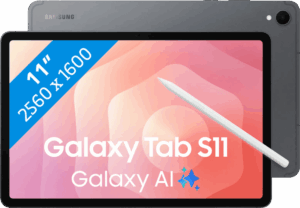
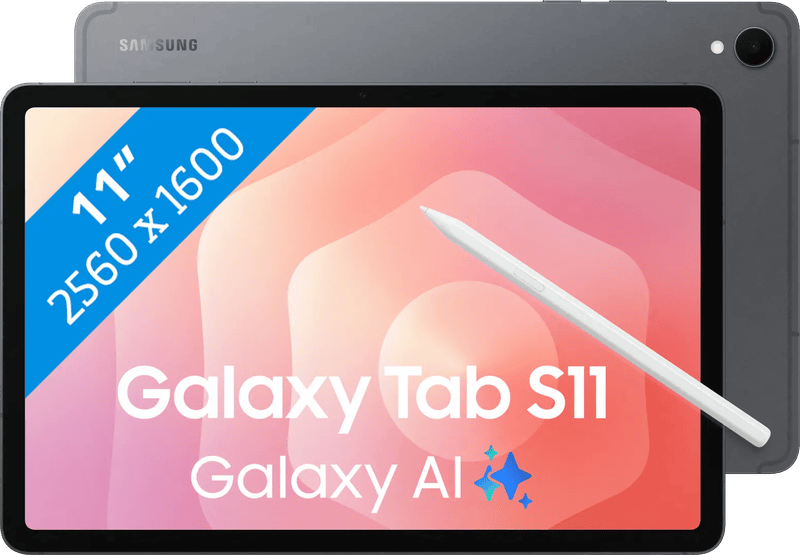
| Samsung Galaxy Tab S11 | 11 inches, AMOLED, 120 Hz | S Pen included | Most buyers, college, notes |
| Samsung Galaxy Tab S10 FE | 10.9 inches, LCD, 90 Hz | S Pen included | School, notes, rugged housing |
| Samsung Galaxy Tab A11+ | 11 inches, TFT LCD, 90 Hz | no S Pen | Streaming, reading, families |
| OnePlus Pad 3 | 13.2 inches, LCD, up to 144 Hz | extra | Lots of performance on a large display |
| Xiaomi Pad 8 Pro | 11.2 inches, 3:2, up to 144 Hz | Focus Pen, extra | Compact with lots of computing power |
| Lenovo Idea Tab Pro Gen 2 | 13 inches, 3.5K, 144 Hz | Tab Pen Plus, depending on the offer | Large display, tight budget |
All figures according to manufacturer specifications. Features and package contents may vary by country, storage version and retailer offer.
Samsung Galaxy Tab S12 Ultra
Samsung’s new flagship has been in stores since October 2026. According to Samsung, the Ultra has a 14.6-inch AMOLED display, the MediaTek Dimensity 9500 and an 11,600 mAh battery, at just 5.1 millimeters thick. The S Pen and IP68 are included. A charger is not. It is built for working with spreadsheets, PDFs and multiple windows; if you only use it on the couch, you are paying for screen area you hardly need. According to Samsung, the smaller 12.6-inch Tab S12+ is about 140 grams lighter.
Samsung Galaxy Tab S11
In Samsung’s lineup, the Tab S11 remains the most balanced package. The spec sheet lists an 11-inch AMOLED display at 120 Hz, 12 GB of RAM, IP68 and a microSD slot. The S Pen is included, and Samsung promises seven Android upgrades and seven years of security updates. For taking notes at school or college, that is enough for many years.
Suitable protective cases are shown in our selection of Samsung cases (in German).
Samsung Galaxy Tab S10 FE
The FE model saves on the screen. Instead of OLED, you get a 10.9-inch LCD at 90 Hz, powered by the Exynos 1580. Samsung still includes the S Pen, and according to the manufacturer, the housing is IP68-rated. For students who mainly write and read, that is often enough.
Samsung Galaxy Tab A11+
The entry-level model. Samsung lists an 11-inch display at 90 Hz, up to 8 GB of RAM, a 7,040 mAh battery that manages up to 15 hours of video, and a microSD slot. It does not support an S Pen, so handwritten work is out. For streaming, recipes in the kitchen and e-books, it is enough. According to Samsung, security updates run until the end of November 2032.
OnePlus Pad 3
Lots of screen, lots of performance. 13.2 inches at 3.4K resolution, the Snapdragon 8 Elite and a 12,140 mAh battery; OnePlus specifies a maximum charging power of 80 watts. The 144 Hz is only available in approved apps, though; otherwise the display runs at 120 Hz. Stylus and keyboard cost extra. For games or movies on a large screen, it offers more speed than Samsung’s FE and A models.
Xiaomi Pad 8 Pro
Xiaomi also uses the Snapdragon 8 Elite, but here in a handy 11.2-inch housing with a 3:2 aspect ratio and up to 144 Hz. The format suits PDFs and documents. According to Xiaomi, the battery has 9,200 mAh. When ordering, check whether it is the version for Germany and whether a charger is included, because on Amazon.de there are offers with and without. Xiaomi does not give a firm update commitment for this model.
Lenovo Idea Tab Pro Gen 2
With the Idea Tab Pro Gen 2, Lenovo is aiming at students. The spec sheet lists a 13-inch display with 3.5K and 144 Hz, the Snapdragon 8s Gen 4 and 10,200 mAh. The Tab Pen Plus is not part of the package. Some retailers include it anyway, so comparing offers carefully pays off. As a large display on a mid-range budget, it is an honest alternative to the OnePlus.
Which type of user should choose which device
Most buyers are well served by the Galaxy Tab S11. Stylus included, OLED, long updates. For school, if it needs to be less expensive, the Galaxy Tab S10 FE is enough, also with an S Pen.
Only videos, reading and browsing: Galaxy Tab A11+, without a stylus, but in the lowest price range of the seven. If the tablet with a keyboard is to replace a laptop, the Galaxy Tab S12 Ultra or S12+ are options, provided the budget allows. The OnePlus Pad 3 and Lenovo Idea Tab Pro Gen 2 offer performance on a large display without the Ultra price. Compact and fast is the Xiaomi Pad 8 Pro. Here, the update question remains open.
Still undecided between Android and iPad? Our general tablet guide (in German) compares both worlds. If you are buying during the sale weeks, the Black Friday tablet (in German) guide helps with storage, 5G and bundles.
According to Samsung, the Galaxy Tab S11 (SM-X730) has an 11-inch Dynamic AMOLED 2X display at 120 Hz, 12 GB of RAM and an 8,400 mAh battery; the S Pen is included, and both tablet and stylus are IP68-rated. According to Samsung, the Galaxy Tab S10 FE (SM-X520) has a 10.9-inch LCD at up to 90 Hz, 8 GB of RAM and 8,000 mAh; the S Pen is part of the package, and according to Samsung, the IP68 rating only applies to fresh water.
Frequently asked questions
What should you look for when buying an Android tablet?
For notes and drawing, look at the stylus first: Samsung includes the S Pen with its Tab S models, while Xiaomi, OnePlus and Lenovo usually sell theirs separately. Then look at the update commitment, the display and the storage. A keyboard cover almost always costs extra and only fits the specific model.
How long do Android tablets get updates?
For the Tab S12 series, Samsung promises up to seven Android upgrades and seven years of security updates; for the Tab A11+, security updates run until November 2032. OnePlus promises three Android versions and six years of security updates for the Pad 3. For Xiaomi and Lenovo, this guide lists no clear commitment.
AMOLED or LCD on a tablet?
AMOLED shows deep blacks and high contrast; LCD is less expensive. For reading, 90 Hz is enough; 120 or 144 Hz feels smoother when scrolling and writing. The Galaxy Tab S10 FE saves on the screen with LCD and 90 Hz but still comes with the S Pen.
Do Android tablets come with a charger?
Not always. Samsung does not include one with the S12 series, and neither does Xiaomi with the Pad 8 Pro; on Amazon.de there are offers with and without. For fast charging, you need a suitable charger with USB-C Power Delivery.
Which Android tablet is good for school?
The Galaxy Tab S10 FE is a good fit if it needs to be less expensive: 10.9-inch LCD, S Pen included and IP68-rated according to Samsung, although the IP68 rating only applies to fresh water. For students who mainly write and read, that is often enough.
Which Android tablet has a large display?
The Galaxy Tab S12 Ultra has 14.6 inches and an S Pen, but it is built for working with multiple windows. The OnePlus Pad 3 with 13.2 inches and the Lenovo Idea Tab Pro Gen 2 with 13 inches offer performance on a large display without the Ultra price; styluses there usually cost extra.
Sources
- Samsung Newsroom: Galaxy Tab S12 series
- Samsung Newsroom: Galaxy Tab S11 series
- Samsung Newsroom: Galaxy Tab S10 FE series
- Samsung: Galaxy Tab A11+ technical specifications
- OnePlus: Pad 3 specifications
- OnePlus: Pad 3 press release
- Xiaomi: Pad 8 Pro specifications
- Lenovo PSREF: Idea Tab Pro Gen 2
- Samsung Galaxy Tab S11 11 inches 256 GB Wi-Fi gray: product information
- Samsung Galaxy Tab S10 FE 10.9 inches 128 GB Wi-Fi light blue: product information
Where to buy
- Samsung Galaxy Tab S11 (WLAN, 128 GB)Check price at Amazon.deAvailable in Germany: Amazon.de
- Samsung Galaxy Tab A11+Check price at Amazon.deAvailable in Germany: Amazon.de
- Samsung Galaxy Tab S12 UltraCheck price at Amazon.deAvailable in Germany: Amazon.de
- Samsung Galaxy Tab S10 FE (128 GB, WLAN, grau)Check price at Amazon.deAvailable in Germany: Amazon.de
- OnePlus Pad 3Check price at Amazon.deAvailable in Germany: Amazon.de
- Xiaomi Pad 8 Pro (8 GB, 128 GB, schwarz)Check price at Amazon.deAvailable in Germany: Amazon.de
- Lenovo Idea Tab Pro Gen 2Check price at Amazon.deAvailable in Germany: Amazon.de
- Samsung Galaxy Tab S11 11 Zoll 256GB Wi-Fi GrauView at CoolblueAvailable in Germany: Coolblue
- Samsung Galaxy Tab S10 FE 10,9 Zoll 128GB Wi-Fi HellblauView at CoolblueAvailable in Germany: Coolblue