Contents14 sections
This guide was first published in German on handgetestet.de.
Where do your images end up? That is what decides the monitor, not the spec sheet. If you edit for print, you need a wide Adobe RGB gamut and genuine hardware calibration, meaning a BenQ SW272U or an Eizo ColorEdge CS2740. If you work for video and the web, a wide P3 gamut will do, for example on the ASUS ProArt PA279CRV or the Dell UltraSharp U2725QE.
On a Mac, there is a third route. For especially sharp images, the BenQ PD2730S, the Apple Studio Display (2026) or the 6K LG UltraFine evo 32U990A-S are worth considering.
Color gamuts: three names, three purposes
sRGB is the standard for the web and social networks. Adobe RGB covers more greens and cyans and matters for photo printing. DCI-P3 and Display P3 are the color spaces for video and for Apple devices. The name alone on the spec sheet says little. What counts is the coverage in percent.
Why calibration should live in the monitor
With software calibration, the graphics card corrects the image using a color profile. With hardware calibration, the software writes the correction directly into the monitor’s lookup table (LUT). That way, tonal values are preserved. For demanding image editing, this is clearly the better approach. You need a measuring device (colorimeter) in both cases, and you usually buy it separately.
Factory calibration sounds reassuring, but it is only a starting point. Delta E describes color deviation: values below 2 are considered very accurate, values around 1 and below barely perceptible. The manufacturer’s figure is an average out of the box, not a permanent promise. Monitors age. Reliable colors require regular recalibration.
4K, 5K or 6K: what pixel density gets you
4K at 27 inches gives about 163 ppi. 5K at 27 inches comes to about 218 ppi and suits macOS scaling particularly well. 6K at 32 inches is around 224 ppi. More pixels show finer detail, but they also put more strain on the computer. On Windows, 4K at 27 inches is usually the sensible point.
One cable to the laptop, and what else counts
- Check charging power: USB-C or Thunderbolt carries video, data and power over one cable. 60 W is enough for power-efficient notebooks, while powerful laptops need 90 W or more. Thunderbolt 4 and 5 also let you pass the signal through to a second monitor (daisy chain).
- Even surface: Good photo monitors compensate for differences in brightness and color across the panel. Manufacturers call this, for example, uniformity technology or Digital Uniformity Equalizer.
- Avoid stray light: An anti-glare surface and a shading hood help you judge colors accurately.
Seven monitors from photo lab to editing suite
| Model | Size and resolution | Color gamut (according to the manufacturer) | USB-C / Thunderbolt | Best for |
|---|---|---|---|---|
| BenQ SW272U | 27 inches, 4K | 99% Adobe RGB, 99% P3 | USB-C, 90 W | Photographers with print ambitions |
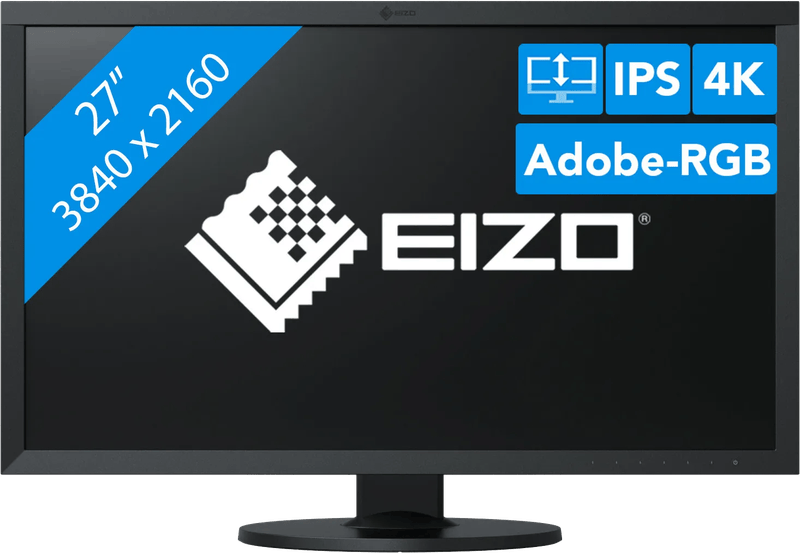
| Eizo ColorEdge CS2740 | 27 inches, 4K | 99% Adobe RGB | USB-C, 60 W | Photographers who value longevity |
| ASUS ProArt PA279CRV | 27 inches, 4K | 99% DCI-P3, 99% Adobe RGB | USB-C, 96 W | Getting started with color-accurate work |
| Dell UltraSharp U2725QE | 27 inches, 4K, 120 Hz | 99% DCI-P3, 100% sRGB | Thunderbolt 4, 140 W | Video, web and office on one cable |
| BenQ PD2730S | 27 inches, 5K | 98% P3 | Thunderbolt 4, 90 W | Mac users and designers |
| Apple Studio Display (2026) | 27 inches, 5K | P3 | Thunderbolt 5, 96 W | Mac users who need a camera and speakers |
| LG UltraFine evo 32U990A-S | 32 inches, 6K | 98% DCI-P3, 99.5% Adobe RGB | Thunderbolt 5, 96 W | Video editing with lots of screen space |
BenQ SW272U: built for photographers
It comes from BenQ’s photographer series. According to the manufacturer, the SW272U covers 99 percent of Adobe RGB and 99 percent of P3, works with a 16-bit 3D LUT and achieves a Delta E of 1.5 or less out of the box. Hardware calibration is done with Palette Master Ultimate. Included are a shading hood, the Hotkey Puck G3 for quickly switching color modes, and an SD card reader. You will hardly get more photo workstation in this class.
Eizo ColorEdge CS2740: long warranty, limited charging power
A proven 4K model from the ColorEdge series. Eizo states 99 percent Adobe RGB, a 16-bit LUT and a Digital Uniformity Equalizer for an even surface. Hardware calibration runs through the free ColorNavigator software, although no measuring device is included. Eizo offers a five-year warranty, a strong argument. The 60 W over USB-C, on the other hand, is tight for large notebooks.
ASUS ProArt PA279CRV: the more affordable route to a wide gamut
ASUS states 99 percent DCI-P3 and 99 percent Adobe RGB, a Delta E below 2 and Calman verification. According to the manufacturer, it provides 96 W at the USB-C port. HDR10 is supported. Do not expect too much from the DisplayHDR 400 certification, though; it is only an entry point into HDR.
Dell UltraSharp U2725QE: the office workstation with P3
A lot of workstation features on one cable. Dell states an IPS Black panel with 3,000:1 contrast, 120 Hz, 99 percent DCI-P3 and an average Delta E below 1.5. Via Thunderbolt 4, it charges laptops with up to 140 W, and it also has a large USB hub, 2.5 Gbit networking and a KVM switch. Dell gives no Adobe RGB figure. For video and web, that does not matter, but it is why it is not the first choice for photo printing.
BenQ PD2730S: 5K for the Mac
5K at 218 ppi and a matte Nano Matte surface. BenQ states 98 percent P3, a Delta E below 2, and Pantone and Calman certification. Thunderbolt 4 delivers up to 90 W, and a second 5K monitor can be connected, although according to BenQ not on Macs with the base M1 and M2 chips. BenQ does not describe hardware calibration for this model. The AQCOLOR Pilot software does, however, work with common measuring devices.
Apple Studio Display (2026): more than just a screen
The new generation offers 5K at 218 ppi, 600 nits and the P3 color gamut. Apple includes reference modes for photography, print, cinema and television, among them P3-D65 and BT.709. Two Thunderbolt 5 ports are built in, and the Mac charges with up to 96 W. A camera and six speakers are included, and nano-texture glass as well as a tilt- and height-adjustable stand or a VESA adapter are available as options. If you do not need the camera and speakers, you are paying for extras here.
LG UltraFine evo 32U990A-S: room for the timeline
6K at 32 inches, and with it plenty of room for timelines and tool palettes. LG states 98 percent DCI-P3, 99.5 percent Adobe RGB, 10-bit color depth and factory calibration; according to the data sheet, it is prepared for hardware calibration. Thunderbolt 5 charges with 96 W, and a second Thunderbolt 5 port passes the signal on.
How we would decide
For photography and print, there is no way around the BenQ SW272U or the Eizo ColorEdge CS2740, each with a suitable measuring device. If you want a more affordable entry into the wide gamut, take the ASUS ProArt PA279CRV. For video, web and the laptop at your desk, the main argument for the Dell UltraSharp U2725QE is the combination of 140 W and a large hub.
On a Mac with 5K sharpness, the choice is between the BenQ PD2730S and the Apple Studio Display (2026), the latter if a camera and speakers should be part of the package. For video editing with lots of space, that leaves the 6K LG UltraFine evo 32U990A-S.
One check belongs before every purchase: does your computer support the full resolution and the charging power over that single cable? With 5K and 6K on older laptops in particular, that is not a given.
On the go, the same standards for color gamut and storage apply; suitable machines are presented in the guide to the laptop for video editing.
Frequently asked questions
Which color gamut matters for photo editing?
sRGB is the standard for the web and social networks. Adobe RGB covers more greens and cyans and matters for photo printing. DCI-P3 and Display P3 are the color spaces for video and Apple devices. What counts is the coverage in percent, not just the name on the spec sheet.
What is the difference between hardware and software calibration?
With software calibration, the graphics card corrects the image using a color profile. With hardware calibration, the software writes the correction directly into the monitor's color lookup table, so tonal values are preserved. You need a measuring device in both cases, and you usually buy it separately.
What does a monitor's Delta E value tell you?
Delta E describes color deviation: values below 2 are considered very accurate, values around 1 and below barely perceptible. The manufacturer's figure is an average out of the box, not a permanent promise. Monitors age, and reliable colors require regular recalibration.
Is 4K enough, or should it be 5K?
4K at 27 inches gives about 163 ppi, 5K at 27 inches about 218 ppi, which suits macOS scaling particularly well. More pixels show finer detail but put more strain on the computer. On Windows, 4K at 27 inches is usually the sensible point.
How much USB-C charging power does a monitor need?
60 W is enough for power-efficient notebooks, while powerful laptops need 90 W or more. According to the manufacturer, the Eizo ColorEdge CS2740 delivers 60 W, which is tight for large notebooks. The Dell UltraSharp U2725QE charges via Thunderbolt 4 with up to 140 W. Check whether your computer supports the resolution and charging power over a single cable.
Is the Dell UltraSharp U2725QE suitable for photo printing?
Not really as a first choice. Dell states 99 percent DCI-P3 and an average Delta E below 1.5, but gives no figure for Adobe RGB. For video, web and office work, the main argument is the combination of 140 W charging power and a large USB hub.
Sources
- BenQ: SW272U, specifications
- Eizo: ColorEdge CS2740
- Eizo Germany: ColorEdge CS2740
- ASUS: ProArt Display PA279CRV
- Dell: UltraSharp 27 4K Thunderbolt Hub Monitor U2725QE
- BenQ: PD2730S
- Apple: Studio Display (2026), technical specifications
- LG: UltraFine evo 32U990A-S
Where to buy
- BenQ SW272UCheck price at Amazon.deAvailable in Germany: Amazon.de
- Eizo ColorEdge CS2740View at CoolblueAvailable in Germany: CoolblueCheck price at Amazon.deAvailable in Germany: Amazon.de
- ASUS ProArt PA279CRVCheck price at Amazon.deAvailable in Germany: Amazon.de
- Dell UltraSharp U2725QECheck price at Amazon.deAvailable in Germany: Amazon.de
- BenQ PD2730SCheck price at Amazon.deAvailable in Germany: Amazon.de
- Apple Studio Display 2026View at CoolblueAvailable in Germany: CoolblueCheck price at Amazon.deAvailable in Germany: Amazon.de
- LG UltraFine evo 32U990A-SCheck price at Amazon.deAvailable in Germany: Amazon.de