Contents12 sections
This guide was first published in German on handgetestet.de.
The German initiative SCHAU HIN! names the switch to secondary school, at around eleven to twelve, as a typical occasion for a child’s first smartphone. Our approach follows that: younger children get a simple feature phone; from around twelve, a smartphone with a long update commitment and parental controls already set up, such as the Samsung Galaxy A27 5G. The device itself is the smaller decision. Age, settings and the plan matter more.
How old is old enough?
There is no fixed limit. In its rules for seven- to ten-year-olds, the media advice initiative SCHAU HIN! advises against buying a phone „before the ninth birthday.“ For the walk home from school, a simple emergency phone can make sense earlier. The initiative only recommends a smartphone once the child understands the risks of the internet, and it sees this maturity at around twelve years old.
klicksafe, the EU initiative for greater online safety, deliberately names no minimum age. The more features can be used without safeguards, the more experienced the child should be, especially with the open internet and installing apps. For klicksafe, some experience with pocket money is also part of it. The checklist „Is my child ready for their own smartphone?“ helps with weighing things up. If the child meets the clear majority of the points, a smartphone is an option; open points are discussed beforehand. In 2019, the German professional association of pediatricians (Berufsverband der Kinder- und Jugendärzte) put it more strictly: no phone of their own before eleven.
We consider the checklist more meaningful than the birthday. A ten-year-old who travels to sports practice alone needs to be reachable. Not TikTok.
What a child’s phone should be able to withstand
Kids‘ phones fall into puddles, slip out of jacket pockets and land on schoolyard asphalt. The protection rating reveals how much of that the device can handle according to the manufacturer. The first digit stands for dust, the second for water. IP54 keeps out splashes; IP64, according to Samsung, withstands a jet of ten liters per minute for five minutes, but explicitly not the beach or the swimming pool. On the iPhone 17e, IP68 means up to 6 meters deep for 30 minutes under laboratory conditions. A case with a raised edge does not replace any of that, but it complements it; you will find suitable models in the guide to Samsung cases (in German) and the guide to iPhone cases (in German).
The software’s lifespan is at least as important. Since June 20, 2025, the EU Ecodesign Regulation has applied to newly launched smartphones. According to Stiftung Warentest, a German consumer testing organization, manufacturers must provide operating system updates for at least five years from the day the model is taken off the market. The battery, camera and ports must be available as spare parts for seven years. A device a child receives at twelve can thus stay secure until the end of school.
Set up parental controls before the child unwraps it
On Android devices, Google Family Link handles this. With it, parents allow or block apps, approve downloads and purchases on Google Play, set daily limits and a bedtime, and see the device’s location. In Germany, you can only manage a Google account yourself from age 16; younger children get an account supervised by their parents.
At Apple, the counterpart is called Screen Time and runs through Family Sharing. According to Apple, you can schedule downtime by day of the week, set time limits for games or social media, set age ratings for apps, movies and websites, and restrict contacts to known people. Every download requires a purchase request to the parents.
Technology is only half the battle, though. SCHAU HIN! recommends downloading apps together at first, agreeing on fixed phone-free times and putting the rules down in a media use agreement. klicksafe calls this the „filter in your head.“
Plan: prepaid and two blocks
To start, SCHAU HIN! recommends a prepaid SIM and having the child contribute to the costs. Have your mobile provider block premium-rate numbers and international calls so that no bill comes as a surprise. The child should also not be able to make purchases alone, so always link app purchases to parental approval. With the HMD Fusion X1, a paid subscription for the parental features comes on top of the mobile plan.
Five devices for five situations
| Model | Type and protection | Updates and parental controls | Best for |
|---|---|---|---|
| Nokia 3210 4G | Feature phone, 2.4 inches, replaceable battery | S30+ system, no Android apps | Being reachable from around nine |
| HMD Fusion X1 | Android, 6.56 inches, IP54 | Xplora parent app, subscription required | Transition to a smartphone |
| Samsung Galaxy A27 5G | Android, 6.7 inches, IP64, Gorilla Glass Victus+ | Security updates until July 2032, Family Link | First smartphone from around twelve |
| Apple iPhone 17e | iOS, 6.1 inches, IP68, Ceramic Shield 2 | Screen Time via Family Sharing | iPhone families |
| Fairphone (Gen. 6) | Android, IP55, drop test from 1.5 m | Updates until 2033, Family Link | Long-term use, repairs at home |
Nokia 3210 4G
Calls, texts, Snake. HMD’s feature phone has a 2.4-inch display, a replaceable 1,450 mAh battery and, according to the manufacturer, up to 9.8 hours of talk time under laboratory conditions. It charges via USB-C. HMD preinstalls a few cloud apps, so a look through the menu before handing it over does no harm. For the emergency phone that SCHAU HIN! allows for younger children, it is the obvious choice.
HMD Fusion X1
HMD developed this Android smartphone together with the kids‘ watch maker Xplora. It starts without a single app; parents unlock the browser and social networks in the Xplora app. Calls and messages can be limited to approved contacts, and for up to ten safe zones there are alerts when the child enters or leaves. According to HMD, you can replace the display, battery and charging port yourself. Without a subscription, however, the parental features remain locked, and HMD does not state an update commitment on its product pages. For a child who is meant to gradually get more freedom, the concept still fits well.
Samsung Galaxy A27 5G
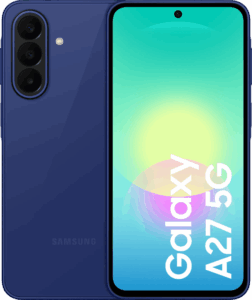
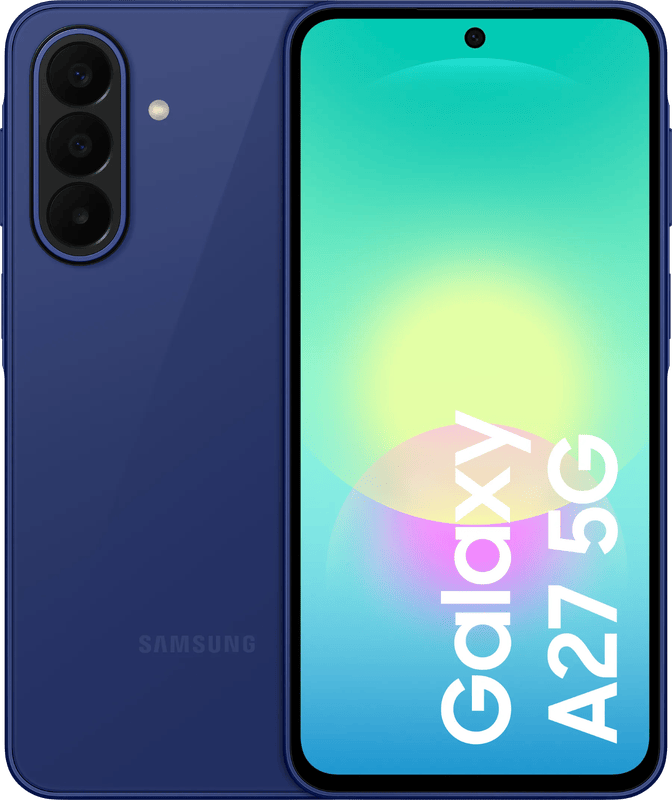
Our main recommendation for the first real smartphone. Samsung promises six major Android upgrades and security updates until July 31, 2032. A child who gets it today at twelve will be almost an adult by then. The 6.7-inch display sits under Gorilla Glass Victus+, the housing is rated IP64, and the 5,000 mAh battery manages up to 23 hours of video playback according to Samsung. At 200 grams it is no lightweight, and the 128 GB of storage can be expanded with a microSD card. Family Link works as on any Android device.
Apple iPhone 17e
If the parents use an iPhone, the 17e is the simplest solution, because Screen Time and Family Sharing then run directly from their own device. Apple lists IP68, Ceramic Shield 2 on the front, 170 grams and up to 26 hours of video playback. It starts at 256 GB of storage. Apple does not state an update period in years, but the EU minimum period applies here too.
Fairphone (Gen. 6)
The Fairphone is meant for families who want to keep a device for a long time and fix damage themselves. According to the manufacturer, twelve parts can be replaced, with the battery, display, back cover and USB-C port taking less than five minutes using a Torx T5 screwdriver. Add to that IP55, Gorilla Glass 7i, a drop test from 1.5 meters according to the military standard MIL-STD 810H, a five-year warranty and software support until 2033. Interesting for teenagers is the „Moments“ mode, which reduces the phone to up to five selected apps. Alongside the Gen. 6, Fairphone now also sells the Gen. 6+ with more RAM; for a child, the base model is enough.
How we would decide
- Child under twelve, it is only about being reachable: Nokia 3210 4G with a prepaid SIM.
- First smartphone, but the parents want to approve every app themselves: HMD Fusion X1, provided you budget for the subscription.
- First smartphone from around twelve in an Android family: Samsung Galaxy A27 5G with Family Link.
- The parents use an iPhone themselves: Apple iPhone 17e with Screen Time.
- The device should last until they graduate from high school and stay repairable: Fairphone (Gen. 6).
Which device it ends up being is secondary. First the checklist, then the settings, then the handover. If you are still weighing which smartphone suits you as a parent, you will find more in our smartphone guide (in German); for elementary school children, a kids‘ smartwatch is sometimes the more suitable first step.
Frequently asked questions
At what age should a child get a smartphone?
There is no fixed limit. The German initiative SCHAU HIN! advises against buying a phone before a child's ninth birthday and sees readiness for a smartphone at around twelve. klicksafe deliberately names no minimum age and offers a checklist. We consider the checklist more meaningful than the birthday.
Which phone for a child under twelve?
If it is only about being reachable, a feature phone such as the Nokia 3210 4G with a prepaid SIM is enough. It has a 2.4-inch display, a replaceable battery and no Android apps. For elementary school children, a kids' smartwatch can also be the more suitable first step.
How do I set up parental controls on a child's phone?
On Android, via Google Family Link: approve apps and purchases, set daily limits and bedtime. On Apple, via Screen Time in Family Sharing, where every download requires a purchase request. SCHAU HIN! also recommends downloading apps together and putting rules down in a media use agreement.
Which plan suits a child's first phone?
To start, SCHAU HIN! recommends a prepaid SIM and having the child contribute to the costs. Have premium-rate numbers and international calls blocked by the provider. App purchases should always require parental approval so that no bill comes as a surprise.
How long does a child's phone receive updates?
According to Stiftung Warentest, since June 20, 2025, manufacturers must deliver updates for at least five years after the end of sales. Samsung promises security updates for the Galaxy A27 5G until July 31, 2032, and Fairphone promises software support for the Gen. 6 until 2033. A device given at twelve can thus stay secure until the end of school.
What is the HMD Fusion X1?
An Android smartphone developed together with Xplora. It starts without a single app; parents unlock the browser and social networks in the Xplora app, and contacts can be restricted. Without a paid subscription, the parental features remain locked, and HMD does not state an update commitment.
Sources
- SCHAU HIN!: golden rules for children aged 7 to 10
- SCHAU HIN!: Is my child ready for a smartphone?
- klicksafe: smartphones for children and teenagers
- klicksafe: pediatricians call for no phone before age eleven
- Google: Family Link
- Google: age requirements for accounts
- Apple: Screen Time and parental controls
- Stiftung Warentest: Ecodesign Regulation for smartphones
- HMD: Nokia 3210 4G, specifications
- HMD: HMD Fusion X1 press release
- HMD: HMD Fusion X1, specifications
- Samsung: Galaxy A27 5G
- Samsung Newsroom: Galaxy A27 5G
- Apple: iPhone 17e, specifications
- Fairphone: The Fairphone (Gen. 6)
Where to buy
- Samsung Galaxy A27 5G (128 GB, Blau)Check price at Amazon.deCheck price at Amazon.co.ukCheck price at Amazon.nlCheck price at Amazon.com.beCheck price at Amazon.frCheck price at Amazon.itCheck price at Amazon.esCheck price at Amazon.plCheck price at Amazon.seAvailable in Germany: Amazon.de
- Apple iPhone 17eCheck price at Amazon.deCheck price at Amazon.co.ukCheck price at Amazon.nlCheck price at Amazon.com.beCheck price at Amazon.frCheck price at Amazon.itCheck price at Amazon.esCheck price at Amazon.plCheck price at Amazon.seAvailable in Germany: Amazon.de
- Fairphone (Gen. 6, Schwarz)Check price at Amazon.deCheck price at Amazon.co.ukCheck price at Amazon.nlCheck price at Amazon.com.beCheck price at Amazon.frCheck price at Amazon.itCheck price at Amazon.esCheck price at Amazon.plCheck price at Amazon.seAvailable in Germany: Amazon.de
- Nokia 3210 4GCheck price at Amazon.deCheck price at Amazon.co.ukCheck price at Amazon.nlCheck price at Amazon.com.beCheck price at Amazon.frCheck price at Amazon.itCheck price at Amazon.esCheck price at Amazon.plCheck price at Amazon.seAvailable in Germany: Amazon.de
- HMD Fusion X1Check price at Amazon.deCheck price at Amazon.co.ukCheck price at Amazon.nlCheck price at Amazon.com.beCheck price at Amazon.frCheck price at Amazon.itCheck price at Amazon.esCheck price at Amazon.plCheck price at Amazon.seAvailable in Germany: Amazon.de
- Samsung Galaxy A27 5GView at CoolblueAvailable in Germany: Coolblue