Contents11 sections
This guide was first published in German on handgetestet.de.
An expensive device with little control: with kids tablets, that is a pattern you see again and again. For children up to about nine, an Amazon Fire Kids with a kid-proof case and replacement guarantee is usually the more sensible choice than an iPad. Apple, Samsung and Lenovo only play to their strengths once the tablet is also meant for school and homework.
Before age comes the question of control
For children, processor and screen resolution are secondary. What matters is how well you as a parent can control what happens on the device and for how long. Time limits, bedtime, and approval of every app and every purchase should come built in. Amazon, Apple, Samsung and Google all offer this, but with varying granularity.
Handy in everyday life: managing everything from your own phone. If you can grant bonus time or approve a new app from the couch, you do not have to pick up the tablet every time.
Then there is the case. The Fire Kids models come with one. For the iPad, Galaxy Tab and Lenovo, you buy a kids case with a handle separately, and the exact model number matters, because many cases only fit one specific generation.
Amazon includes one year of Amazon Kids+. According to Amazon, it then renews automatically at the current price. Make a note of the date. As for storage, 32 GB is enough for audiobooks and a few games; if you want to save movies offline, you need more or a microSD slot.
How much screen time is recommended for which age?
The German Federal Institute for Public Health (BIÖG, formerly BZgA) gives the following guidelines on kindergesundheit-info.de: children under three should be kept away from screen media. From three to six, the limit is no more than 30 minutes on individual days; from six to nine, no more than 30 to 45 minutes on individual days; from nine to twelve, no more than 45 to 60 minutes a day.
The German initiative SCHAU HIN! sets somewhat more generous limits, for example no more than one hour a day for six- to nine-year-olds. From age ten, it suggests a weekly allowance, such as one hour per year of age per week. Use for school does not count toward it. The German initiative klicksafe also recommends no more than 30 minutes a day for three- to six-year-olds, with an adult present.
For your purchase, that means: a child under three does not need a tablet. And the built-in time limits are no substitute for agreements. SCHAU HIN! advises using technical locks mainly at the beginning, until the child has developed a sense of time.
Six kids tablets and their key specs
| Model | Display and storage | Parental controls | Case and guarantee | Best for |
|---|---|---|---|---|
| Amazon Fire HD 8 Kids | 8 inches, 32 or 64 GB | Amazon Parent Dashboard, one year of Kids+ included | Kids case, 2-year worry-free guarantee | Ages 3 to 7 |
| Amazon Fire HD 10 Kids Pro | 10.1 inches Full HD, 32 GB, microSD up to 1 TB | Parent Dashboard, web filter, app wish list | Kids case, 2-year worry-free guarantee | Ages 6 to 12 |
| Apple iPad (A16) | 11 inches, from 128 GB | Screen Time with Family Sharing | Case sold separately | School kids, Apple families |
| Samsung Galaxy Tab A11 | 8.7 inches, 64 or 128 GB, microSD | Samsung Kids, Google Family Link | Case sold separately | Compact for elementary school kids |
| Samsung Galaxy Tab A11+ | 11 inches, 128 GB (6 GB RAM) | Samsung Kids, Google Family Link | Case sold separately | Older kids, streaming |
| Lenovo Idea Tab | 11 inches, 2.5K, 128 or 256 GB | Google Family Link | Case sold separately, pen depending on bundle | School, notes |
Preschool age: Amazon Fire HD 8 Kids
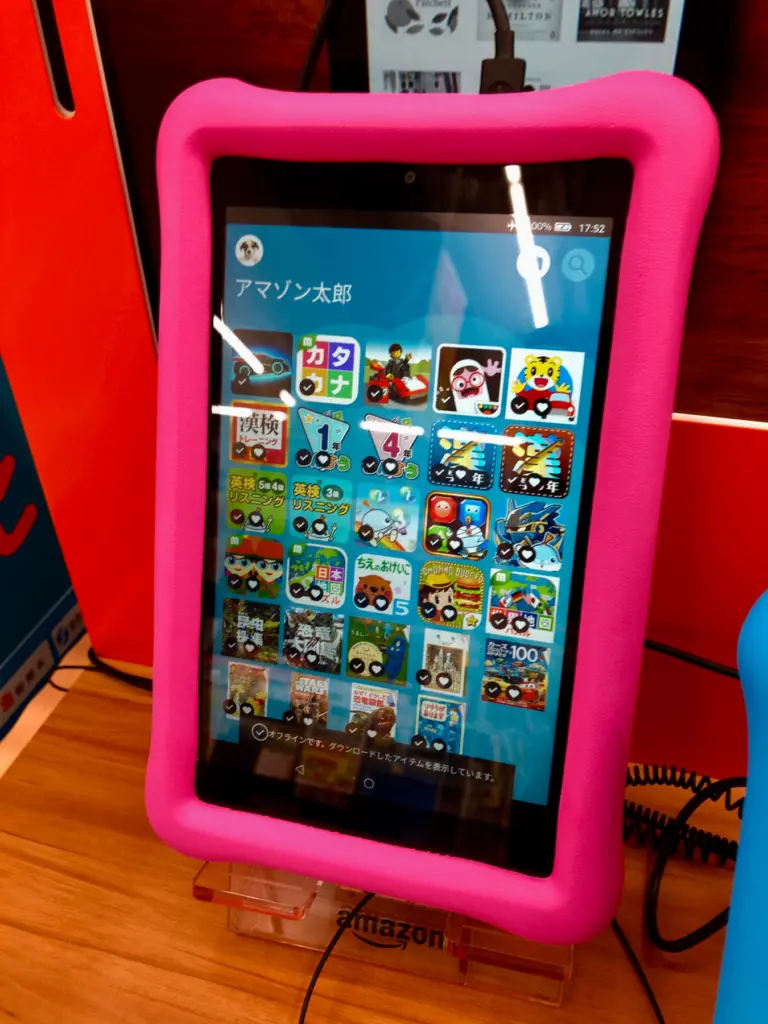
Amazon aims the device at children aged three to seven. According to the manufacturer, it comes with a kid-friendly case, one year of Amazon Kids+ and a two-year worry-free guarantee that provides a replacement if it breaks. Amazon states battery life at up to 13 hours. Audio stories, picture books, simple learning games: for these, the 8-inch format is handy enough. Without Kids+, however, the selection quickly feels thin, and the Amazon Appstore is smaller than Google Play.
Six to twelve: Amazon Fire HD 10 Kids Pro
According to Amazon, the Pro version targets six- to twelve-year-olds. It has a built-in web browser with a filter in which parents can block individual sites, and a store in which children request apps that parents then approve. For learning apps and movies, the 10.1-inch Full HD screen is better suited than the small model. According to Amazon, the kids case, one year of Kids+ and the worry-free guarantee are part of the package here too. The device shows its limits as soon as a child wants more than Amazon’s world.
School kid in an Apple family: iPad (A16)
According to Apple, the 11-inch iPad with the A16 chip weighs 477 grams and lasts up to ten hours of surfing the web on Wi-Fi. What makes it interesting for families is mainly Screen Time: downtime, limits for app categories, schedules separated by weekday and weekend, purchase requests and communication limits that determine who may contact the child. A child account in Family Sharing is required.
For a preschooler, the iPad is simply too expensive and too fragile. From elementary school age with school apps, things look different.
Elementary school with Android: Samsung Galaxy Tab A11
According to Samsung, the small Galaxy Tab has an 8.7-inch display with up to 90 Hz, weighs 335 grams and takes microSD cards up to 2 TB. Samsung Kids sets up a protected interface, with usage time per weekday and a bedtime during which nothing works anymore. Google Family Link is also available. You have to buy a kids case separately.
Older kids: Samsung Galaxy Tab A11+
The bigger sibling brings 11 inches at 1,920 × 1,200 pixels, 6 GB of RAM and 128 GB of storage in the German version. Samsung states up to 15 hours of video playback. At 477 grams, it is as heavy as the iPad. If your child watches movies and does research for school, this is the more solid Android solution. For kindergarten kids? Unnecessarily large.
Writing and drawing: Lenovo Idea Tab
On Amazon, the Idea Tab is offered with an 11-inch display at 2.5K resolution, a MediaTek Dimensity 6300 and Android 15, with a pen depending on the bundle. That makes it a good fit for children who write, draw and take notes. Parental controls run through Google Family Link: daily limits, bedtime, app approvals and a content filter in the Play Store. With the case, the model number matters, because the Idea Tab and the older Tab M11 look similar from the outside.
How to decide, sorted by age
- Ages three to seven: Amazon Fire HD 8 Kids. With small children, the case and replacement guarantee are worth more than any technical spec.
- Ages six to twelve, mainly gaming, reading, movies: Amazon Fire HD 10 Kids Pro. The web filter and app requests suit children who want more than a closed playground.
- Elementary school with Android, small budget: Samsung Galaxy Tab A11 with a separate kids case.
- School kids who seriously learn and write: Galaxy Tab A11+ or Lenovo Idea Tab with pen.
- The family already uses iPhones: the iPad. Screen Time can then be managed conveniently from your own device. For children under eight, though, the extra cost is hard to justify.
If it is going to be a tablet for the whole family, the general tablet guide (in German) offers more choice. Devices running Android specifically are covered in the Android tablet guide. And if your child should be reachable on the go, there is a separate guide to kids smartwatches.
Frequently asked questions
At what age does a tablet make sense for children?
According to the German Federal Institute for Public Health, children under three should be kept away from screen media, so they do not need a tablet. From three to six, the guideline is no more than 30 minutes on individual days. The Amazon Fire HD 8 Kids is aimed at children aged three to seven.
How much screen time is recommended for children?
According to kindergesundheit-info.de, no more than 30 to 45 minutes on individual days for six- to nine-year-olds and 45 to 60 minutes a day for nine- to twelve-year-olds. SCHAU HIN! sets somewhat more generous limits and suggests a weekly allowance from age ten. Time limits are no substitute for agreements.
What should I look for in a tablet's parental controls?
Time limits, bedtime and approval of every app and every purchase should come built in. Amazon, Apple, Samsung and Google all offer this, but with varying granularity. Managing everything from your own phone is handy, because then you can grant bonus time or approve new apps from the couch.
What happens after the free year of Amazon Kids+?
Amazon includes one year of Amazon Kids+ with its Fire Kids tablets. According to Amazon, it then renews automatically at the current price, so make a note of the date. Without Kids+, the selection quickly feels thin, and the Amazon Appstore is smaller than Google Play.
Is an iPad worth it for children?
For a preschooler, the iPad is too expensive and too fragile, and for children under eight the extra cost is hard to justify. From elementary school age with school apps, and in families with iPhones, things look different. Screen Time with Family Sharing can then be managed conveniently from your own device.
Do I need a kids case?
The Fire Kids models come with one, along with a two-year worry-free guarantee. For the iPad, Galaxy Tab and Lenovo, you buy a kids case with a handle separately. The exact model number matters, because many cases only fit one specific generation.
Sources
- kindergesundheit-info.de (BIÖG): Children and media, how much screen time is okay?
- SCHAU HIN!: Agreeing on media time for children
- klicksafe: Screen time for children
- Amazon: Fire Kids Tablet Buying Guide
- Amazon: Fire HD 10 Kids and Kids Pro
- Apple: iPad (A16), tech specs
- Apple Support: Screen Time for children
- Samsung: Galaxy Tab A11
- Samsung: Galaxy Tab A11+
- Samsung Support: Samsung Kids
- Google: Family Link
Where to buy
- Amazon Fire HD 10 Kids Pro (neueste Generation)Check price at Amazon.deAvailable in Germany: Amazon.de
- Amazon Fire HD 8 KidsCheck price at Amazon.deAvailable in Germany: Amazon.de
- Apple iPad (A16)Check price at Amazon.deAvailable in Germany: Amazon.de
- Samsung Galaxy Tab A11Check price at Amazon.deAvailable in Germany: Amazon.de
- Samsung Galaxy Tab A11+Check price at Amazon.deAvailable in Germany: Amazon.de
- Lenovo Idea TabCheck price at Amazon.deAvailable in Germany: Amazon.de