Contents11 sections
This guide was first published in German on handgetestet.de.
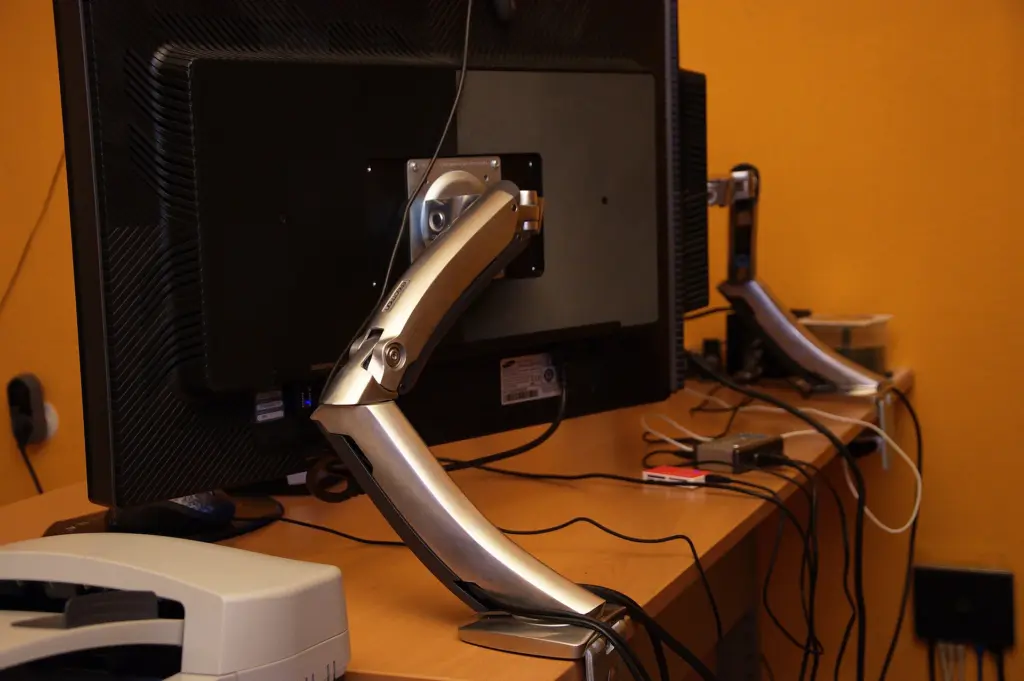
A monitor arm rarely becomes a nuisance because of poor build quality. Usually the weight capacity simply does not match the screen. If you know how much your monitor weighs and pick a clamp that fits your desktop, the Ergotron LX is the right call at almost any desk. The Huanuo HNSS6, a solid gas spring arm, costs a fraction of the money.
Everything else is fine-tuning. And that is exactly what decides whether the arm is still where you pushed it two weeks later.
The weight window
Every arm works within a window, not just up to a maximum. Hang a light 24-inch monitor on an arm that only balances cleanly from three kilos up, and it slowly drifts upward; a heavy curved monitor at the edge of the limit sags. The weight is listed in the monitor’s spec sheet, usually as „weight without stand.“ A little headroom is good. Twice the weight is not.
Gas spring arms like those from Arctic, Huanuo and Amazon Basics are adjusted to the weight with a screw. Ergotron uses its own spring mechanism called Constant Force, Humanscale a weight-compensating spring system. Both work, as long as the window is right.
Hole pattern, desktop, cables
All arms here fit the VESA hole patterns 75 × 75 and 100 × 100 mm. Many large TVs and some design-focused monitors use other patterns or have no mount at all; then you need an adapter or a different arm.
The clamp needs a free edge with no crossbar underneath. Whether your desktop is 18 or 40 mm thick, a tape measure will tell you. Honeycomb-core and hollow-core panels can give way under the clamp’s pressure; Arctic recommends a reinforcement plate for those, and Huanuo explicitly lists particleboard and softwood as unsuitable for its dual arm. A dual arm saves a second clamp. However, both monitors then have to fall within the weight window.
On a standing desk, the cables in the arm need enough slack. The arm moves with the desktop; the power cable to the power strip on the floor does not.
Six monitor arms, compared plainly
| Model | Capacity according to manufacturer | Mechanism and mounting | Best for |
|---|---|---|---|
| Ergotron LX | 3.2–11.3 kg, typically up to 34 inches | Constant Force spring, clamp and grommet | Single monitor, long term |
| Humanscale M2.1 | 2.3–7 kg (curved: up to 5.7 kg) | Spring system, clamp | Light monitors, slim look |
| Arctic X1-3D | up to 10 kg, up to 40 inches (ultrawide 43 inches) | Gas spring, clamp for 20–55 mm | Ultrawide up to 43 inches |
| Huanuo HNSS6 | up to 9 kg, 13–32 inches | Gas spring, clamp or grommet | Small budget |
| Huanuo HNDS18 | up to 10 kg per arm, 17–32 inches | Gas spring, clamp for 10–65 mm | Two monitors side by side |
| Amazon Basics gas spring monitor arm | 2–7 kg, 15–27 inches | Gas spring, desk mount | Simple office setup |
Ergotron LX: the benchmark
3.2 to 11.3 kg capacity according to the manufacturer’s spec sheet, 33 cm of lift, a two-piece desk clamp and a grommet mount for a cable hole. Ergotron offers a ten-year warranty. What matters most is the wide weight window. If you later switch from a 27-inch monitor to a heavier model, the arm can usually stay. It costs several times as much as the gas spring arms, which we think is money well spent at a desk used eight hours a day.
Humanscale M2.1: slim, but with a tight limit
2.3 to 7 kg for flat monitors, 2.3 to 5.7 kg for curved ones, according to Humanscale. That covers many 24- and 27-inch monitors, but not heavy curved models. The M2 Pro has since replaced the M2.1 and, according to the manufacturer, holds up to 10 kg. On Amazon.de you mostly still find the M2.1, so check the model name carefully. An arm for people who care about how their desk looks.
Arctic X1-3D: gas spring for wide screens
Up to 10 kg, for 16:9 monitors up to 40 inches and ultrawide models up to 43 inches, according to Arctic. The clamp fits desktops from 20 to 55 mm; for honeycomb panels Arctic recommends a reinforcement plate, and there is a six-year manufacturer’s warranty on top. If an ultrawide monitor (in German) is on your list, check its weight without the stand first. 10 kg comes up fast.
Huanuo HNSS6: inexpensive and honestly limited
Designed for 13 to 32 inches and up to 9 kg; according to the manufacturer, the clamp fits desktops from about 15 to 90 mm. Priced at the low end. The German computer magazine PC-Welt notes that it is harder to set up and adjust than the Ergotron LX. Out of the box, the spring is often too stiff for light monitors, buyers report; you can correct that with the adjustment screw.
Huanuo HNDS18: two monitors on one clamp
Up to 10 kg per arm, designed for 17 to 32 inches. The clamp fits 10 to 65 mm, the grommet mount 10 to 55 mm; Huanuo rules out particleboard and softwood. Things get tight with two wide monitors on the central pole. According to buyers, two 34-inch monitors do not fit side by side in landscape.
Amazon Basics: for the small monitor in the home office
According to the listing, for 15 to 27 inches and 2 to 7 kg, VESA 75 and 100. The spring tension has to be set to the monitor’s weight before use. Be careful with older reviews: the earlier Amazon Basics arm was an Ergotron design, while today’s is a different construction. It is enough for a light office screen. Not for more.
Which arm for which desk?
One monitor, daily work, long-term use: the Ergotron LX, whose weight window also covers your next monitor. Tight budget and a monitor up to 32 inches? Then the Huanuo HNSS6, with a little patience during setup. For ultrawide up to 43 inches and no more than 10 kg, the Arctic X1-3D.
Two identical monitors up to 32 inches go on the Huanuo HNDS18, as long as the desktop is solid enough. Light monitor, and looks matter to you? Humanscale M2.1 or its successor, the M2 Pro.
If the screen itself is not right yet, start with our guide to office monitors (in German). The arm comes after.
Which screen goes on the arm when a Mac is connected is covered in the guide to the Mac monitor.
Frequently asked questions
How much weight capacity does a monitor arm need?
Every arm works within a weight window, not just up to a maximum. A monitor that is too light slowly drifts upward; one that is too heavy sags. The weight is listed in the monitor's spec sheet, usually as "weight without stand." A little headroom is good; twice the weight is not.
Does a monitor clamp hold on every desktop?
The clamp needs a free edge with no crossbar underneath, and the desktop thickness has to match the clamp range. Honeycomb-core and hollow-core panels can give way under the pressure. Arctic recommends a reinforcement plate for those, and Huanuo explicitly lists particleboard and softwood as unsuitable for its HNDS18 dual arm.
Which monitor arm works for ultrawide monitors?
According to the manufacturer, the Arctic X1-3D holds up to 10 kg, for 16:9 monitors up to 40 inches and ultrawide models up to 43 inches. The clamp fits desktops from 20 to 55 mm thick. Check the weight without the stand first, because wide screens reach 10 kg quickly.
Does every monitor fit a monitor arm?
All arms in this comparison fit the VESA hole patterns 75 × 75 and 100 × 100 mm. Many large TVs and some design-focused monitors use other patterns or have no mount at all. Then you need an adapter or a different arm.
Is a dual arm worth it for two monitors?
A dual arm like the Huanuo HNDS18 saves a second clamp and holds up to 10 kg per arm for 17 to 32 inches. Both monitors have to fall within the weight window, and the desktop has to be solid enough. According to buyers, two 34-inch monitors do not fit side by side in landscape.
What should you watch for on a standing desk?
The cables in the arm need enough slack. The arm rises with the desktop; the power cable to the power strip on the floor does not. Without that slack, the desktop tugs on the cable as it goes up.
Sources
- Ergotron: LX Desk Mount 45-241-026 spec sheet
- Humanscale: M2.1 monitor arm
- Humanscale: transition to M/Class (M2 Pro)
- Arctic: X1-3D
- Huanuo: SS6 Single Monitor Arm
- Huanuo: DS18 Dual Monitor Mount
- PC-Welt: monitor arms compared (note on adjustability)
Where to buy
- Ergotron LXCheck price at Amazon.deCheck price at Amazon.co.ukCheck price at Amazon.nlCheck price at Amazon.com.beCheck price at Amazon.frCheck price at Amazon.itCheck price at Amazon.esCheck price at Amazon.plCheck price at Amazon.seAvailable in Germany: Amazon.de
- Huanuo HNSS6Check price at Amazon.deCheck price at Amazon.co.ukCheck price at Amazon.nlCheck price at Amazon.com.beCheck price at Amazon.frCheck price at Amazon.itCheck price at Amazon.esCheck price at Amazon.plCheck price at Amazon.seAvailable in Germany: Amazon.de
- Arctic X1-3DCheck price at Amazon.deCheck price at Amazon.co.ukCheck price at Amazon.nlCheck price at Amazon.com.beCheck price at Amazon.frCheck price at Amazon.itCheck price at Amazon.esCheck price at Amazon.plCheck price at Amazon.seAvailable in Germany: Amazon.de
- Huanuo HNDS18Check price at Amazon.deCheck price at Amazon.co.ukCheck price at Amazon.nlCheck price at Amazon.com.beCheck price at Amazon.frCheck price at Amazon.itCheck price at Amazon.esCheck price at Amazon.plCheck price at Amazon.seAvailable in Germany: Amazon.de
- Humanscale M2.1Check price at Amazon.deCheck price at Amazon.co.ukCheck price at Amazon.nlCheck price at Amazon.com.beCheck price at Amazon.frCheck price at Amazon.itCheck price at Amazon.esCheck price at Amazon.plCheck price at Amazon.seAvailable in Germany: Amazon.de
- Amazon Basics Gasfeder-MonitorarmCheck price at Amazon.deCheck price at Amazon.co.ukCheck price at Amazon.nlCheck price at Amazon.com.beCheck price at Amazon.frCheck price at Amazon.itCheck price at Amazon.esCheck price at Amazon.plCheck price at Amazon.seAvailable in Germany: Amazon.de