Contents15 sections
This guide was first published in German on handgetestet.de.
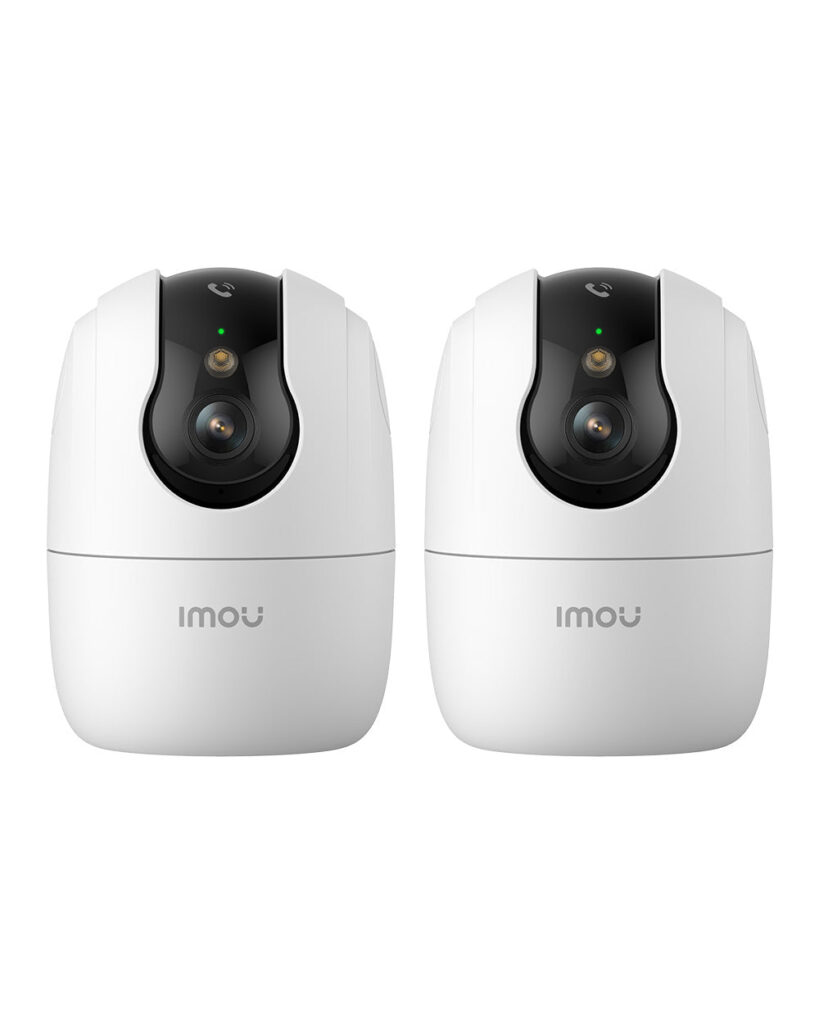
A camera in the living room is only as private as the account behind it. Running it securely does not require a technical degree, just four steps: its own password, automatic updates, a separate network and not a single port forward. For indoor use, we consider the Imou Ranger Dual Pro a good choice because, according to the manufacturer, it mechanically folds its lens out of view. What never reaches the lens cannot be intercepted by anyone. For the purchase itself, see our guide to the indoor security camera.
What can actually happen with a camera?
More than you might think. Germany’s Federal Office for Information Security (BSI) mentions extracted Wi-Fi passwords and images that reveal who leaves the house and when. Whoever takes control can pan the camera or switch it off. The German police also warn that criminals can use this to scout out when residents are away or to recruit the device into a botnet. The BSI adds one simple piece of advice: choose the visible area with care. The bed and the desk do not belong in the frame.
Which password is really enough?
One you do not use anywhere else. The BSI names two routes: at least eight characters with four character types, or at least 25 characters with less complexity. For the Wi-Fi itself, it should be at least 20 characters. A password manager takes care of remembering them.
There are often two locks. With Imou, the first is the account in the app and the second is the device password. According to the manufacturer, you change the latter in Imou Life under the device settings: tap the device name, choose the device password, enter the old one once and the new one twice. Take care of both, plus the router password.
Does two-factor authentication help, and does Imou offer it?
Yes, because the password alone is then no longer enough. The BSI recommends a second factor wherever available and rates authenticator apps and hardware token generators higher than paper lists. Whether the Imou account offers a second factor is not stated on the manufacturer’s product pages. Check the account settings in the app. If the option is missing, the password counts double.
How long will the camera receive updates?
That is the question to ask before buying. Imou guarantees security updates for at least two years after a model is first released. So the clock starts at market launch, not at your purchase. A model that has been on sale for a while may already have used up this period. If in doubt, ask the manufacturer.
Turn on automatic updates wherever they are available. If the LED on the Imou Cruiser SC alternates between green and red, an update is in progress, according to the quick start guide. If no updates arrive at all anymore, the BSI says you should replace the device.
Do I need to open ports on the router?
No, and you should not. The quick start guide for the Imou Cruiser SC only involves the app, the account and a QR code for setup. Old instructions involving port forwarding belong in the trash. An open port makes the device directly reachable from the internet; the BSI names VPN as a way that makes exactly that unnecessary. According to the BSI, modern routers offer this; more on that in our guide to your own router (in German). According to the BSI, you should ideally turn off UPnP so that devices do not send data to the internet unchecked.
Does the camera belong on the guest network?
If you want to access it while away, yes. In that case, the BSI recommends a separate network for smart home devices so that the camera does not become a gateway to your computer and home office. The router’s guest Wi-Fi is the easiest way to get there, with at least WPA2, preferably WPA3. If you do not need remote access, the BSI says the camera should only be on the local home network.
One stumbling block: if a recorder sits on the main network, it usually can no longer find a camera on the guest network. In that case, the camera and recorder belong on the same network. If the signal is not strong enough there, our guide to the camera’s Wi-Fi can help.
What does the Cyber Resilience Act change?
Not everything yet. EU Regulation 2024/2847 applies in stages. Since September 11, 2026, manufacturers have been required to report vulnerabilities and incidents, and from December 11, 2027, new products must meet all requirements. According to the BSI, these include secure default settings, no known vulnerabilities at delivery and updates throughout the support period, which usually covers five years. Two years, as Imou currently states, would fall well short of that. For devices on store shelves now, a CE mark is therefore not yet proof of cybersecurity.
Five cameras and what the manufacturers say about security
| Model | Use | Privacy cover according to the manufacturer | Network | Storage |
|---|---|---|---|---|
| Imou Ranger Dual Pro | indoor | Lens folds away via the app | Wi-Fi 2.4/5 GHz, LAN | microSD, recorder, cloud |
| Imou Ranger 2C Pro | indoor | Privacy mode via the app | Wi-Fi 2.4/5 GHz | microSD, recorder, cloud |
| Imou Bullet 3 | outdoor | none stated | Wi-Fi 2.4 GHz, LAN | microSD, recorder, cloud |
| TP-Link Tapo C225 | indoor | Lens turns away, via button or app | Wi-Fi, WPA3 | microSD, cloud |
| Reolink RLC-510A | indoor and outdoor | none stated | LAN, PoE | microSD, recorder |
Imou Ranger Dual Pro
Two lenses, one of them pannable, plus the mechanical cover: according to Imou, the camera tilts down via the app and covers the lens. This works even if someone has taken over the account, as long as they do not fold it back up. The spec sheet also shows a LAN port. Downsides: two images are more insight than some homes need, and the documentation says nothing about encryption.
Imou Ranger 2C Pro
The simpler indoor camera with a single lens, listed at 5 megapixels in the spec sheet. Privacy protection is activated with a tap in the app. Imou does not mention a mechanical cover here, and the spec sheet does not list a LAN port.
Imou Bullet 3
For outdoors, fixed in position and connected to the network by cable if you like. That takes Wi-Fi passwords out of the equation, but not the Imou account. It supports ONVIF, so it can run on a compatible recorder.
TP-Link Tapo C225
It turns the lens away via a button on the housing or via the app. TP-Link specifically states 128-bit AES, SSL/TLS and WPA3, which are missing from the Imou spec sheets. Cloud storage requires a separate subscription, and you buy the microSD card separately.
Reolink RLC-510A
The camera for anyone who wants to stay as far away from the internet as possible: PoE, microSD, recorder, and according to Reolink no subscription. On a local recorder, it comes closest to the BSI’s advice of getting by without remote access. According to the manufacturer, it can also be integrated into Synology Surveillance Station; more on local solutions in our guide to camera storage (in German).
Our order of steps for the first evening
- Update the router, turn off UPnP, turn on the guest network.
- Put the camera on the guest network, protect the account and the device with their own passwords.
- Look for two-factor authentication, turn on automatic updates, revoke unnecessary app permissions such as location.
- Check the image area and use the cover when you are at home.
If the camera is going indoors and trust in software alone is not enough, the Ranger Dual Pro or the Tapo C225 are the right fit. If you want to avoid the cloud, go for the Reolink.
Frequently asked questions
What password does a security camera need?
One you do not use anywhere else. Germany's Federal Office for Information Security (BSI) specifies at least eight characters with four character types, or at least 25 characters with less complexity, and at least 20 characters for the Wi-Fi. With Imou, there are two locks, the app account and the device password; change both, plus the router password.
Do I need to open ports on the router for remote access?
No, and you should not. An open port makes the device directly reachable from the internet. The BSI names VPN as a way that makes this unnecessary and advises turning off UPnP. Old instructions involving port forwarding are outdated.
Does the camera belong on the guest network?
For access while you are away, the BSI recommends a separate network for smart home devices so that the camera does not become a gateway to your computer and home office. The router's guest Wi-Fi is the easiest way to get there. However, if a recorder sits on the main network, the camera and recorder belong on the same network.
How long does a camera receive security updates?
Imou guarantees security updates for at least two years after a model is first released, counted from market launch and not from purchase. A model that has been on sale for a while may already have used up this period. If no updates arrive at all anymore, the BSI says you should replace the device.
What does the Cyber Resilience Act change for cameras?
EU Regulation 2024/2847 applies in stages. From December 11, 2027, new products must meet all requirements, including secure default settings and updates throughout the support period, which according to the BSI is usually five years. For devices on store shelves now, a CE mark is not yet proof of cybersecurity.
Which camera covers its lens mechanically?
The Imou Ranger Dual Pro tilts down via the app and covers the lens, and the TP-Link Tapo C225 turns it away at the press of a button or via the app. This works even if someone has taken over the account, as long as they do not open the cover again. TP-Link also states 128-bit AES and WPA3.
Sources
- BSI: Smart security cameras (in German)
- BSI: Setting up a smart home securely (in German)
- BSI: Secure passwords (in German)
- BSI: Two-factor authentication (in German)
- BSI: VPN (in German)
- BSI: Guest Wi-Fi (in German)
- BSI: The Cyber Resilience Act explained simply (in German)
- BSI: Cyber Resilience Act (in German)
- German police, K-Einbruch: Smart home (in German)
- Imou: Vulnerability handling
- Imou: Cruiser SC, quick start guide
- Imou: Ranger Dual Pro
- Imou: Ranger Dual Pro, spec sheet
- Imou: Ranger 2C Pro
- Imou: Bullet 3, spec sheet
- TP-Link: Tapo C225
- Reolink: RLC-510A
Where to buy
- Imou Ranger Dual ProView at ImouAvailable in Germany: ImouCheck price at Amazon.deCheck price at Amazon.co.ukCheck price at Amazon.nlCheck price at Amazon.com.beCheck price at Amazon.frCheck price at Amazon.itCheck price at Amazon.esCheck price at Amazon.plCheck price at Amazon.seAvailable in Germany: Amazon.de
- Imou Ranger 2C ProView at ImouAvailable in Germany: Imou
- Imou Bullet 3View at ImouAvailable in Germany: Imou
- TP-Link Tapo C225Check price at Amazon.deCheck price at Amazon.co.ukCheck price at Amazon.nlCheck price at Amazon.com.beCheck price at Amazon.frCheck price at Amazon.itCheck price at Amazon.esCheck price at Amazon.plCheck price at Amazon.seAvailable in Germany: Amazon.de
- Reolink RLC-510ACheck price at Amazon.deCheck price at Amazon.co.ukCheck price at Amazon.nlCheck price at Amazon.com.beCheck price at Amazon.frCheck price at Amazon.itCheck price at Amazon.esCheck price at Amazon.plCheck price at Amazon.seAvailable in Germany: Amazon.de