Contents13 sections
This guide was first published in German on handgetestet.de.
A smart button is the smallest device in a smart home, and it is still often bought wrong. It does not switch power; it only sends a command. Whether that command arrives depends entirely on the hub you already own. If you have Hue lamps, go for the Philips Hue Dimmschalter (dimmer switch); if you work with Shelly, the BLU RC Button 4; if you run an Aqara system, the H1 wall switch.
An everyday example. There are two Hue lamps in the bedroom, the wall switch is by the door, and the bed is three meters away. A wireless button on the nightstand solves the problem without cables and without an electrician. It sticks on, sits loose or hangs on a magnet.
What sets a button apart from a smart light switch?
The light switch in the wall is part of the electrical circuit. A wireless button is not. It runs on a coin cell or battery and transmits to a bridge, a hub or another smart device. If the ceiling light is an ordinary fixture without a radio, the button on its own does nothing at all. In that case you need either smart bulbs or an actuator behind the switch. What to watch for in the wall box and who is allowed to install it is covered in our guide to the smart light switch with in-wall actuator.
Zigbee, Bluetooth or Matter: which wireless standard fits?
The question of the wireless standard is really the question of your hub. According to the manufacturer, Hue buttons speak Zigbee and Bluetooth and belong in the Hue system. Aqara buttons use Zigbee 3.0 and expect an Aqara hub. Shelly’s BLU series uses Bluetooth Low Energy. For setup in the Shelly app, the RC Button 4, according to the manufacturer, needs a permanently powered Shelly device from the second generation onward that serves as a Bluetooth bridge.
And Matter? Of the devices discussed here, only the IKEA remote BILRESA speaks Matter itself, over Thread. For that it needs a Thread border router, such as the IKEA hub DIRIGERA. So a Matter logo on a system’s packaging does not mean that every button in that system shows up in Apple Home or Google Home. Read the specifications for the individual device, not for the brand. If you are starting with no hub at all, our guide to smart home starter sets offers a sensible way in.
What else should a good button be able to do?
First, count the buttons you really need. One button with single, double and long press is enough for light on, light off and a favorite scene. If you want to control several rooms or scenes separately, four buttons or a dial will get you further. A dial dims more finely than a held button.
The battery is the second criterion. Most devices use a CR2032. Aqara uses the larger CR2450 in the H1 and states up to five years of battery life. IKEA uses AAA cells, which are not included. Finally, mounting: a magnetic holder is practical because the button can be taken off. If you want a fixed spot on the wall, choose a design the size of a switch frame.
Six wireless buttons compared
| Model | Wireless and hub | Controls and battery | Best for |
|---|---|---|---|
| Philips Hue Dimmschalter V2 | Zigbee, Bluetooth; up to 10 lamps without a bridge | 2 assignable buttons, CR2032 | Hue users who just want to dim |
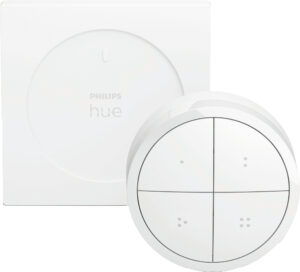
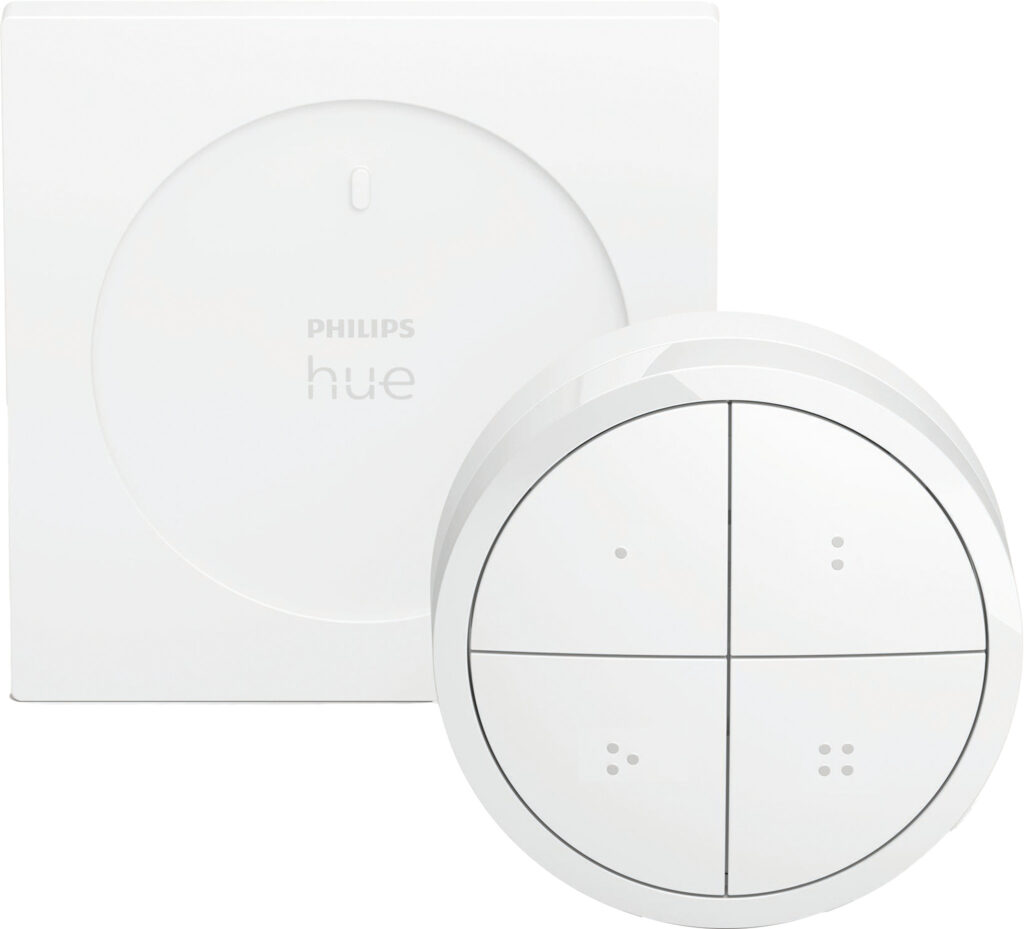
| Philips Hue Tap Dial Schalter | Zigbee, Bluetooth; Hue Bridge | 4 buttons plus dial, CR2032 | Hue households with several scenes |
| Aqara Wireless Remote Switch H1 (double rocker) | Zigbee 3.0; Aqara hub | 2 rockers, up to 7 actions, CR2450 | Aqara users with space on the wall |
| Aqara Wireless Mini Switch T1 | Zigbee 3.0; Aqara hub | 1 button, CR2032, 45 × 45 mm | Aqara users looking for a small button |
| Shelly BLU RC Button 4 | Bluetooth; Shelly device as bridge | 4 buttons, single to triple and long press, CR2032 | Shelly installations and BTHome systems |
| Shelly BLU Button Tough 1 | Bluetooth; Shelly app | 1 button, multi-click, CR2032 | Garage, basement, garden |
Philips Hue Dimmschalter V2
The classic among wireless buttons. According to the manufacturer, it also connects to up to ten lamps without a bridge, but settings cannot be changed then. With a bridge, it controls up to 50 lamps. The switch sits magnetically in its wall plate and can be taken out; Hue states a service life of 50,000 clicks. For Hue beginners, this is the most sensible choice.
Philips Hue Tap Dial Schalter
Four buttons for scenes or rooms, plus a dial for dimming. The wall plate measures 80 × 80 × 6 mm and is either stuck on or screwed in place. Hue lists a bridge as a requirement and a service life of 50,000 clicks or 12,000 turns. If you only dim one lamp, you don’t need that many controls.
Aqara Wireless Remote Switch H1
It looks like a wall switch with two rockers and measures 85.8 × 86 mm. It can be laid down, stuck on or screwed over an existing wall box. Aqara lists single, double and long press as well as pressing both rockers at once, up to seven actions in total. In fast mode, according to the manufacturer, it responds after 50 milliseconds but then only knows the single click. Without an Aqara hub, nothing works.
Aqara Wireless Mini Switch T1
A small button measuring 45 × 45 × 12 mm. It uses Zigbee 3.0 and runs on a CR2032. It fits on the nightstand or next to the front door. It, too, needs a Zigbee hub, which in the Aqara system means an Aqara hub.
Shelly BLU RC Button 4
Four buttons on 42 × 42 mm, each with single, double, triple and long press. That adds up to many commands in a small space. Shelly states up to three years of battery life and a range of around ten meters indoors. Without a hub, according to the manufacturer, it works with platforms that understand the open Bluetooth standard BTHome. It is not a fit for pure Hue or Aqara households. There is also a „ZB“ variant that additionally speaks Zigbee.
Shelly BLU Button Tough 1
A single, rugged button, protected against impact, water and dust according to the manufacturer. The battery is supposed to last up to two years. The beacon mode is interesting: it triggers an automation as soon as the button comes within Bluetooth range, for example on your key ring in front of the garage door. In the living room, it is overkill.
And IKEA?
IKEA sells its buttons only itself, not through Amazon. According to IKEA, the new BILRESA remote with scroll wheel controls three groups of up to ten products each, dims, changes the light color and recalls scenes. It speaks Matter over Thread and runs on AAA rechargeable batteries.
Which button for which household?
- Hue lamps, no bridge: the Hue Dimmschalter V2, which also works directly with up to ten lamps.
- Hue with a bridge and several scenes: the Tap Dial Schalter.
- Aqara hub already in place: the H1 as a wall switch, the Mini Switch T1 as a small button.
- Shelly actuators or a BTHome-capable system: the BLU RC Button 4; for outdoors and the garage, the Button Tough 1.
- Matter with a Thread router and IKEA lamps: BILRESA, directly from IKEA.
Don’t mix at random. Two buttons from two systems mean two apps and two hubs. Stick with the brand whose hub is already in your hallway; which hub suits you is covered in our guide to the smart home hub.
Frequently asked questions
What is the difference between a wireless button and a smart light switch?
The light switch in the wall is part of the electrical circuit; a wireless button is not. It runs on a coin cell or battery and transmits to a bridge, a hub or another smart device. If the ceiling light is an ordinary fixture without a radio, the button on its own does nothing at all.
Does the Hue Dimmschalter work without a bridge?
Yes, according to the manufacturer it also connects to up to ten lamps without a bridge, but settings cannot be changed then. With a bridge, it controls up to 50 lamps. The switch sits magnetically in its wall plate and can be taken out.
Which smart button works with Matter?
Of the devices discussed, only the IKEA remote BILRESA speaks Matter itself, over Thread. For that it needs a Thread border router, such as the IKEA hub DIRIGERA. A Matter logo on a system does not mean that every button in that system shows up in Apple Home or Google Home.
What does the Shelly BLU RC Button 4 need for setup?
For the Shelly app, according to the manufacturer, a permanently powered Shelly device from the second generation onward acting as a Bluetooth bridge. Without a hub, it works with platforms that understand the open BTHome standard. It is not a fit for pure Hue or Aqara households.
How long does the battery in a wireless button last?
That depends on the device. Most use a CR2032. Aqara uses the larger CR2450 in the H1 and states up to five years of battery life; Shelly specifies up to three years for the RC Button 4 and up to two for the Button Tough 1.
How many buttons does a smart button need?
One button with single, double and long press is enough for light on, light off and a favorite scene. For several rooms or scenes, four buttons or a dial are better; a dial dims more finely than a held button. The Hue Tap Dial offers both.
Sources
- Philips Hue: Dimmschalter V2
- Philips Hue: Tap Dial Schalter
- Aqara: Wireless Remote Switch H1
- Aqara: Wireless Remote Switch H1 data sheet
- Aqara: Wireless Mini Switch T1 data sheet
- Shelly: BLU RC Button 4
- Shelly: BLU Button Tough 1
- IKEA: BILRESA remote with scroll wheel
Where to buy
- Philips Hue Dimmschalter V2Check price at Amazon.deCheck price at Amazon.co.ukCheck price at Amazon.nlCheck price at Amazon.com.beCheck price at Amazon.frCheck price at Amazon.itCheck price at Amazon.esCheck price at Amazon.plCheck price at Amazon.seAvailable in Germany: Amazon.de
- Philips Hue Tap Dial SchalterCheck price at Amazon.deCheck price at Amazon.co.ukCheck price at Amazon.nlCheck price at Amazon.com.beCheck price at Amazon.frCheck price at Amazon.itCheck price at Amazon.esCheck price at Amazon.plCheck price at Amazon.seAvailable in Germany: Amazon.de
- Aqara Wireless Remote Switch H1 DoppelwippeCheck price at Amazon.deCheck price at Amazon.co.ukCheck price at Amazon.nlCheck price at Amazon.com.beCheck price at Amazon.frCheck price at Amazon.itCheck price at Amazon.esCheck price at Amazon.plCheck price at Amazon.seAvailable in Germany: Amazon.de
- Aqara Wireless Mini Switch T1Check price at Amazon.deCheck price at Amazon.co.ukCheck price at Amazon.nlCheck price at Amazon.com.beCheck price at Amazon.frCheck price at Amazon.itCheck price at Amazon.esCheck price at Amazon.plCheck price at Amazon.seAvailable in Germany: Amazon.de
- Shelly BLU RC Button 4Check price at Amazon.deCheck price at Amazon.co.ukCheck price at Amazon.nlCheck price at Amazon.com.beCheck price at Amazon.frCheck price at Amazon.itCheck price at Amazon.esCheck price at Amazon.plCheck price at Amazon.seAvailable in Germany: Amazon.de
- Shelly BLU Button Tough 1Check price at Amazon.deCheck price at Amazon.co.ukCheck price at Amazon.nlCheck price at Amazon.com.beCheck price at Amazon.frCheck price at Amazon.itCheck price at Amazon.esCheck price at Amazon.plCheck price at Amazon.seAvailable in Germany: Amazon.de