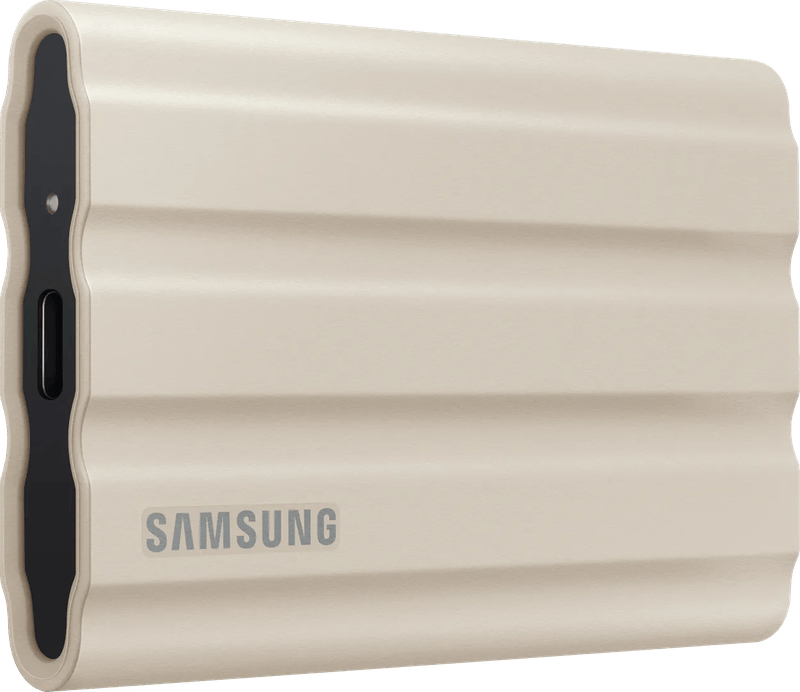
Contents13 sections
This guide was first published in German on handgetestet.de.
An external SSD can never be faster than the port it is plugged into. Forget that, and you buy a drive your own computer cannot even make full use of. That is why a model with 10 or 20 Gbit/s is usually enough, such as the Samsung T7 Shield, the Samsung T9 or the Crucial X10. If you edit video on a Mac directly from the SSD, you need USB4 or Thunderbolt: the SanDisk Extreme PRO with USB4 and the LaCie Rugged SSD4 are the sensible middle ground for that, while the LaCie Rugged SSD Pro5 with Thunderbolt 5 is a tool for professionals working with 6K and 8K footage.
And one thing right at the start. A single external SSD is not yet a complete backup.
Where the speed really gets stuck
The port sets the pace. USB 3.2 Gen 2 manages 10 Gbit/s, which in everyday use means around 1,000 MB/s. USB 3.2 Gen 2×2 reaches 20 Gbit/s, USB4 and Thunderbolt 4 up to 40 Gbit/s, Thunderbolt 5 up to 80 Gbit/s. So first check what your laptop or desktop can actually do. Only then does the SSD’s data sheet become interesting.
Of all places, there is a trap on the Mac. Users in the Apple forum consistently report that Macs do not support USB 3.2 Gen 2×2. An SSD with 20 Gbit/s runs at 10 Gbit/s there. You then pay for speed that never arrives, which is why USB4 or Thunderbolt models make more sense on a Mac.
The cable is also part of the chain. Use the one that comes in the box, because a simple USB-C charging cable often slows a fast SSD down drastically.
Peak speed and sustained performance are two different things
Peak values often only apply until a fast cache is full. After that, the write speed drops. For small files this hardly matters, but when offloading full camera cards it does, because then you live with the speed after the cache. Reputable manufacturers state it in the data sheet. LaCie does this in exemplary fashion for the Pro5; more on that below.
Cap, drops and capacity
On the go, an IP rating against dust and water and a specified drop protection help. Samsung, however, explicitly excludes drop damage from its warranty, which runs three to five years depending on the model. As for capacity, 2 TB is a usable starting point for video projects; for 4K and 6K footage, 4 TB is more like it. As a backup target, the SSD must be considerably larger than the data it is meant to back up.
Why an SSD alone is not a backup: the 3-2-1 rule
An external SSD is well suited to quick backups with Time Machine on a Mac or File History on Windows. But it remains a single device. It can be lost or fail.
The German Federal Office for Information Security (BSI) advises keeping the backup in a separate location from the computer, only connecting the storage medium when needed, and occasionally checking whether the backup can still be read. The 3-2-1 rule has proven itself: three copies on two different storage media, one of them off-site. How a NAS helps with this is explained on our page NAS for photo and video backup.
Six drives from 10 to 80 Gbit/s
| Model | Interface | Speed according to the manufacturer | Ruggedness | Best for |
|---|---|---|---|---|
| Samsung T7 Shield | USB 3.2 Gen 2 (10 Gbit/s) | up to 1,050 MB/s read, 1,000 MB/s write | IP65, drops up to 3 m | Backup, everyday use, beginners |
| Samsung T9 | USB 3.2 Gen 2×2 (20 Gbit/s) | up to 2,000 MB/s read and write | Drops up to 3 m | Windows PCs with a 20 Gbit port |
| Crucial X10 | USB-C | up to 2,100 MB/s read | IP65, drops up to 3 m | Large capacity up to 8 TB |
| SanDisk Extreme PRO with USB4 | USB4 (40 Gbit/s), Thunderbolt 4 | up to 3,800 MB/s read, 3,700 MB/s write | Silicone sleeve, aluminum housing | Video editing on Mac and PC |
| LaCie Rugged SSD4 | USB 40 Gbit/s, Thunderbolt 3 to 5 | up to 4,000 MB/s read | IP54, drops up to 3 m | Creatives on the go, iPhone video |
| LaCie Rugged SSD Pro5 | Thunderbolt 5 (80 Gbit/s) | up to 6,700 MB/s read, 5,300 MB/s write | IP68, drops up to 3 m | Professionals with 6K and 8K footage |
Samsung T7 Shield: the safe bet
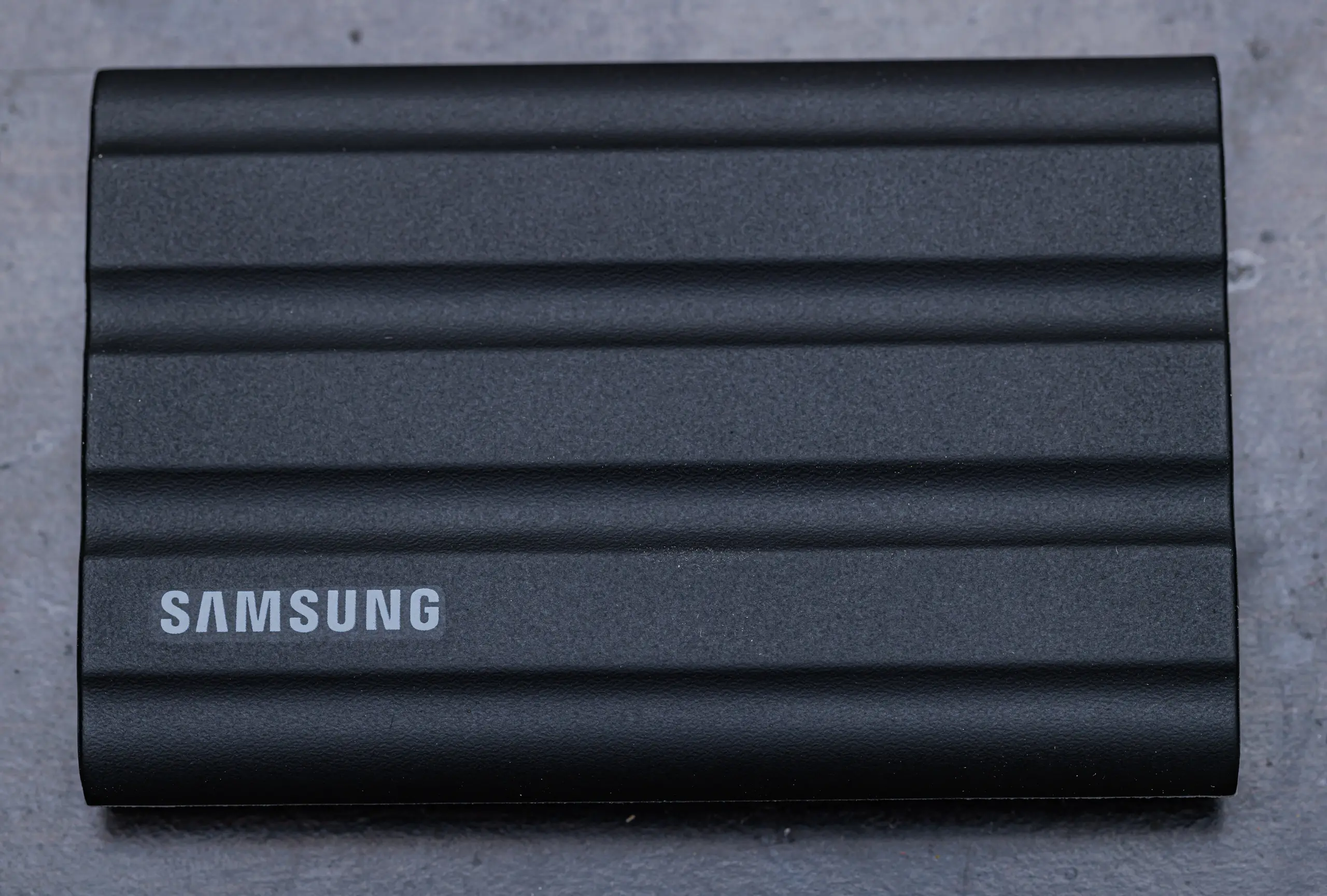
USB 3.2 Gen 2, up to 1,050 MB/s read according to Samsung. That sounds unspectacular. But that is exactly where its advantage lies, because almost every current computer can make full use of this speed, the Mac included. Samsung specifies IP65, drop protection up to 3 meters, AES-256 encryption and a three-year warranty; it is available with 1, 2 and 4 TB. For backups and everyday use, it is hard to beat.
Samsung T9: fast, but only on the right PC
With USB 3.2 Gen 2×2 and 20 Gbit/s, the T9 reads at up to 2,000 MB/s according to its data sheet. The 4 TB model writes just as fast, the smaller versions at up to 1,950 MB/s. Samsung specifies drop protection up to 3 meters, hardware encryption and a five-year warranty; there is no IP rating. It only shows its speed on Windows PCs with a Gen 2×2 port. On a Mac, it ends up at the level of the T7. The extra cost is hard to justify there.
Crucial X10: when you need a lot of space
Crucial specifies up to 2,100 MB/s read. The X10 is protected against dust and water jets to IP65 and survives drops from about 3 meters. What makes it interesting is its size: Crucial offers it with up to 8 TB. That makes it a good large backup target for video archives. The warranty runs three years or until the specified write volume is reached.
SanDisk Extreme PRO with USB4: an editing suite to go
USB4 with 40 Gbit/s, and according to SanDisk also compatible with Thunderbolt 4. The data sheet lists up to 3,800 MB/s read and 3,700 MB/s write, capacities of 2 and 4 TB and a five-year warranty. That lets you edit video directly from the SSD.
If you can wait, you might want to. SanDisk has already announced a successor with up to 4,000 MB/s and IP65.
LaCie Rugged SSD4: for shooting with the iPhone
It works with USB 40 Gbit/s and, according to LaCie, is compatible with Thunderbolt 3, 4 and 5. It reads at up to 4,000 MB/s, and according to its data sheet it supports ProRes recording in 4K at 120 frames per second on an iPhone with USB-C. The IP54 protection only applies with the cap in place. Lose the cap, lose the rating. A three-year warranty with data recovery service is included.
LaCie Rugged SSD Pro5: Thunderbolt 5 or nothing
Via Thunderbolt 5, the Pro5 reaches up to 6,700 MB/s read and 5,300 MB/s write, according to LaCie. The data sheet is refreshingly open about the limit: after 50 GB of cache, the write speed drops to up to 1,800 MB/s. IP68, a five-year warranty and a data recovery service are included. Full speed, however, is only available on computers with Thunderbolt 5; without one, you pay for reserves that go unused.
Which SSD for whom?
For backup and everyday use, we go with the Samsung T7 Shield, because it is rugged and delivers its full speed on almost any computer. If an archive needs a lot of space, the Crucial X10 with up to 8 TB and IP65 is a good fit. If there is a Windows PC with a 20 Gbit port on the desk, the Samsung T9 or Crucial X10 are options.
- Video editing on a Mac or laptop with USB4: SanDisk Extreme PRO with USB4 or LaCie Rugged SSD4. Suitable computers are listed on our page laptops for video editing.
- Shooting on the go and with the iPhone: LaCie Rugged SSD4.
- Professionals with Thunderbolt 5 and 8K footage: LaCie Rugged SSD Pro5.
For long-term backup, the rule always applies: SSD plus a second copy, for example on a NAS, following the 3-2-1 rule.
Frequently asked questions
Why is my external SSD slower on a Mac than specified?
According to consistent reports in the Apple forum, Macs do not support USB 3.2 Gen 2×2. An SSD with 20 Gbit/s such as the Samsung T9 only runs at 10 Gbit/s there. On a Mac, USB4 or Thunderbolt models make more sense. Also use the cable that comes in the box.
Which external SSD is suitable for backups?
The Samsung T7 Shield, because it is rugged and delivers its full speed on almost any computer: IP65, drop protection up to 3 meters and encryption, according to Samsung. If an archive needs a lot of space, the Crucial X10 with up to 8 TB is a good fit. The backup target must be considerably larger than the data.
Is an external SSD a complete backup?
No, it remains a single device that can be lost or fail. The German Federal Office for Information Security (BSI) advises keeping the backup in a separate location and only connecting it when needed. The 3-2-1 rule has proven itself: three copies on two different storage media, one of them off-site, for example additionally on a NAS.
How much storage does an SSD need for video?
For video projects, 2 TB is a usable starting point; for 4K and 6K footage, 4 TB is more like it. Pay attention to the write speed after the cache: according to its data sheet, the LaCie Rugged SSD Pro5 drops to up to 1,800 MB/s after 50 GB. When offloading full camera cards, it is precisely this value that counts.
When is a Thunderbolt 5 SSD worth it?
Only on computers with Thunderbolt 5. According to LaCie, the LaCie Rugged SSD Pro5 reads at up to 6,700 MB/s there and writes at up to 5,300 MB/s, plus IP68 and a five-year warranty. Without a matching port, you pay for reserves that go unused. It is a tool for professionals working with 6K and 8K footage.
Sources
- Samsung: Portable SSD T9 data sheet
- Samsung: Portable SSD T7 Shield
- Crucial: X10 Portable SSD
- SanDisk: Extreme PRO with USB4 data sheet
- SanDisk: Extreme PRO Portable SSD data sheet (successor)
- LaCie: Rugged SSD4 data sheet
- LaCie: Rugged SSD Pro5 data sheet
- Apple Community: USB 3.2 Gen 2×2 on the Mac
- BSI (German Federal Office for Information Security): Data backup – how does it work?
Where to buy
- Samsung T7 Shield (1 TB, schwarz)Check price at Amazon.deCheck price at Amazon.co.ukCheck price at Amazon.nlCheck price at Amazon.com.beCheck price at Amazon.frCheck price at Amazon.itCheck price at Amazon.esCheck price at Amazon.plCheck price at Amazon.seCheck price at Amazon.comCheck price at Amazon.ca
- Samsung T9Check price at Amazon.deCheck price at Amazon.co.ukCheck price at Amazon.nlCheck price at Amazon.com.beCheck price at Amazon.frCheck price at Amazon.itCheck price at Amazon.esCheck price at Amazon.plCheck price at Amazon.seAvailable in Germany: Amazon.de
- Crucial X10Check price at Amazon.deCheck price at Amazon.co.ukCheck price at Amazon.nlCheck price at Amazon.com.beCheck price at Amazon.frCheck price at Amazon.itCheck price at Amazon.esCheck price at Amazon.plCheck price at Amazon.seAvailable in Germany: Amazon.de
- SanDisk Extreme PRO with USB4Check price at Amazon.deCheck price at Amazon.co.ukCheck price at Amazon.nlCheck price at Amazon.com.beCheck price at Amazon.frCheck price at Amazon.itCheck price at Amazon.esCheck price at Amazon.plCheck price at Amazon.seAvailable in Germany: Amazon.de
- LaCie Rugged SSD4Check price at Amazon.deCheck price at Amazon.co.ukCheck price at Amazon.nlCheck price at Amazon.com.beCheck price at Amazon.frCheck price at Amazon.itCheck price at Amazon.esCheck price at Amazon.plCheck price at Amazon.seAvailable in Germany: Amazon.de
- LaCie Rugged SSD Pro5Check price at Amazon.deCheck price at Amazon.co.ukCheck price at Amazon.nlCheck price at Amazon.com.beCheck price at Amazon.frCheck price at Amazon.itCheck price at Amazon.esCheck price at Amazon.plCheck price at Amazon.seAvailable in Germany: Amazon.de
- Samsung T7 ShieldView at CoolblueAvailable in Germany: Coolblue