Contents12 sections
This guide was first published in German on handgetestet.de.
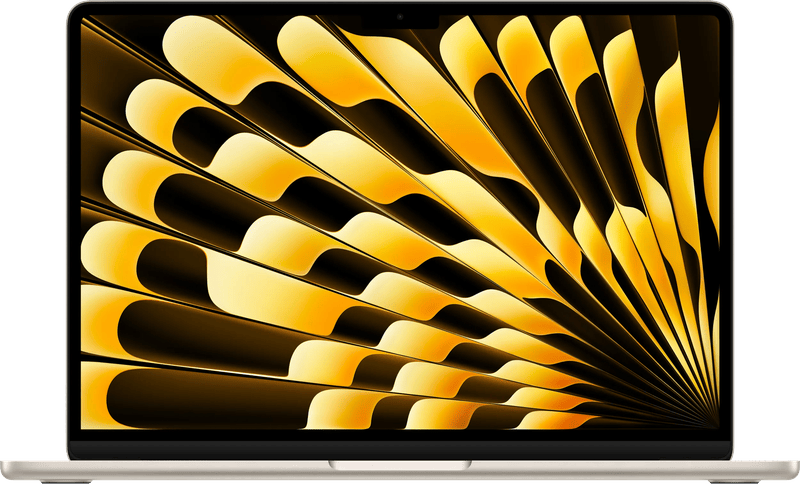
At the Apple Store, it is easy to end up in front of the MacBook Pro, even though your own workload consists of email, documents and a few photos. In that case, an Air is what you need. For the vast majority, the MacBook Air with M5 is the right choice: light, up to 18 hours of battery life according to Apple, and enough power for office work, studies and photos.
Only browsing, writing and streaming? Then even the new MacBook Neo is enough. A Pro only makes sense if you genuinely need HDMI, an SD card reader, a bright XDR display or more than 32 GB of memory, and the most affordable entry point for that is the 14-inch model with M6. The M5 Pro and M5 Max are aimed at people who earn their living with video, 3D or large amounts of data. And the new PROLED model? The most expensive MacBook, but also the lightest Pro.
What you can’t change later
On every MacBook, the memory is permanently built in. Upgrading is not possible. The MacBook Neo has only 8 GB, the Air and the Pro with M6 up to 32 GB, the M5 Pro up to 64 GB and the M5 Max up to 128 GB. If you want to use the device for many years, go one step higher.
The same goes for the SSD. With the Neo, you start at 256 GB, with the Air at 512 GB and with the Pro at 1 TB. For large photo and video archives, a fast external SSD often costs less than an expensive upgrade; which ones are worth considering is shown in our comparison of external SSDs.
Chip, display, ports
The M5 in the MacBook Air is enough for everyday use and many creative tasks. The smaller MacBook Pro has the M6, which according to Apple has two more CPU cores and graphics up to 30 percent faster than the M5. The M5 Pro and M5 Max add significantly more graphics cores and much more memory. The MacBook Neo is a completely different story. It uses the A18 Pro from the iPhone and is clearly designed for simple tasks.
The Neo and Air have a Liquid Retina display with 500 nits. The Pro models have a mini-LED display (Liquid Retina XDR) with 1,000 nits sustained, 1,600 nits peak in HDR and up to 120 Hz. The new PROLED XDR is a tandem OLED with touch and, according to Apple, up to 2,000 nits.
On the sides, things get specific. The Neo has two USB-C ports, one with USB 3 and one with only USB 2. On the Air, you’ll find two Thunderbolt 4 ports and MagSafe; on every Pro, three Thunderbolt ports, HDMI, an SDXC card reader and MagSafe. Thunderbolt 5 is reserved for the M5 Pro and M5 Max. And the weight? The Neo and Air 13 weigh 1.23 kg, a 16-inch Pro with a mini-LED display around 2.15 kg.
Seven MacBooks Apple currently sells
| Model | Chip | Display | Memory / SSD | Best for |
|---|---|---|---|---|
| MacBook Neo | A18 Pro, 6-core CPU, 5-core GPU | 13 inches, 500 nits | 8 GB / 256 or 512 GB | Browsing, writing, school |
| MacBook Air 13 (M5) | M5, 10-core CPU, 8- or 10-core GPU | 13.6 inches, 500 nits, P3 | 16–32 GB / 512 GB–4 TB | Studies, office, on the go |
| MacBook Air 15 (M5) | M5, 10-core CPU, 10-core GPU | 15.3 inches, 500 nits, P3 | 16–32 GB / 512 GB–4 TB | Large screen, light |
| MacBook Pro 14 (M6) | M6, 12-core CPU, 12-core GPU | 14.2 inches, Liquid Retina XDR, 120 Hz | 16–32 GB / 1–4 TB | Photos, video, lots of ports |
| MacBook Pro 14/16 (M5 Pro) | M5 Pro, 15-core CPU and up, 16-core GPU and up | 14.2 or 16.2 inches, Liquid Retina XDR | 24–64 GB / 1–4 TB | Creative professionals, developers |
| MacBook Pro 14/16 (M5 Max) | M5 Max, 18-core CPU, 32- or 40-core GPU | 14.2 or 16.2 inches, Liquid Retina XDR | 36–128 GB / 2–8 TB | 8K video, 3D, very large projects |
| MacBook Pro PROLED 14/16 (M5 Pro/Max) | M5 Pro or M5 Max | 14.2 or 16.3 inches, tandem OLED, touch | 24–128 GB / 1–16 TB | Best display, HDR work |
MacBook Neo
The new entry point into the Mac world, priced in the entry-level class. The A18 Pro, 8 GB of memory and, according to Apple, up to 16 hours of video streaming are enough for browsing, office apps and streaming. The limits are clear: only one external monitor at up to 4K, no Thunderbolt, and one port at USB 2 speed only. For students and occasional users, that is enough. If photo editing is part of the plan, the Air is the better choice.
MacBook Air 13 (M5)
Not sure? Then this one. It starts at 16 GB of memory and a 512 GB SSD, and according to Apple the battery lasts up to 18 hours of video streaming. In addition to the built-in screen, it can drive two external displays. If you edit photos often, go for the version with the 10-core GPU and 24 GB.
MacBook Air 15 (M5)
The same technology, a larger 15.3-inch display and always the 10-core GPU. At 1.51 kg, it weighs less than any 16-inch Pro. If you work a lot with spreadsheets or two windows side by side and are happy to do without an HDR display and card reader, this Air is a good fit.
MacBook Pro 14 (M6)
At the end of October 2026, Apple introduced the new entry-level Pro; in Apple’s lineup, it replaces the model with M5. According to Apple, deliveries start on November 6. In addition to the M6 and the bright XDR display, you get HDMI, an SDXC card reader, three Thunderbolt 4 ports and, according to Apple, up to 24 hours of battery life. It tops out at 32 GB of memory and two external monitors. For many photographers, this Pro is the most sensible choice.
MacBook Pro 14/16 (M5 Pro)
This is where the real professional class begins, with up to 64 GB of memory, three Thunderbolt 5 ports and a maximum of three external displays. According to Apple, the 16-inch model lasts up to 24 hours of video streaming. It does, however, weigh 2.14 kg. For software development, photography with large archives and 4K editing, we consider it a well-balanced choice.
MacBook Pro 14/16 (M5 Max)
32 or 40 GPU cores, up to 128 GB of memory and up to 8 TB of SSD storage, plus a maximum of four external displays. In terms of price, the Max belongs in the premium class. Using it for office work is burning money. It only makes sense for 8K video, 3D rendering or projects with very large amounts of data. If you are looking for a laptop for editing, our page on laptops for video and photo editing lists more alternatives.
MacBook Pro PROLED 14/16 (M5 Pro/Max)
According to Apple, the first Mac with a touch display. The tandem OLED reaches up to 2,000 nits and, according to Apple, covers P3 and Adobe RGB. Even so, it weighs less: the 14-inch model starts at 1.38 kg, the 16-inch model at 1.82 kg. With the M5 Max, up to 16 TB of SSD storage is possible. It has been available for pre-order since October 28, and according to Apple, deliveries begin on November 6, 2026.
Which MacBook for which desk?
For browsing, email and school, the MacBook Neo is enough, ideally with a 512 GB SSD. Studies and office work are handled by the MacBook Air 13 (M5) with 16 or 24 GB of memory, and if you want a large screen with little weight, go for the MacBook Air 15 (M5).
- Photography and occasional video editing: MacBook Pro 14 (M6) with 24 or 32 GB, for the XDR display and card reader.
- Developers and creatives with large projects: MacBook Pro 14 or 16 with M5 Pro and 48 GB.
- 8K video and 3D: MacBook Pro with M5 Max and at least 64 GB.
- HDR editing and the best display: MacBook Pro PROLED.
For color-critical work at your desk, a large monitor also helps. Suitable models are listed in our overview of monitors for photo and video editing.
At the desk, a MacBook is usually connected to an external monitor; which monitors stay sharp on a Mac is covered in the guide to the Mac monitor. If you’d rather stick with Windows, you’ll find ultrabooks with Intel and Snapdragon in the guide to the Windows laptop.
If the computer stays on the desk anyway, the guide Mac for the desk compares the iMac, Mac mini and Mac Studio.
Why the color of a MacBook changes its price is explained in the guide Black Friday laptop (in German).
Frequently asked questions
MacBook Air or MacBook Pro: which do I need?
For email, documents, studies and photos, the MacBook Air with M5 is enough. A Pro only makes sense if you need HDMI, an SDXC card reader, a bright XDR display or more than 32 GB of memory. The most affordable entry point is the MacBook Pro 14 with M6.
How much memory should a MacBook have?
On every MacBook, the memory is permanently built in. The Neo has only 8 GB, the Air and the Pro with M6 up to 32 GB, the M5 Pro up to 64 GB and the M5 Max up to 128 GB. If you want to use the device for many years, go one step higher.
Is the MacBook Neo enough?
For browsing, office apps, streaming and school, yes. It has the A18 Pro from the iPhone and 8 GB of memory. The limits are clear: only one external monitor up to 4K, no Thunderbolt, and one port at USB 2 speed only. For photo editing, the Air is the better choice.
What can the MacBook Pro 14 with M6 do?
It is the new entry-level Pro with an XDR display up to 120 Hz, HDMI, an SDXC card reader, three Thunderbolt 4 ports and up to 24 hours of battery life according to Apple. It tops out at 32 GB of memory and two external monitors. Many photographers are well served by it.
Is a MacBook Pro with M5 Max worth it?
Only for 8K video, 3D rendering or projects with very large amounts of data. It offers up to 128 GB of memory, up to 8 TB of SSD storage and a maximum of four external displays, but it is priced in the premium class. Using it for office work is burning money.
Buy more SSD storage or expand externally?
Like the memory, the SSD cannot be changed later. The Neo starts at 256 GB, the Air at 512 GB and the Pro at 1 TB. For large photo and video archives, a fast external SSD often costs less than an expensive upgrade.
Sources
- Apple: Compare Mac models
- Apple: MacBook Neo tech specs
- Apple: MacBook Air tech specs
- Apple: MacBook Pro tech specs
- Apple Newsroom: MacBook Pro 14 with M6
- Apple Newsroom: MacBook Pro with PROLED XDR display
Where to buy
- Apple MacBook NeoCheck price at Amazon.deCheck price at Amazon.co.ukCheck price at Amazon.nlCheck price at Amazon.com.beCheck price at Amazon.frCheck price at Amazon.itCheck price at Amazon.esCheck price at Amazon.plCheck price at Amazon.seAvailable in Germany: Amazon.de
- MacBook Air 13 (M5)Check price at Amazon.deCheck price at Amazon.co.ukCheck price at Amazon.nlCheck price at Amazon.com.beCheck price at Amazon.frCheck price at Amazon.itCheck price at Amazon.esCheck price at Amazon.plCheck price at Amazon.seAvailable in Germany: Amazon.de
- MacBook Air 15 (M5)Check price at Amazon.deCheck price at Amazon.co.ukAvailable in Germany: Amazon.deCheck price at Amazon.frCheck price at Amazon.se
- MacBook Pro 14 (M6)Check price at Amazon.deCheck price at Amazon.co.ukAvailable in Germany: Amazon.deCheck price at Amazon.frCheck price at Amazon.se
- MacBook Pro 14/16 (M5 Pro)Check price at Amazon.deCheck price at Amazon.co.ukAvailable in Germany: Amazon.deCheck price at Amazon.frCheck price at Amazon.se
- Apple MacBook Pro (M5 Max, 16 Zoll, 36 GB, 2 TB, Space Schwarz)Check price at Amazon.deCheck price at Amazon.co.ukAvailable in Germany: Amazon.deCheck price at Amazon.frCheck price at Amazon.se
- Apple MacBook Pro PROLED XDR (14 Zoll, M5 Pro, 24 GB, 1 TB, Silber)Check price at Amazon.deCheck price at Amazon.co.ukAvailable in Germany: Amazon.deCheck price at Amazon.frCheck price at Amazon.se