Contents15 sections
This guide was first published in German on handgetestet.de.
Many motherboards are bought based on the chipset with the most impressive-sounding name. X870E and Z890 sound like headroom, but they often give a PC with one graphics card and one SSD nothing that a B850 or B860 board cannot do as well. For a new AMD PC, we therefore consider the MSI MAG B850 Tomahawk MAX WIFI the sensible choice; for Intel without overclocking, a B860 board such as the MSI PRO B860-P WIFI is enough.
Sounds unexciting. It is.
First the CPU, then the socket
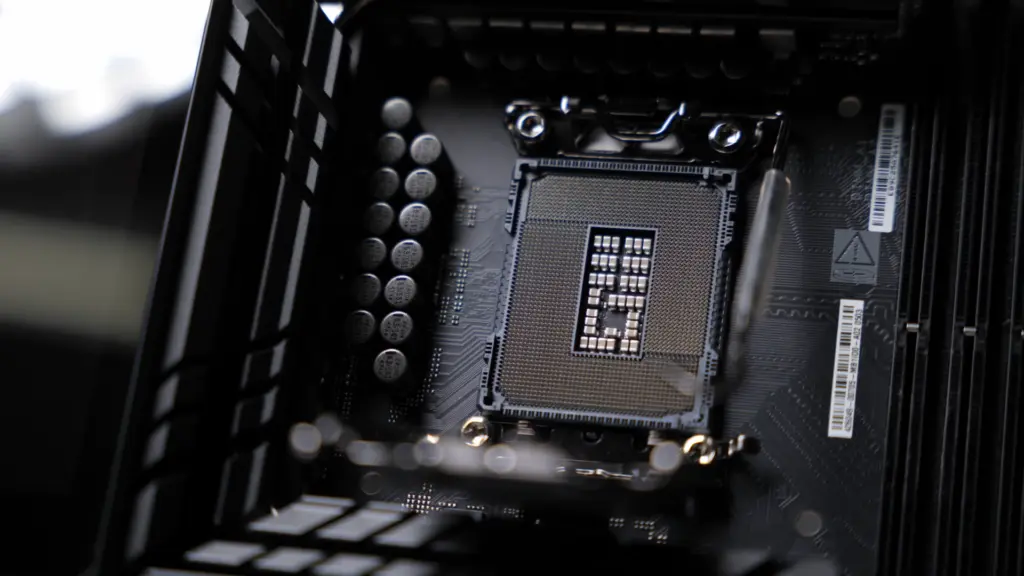
The motherboard follows the processor, never the other way around. Ryzen processors of the 7000, 8000 and 9000 series use the AM5 socket, Intel’s second-generation Core Ultra the LGA 1851 socket. Which CPU suits your programs and games is covered in our guide to buying a processor. One argument for AM5 is easy to overlook when buying: AMD has pledged to support the platform through 2027 and beyond. A later processor upgrade without a new board is therefore at least planned for. That is not a guarantee.
What the chipset really determines
With Intel, it is simple. According to Intel’s chipset overview, only the Z890 allows overclocking of the processor cores and the base clock. The B860 at least allows memory overclocking, the H810 nothing at all. The Z890 is also ahead on connectivity, with up to 24 PCIe 4.0 lanes on the chipset instead of up to 14, up to eight SATA ports instead of four, and up to five 20 Gbps USB ports instead of two. If you never intend to overclock a Core Ultra with a K in its name, the Z890 buys you headroom you will not use.
With AMD, the line is less sharp. According to AMD, the X870 and X870E come with USB4 as standard and connect PCIe 5.0 NVMe SSDs directly to the processor. AMD sets the X870E apart with 24 PCIe 5.0 lanes, 16 of them for the graphics card. Below that sits the B850, and here the board manufacturer matters more than the chipset. The MSI MAG B850 Tomahawk MAX WIFI, for example, wires the graphics card slot and two M.2 slots for PCIe 5.0, according to its spec sheet. The spec sheet of the individual board therefore tells you more than the four characters on the box.
ATX, Micro-ATX or Mini-ITX?
The form factor determines how much fits on the board. An ATX board measures 30.5 × 24.4 cm. Micro-ATX mainly saves on expansion slots; the ASRock B850M Pro RS WiFi has only one more besides the graphics card slot. Mini-ITX shrinks to 17 × 17 cm, and that has consequences: the ASUS ROG Strix B850-I Gaming WIFI takes a maximum of 128 GB in two memory slots, plus two M.2 slots and two SATA ports. That is enough for a compact gaming PC. Not for a video editing machine with four SSDs. Space around the socket gets tight on such small boards, so check the dimensions of the cooler beforehand; tips on this are in our guide to CPU coolers (in German). Which memory belongs on the board is covered in the guide to RAM.
Slots share the lanes
What rarely appears on the box can be found in the manual. Two examples. On the ASRock B850M Pro RS WiFi, the second PCIe slot is disabled as soon as an SSD is installed in the third M.2 slot. Another footnote is trickier. With a Ryzen 8000 series processor, according to ASRock, the graphics card slot only runs at PCIe 4.0 x8, and with the smaller Phoenix 2 chip at just four lanes. ASUS lists the same limitation for the TUF Gaming B850-Plus WIFI. So if you buy an 8000 series Ryzen with integrated graphics and later add a fast graphics card, you give away bandwidth, regardless of which board is underneath.
Around the back: USB, networking and Wi-Fi
The rear I/O panel says more about everyday use than the chipset. The MSI MAG X870 Tomahawk WIFI has two 40 Gbps USB-C ports. On the Intel side, Thunderbolt 4 takes on this role, on both the ASUS TUF Gaming Z890-Plus WIFI and the MSI PRO B860-P WIFI. That helps if you connect fast external SSDs or a dock. For a mouse and keyboard, any port will do.
For wired networking, the three MSI boards deliver 5 Gbps, ASUS and ASRock 2.5 Gbps. More than a gigabit only helps if the router or switch keeps up. Wi-Fi is built into all six boards. Five use Wi-Fi 7, the ASRock Wi-Fi 6E. Intel itself points out that the new Wi-Fi 7 features only work with a matching Wi-Fi 7 router. With an older router, even the latest module will not connect any faster.
BIOS update at the push of a button, even without a processor
A small button on the back can save an afternoon. The ASRock B850M Pro RS WiFi, both ASUS boards and the MSI MAG B850 Tomahawk MAX WIFI have such a Flashback button. According to ASRock, it lets you update the BIOS without switching on the PC and even without a CPU installed. The instructions call for a FAT32-formatted USB stick holding the BIOS file under a fixed name, and the power supply’s 24-pin connector plugged in. Which power supply suits the rest of the system is explained in our guide to PC power supplies (in German).
Take one warning from the same instructions seriously. Before the update, suspend BitLocker or any other TPM-based encryption and back up the recovery key, otherwise Windows may no longer start afterward. ASRock also advises disabling the fTPM beforehand.
Six current motherboards side by side
| Model | Socket, chipset, form factor | Memory and SSDs | Connectivity and wireless | Best for |
|---|---|---|---|---|
| MSI MAG B850 Tomahawk MAX WIFI | AM5, B850, ATX | 4 DDR5 slots, 2 × M.2 PCIe 5.0, 2 × M.2 PCIe 4.0, 4 × SATA | USB-C 20 Gbps, 5 Gbps LAN, Wi-Fi 7 | Gaming and everyday PCs with Ryzen |
| MSI MAG X870 Tomahawk WIFI | AM5, X870, ATX | 4 DDR5 slots, 2 × M.2 PCIe 5.0, 2 × M.2 PCIe 4.0, 4 × SATA | 2 × USB-C 40 Gbps, 5 Gbps LAN, Wi-Fi 7 | Ryzen PCs with fast external drives |
| ASRock B850M Pro RS WiFi | AM5, B850, Micro-ATX | 4 DDR5 slots, 1 × M.2 PCIe 5.0, 2 × M.2 PCIe 4.0, 4 × SATA | USB-C 10 Gbps, 2.5 Gbps LAN, Wi-Fi 6E | Simple Ryzen PCs in smaller cases |
| ASUS ROG Strix B850-I Gaming WIFI | AM5, B850, Mini-ITX | 2 DDR5 slots up to 128 GB, 2 × M.2 PCIe 5.0, 2 × SATA | USB-C 20 Gbps, 2.5 Gbps LAN, Wi-Fi 7 | Compact gaming PCs |
| MSI PRO B860-P WIFI | LGA 1851, B860, ATX | 4 DDR5 slots, 1 × M.2 PCIe 5.0, 2 × M.2 PCIe 4.0, 4 × SATA | Thunderbolt 4, 5 Gbps LAN, Wi-Fi 7 | Core Ultra PCs without overclocking |
| ASUS TUF Gaming Z890-Plus WIFI | LGA 1851, Z890, ATX | 4 DDR5 slots up to 256 GB, 1 × M.2 PCIe 5.0, 3 × M.2 PCIe 4.0, 4 × SATA | Thunderbolt 4, USB-C 20 Gbps, 2.5 Gbps LAN, Wi-Fi 7 | Overclockers and Intel PCs with many SSDs |
MSI MAG B850 Tomahawk MAX WIFI
A B850 board equipped like one a class higher. According to MSI, there is a PCIe 5.0 graphics card slot, two PCIe 5.0 M.2 slots and two more with PCIe 4.0, plus 5 Gbps LAN and Wi-Fi 7. USB4 is missing; the fastest port delivers 20 Gbps. MSI also lists a „MAX WIFI II“ version with a slightly different spec sheet, so pay attention to the exact name.
MSI MAG X870 Tomahawk WIFI
Technically a close relative of the B850 model, with one difference that counts: two 40 Gbps USB-C ports. According to the spec sheet, storage slots and networking match the Tomahawk MAX. Worth it if you regularly move large video files to external SSDs. Otherwise not.
ASRock B850M Pro RS WiFi
A no-frills Micro-ATX board with everything you need: PCIe 5.0 for the graphics card and first SSD, three M.2 slots, HDMI and DisplayPort for processors with integrated graphics. There are compromises on wireless, since ASRock uses Wi-Fi 6E and Bluetooth 5.2. If you need the second slot for an expansion card, you have to do without the third M.2 slot.
ASUS ROG Strix B850-I Gaming WIFI
A lot of technology on 17 × 17 cm. ASUS lists PCIe 5.0 for both M.2 slots, provided a Ryzen 7000 or 9000 sits in the socket, plus Wi-Fi 7 and 2.5 Gbps Intel LAN. In return, you have to live with two memory slots and a single expansion slot. Just right for a living room case.
MSI PRO B860-P WIFI
The solid Intel foundation. On the back is Thunderbolt 4 at 40 Gbps, plus 5 Gbps LAN from Realtek and Intel’s Wi-Fi 7. According to Intel, only the memory can be overclocked; MSI specifies up to DDR5-8800 in overclocked operation. For a Core Ultra 5 or 7 without tinkering ambitions, that is enough.
ASUS TUF Gaming Z890-Plus WIFI
The board for anyone who will really use the Z890. Four M.2 slots, Thunderbolt 4 plus a 20 Gbps USB-C port, and up to 256 GB of RAM, including CUDIMM. Only with this chipset can a Core Ultra with a K be overclocked. Without that plan, the B860 board remains the more level-headed choice.
Which board suits which PC
- Gaming PC with a Ryzen 7000 or 9000: MSI MAG B850 Tomahawk MAX WIFI. It offers PCIe 5.0 in the places that matter and plenty of SSD slots.
- Lots of work with external drives: MSI MAG X870 Tomahawk WIFI because of USB4.
- Small case, simple build: ASRock B850M Pro RS WiFi, if Wi-Fi 6E is enough.
- Compact PC under the TV: ASUS ROG Strix B850-I Gaming WIFI.
- Intel without overclocking: MSI PRO B860-P WIFI.
- Intel with overclocking or many SSDs: ASUS TUF Gaming Z890-Plus WIFI.
Frequently asked questions
Which motherboard fits my processor?
The motherboard follows the processor. Ryzen 7000, 8000 and 9000 series chips use the AM5 socket, Intel's second-generation Core Ultra uses LGA 1851. In favor of AM5: AMD has pledged to support the platform through 2027 and beyond, but that is not a guarantee.
Do I need a Z890 chipset?
Only if you overclock or need lots of connections. According to Intel, only the Z890 allows overclocking of the processor cores, while the B860 at least allows memory overclocking. If you never intend to overclock a Core Ultra with a K, the Z890 buys you headroom you will not use.
What is the difference between B850 and X870?
According to AMD, the X870 and X870E come with USB4 as standard and connect PCIe 5.0 SSDs directly to the processor. With the B850, the board manufacturer matters more than the chipset: the MSI MAG B850 Tomahawk MAX WIFI wires the graphics card slot and two M.2 slots for PCIe 5.0. The spec sheet tells you more than the name.
ATX, Micro-ATX or Mini-ITX?
The form factor determines how much fits on the board. Micro-ATX mainly saves on expansion slots. Mini-ITX at 17 × 17 cm offers, for example on the ASUS ROG Strix B850-I, only two memory slots, two M.2 slots and one expansion slot, enough for a compact gaming PC but not for an editing machine with four SSDs.
Does a Ryzen 8000 hold back the graphics card?
To a certain extent, regardless of which board is underneath. With a Ryzen 8000 series chip, according to ASRock, the graphics card slot only runs at PCIe 4.0 x8, and with the smaller Phoenix 2 chip at four lanes. ASUS lists the same limitation. If you later add a fast graphics card, you give away bandwidth.
What is the BIOS Flashback button for?
According to ASRock, it lets you update the BIOS without switching on the PC and even without a CPU installed. You need a FAT32 USB stick with the BIOS file and the power supply connector plugged in. Suspend BitLocker first and back up the recovery key, otherwise Windows may no longer start.
Sources
- Intel: Chipset Brief Intel 800 Series (H810, B860, Z890)
- AMD: Announcement of the Ryzen 9000 processors and the X870/X870E chipsets
- MSI: Spec sheet MAG B850 Tomahawk MAX WIFI
- MSI: Spec sheet MAG X870 Tomahawk WIFI
- MSI: Spec sheet PRO B860-P WIFI
- ASRock: Manual B850M Pro RS WiFi
- ASUS: Specifications ROG Strix B850-I Gaming WIFI
- ASUS: Specifications TUF Gaming Z890-Plus WIFI
- ASUS: Specifications TUF Gaming B850-Plus WIFI
Where to buy
- MSI MAG B850 Tomahawk MAX WIFICheck price at Amazon.deCheck price at Amazon.co.ukCheck price at Amazon.nlCheck price at Amazon.com.beCheck price at Amazon.frCheck price at Amazon.itCheck price at Amazon.esCheck price at Amazon.plCheck price at Amazon.seAvailable in Germany: Amazon.de
- MSI MAG X870 Tomahawk WIFICheck price at Amazon.deCheck price at Amazon.co.ukCheck price at Amazon.nlCheck price at Amazon.com.beCheck price at Amazon.frCheck price at Amazon.itCheck price at Amazon.esCheck price at Amazon.plCheck price at Amazon.seAvailable in Germany: Amazon.de
- ASRock B850M Pro RS WiFiCheck price at Amazon.deCheck price at Amazon.co.ukCheck price at Amazon.nlCheck price at Amazon.com.beCheck price at Amazon.frCheck price at Amazon.itCheck price at Amazon.esCheck price at Amazon.plCheck price at Amazon.seAvailable in Germany: Amazon.de
- ASUS ROG Strix B850-I Gaming WIFICheck price at Amazon.deCheck price at Amazon.co.ukCheck price at Amazon.nlCheck price at Amazon.com.beCheck price at Amazon.frCheck price at Amazon.itCheck price at Amazon.esCheck price at Amazon.plCheck price at Amazon.seAvailable in Germany: Amazon.de
- MSI PRO B860-P WIFICheck price at Amazon.deCheck price at Amazon.co.ukCheck price at Amazon.nlCheck price at Amazon.com.beCheck price at Amazon.frCheck price at Amazon.itCheck price at Amazon.esCheck price at Amazon.plCheck price at Amazon.seAvailable in Germany: Amazon.de
- ASUS TUF Gaming Z890-Plus WIFICheck price at Amazon.deCheck price at Amazon.co.ukCheck price at Amazon.nlCheck price at Amazon.com.beCheck price at Amazon.frCheck price at Amazon.itCheck price at Amazon.esCheck price at Amazon.plCheck price at Amazon.seAvailable in Germany: Amazon.de