Contents15 sections
This guide was first published in German on handgetestet.de.
A power station only does half the job of a UPS. Supplying a router and fiber modem for hours is easy for it; telling a NAS in time that it should shut down is something it cannot do. At the desk, among the devices compared here, we consider the Jackery Explorer 1000 Plus v2 the most sensible purchase, because according to the manufacturer it switches over in 10 milliseconds and can carry a PC with a monitor. For a router and NAS alone, the Explorer 500 v2 is enough. If you only need a few minutes for an orderly shutdown, you are better off with a classic UPS. One caveat up front: the Explorer 1000 Plus v2 is new, and all we had for it were specifications from Jackery and a retailer, no data sheet and no independent measurement. Read its figures with corresponding caution.
What happens in the milliseconds of switchover
When the station is plugged into the grid, the power at its outlets does not come from the battery. Jackery describes this in the manual for the Explorer 3000: the devices run directly from the grid, and the battery only steps in when the power fails. In between there is a gap, and that gap decides whether your computer notices the outage.
A PC bridges such gaps from the capacitors in its power supply. For a long time, the ATX specifications for desktop power supplies required 16 milliseconds for this. Since ATX 3.1, 16 is only recommended and 11 is required, as the experts at LTT Labs break down. That leads to a simple rule: 10 milliseconds still fits under the minimum requirement. 20 milliseconds does not. At partial load, the reserve often lasts longer, but nobody will promise you that, least of all for a power supply with little headroom (in German).
The ATX requirement does not apply to the plug-in power adapters of routers and NAS units. There, the only option is to try it. Jackery advises the same: test several times, connect only one device if possible, and do not connect devices with high demands on uninterrupted power, such as data servers and workstations, at all. For the Explorer 500 v2, the same note is in the fine print of the product page, while the advertising line for the 1000 Plus v2 explicitly mentions desktop PCs and workstations. We would believe the fine print.
For comparison: according to its data sheet, the small CyberPower BR700ELCD typically switches over in 4 milliseconds.
The missing cable: why the NAS never finds out
A UPS reports to the NAS via USB that it is running on battery. Synology describes the process in the DSM help: the NAS enters standby mode, stops its services, unmounts the volumes and shuts down safely, either after a set time or when the battery is running low.
For none of the stations compared here does the manufacturer mention such a USB signal. The NAS therefore happily keeps running until the station is empty and then loses power in the middle of writing data. That is exactly what you wanted to avoid.
The clean solution costs a second device: a small UPS between the station and the NAS. To the UPS, the station is simply the power grid. When the station runs empty, the UPS battery takes over, the USB signal goes to the NAS, and it shuts down in an orderly way. Try the chain once: switch off the station, then check the NAS log.
How long does it last? Three calculations
Deduct 15 percent for losses, as derived in the runtime guide (in German). A router at 20 watts and a NAS at 35 watts add up to 55 watts:
- Explorer 500 v2 (512 Wh): around 435 usable watt-hours, so just under 8 hours.
- Explorer 1000 Plus v2 (1,024 Wh): around 870 watt-hours, just under 16 hours.
- Gaming PC at 450 watts, monitor, NAS and router, 545 watts in total: a good hour and a half on the 1000 Plus v2. Not at all on the 500 v2, whose outlet delivers no more than 500 watts.
These are example values. A plug-in energy meter (in German) measures your own in ten minutes.
One more trap with small loads: the power-saving mode of the Explorer 500 v2 switches off the outlet after six hours if no more than 25 watts are flowing there. A single router is below that. Leave the mode off for this use and check this in advance on other stations.
Does the battery age in continuous operation?
Yes, and the cycle count on the data sheet says little about it. A station serving as a UPS is hardly ever discharged. It sits fully charged on the grid for months. The German Environment Agency (Umweltbundesamt) warns in general that permanent grid operation reduces the service life of batteries, mainly because of heat. For longer breaks, Jackery specifies 60 to 80 percent charge as the target for the Explorer 2000 Pro, and the Explorer 3000 Pro can stop charging at 85 percent via the app and only recharge below 80. No such mode is described for the v2 models in this list. So set the station up in a cool, open spot, not in a closed equipment cabinet. More on this in the guide Storing and caring for a power station (in German).
The output is not the same in grid operation either. Jackery limits the Explorer 3000 to 1,440 watts before an outage, Anker specifies 1,800 watts for pass-through operation, and BLUETTI 980 watts for the Elite 30 V2.
When a real UPS comes out ahead
As soon as a device runs unattended and writes data. A home server in the basement needs a USB signal, a short switchover time and voltage regulation, and a UPS delivers that out of the box. The station is strong when the power stays off for longer and you are at home: internet, laptop, lights. The guide Backup power with a power station (in German) plans for those hours and days.
Seven devices, sorted by switchover time and task
| Model | Capacity, output | Switchover time according to manufacturer | Best for |
|---|---|---|---|
| Jackery Explorer 1000 Plus v2 | 1,024 Wh, 1,800 W | 10 ms | PC with monitor, NAS, router |
| Jackery Explorer 500 v2 | 512 Wh, 500 W | under 10 ms | Router and NAS |
| Anker SOLIX C1000 Gen 2 | 1,024 Wh, 2,000 W | 10 ms | powerful PC, no expansion needed |
| BLUETTI Elite 30 V2 | 288 Wh, 600 W | up to 10 ms | Router, little space |
| Jackery Explorer 1000 v2 | 1,070 Wh, 1,500 W | up to 20 ms | Laptop and router |
| BLUETTI AC180 | 1,152 Wh, 1,800 W | 20 ms | Laptop and router |
| CyberPower BR700ELCD | UPS, 700 VA / 420 W | typically 4 ms | Signal source in front of the NAS |
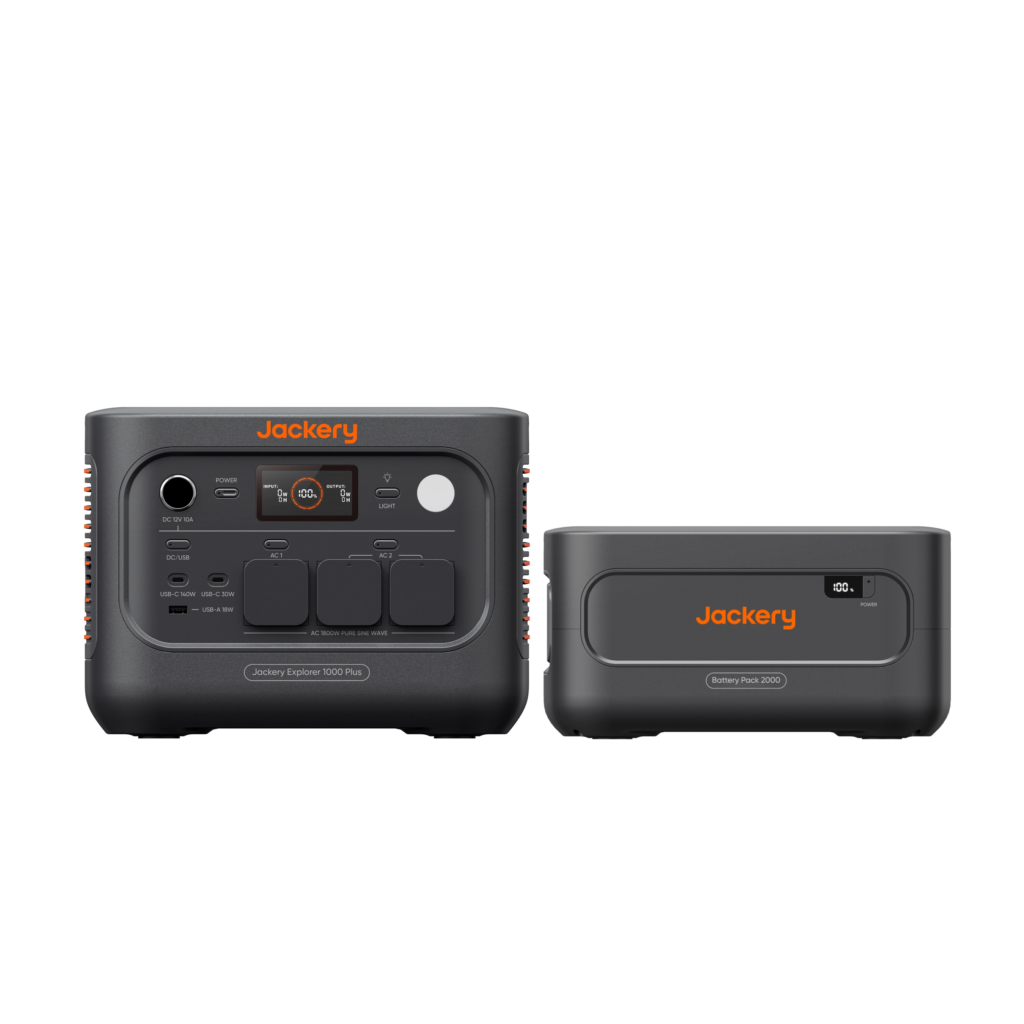
Jackery Explorer 1000 Plus v2
According to Jackery, it switches over in 10 milliseconds, delivers 1,800 watts and can be expanded to up to 11 kWh with BP2000 battery packs. The outlets can be switched separately, and the LFP cells are rated for 6,000 cycles to 70 percent. Weight according to the retailer: 10.8 kg. Jackery does not state a power limit for grid operation, and the USB signal for the NAS is missing here too.
Jackery Explorer 500 v2
Under 10 milliseconds, 512 Wh, 5.7 kg, 3+2 years of warranty. For a router, modem, switch and a small NAS, that is enough, and noticeably cheaper. It does not belong on a desktop PC: 500 watts is too tight, and Jackery itself advises against using it with workstations.
Anker SOLIX C1000 Gen 2
The closest rival. According to Anker, all outlets support switchover in 10 milliseconds, 1,800 watts are available in grid operation, and 2,000 watts in total. On the other hand, the capacity cannot be expanded, and Anker expects 4,000 cycles to 80 percent. It weighs 11.3 kg. If you never need more than 1 kWh, you lose little compared with the Jackery.
BLUETTI Elite 30 V2
The small solution: 4.3 kg, up to 10 milliseconds and 980 watts in grid operation. With 288 Wh, it keeps a router and NAS running for only about four and a half hours, and the router alone for a good twelve by calculation.
Jackery Explorer 1000 v2
One price class below the 1000 Plus v2, with slightly more capacity, but up to 20 milliseconds. Jackery advertises certification to IEC 62040; that does not make the gap any shorter. On a router and a laptop with its own battery it does not matter, on a desktop PC it does. The German automobile club ADAC downgraded the Explorer 1000 v2 to „poor“ in spring 2025 because its two DC inputs are not decoupled. So never charge it via solar and a car outlet at the same time.
BLUETTI AC180
1,152 Wh, 3,500 cycles, five years of warranty according to BLUETTI. With 20 milliseconds and 16 kg, it is a second choice for this purpose.
CyberPower BR700ELCD
Not a power station, but the missing link. 420 watts, six minutes at half load according to CyberPower, USB cable included. Only four of the eight Schuko (German-style) outlets are connected to the battery, and in battery mode it outputs a simulated sine wave. That is enough for a NAS and router; whether your NAS recognizes it is answered by the compatibility list.
How we would decide
- Router and modem for hours: Explorer 500 v2, power-saving mode off.
- Desktop PC with monitor in a home office: Explorer 1000 Plus v2 or Anker SOLIX C1000 Gen 2; pull the plug several times beforehand to test.
- A NAS that has to shut down safely even without you: a UPS with USB, plus a station in front of it for long outages.
- Laptop and router: the 20 milliseconds of the Explorer 1000 v2 do no harm here.
- Your outages last seconds to minutes: skip the station and just buy the UPS.
For aquariums and terrariums, there is a dedicated plan in the guide Aquarium during a power outage (in German).
How sensitively a NAS reacts to a weak power supply is shown in our review of the KFD power adapter for Synology NAS.
Frequently asked questions
Can a power station replace a UPS?
Only partly. During long outages, it keeps a router and NAS running for many hours. For none of the stations compared, however, does the manufacturer mention a USB signal to the NAS. The NAS then keeps running until the station is empty and loses power in the middle of writing data.
What switchover time can a PC power supply handle?
Since ATX 3.1, a hold-up time of 11 milliseconds is required; 16 is now only recommended. 10 milliseconds therefore still fits under the minimum requirement, 20 milliseconds does not. The ATX requirement does not apply to the plug-in power adapters of routers and NAS units; there, the only option is to try it several times.
How does a NAS shut down safely on a power station?
With a small UPS between the station and the NAS. To the UPS, the station is the power grid. When the station runs empty, the UPS battery takes over, the USB signal goes to the NAS, and it shuts down in an orderly way. Test the chain once: switch off the station, then check the NAS log.
How long does a power station keep a router and NAS running?
With a router at 20 watts and a NAS at 35 watts, 55 watts in total, and 15 percent loss, the Explorer 500 v2 lasts just under 8 hours and the Explorer 1000 Plus v2 just under 16 hours. A plug-in energy meter measures your own values in ten minutes.
What should you watch for with small loads like a router?
The power-saving mode. On the Explorer 500 v2, it switches off the outlet after six hours if no more than 25 watts are flowing, and a single router is below that. Leave the mode off for this use and check this in advance on other stations.
When is a classic UPS the better choice?
As soon as a device runs unattended and writes data, such as a home server in the basement. It needs a USB signal, a short switchover time and voltage regulation. If outages only last seconds to minutes, the UPS alone is enough, for example the CyberPower BR700ELCD with a typical 4 milliseconds according to the data sheet.
Sources
- LTT Labs: ATX timing requirements for PC power supplies
- Synology: DSM help on UPS
- CyberPower: BR700ELCD
- Anker: SOLIX C1000 Gen 2
- BLUETTI: Elite 30 V2
- BLUETTI: AC180
- Jackery: Explorer 500 v2
- Jackery: Explorer 1000 v2
- Jackery: Explorer 3000 manual (PDF)
- Jackery: Explorer 2000 Pro manual (PDF)
- Jackery: Explorer 3000 Pro manual (PDF)
- GreenDrive: Explorer 1000 Plus v2 (retailer information)
- German Environment Agency (Umweltbundesamt): Handling lithium batteries
- ADAC: Portable power stations tested (spring 2025)
Where to buy
- Jackery Explorer 1000 Plus v2View at JackeryAvailable in Germany: JackeryCheck price at Amazon.deAvailable in Germany: Amazon.de
- Jackery Explorer 500 v2View at JackeryAvailable in Germany: JackeryCheck price at Amazon.deAvailable in Germany: Amazon.de
- Jackery Explorer 1000 v2View at JackeryAvailable in Germany: JackeryCheck price at Amazon.deAvailable in Germany: Amazon.de
- Anker SOLIX C1000 Gen 2Check price at Amazon.deAvailable in Germany: Amazon.de
- BLUETTI Elite 30 V2Check price at Amazon.deAvailable in Germany: Amazon.de
- BLUETTI AC180Check price at Amazon.deAvailable in Germany: Amazon.de
- CyberPower BR700ELCDCheck price at Amazon.deAvailable in Germany: Amazon.de