Contents9 sections
This guide was first published in German on handgetestet.de.
When you buy a 2-in-1, what you are really buying is a set of priorities. Should it mainly be a notebook that you occasionally fold over, or a tablet that you attach a keyboard to when needed? For most buyers who type and use a stylus now and then, a convertible with a 360-degree hinge such as the Lenovo Yoga 9i 2-in-1 is the safer choice. If you want to travel light and draw a lot, you are more likely to end up with the Surface Pro.
Detach or fold over? The form factor comes first
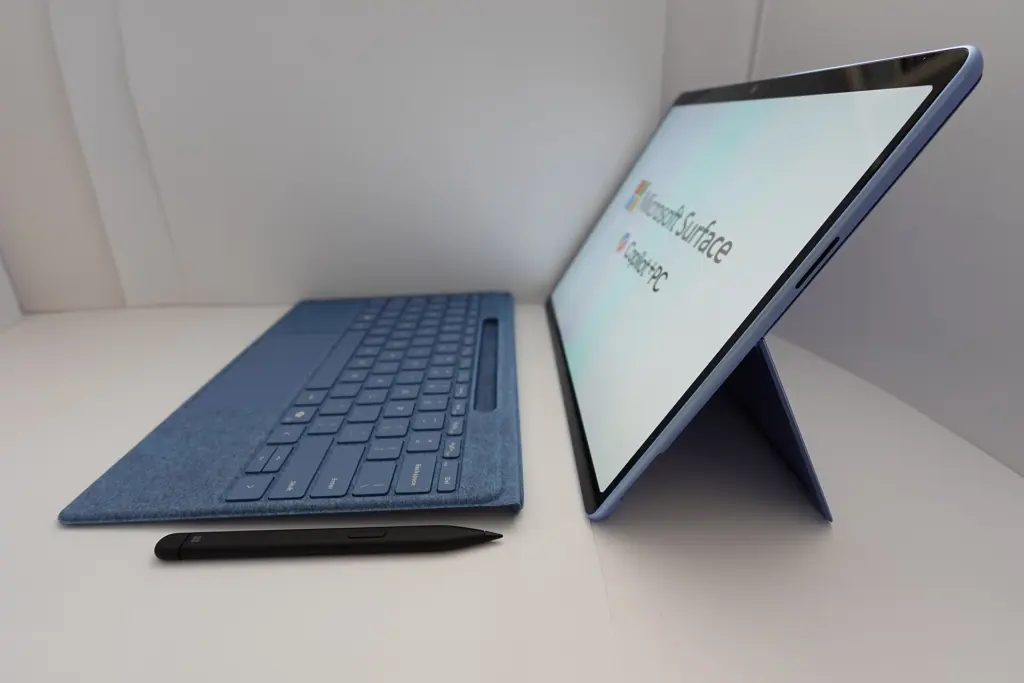
On a detachable such as the Microsoft Surface Pro, all the hardware sits in the screen. The keyboard is a thin cover, and the device stands on a kickstand. Without the keyboard, the 13-inch model weighs 895 grams according to Microsoft, which is tablet weight. On your lap on a train, however, a setup like this wobbles noticeably, because the kickstand needs depth.
A convertible, by contrast, is a full notebook. The display folds back 360 degrees, and the keyboard stays firmly attached. In tablet mode, it sits underneath and is switched off. It types like a regular laptop, but at 1.3 to 1.6 kilograms it is more of a tablet for the table than for your hand.
- The stylus and keyboard are not always included. With the Surface Pro, both are sold separately according to Microsoft, which changes the math considerably.
- The processor also determines the software. Snapdragon chips run Windows on ARM; older specialized software, drivers for measuring instruments or some games either do not run there or only run in emulation. Intel devices do not have this problem.
- Battery life figures come from manufacturer tests with local video. With a browser, video calls and full brightness, noticeably less remains.
- Ports matter. Two USB-C sockets are not much if the charger, a monitor and a USB stick all need to be plugged in at the same time.
Five devices, five approaches
You write a lot and only draw sometimes
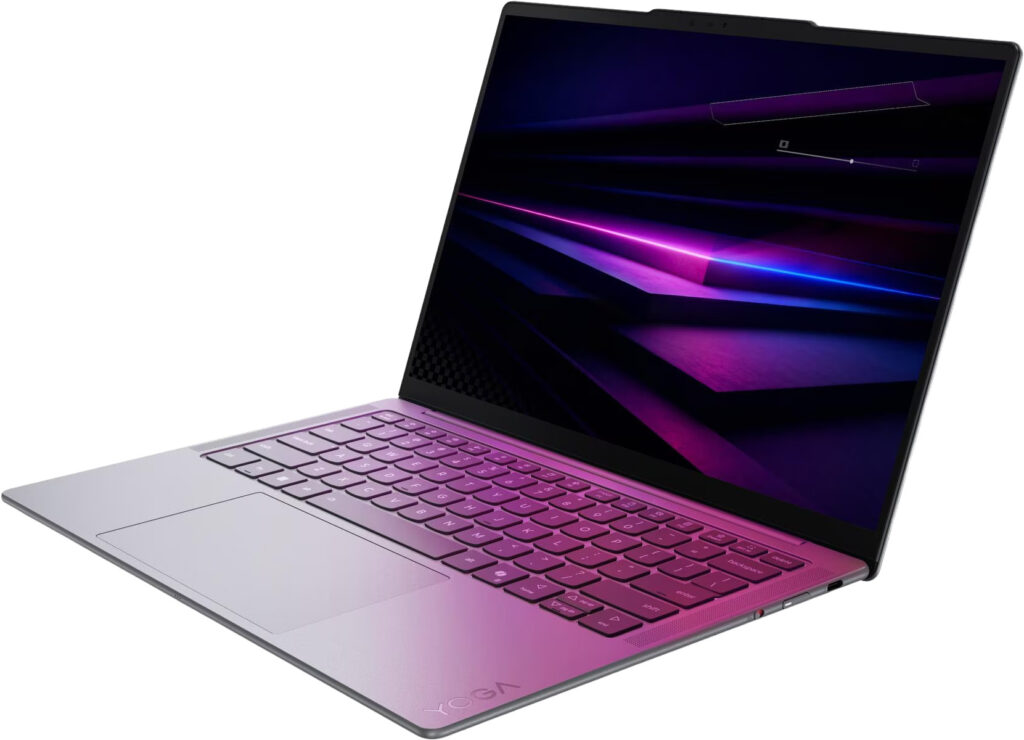
Then the keyboard belongs permanently on the device. This is exactly where the Lenovo Yoga 9i 2-in-1 Aura Edition plays to its strengths. In Generation 10, Lenovo uses the Intel Core Ultra 7 258V and a 14-inch OLED with up to 1,100 nits of peak brightness, and quotes 1.32 kilograms. On top of that come two Thunderbolt 4 ports and another USB port. At the desk, a single cable to the monitor is usually enough. According to Lenovo, the stylus detects tilt and pressure. Lenovo presented Generation 11 with Core Ultra Series 3 in the spring, but so far it is mainly Generation 10 that you will find in stores.
It gets cheaper with the ASUS Vivobook 14 Flip. Here, too, the display rotates 360 degrees; ASUS lists laptop, tent, stand and tablet modes. The OLED has a resolution of 1920 × 1200 pixels and runs at 60 Hz, a clear step below the Lenovo. In return, the battery is large at 70 watt-hours; ASUS quotes up to 38 hours of video playback with the screen dimmed. Thunderbolt 4, a second USB-C, USB-A, HDMI and a microSD reader are on board. At 1.57 kilograms, however, it is the heaviest convertible in this list. Whether a stylus is included depends on the configuration; ASUS lists versions with and without.
And the well-known HP Spectre x360? HP has dropped the name, and its successor, the OmniBook Ultra Flip 14, is not part of this overview.
You work with a stylus and carry the device around a lot
Here a detachable has the edge. The Microsoft Surface Pro 13-inch 12th Edition comes with a Snapdragon X2 Plus or X2 Elite, a display with 2880 × 1920 pixels and an optional OLED. Two USB4 ports plus Surface Connect are respectable for such a thin device. The Flex Keyboard charges the Slim Pen with 4,096 pressure levels magnetically, and according to Microsoft this keyboard also works wirelessly when detached.
Sounds good. But once you add the keyboard and stylus, you quickly land in the price range of a well-equipped convertible. And Notebookcheck points out that the OLED model only gets the slowest X2 Elite variant. The gap to the LCD model with the X2 Plus is correspondingly small.
You want it as light as possible
At 686 grams without keyboard, the Surface Pro 12-inch is the lightest device here. According to Microsoft, the current version has a six-core Snapdragon X2 Plus. Amazon is still selling the first generation with the Snapdragon X Plus alongside it, so it is worth checking the product name. Microsoft quotes up to 13 hours of web browsing. The trade-offs are the screen (LCD, 90 Hz, lower resolution) and the ports: only two USB-C at USB 3.2, no Thunderbolt. For lecture notes, PDFs and email, that is enough. If what you are really after is a notebook for university, our guide to laptops for students (in German) also covers classic alternatives.
You want more screen space, not less weight
The ASUS Zenbook Duo is a special case, and an appealing one. Two 14-inch 3K OLED screens at 144 Hz sit one above the other; the Bluetooth keyboard rests on the lower display or in front of it on the table. Inside is an Intel Core Ultra 9, and according to ASUS the battery holds 99 watt-hours. ASUS quotes up to 18 hours of web browsing with one screen, and still twelve with both. In some countries, ASUS includes a stylus.
It is no good as a tablet. Nobody holds 1.65 kilograms in one hand for long. But if you want to work in a hotel room with a spreadsheet on the left and email on the right, you get something here that otherwise only a second monitor can manage.
And Samsung?
For a long time, the Galaxy Book 360 was Samsung’s convertible with an included S Pen. In Samsung’s German online store, however, no 360 model is currently available to buy, and the Galaxy Book5 360 is marked as not for sale there. So far, Samsung only lists the new Book6 range as classic notebooks. That is why Samsung is missing from the table.
How we would decide
- Typing comes first, the stylus is a bonus: Lenovo Yoga 9i 2-in-1 Aura Edition. Fixed keyboard, plenty of ports, Intel platform.
- Drawing, notes, lots of travel: Surface Pro 13-inch, but only if you budget for the keyboard and stylus from the start.
- University, as little weight as possible: Surface Pro 12-inch. Light, long-lasting, economical on display and ports.
- Intel convertible on a smaller budget: ASUS Vivobook 14 Flip. Big battery, simpler display, a bit heavier.
- Two screens instead of one: ASUS Zenbook Duo. A work machine, not a tablet.
If you only want to read, stream and write occasionally, you may not need a 2-in-1 at all. A plain tablet with a keyboard cover is lighter; our tablet guide (in German) shows the options. And if the stylus ends up never being used after all, a classic notebook from our Windows laptop guide is often the more honest choice. The same performance, fewer compromises at the hinge.
Frequently asked questions
What is the difference between a convertible and a detachable?
On a detachable such as the Surface Pro, all the hardware sits in the screen, and the keyboard is a thin cover. A convertible is a full notebook whose display folds back 360 degrees. It types like a regular laptop, but at 1.3 to 1.6 kilograms it works better as a tablet on a table than in your hand.
Are the stylus and keyboard included with the Surface Pro?
No. According to Microsoft, both are sold separately, which changes the math considerably. With keyboard and stylus, the Surface Pro quickly lands in the price range of a well-equipped convertible. The Slim Pen with 4,096 pressure levels charges magnetically in the Flex Keyboard, which also works wirelessly when detached.
Do all programs run on a Snapdragon laptop?
Not all of them. Snapdragon chips run Windows on ARM, and older specialized software, drivers for measuring instruments or some games either do not run there or only run in emulation. Intel devices such as the Lenovo Yoga 9i, the ASUS Vivobook 14 Flip or the ASUS Zenbook Duo do not have this problem.
Which 2-in-1 is the lightest?
The 12-inch Surface Pro weighs 686 grams without keyboard, making it the lightest device in this comparison. The trade-offs are the screen, an LCD at 90 Hz, and the ports: only two USB-C at USB 3.2, no Thunderbolt. For notes, PDFs and email, that is enough.
How realistic are the manufacturers' battery life figures?
Battery life figures come from manufacturer tests with local video. With a browser, video calls and full brightness, noticeably less remains. ASUS, for example, quotes up to 38 hours of video playback for the Vivobook 14 Flip, but with the screen dimmed. Figures for web browsing are more meaningful: up to 13 hours for the 12-inch Surface Pro.
Do you even need a 2-in-1?
Not necessarily. If you only read, stream and write occasionally, a plain tablet with a keyboard cover is lighter to carry. If the stylus ends up never being used, a classic notebook is often the more honest choice: the same performance, fewer compromises at the hinge.
Sources
- Microsoft: Surface Pro, technical specifications
- Microsoft: Introducing the new Surface Pro (June 2026)
- Lenovo PSREF: Yoga 9i 2-in-1 Aura Edition (14″, Gen 10)
- Lenovo: MWC 2026 press release with the Yoga 9i 2-in-1 Aura Edition
- ASUS: Vivobook 14 Flip (TP3407)
- ASUS: Vivobook 14 Flip (TP3407), technical specifications
- ASUS: Zenbook Duo (UX8407)
- ASUS: Zenbook Duo (UX8407), technical specifications
- Samsung: Galaxy Book5 360
- Notebookcheck: Assessment of the Surface Pro 2026
Where to buy
- Lenovo Yoga 9i 2-in-1 Aura Edition (14", Gen 10)Check price at Amazon.deCheck price at Amazon.co.ukCheck price at Amazon.nlCheck price at Amazon.com.beCheck price at Amazon.frCheck price at Amazon.itCheck price at Amazon.esCheck price at Amazon.plCheck price at Amazon.seAvailable in Germany: Amazon.de
- ASUS Vivobook 14 Flip TP3407Check price at Amazon.deCheck price at Amazon.co.ukCheck price at Amazon.nlCheck price at Amazon.com.beCheck price at Amazon.frCheck price at Amazon.itCheck price at Amazon.esCheck price at Amazon.plCheck price at Amazon.seAvailable in Germany: Amazon.de
- Microsoft Surface Pro 12 ZollCheck price at Amazon.deCheck price at Amazon.co.ukCheck price at Amazon.nlCheck price at Amazon.com.beCheck price at Amazon.frCheck price at Amazon.itCheck price at Amazon.esCheck price at Amazon.plCheck price at Amazon.seAvailable in Germany: Amazon.de
- Microsoft Surface Pro 13 Zoll 12. EditionCheck price at Amazon.deCheck price at Amazon.co.ukCheck price at Amazon.nlCheck price at Amazon.com.beCheck price at Amazon.frCheck price at Amazon.itCheck price at Amazon.esCheck price at Amazon.plCheck price at Amazon.seAvailable in Germany: Amazon.de
- ASUS Zenbook Duo UX8407Check price at Amazon.deCheck price at Amazon.co.ukCheck price at Amazon.nlCheck price at Amazon.com.beCheck price at Amazon.frCheck price at Amazon.itCheck price at Amazon.esCheck price at Amazon.plCheck price at Amazon.seAvailable in Germany: Amazon.de
Still undecided?
Keep comparing at your own pace – every article in this category is checked monthly for new and discontinued models.