Price dropping? We'll let you know
Contents12 sections
This guide was first published in German on handgetestet.de.
Before you buy a monitor on Black Friday, turn your laptop power adapter over. The wattage printed on it decides whether a USB-C display can power your computer over a single cable or whether the power adapter stays on the desk after all. For working from home and the Mac, we consider the Dell UltraSharp U2725QE the most well-rounded buy: 4K, 120 hertz and up to 140 watts via Thunderbolt. Considerably cheaper, with 60 hertz and 90 watts, is the LG 27UP850K-W.
Watts over the cable: the number missing from the deal
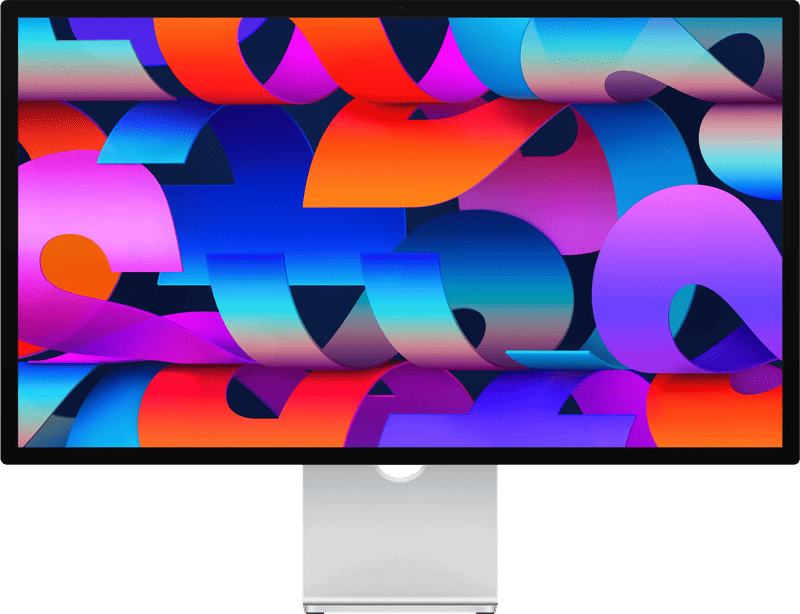
A monitor with USB-C charging replaces a docking station and power adapter. That only works, however, if it delivers enough power. The range is wide. According to the manufacturer, Dell’s P2426HE office display manages up to 100 watts, and the U2725QE up to 140 watts, provided the laptop supports the Extended Power Range (EPR). Apple’s Studio Display charges a Mac at 96 watts. Samsung’s two Odyssey models have no USB-C input at all.
If your power adapter says 65 watts, any of the office monitors here will do. If it says 140 watts, a 90-watt monitor will charge, but more slowly. Under full load, things then get tight. An example of why careful reading helps: for the 27UP850K-W, LG advertises up to 96 watts in the product graphic. The data table on the same page states 90 watts. We go with the lower value.
Stands, bundles and double packs
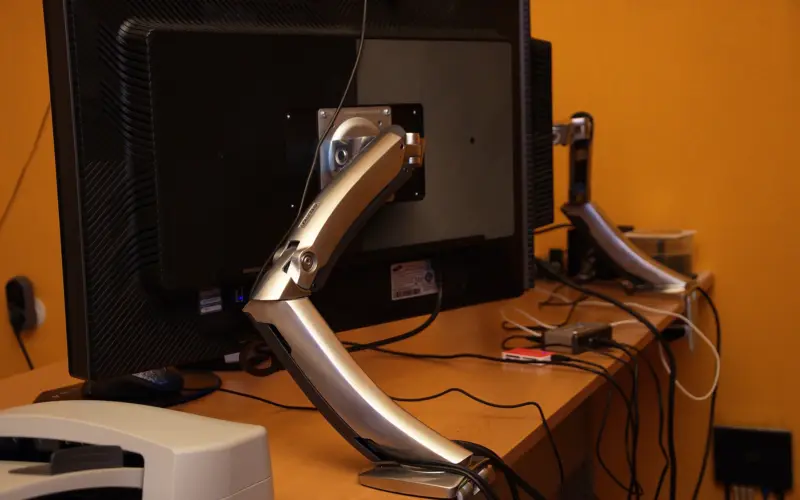
Height adjustment is almost a given on office monitors, but not on cheap gaming models or at Apple. Samsung’s Odyssey OLED G5 only tilts. With the Studio Display, the height-adjustable stand costs a hefty surcharge. On November 13, this version was about a quarter more expensive at Coolblue than the version with the tilt stand. A separate monitor arm is often the cheaper solution in such cases.
With bundles, a calculator helps. Coolblue offers the LG 27UP850K-W as a double pack, at exactly twice the single price. Savings: zero. The bundle with the store brand’s gas-spring mount cost about a fifth more than the monitor alone. Whether that is cheaper than an arm of your choice is best checked beforehand.
Hertz: 60, 120 or 500?
A higher refresh rate means smoother scrolling and sharper motion in games. Office monitors now offer 120 hertz too, the small Dell P2426HE as well as the U2725QE. With low-cost 4K, on the other hand, you often stay at 60 hertz, as with the LG. For spreadsheets and emails, that will serve you well. If you game, look at the connection: on the Odyssey OLED G5, the full 180 hertz is only available via DisplayPort, and a console on the HDMI input gets 144 at most. And the 500 hertz of the G6? A figure for ambitious shooter players with a fast graphics card; in everyday use, you will hardly notice the difference from 180 hertz.
A quick word on the Mac.
Do the math on pixel density. A 27-inch QHD monitor comes to around 109 pixels per inch, a 4K model of the same size to around 163, and the Studio Display to 218. Text looks finer with each step. For most Mac desks, 4K is the sensible compromise.
Six monitors for the office, the Mac and gaming
All data according to the manufacturer. Current retailer prices are shown on the buttons.
| Model | Display | Charging over cable | Best for | Offer (affiliate link) |
|---|---|---|---|---|
| Dell UltraSharp U2725QE | 27 inches, 4K, IPS Black, 120 Hz | up to 140 W (Thunderbolt 4) | Working from home with a laptop, Mac | View at CoolblueAvailable in Germany: CoolblueCheck price at Amazon.deCheck price at Amazon.co.ukCheck price at Amazon.nlCheck price at Amazon.com.beCheck price at Amazon.frCheck price at Amazon.itCheck price at Amazon.esCheck price at Amazon.plCheck price at Amazon.seAvailable in Germany: Amazon.de€628.90≈ £525.64≈ CHF 582.49≈ PLN 2,777.85≈ SEK 7,010.35≈ DKK 4,700.52≈ NOK 6,696.21≈ CZK 15,362.14≈ HUF 232,335≈ RON 3,362.92≈ ISK 86,285≈ $691.29≈ CA$988.57 at Coolblue · As of 20.11. |
| LG 27UP850K-W | 27 inches, 4K, IPS, 60 Hz | 90 W (USB-C) | 4K on a small budget | View at CoolblueAvailable in Germany: Coolblue€239.00≈ £199.76≈ CHF 221.36≈ PLN 1,055.66≈ SEK 2,664.13≈ DKK 1,786.33≈ NOK 2,544.75≈ CZK 5,838.05≈ HUF 88,294≈ RON 1,278.00≈ ISK 32,791≈ $262.71≈ CA$375.68 at Coolblue · As of 20.11. |
| Dell Pro P2426HE | 24 inches, Full HD, IPS, 120 Hz | up to 100 W (USB-C) | Office, narrow desk | View at CoolblueAvailable in Germany: Coolblue€227.95≈ £190.52≈ CHF 211.13≈ PLN 1,006.86≈ SEK 2,540.96≈ DKK 1,703.74≈ NOK 2,427.10≈ CZK 5,568.13≈ HUF 84,212≈ RON 1,218.92≈ ISK 31,275≈ $250.56≈ CA$358.31 at Coolblue · As of 20.11. |
| Samsung Odyssey OLED G5 (G50SF) | 27 inches, QHD, QD-OLED, 180 Hz | no USB-C | Getting started with OLED gaming | View at CoolblueAvailable in Germany: Coolblue€311.90≈ £260.69≈ CHF 288.88≈ PLN 1,377.66≈ SEK 3,476.75≈ DKK 2,331.20≈ NOK 3,320.96≈ CZK 7,618.78≈ HUF 115,225≈ RON 1,667.82≈ ISK 42,793≈ $342.84≈ CA$490.28 at Coolblue · As of 20.11. |
| Samsung Odyssey OLED G6 (G60SF) | 27 inches, QHD, QD-OLED, 500 Hz | no USB-C | Fast shooters | View at CoolblueAvailable in Germany: Coolblue€509.00≈ £425.43≈ CHF 471.44≈ PLN 2,248.25≈ SEK 5,673.82≈ DKK 3,804.37≈ NOK 5,419.58≈ CZK 12,433.34≈ HUF 188,040≈ RON 2,721.78≈ ISK 69,835≈ $559.49≈ CA$800.10 at Coolblue · As of 20.11. |
| Apple Studio Display (2026) | 27 inches, 5K, 218 ppi, 60 Hz | 96 W (Thunderbolt 5) | Mac with camera and speakers | View at CoolblueAvailable in Germany: Coolblue€1,509.00≈ £1,261.24≈ CHF 1,397.64≈ PLN 6,665.25≈ SEK 16,820.82≈ DKK 11,278.57≈ NOK 16,067.08≈ CZK 36,860.34≈ HUF 557,470≈ RON 8,069.08≈ ISK 207,035≈ $1,658.69≈ CA$2,372.00 at Coolblue · As of 20.11. |
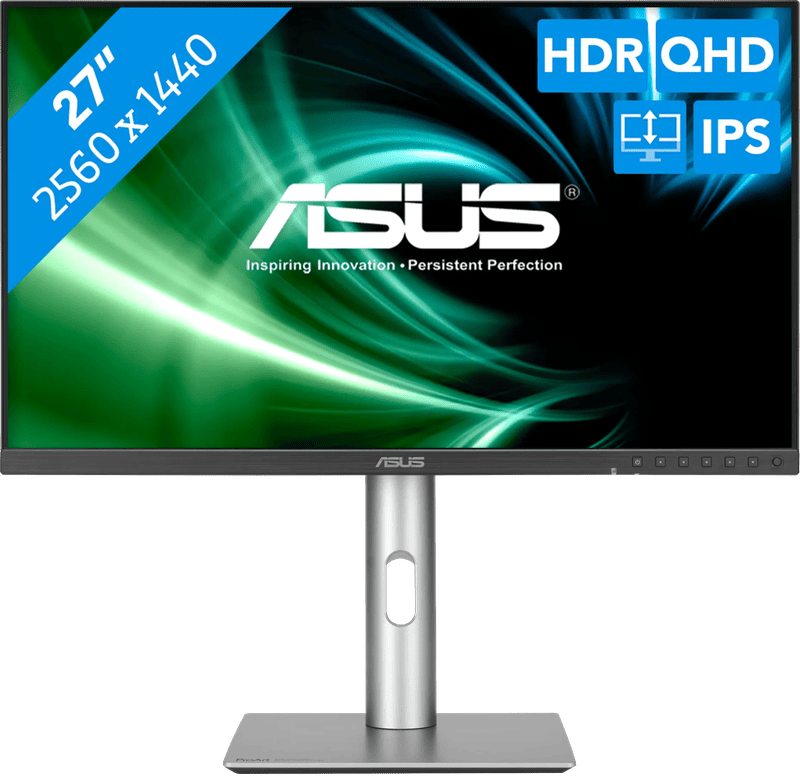
Dell UltraSharp U2725QE
Dell cites an IPS Black panel with 3,000:1 contrast, 120 hertz and a 2.5-gigabit network port. A built-in KVM switch shares keyboard and mouse between two computers. The stand raises 150 millimeters and rotates into portrait mode. Expensive, yes. In return, it replaces the docking station for your laptop.
LG 27UP850K-W
4K at 27 inches, according to LG with 95 percent DCI-P3 and HDR400. The stand is height-adjustable and swivels. At 60 hertz, scrolling feels less smooth than on the Dell. For text, spreadsheets and photos, that hardly matters.
Dell Pro P2426HE
A no-frills office monitor with Full HD at 24 inches, 120 hertz and up to 100 watts via USB-C. It also has a network jack and DisplayPort for daisy-chaining a second monitor. For spreadsheets on a company laptop, that is enough. If you work a lot with photos, 4K is the better choice.
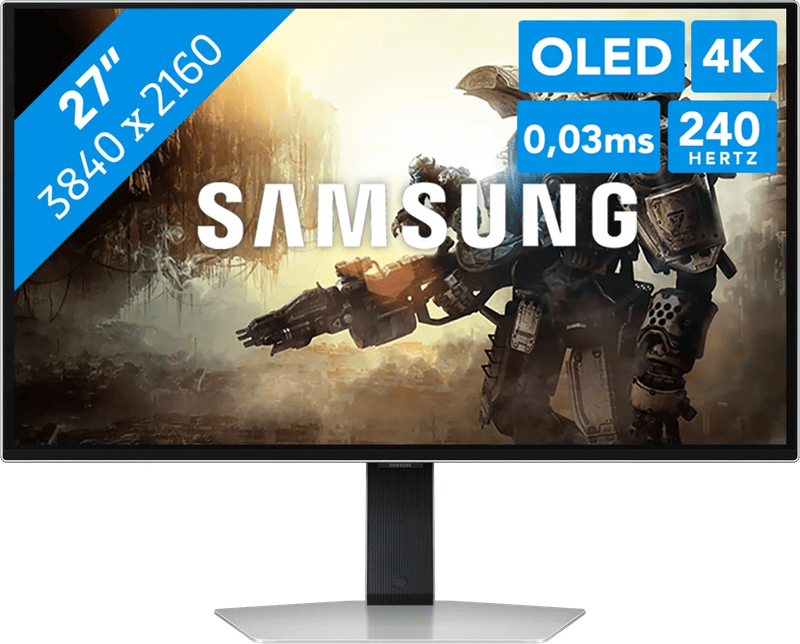
Samsung Odyssey OLED G5 (G50SF)
OLED with a 0.03-millisecond response time, and that in the lower price range of our comparison. According to Samsung, it only reaches 180 hertz via DisplayPort; over HDMI it is 144. The stand only tilts. According to Samsung’s own statement, burn-in from normal use is covered by the warranty, excluding commercial use.
Samsung Odyssey OLED G6 (G60SF)
500 hertz, two HDMI 2.1 inputs and a stand with 120 millimeters of height adjustment and pivot. Against burn-in, Samsung uses a heat pipe, dimmed logos and taskbars, and automatic dimming after ten minutes. Only those who play fast shooters with a correspondingly powerful graphics card need the 500 hertz. For everyone else, the G5 is enough.
Apple Studio Display (2026)
5K at 27 inches, 600 nits of brightness. Apple adds a 12-megapixel camera with Center Stage, six speakers and Thunderbolt 5. For Windows laptops, this premium makes little sense. On the Mac, it is the solution with no compromises on sharpness.
Which monitor for which desk?
Working from home with a laptop and one cable for everything: Dell U2725QE. Same goal for less money: LG 27UP850K-W, as long as your power adapter is rated no higher than 90 watts. Pure office workstation: Dell P2426HE. Gaming: Odyssey OLED G5, or the G6 for height adjustment and more speed. Mac users who value sharpness over price end up with the Studio Display.
Our guides to office monitors, gaming monitors and the monitor for the Mac go into more detail. More deals are collected on the Black Friday 2026 (in German) page.
Frequently asked questions
How many watts does a USB-C monitor need to deliver?
As many as your laptop power adapter states. If it says 65 watts, any office monitor in the comparison is enough. If it says 140 watts, a 90-watt monitor will charge, but more slowly, and things get tight under full load.
Is a monitor double pack worth it?
Not automatically. Coolblue offered the LG 27UP850K-W as a double pack at exactly twice the single price. The bundle with the store brand's gas-spring mount cost about a fifth more than the monitor alone, so check the price of an arm of your choice beforehand.
Is 60 hertz enough for work?
For spreadsheets and emails, it will serve you well. A higher refresh rate makes scrolling smoother, and office monitors such as the Dell P2426HE now offer 120 hertz too. If you game, also pay attention to the connection.
Does a console on the Odyssey OLED G5 get the full 180 hertz?
No. According to Samsung, the 180 hertz is only available via DisplayPort; the HDMI input maxes out at 144. The stand also only tilts.
Which resolution suits the Mac?
A 27-inch QHD monitor comes to around 109 pixels per inch, a 4K model of the same size to around 163, and the Studio Display to 218. Text looks finer with each step. For most Mac desks, 4K is the sensible compromise.
Sources
- Dell: UltraSharp 27 4K Thunderbolt Hub Monitor U2725QE
- Dell: Pro P 24 USB-C Hub Monitor P2426HE
- LG: 27UP850K-W
- Samsung: Odyssey OLED G5 G50SF
- Samsung: Odyssey OLED G6 G60SF
- Apple: Studio Display, technical specifications
Where to buy
- Dell UltraSharp U2725QE€628.90≈ £525.64≈ CHF 582.49≈ PLN 2,777.85≈ SEK 7,010.35≈ DKK 4,700.52≈ NOK 6,696.21≈ CZK 15,362.14≈ HUF 232,335≈ RON 3,362.92≈ ISK 86,285≈ $691.29≈ CA$988.57 at Coolblue · As of 20.11.View at CoolblueAvailable in Germany: CoolblueCheck price at Amazon.deCheck price at Amazon.co.ukCheck price at Amazon.nlCheck price at Amazon.com.beCheck price at Amazon.frCheck price at Amazon.itCheck price at Amazon.esCheck price at Amazon.plCheck price at Amazon.seAvailable in Germany: Amazon.de
- LG 27UP850K-W€239.00≈ £199.76≈ CHF 221.36≈ PLN 1,055.66≈ SEK 2,664.13≈ DKK 1,786.33≈ NOK 2,544.75≈ CZK 5,838.05≈ HUF 88,294≈ RON 1,278.00≈ ISK 32,791≈ $262.71≈ CA$375.68 at Coolblue · As of 20.11.View at CoolblueAvailable in Germany: Coolblue
- Dell Pro P2426HE€227.95≈ £190.52≈ CHF 211.13≈ PLN 1,006.86≈ SEK 2,540.96≈ DKK 1,703.74≈ NOK 2,427.10≈ CZK 5,568.13≈ HUF 84,212≈ RON 1,218.92≈ ISK 31,275≈ $250.56≈ CA$358.31 at Coolblue · As of 20.11.View at CoolblueAvailable in Germany: Coolblue
- Samsung Odyssey OLED G5 (G50SF)€311.90≈ £260.69≈ CHF 288.88≈ PLN 1,377.66≈ SEK 3,476.75≈ DKK 2,331.20≈ NOK 3,320.96≈ CZK 7,618.78≈ HUF 115,225≈ RON 1,667.82≈ ISK 42,793≈ $342.84≈ CA$490.28 at Coolblue · As of 20.11.View at CoolblueAvailable in Germany: Coolblue
- Samsung Odyssey OLED G6 (G60SF)€509.00≈ £425.43≈ CHF 471.44≈ PLN 2,248.25≈ SEK 5,673.82≈ DKK 3,804.37≈ NOK 5,419.58≈ CZK 12,433.34≈ HUF 188,040≈ RON 2,721.78≈ ISK 69,835≈ $559.49≈ CA$800.10 at Coolblue · As of 20.11.View at CoolblueAvailable in Germany: Coolblue
- Apple Studio Display (2026)€1,509.00≈ £1,261.24≈ CHF 1,397.64≈ PLN 6,665.25≈ SEK 16,820.82≈ DKK 11,278.57≈ NOK 16,067.08≈ CZK 36,860.34≈ HUF 557,470≈ RON 8,069.08≈ ISK 207,035≈ $1,658.69≈ CA$2,372.00 at Coolblue · As of 20.11.View at CoolblueAvailable in Germany: Coolblue
Still undecided?
Keep comparing at your own pace – every article in this category is checked monthly for new and discontinued models.