Contents13 sections
This guide was first published in German on handgetestet.de.
A 4K monitor on a graphics card that is not up to 4K at all: a classic bad buy. Our position for 2026 is therefore that a 27-inch OLED with 1440p and at least 240 Hz does more for most gamers. Even a mid-range graphics card can handle this resolution, and OLED delivers deep blacks with very short response times.
Before getting into models, ask yourself three questions. What is inside your computer? What do you play? And how bright is the room?
Question one: What can your graphics card handle?
1440p (2,560 × 1,440 pixels) reaches high frame rates even with mid-range graphics. 4K (3,840 × 2,160) looks visibly sharper on 27 inches and requires considerably more computing power in return. If you read a lot of text or work at the same desk, 4K still has its value.
The refresh rate is often overdone. 240 Hz is enough for almost all games. With 360, 480 or 500 Hz, you only gain something in fast competitive games, and even then only if the graphics card really outputs that many frames per second. Consoles deliver 120 Hz at most anyway. A 500 Hz monitor just for the PlayStation? Money wasted.
Question two: Competitive play, role-playing or both?
If you mainly play fast shooters, you will end up with the Samsung Odyssey OLED G6 at 500 Hz or the LG UltraGear 27GX790A at 480 Hz. If, on the other hand, there is a powerful graphics card in your computer and you want a razor-sharp image, 4K models with 240 Hz are worth considering: ASUS ROG Swift PG27UCDM, Samsung Odyssey OLED G8 or Alienware AW2725Q. And if you want to try OLED affordably first, take a look at the MSI MAG 271QPX QD-OLED E2.
Question three: How bright is it at your desk?
This is where the two weaknesses of OLED show. The first is brightness. According to the data sheets, OLED monitors in everyday use usually sit at 250 to 300 cd/m², which is a noticeable compromise in a very bright room. The second concerns static elements such as the taskbar or in-game HUDs, which can leave traces after a very long time. Every manufacturer builds in protective features such as pixel shifting and automatic refresh cycles. Still, read the warranty terms beforehand. Does it cover burn-in, and for how long?
Beyond that, a few details matter more than you might think.
- QD-OLED or WOLED: ASUS, MSI, Alienware and Samsung with the G8 use QD-OLED, LG with the 27GX790A uses WOLED. Both technologies show true black and, according to the manufacturers, reach response times of 0.03 ms. The differences lie more in color reproduction and the screen surface.
- Matte or glossy: Glossy panels look more brilliant but reflect more. If you have a window behind you, a matte or anti-glare surface is more comfortable.
- Ports: DisplayPort 2.1 has more headroom than DisplayPort 1.4 at high resolutions and frame rates. For consoles, HDMI 2.1 is what counts. USB-C with charging helps if your laptop is also going to be connected to the monitor.
If you mostly edit images with a wide color gamut, you are better off starting with the monitors for photo and video editing. From the couch, a TV is the way to play; suitable models are listed under OLED TVs with HDMI 2.1.
Seven OLED monitors side by side
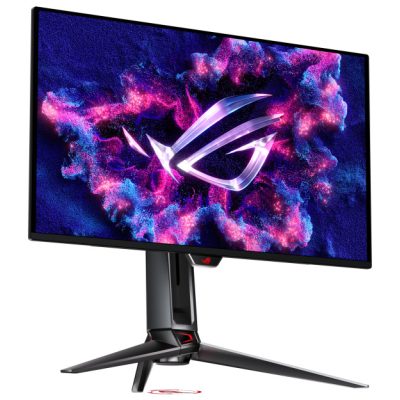
ASUS ROG Swift OLED PG27UCDM
A 4K QD-OLED panel with 240 Hz, plus Dolby Vision and DisplayHDR True Black 400. When nobody is sitting in front of it anymore, a proximity sensor turns the screen black, which is meant to prevent burn-in. If you connect your gaming PC and laptop to the same screen, pay attention to the USB-C port. It charges laptops at up to 90 watts, and a USB hub is built into the housing as well. Price-wise, the ASUS sits in the high-end segment.
Samsung Odyssey OLED G6 (G60SF)
500 Hz at 1440p. According to the manufacturer, that makes the G60SF one of the fastest OLED monitors of all. Samsung states DisplayHDR True Black 500 and a matte surface; the stand adjusts 120 mm in height and pivots to portrait mode. Things look bad for laptops, though. According to the data sheet, there is no USB-C.
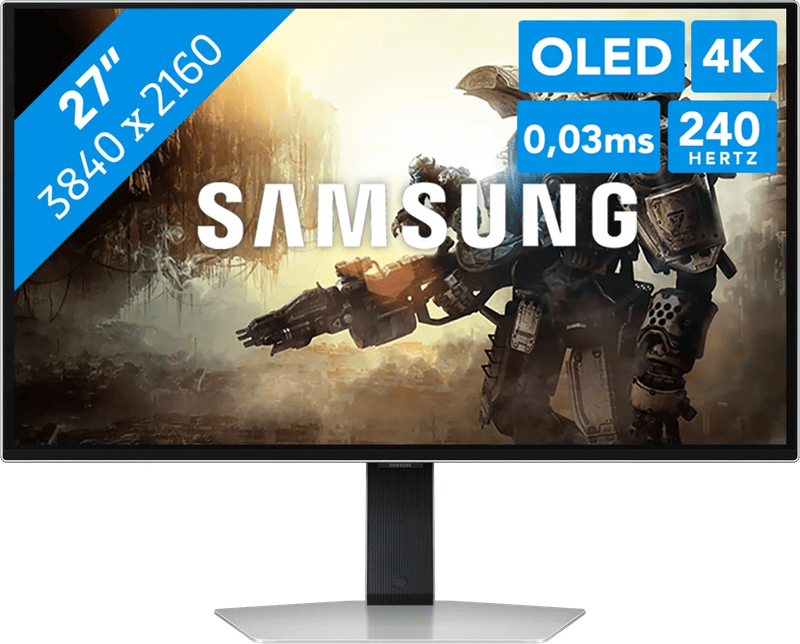
Samsung Odyssey OLED G8 (G81SF)
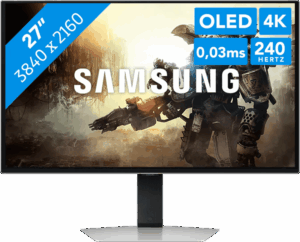
4K at 240 Hz on 27 inches, built with QD-OLED. What makes it interesting is the glare-free surface, which according to Samsung is meant to reduce reflections. That suits a home office with lots of daylight well, even though the typical brightness is specified at 250 cd/m².
LG UltraGear 27GX790A
It is the only candidate that relies on WOLED. 480 Hz at 1440p, anti-glare, and according to LG with 98.5 percent coverage of the DCI-P3 color space. DisplayPort 2.1 gives the high refresh rate plenty of room. Buyers report, however, that depending on the graphics card, getting the right DisplayPort mode takes a bit of fine-tuning.
LG UltraGear 32GX870A
At 32 inches, it is the largest model in the comparison. Its trick is called Dual-Mode: at the press of a button, it switches between 4K at 240 Hz and Full HD at 480 Hz. The role-playing game in full sharpness in the evening, then the shooter at maximum speed, all on one screen. Also on board are DisplayPort 2.1, USB-C with 90 watts and speakers with 2 × 7 watts.
MSI MAG 271QPX QD-OLED E2
Unspectacular, and that is meant as praise here. 1440p at 240 Hz on an anti-glare QD-OLED panel, with care handled by OLED Care 2.0 according to the manufacturer. Connections are two HDMI 2.1 ports, DisplayPort 1.4a and USB-C with 15 watts. If you are looking for OLED without a high-end budget, you can hardly go wrong with this model.
Alienware AW2725Q
Dell states 166 pixels per inch; no other Alienware monitor from the manufacturer packs its pixels this densely. The 4K QD-OLED panel runs at 240 Hz and supports Dolby Vision as well as DisplayHDR True Black 400. According to Dell, peak brightness with HDR content is said to reach 1,000 cd/m². Consoles get two HDMI 2.1 ports.
In the end, your type of gamer decides
Esports and fast shooters? Then hardly anything beats the Samsung Odyssey OLED G6 (500 Hz) or the LG UltraGear 27GX790A (480 Hz). We see the ASUS ROG Swift OLED PG27UCDM as the most well-rounded 4K package, especially if a laptop regularly docks via USB-C. If your desk is in a bright room, the glare-free surface speaks for the Samsung Odyssey OLED G8. Why a console only gets 144 hertz on the Odyssey OLED G5 is explained in the guide Black Friday monitor (in German).
- Maximum sharpness: Alienware AW2725Q with 166 ppi.
- One screen for everything: LG UltraGear 32GX870A with Dual-Mode.
- Smaller budget: MSI MAG 271QPX QD-OLED E2.
One more thought for long gaming nights. Your seating position matters just as much, and that includes an ergonomic office chair.
If your gaming rig needs to travel too, the guide to the gaming laptop (in German) explains why the graphics card’s wattage rating matters more than its name.
Frequently asked questions
1440p or 4K: which is better for gaming?
1440p reaches high frame rates even with mid-range graphics. 4K looks visibly sharper on 27 inches but requires considerably more computing power. If you also read a lot of text or work at the same desk, 4K is still worthwhile, provided your graphics card can keep up.
How many hertz does a gaming monitor need?
240 Hz is enough for almost all games. With 360, 480 or 500 Hz, you only gain something in fast competitive games, and even then only if the graphics card actually outputs that many frames per second. Consoles deliver 120 Hz at most anyway.
What are the weaknesses of an OLED monitor?
Two: according to the data sheets, everyday brightness is usually 250 to 300 cd/m², a noticeable compromise in very bright rooms. Static elements such as the taskbar or in-game HUDs can leave traces after a very long time. Check beforehand whether the warranty covers burn-in and for how long.
What is the difference between QD-OLED and WOLED?
Both technologies show true black and, according to the manufacturers, reach response times of 0.03 ms. The differences lie more in color reproduction and the screen surface. ASUS, MSI, Alienware and Samsung with the G8 use QD-OLED, LG with the 27GX790A uses WOLED.
Which ports matter on a gaming monitor?
DisplayPort 2.1 has more headroom than DisplayPort 1.4 at high resolutions and frame rates. For consoles, HDMI 2.1 is what counts. USB-C with charging helps if your laptop is also going to be connected to the monitor, as with the ASUS PG27UCDM at 90 watts.
Is there a monitor for both fast shooters and sharp role-playing games?
The LG UltraGear 32GX870A switches at the press of a button between 4K at 240 Hz and Full HD at 480 Hz. At 32 inches, it is the largest model in the comparison and comes with DisplayPort 2.1 and USB-C with 90 watts.
Sources
- ASUS: ROG Swift OLED PG27UCDM, technical specifications
- ASUS: PG27UCDM press release
- Samsung: Odyssey OLED G60SF data sheet
- Samsung: Odyssey OLED G8 G81SF
- LG: UltraGear OLED with 480 Hz (27GX790A)
- LG: UltraGear GX8 32GX870A-B
- MSI: MAG 271QPX QD-OLED E2, specifications
- Dell: Alienware 27 4K QD-OLED AW2725Q
Where to buy
 ASUS ROG Swift OLED PG27UCDM€808.00≈ £672.98≈ CHF 746.83≈ PLN 3,564.73≈ SEK 9,003.54≈ DKK 6,039.32≈ NOK 8,568.44≈ CZK 19,703.89≈ HUF 297,667≈ RON 4,320.13≈ ISK 110,696≈ $886.21≈ CA$1,267.75 at Coolblue · As of 18.11.View at CoolblueAvailable in Germany: CoolblueCheck price at Amazon.deCheck price at Amazon.co.ukCheck price at Amazon.nlCheck price at Amazon.com.beCheck price at Amazon.frCheck price at Amazon.itCheck price at Amazon.esCheck price at Amazon.plCheck price at Amazon.seAvailable in Germany: Amazon.de
- Samsung Odyssey OLED G6 G60SFCheck price at Amazon.deCheck price at Amazon.co.ukCheck price at Amazon.nlCheck price at Amazon.com.beCheck price at Amazon.frCheck price at Amazon.itCheck price at Amazon.esCheck price at Amazon.plCheck price at Amazon.seAvailable in Germany: Amazon.de
- Samsung Odyssey OLED G8 G81SF€710.00≈ £591.36≈ CHF 656.25≈ PLN 3,132.38≈ SEK 7,911.53≈ DKK 5,306.82≈ NOK 7,529.20≈ CZK 17,314.06≈ HUF 261,564≈ RON 3,796.16≈ ISK 97,270≈ $778.73≈ CA$1,113.99 at Coolblue · As of 18.11.View at CoolblueAvailable in Germany: CoolblueCheck price at Amazon.deCheck price at Amazon.co.ukCheck price at Amazon.nlCheck price at Amazon.com.beCheck price at Amazon.frCheck price at Amazon.itCheck price at Amazon.esCheck price at Amazon.plCheck price at Amazon.seAvailable in Germany: Amazon.de
- LG UltraGear 27GX790ACheck price at Amazon.deCheck price at Amazon.co.ukCheck price at Amazon.nlCheck price at Amazon.com.beCheck price at Amazon.frCheck price at Amazon.itCheck price at Amazon.esCheck price at Amazon.plCheck price at Amazon.seCheck price at Amazon.comCheck price at Amazon.ca
- LG UltraGear 32GX870ACheck price at Amazon.deCheck price at Amazon.co.ukCheck price at Amazon.nlCheck price at Amazon.com.beCheck price at Amazon.frCheck price at Amazon.itCheck price at Amazon.esCheck price at Amazon.plCheck price at Amazon.seCheck price at Amazon.comCheck price at Amazon.ca
- MSI MAG 271QPX QD-OLED E2Check price at Amazon.deCheck price at Amazon.co.ukCheck price at Amazon.nlCheck price at Amazon.com.beCheck price at Amazon.frCheck price at Amazon.itCheck price at Amazon.esCheck price at Amazon.plCheck price at Amazon.seCheck price at Amazon.comAvailable in Germany: Amazon.de
- Alienware AW2725QCheck price at Amazon.deCheck price at Amazon.co.ukCheck price at Amazon.nlCheck price at Amazon.com.beCheck price at Amazon.frCheck price at Amazon.itCheck price at Amazon.esCheck price at Amazon.plCheck price at Amazon.seCheck price at Amazon.comCheck price at Amazon.ca
Still undecided?
Keep comparing at your own pace – every article in this category is checked monthly for new and discontinued models.