Contents13 sections
This guide was first published in German on handgetestet.de.
A 27-inch monitor with Full HD looks tempting on sale. At the desk, though, it disappoints: text looks coarse, and it offers barely more workspace than a 24-inch screen. For most desks, we recommend 27 inches with QHD and USB-C, for example the BenQ GW2790QT or the Dell UltraSharp U2724DE. If you read a lot, work with spreadsheets or use a Mac, go for 4K.
And one more thing is often overlooked. An office monitor has long since doubled as a docking station. Through a single cable, the laptop gets picture, power, network, and keyboard and mouse. No adapter, no tangle of cables.
Pixel density first, everything else second
A little math helps. Full HD on 24 inches works out to around 92 pixels per inch, QHD (2,560 × 1,440) on 27 inches to about 109. With 4K, it is around 163 on 27 inches and about 140 on 32 inches. The higher the value, the smoother letters appear once the operating system scales the display. Under Windows, we consider QHD on 27 inches the sensible standard. On a Mac, 4K looks noticeably calmer.
If the desk is only 60 cm deep or two screens are to stand side by side, 24 inches is enough. A 32-inch monitor, on the other hand, can replace two devices. That requires a deep desk and a posture that keeps your neck straight.
Which ports do you really need?
First, charging power via USB-C with Power Delivery. The wattage describes how much power the monitor passes on to the laptop. 65 W is enough for many slim notebooks; with 90 W or more, larger models also have headroom. If the monitor delivers less than the laptop’s power adapter could, charging takes longer. Daisy chaining means that a second monitor connects to the first instead of to the laptop. This is possible via DisplayPort MST or Thunderbolt. Macs do not support MST. For them, only Thunderbolt remains.
A KVM switch pays off when two computers share the same desk, such as a work laptop and a personal PC. Both then share keyboard, mouse and screen, and you switch at the push of a button. An Ethernet port on the monitor provides wired internet over the same USB-C cable. A built-in webcam keeps the edge of the monitor free; if you are constantly in video conferences, compare resolution and microphone.
For the stand, at least 110 mm of height adjustment makes sense, plus tilt and swivel. Pivot, rotating the screen into portrait mode, is handy for long documents and code.
German workplace rules and blue light
For computer workstations, the German Technical Rule for Workplaces ASR A6 requires a flicker-free display, a viewing distance of at least 50 cm, anti-glare screens and monitors that can be tilted and adjusted in height without effort. It states explicitly that LCDs can also flicker if brightness is dimmed via pulse-width modulation. So when the manufacturer’s specifications say „flicker-free,“ that is more than a marketing term.
When it comes to blue light, we remain skeptical. A 2023 Cochrane review evaluated 17 studies and found that blue light filtering glasses neither reduced eye strain during screen work nor had any effect on sleep. However, none of the studies ran longer than five weeks. A mode such as „Low Blue Light“ does no harm. It does not justify paying extra.
Seven office monitors we consider worthwhile
One laptop, small budget: BenQ GW2790QT
QHD on IPS, 65 W charging power according to the manufacturer, and a DisplayPort output with MST for connecting a second monitor. The stand raises the screen by 110 mm and rotates it into portrait mode. BenQ also builds in a microphone with noise cancellation, a flicker-free backlight and automatic brightness adjustment. For large notebooks, 65 W is too little.
Lots of video calls: Philips 27B1U5601H
The 5-megapixel webcam retracts into the housing when not in use and supports Windows Hello. According to the data sheet, USB-C delivers up to 100 W. A KVM switch, Ethernet port, DisplayPort output and 150 mm of height adjustment are also included. Before ordering, check the ending of the model number, because there are /00 and /01 variants.
Company laptop and conferences: Lenovo ThinkVision T27hv-30
Here Lenovo has corporate environments in mind. Built in are a 5-megapixel camera with infrared and color sensor, microphones, two 5 W speakers and Gigabit LAN, and up to 90 W flows over USB-C. With 155 mm of height travel and pivot, the stand is particularly flexible. For the eye-care features, Lenovo cites certification by TÜV Rheinland.
Two computers, one desk: Dell UltraSharp U2724DE
Dell uses an IPS Black panel with a 2,000:1 contrast ratio and 120 Hz. When scrolling, this feels noticeably smoother. Through the Thunderbolt 4 input, the laptop charges at 90 W, a second Thunderbolt port daisy-chains another monitor, and auto KVM, 2.5 Gigabit LAN and a stand with 150 mm of height travel round out the package.
Without a Thunderbolt laptop, you are paying a lot here for features that go unused. In that case, the cheaper sibling U2724D without the dock or a model from Dell’s P series is enough.
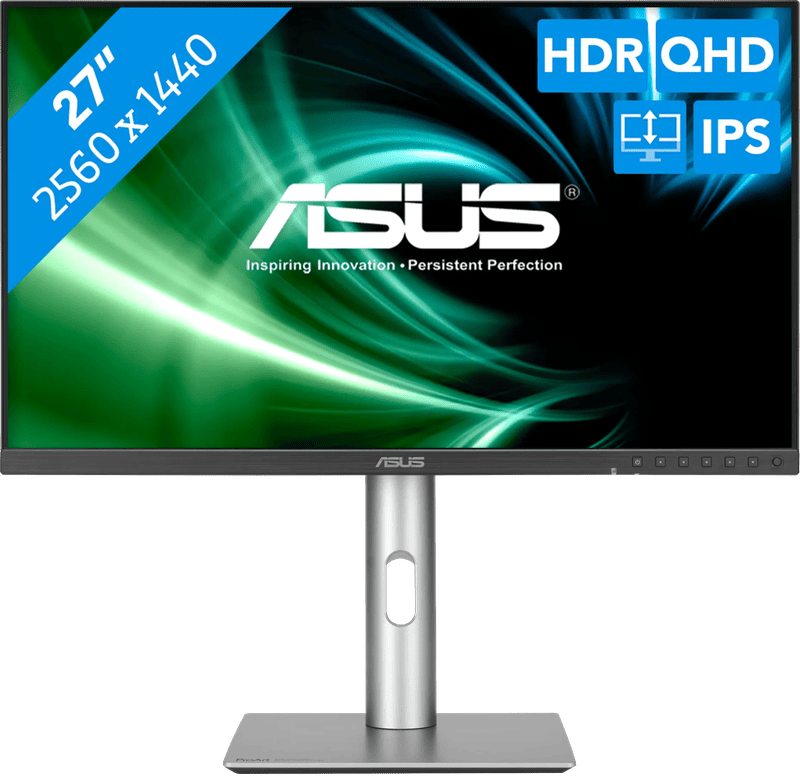
Office work with color demands: ASUS ProArt PA278CGV
Factory-calibrated to Delta E below 2, around 95 percent DCI-P3 and 144 Hz. Nobody needs that for spreadsheets. But if you review photos or design presentations on the side, you get a reliable picture. According to the data sheet, USB-C charges at 90 W, and the stand raises the screen by 150 mm. For serious color work, we refer you to our guide Monitors for photo and video editing.
Not to be confused with its sibling, the ProArt PA278CGRV: according to ASUS, it is a 27-inch IPS monitor with QHD and up to 144 Hz, charges a laptop via USB-C at 96 W, has a built-in KVM switch and is factory-calibrated to Delta E below 2.
MacBook at the desk: Samsung ViewFinity S8
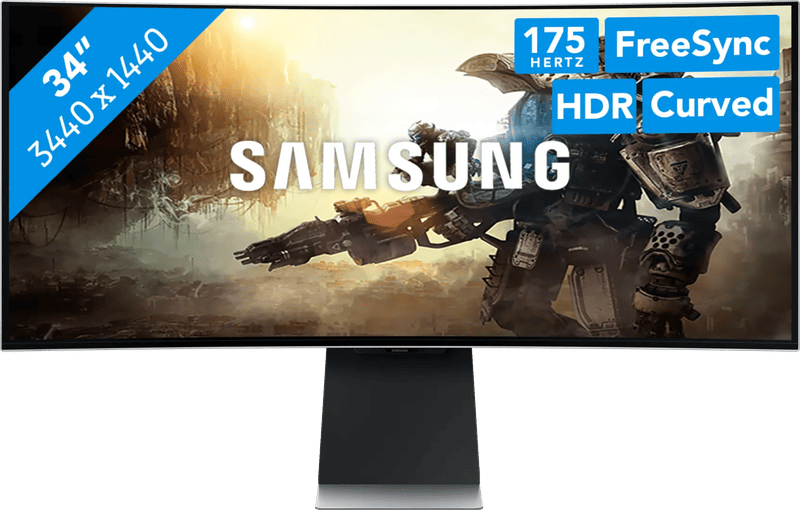
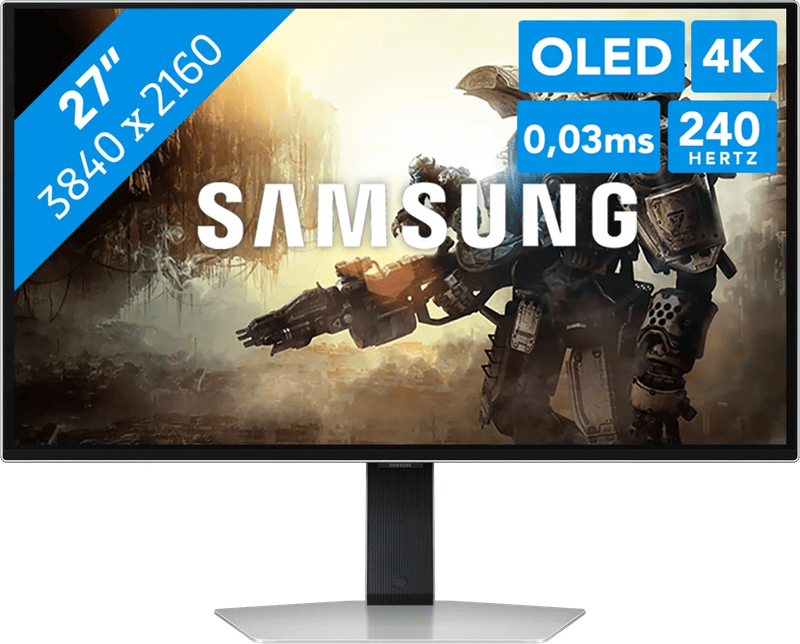
With 4K on 27 inches, the S80UD shows the sharpest text of our seven models. Samsung specifies 90 W over USB-C, a KVM switch, LAN and a stand with 120 mm of height travel and pivot, and the display is also said to be flicker-free. There is nothing above 60 Hz. In the office, that hardly matters.
One instead of two: LG UltraFine 32U720A-B
At 31.5 inches with 4K, two documents fit comfortably side by side. The VA panel shows deep blacks but is less color-stable than IPS when viewed at an angle. USB-C delivers 90 W, and 130 mm of height adjustment and pivot are included. KVM and an Ethernet port are missing.
How we would decide
With little money and just one laptop, we would take the BenQ GW2790QT. If you are in video calls every day, choose between the Philips 27B1U5601H and the Lenovo ThinkVision T27hv-30. If two computers share the same desk, the Dell UltraSharp U2724DE offers the most comprehensive dock on our list. For a MacBook, the higher pixel density speaks for the Samsung ViewFinity S8, and if you want one large screen instead of two, you will end up with the LG UltraFine 32U720A-B. If you game after work, a model from our gaming monitor guide (in German) is a better fit. Why the wattage of the laptop’s power adapter matters before every deal is explained in the guide Black Friday monitors (in German).
The best monitor is of little use if it is set up wrong. According to ASR A6, the line of sight should point slightly downward, about 30 to 35 degrees below horizontal. If you switch between sitting and standing, it is best to plan the monitor together with the height-adjustable desk.
Frequently asked questions
What resolution does an office monitor need?
On 27 inches, QHD is the sensible standard under Windows; Full HD looks coarse there and offers hardly more space than a 24-inch screen. QHD on 27 inches gives about 109 pixels per inch, 4K around 163. On a Mac, 4K looks noticeably calmer.
How many watts of USB-C charging power do I need?
65 W is enough for many slim notebooks; with 90 W or more, larger models also have headroom. If the monitor delivers less than the laptop's power adapter could, charging takes longer. The BenQ GW2790QT delivers 65 W, which is too little for large notebooks.
What is a KVM switch in a monitor good for?
It pays off when two computers share the same desk, such as a work laptop and a personal PC. Both share keyboard, mouse and screen, and you switch at the push of a button. The Philips 27B1U5601H, Dell U2724DE and Samsung ViewFinity S8 have one built in.
What does the German workplace rule ASR A6 require of a monitor?
A flicker-free display, a viewing distance of at least 50 cm, anti-glare screens and monitors that can be tilted and adjusted in height without effort. The line of sight should be about 30 to 35 degrees below horizontal. LCDs can also flicker if they are dimmed via pulse-width modulation.
Does a blue light filter help against tired eyes?
There is no evidence for it. A 2023 Cochrane review evaluated 17 studies and found that blue light filtering glasses neither reduced eye strain nor had any effect on sleep, although no study ran longer than five weeks. A mode such as "Low Blue Light" does no harm, but it does not justify paying extra.
Is a 32-inch monitor worth it instead of two screens?
A 32-inch 4K monitor such as the LG UltraFine 32U720A-B comfortably shows two documents side by side. That requires a deep desk and a posture that keeps your neck straight. If the desk is only 60 cm deep, 24 inches is enough.
Sources
- BenQ GW2790QT, specifications
- Philips 27B1U5601H/01, data sheet
- Lenovo PSREF ThinkVision T27hv-30
- Dell UltraSharp U2724DE, product page
- Dell U2724DE, user’s guide
- ASUS ProArt PA278CGV, specifications
- Samsung ViewFinity S8 S80UD, product page
- LG UltraFine 32U720A-B, product page
- ASR A6 computer work, Section 6 (German workplace rule)
- aponet (German pharmacy portal): Cochrane review on blue light filtering glasses
- ASUS ProArt PA278CGRV: product information
Where to buy
- BenQ GW2790QTCheck price at Amazon.deCheck price at Amazon.co.ukCheck price at Amazon.nlCheck price at Amazon.com.beCheck price at Amazon.frCheck price at Amazon.itCheck price at Amazon.esCheck price at Amazon.plCheck price at Amazon.seCheck price at Amazon.comCheck price at Amazon.ca
- Philips 27B1U5601HCheck price at Amazon.deCheck price at Amazon.co.ukCheck price at Amazon.nlCheck price at Amazon.com.beCheck price at Amazon.frCheck price at Amazon.itCheck price at Amazon.esCheck price at Amazon.plCheck price at Amazon.seAvailable in Germany: Amazon.de
- Lenovo ThinkVision T27hv-30Check price at Amazon.deCheck price at Amazon.co.ukCheck price at Amazon.nlCheck price at Amazon.com.beCheck price at Amazon.frCheck price at Amazon.itCheck price at Amazon.esCheck price at Amazon.plCheck price at Amazon.seCheck price at Amazon.comCheck price at Amazon.ca
- Dell UltraSharp U2724DECheck price at Amazon.deCheck price at Amazon.co.ukCheck price at Amazon.nlCheck price at Amazon.com.beCheck price at Amazon.frCheck price at Amazon.itCheck price at Amazon.esCheck price at Amazon.plCheck price at Amazon.seCheck price at Amazon.comCheck price at Amazon.ca
- ASUS ProArt PA278CGVCheck price at Amazon.deCheck price at Amazon.co.ukCheck price at Amazon.nlCheck price at Amazon.com.beCheck price at Amazon.frCheck price at Amazon.itCheck price at Amazon.esCheck price at Amazon.plCheck price at Amazon.seCheck price at Amazon.comCheck price at Amazon.ca
- Samsung ViewFinity S8 (S80UD)Check price at Amazon.deCheck price at Amazon.co.ukCheck price at Amazon.nlCheck price at Amazon.com.beCheck price at Amazon.frCheck price at Amazon.itCheck price at Amazon.esCheck price at Amazon.plCheck price at Amazon.seAvailable in Germany: Amazon.de
- LG UltraFine 32U720A-BCheck price at Amazon.deCheck price at Amazon.co.ukCheck price at Amazon.nlCheck price at Amazon.com.beCheck price at Amazon.frCheck price at Amazon.itCheck price at Amazon.esCheck price at Amazon.plCheck price at Amazon.seAvailable in Germany: Amazon.de
- ASUS ProArt PA278CGRV€303.90≈ £253.12≈ CHF 280.89≈ PLN 1,340.75≈ SEK 3,386.36≈ DKK 2,271.47≈ NOK 3,222.71≈ CZK 7,410.91≈ HUF 111,957≈ RON 1,624.86≈ ISK 41,634≈ $333.32≈ CA$476.82 at Coolblue · As of 18.11.View at CoolblueAvailable in Germany: Coolblue
Still undecided?
Keep comparing at your own pace – every article in this category is checked monthly for new and discontinued models.