Contents13 sections
This guide was first published in German on handgetestet.de.
For invoices, forms and letters, a monochrome laser such as the Brother MFC-L2860DW is the most hassle-free solution. Cheap inkjet printers with small cartridges often sit unused in the home office for two weeks and then refuse to work. If you regularly need color, you’re better off looking at an ink tank printer, such as an Epson EcoTank.
This guide is about documents. If you want to print vacation photos, see our photo printer guide (in German).
Laser or ink: which suits my printing habits?
Count honestly what comes out of your printer. Then the question is usually already answered. Toner is a powder; it doesn’t dry out, and a laser takes a month’s break without complaint. Ink, on the other hand, is liquid. In return, ink tank printers use very little and print color, which an inexpensive laser can’t do at all.
If you print almost only text, and irregularly at that, a monochrome laser belongs on the desk. At Brother, the starter cartridge lasts around 1,200 pages, and according to the manufacturer the XL cartridge lasts 3,000. If you regularly print text and color, an ink tank is the right choice; according to the manufacturers, one set of bottles lasts several thousand pages. And color only occasionally? Then a color LED laser. It costs more to buy but doesn’t dry out.
Two features come on top of that. Multi-page contracts can only be scanned conveniently with an automatic document feeder (ADF); without one, every page goes on the glass individually. Some government offices and doctors‘ practices in Germany still require a fax. Then it has to be a 4-in-1 machine.
What does a page really cost?
It’s rarely printed on the box. And if it is, then as a manufacturer figure under standard conditions. Better to calculate it yourself: the price of the replacement cartridge or bottle, divided by the page yield stated by the manufacturer. Epson and HP base their figures on test pages according to ISO/IEC 24711. Your own pages with logos, tables and graphics usually use more.
With a laser, the drum belongs in the calculation too. On the MFC-L2860DW, it lasts 15,000 pages according to Brother, and 30,000 on the DCP-L3560CDW color machine. With ink tanks, the print heads become an issue in the long run; HP sells them as a spare part for the Smart Tank.
Subscriptions, lockouts, third-party ink: what am I getting into?
HP Instant Ink bills by printed page, not by cartridge. An invoice costs the same as a color photo. Unused pages roll over into the next month, on ink plans up to a maximum of three times the monthly allowance. One sentence in HP’s own FAQ is unpleasant: after you cancel, the Instant Ink cartridges stop working at the end of the billing period. Brother offers EcoPro, a subscription with automatic delivery that, according to Brother, can be canceled at any time.
According to Stiftung Warentest, Germany’s leading consumer testing organization, subscriptions only pay off if you regularly use up the booked allowance. Sometimes 5 pages, sometimes 80? Then you’re paying for thin air.
With HP, don’t overlook the „HP+“ label. According to HP, HP+ requires an HP account, an internet connection and, for the entire life of the printer, exclusively original HP cartridges. You can skip activation during setup. Independently of that, HP has locked out third-party cartridges via firmware updates that had previously worked; Stiftung Warentest described this „dynamic security“ critically in 2021.
Does third-party ink void the warranty?
No, at least not automatically. According to Stiftung Warentest’s printer FAQs, neither the manufacturer’s warranty nor the statutory warranty expires just because third-party ink was used in the printer. However, if a faulty third-party cartridge causes damage, the manufacturer may refuse to repair it under its voluntary warranty. The seller of the cartridge is then responsible.
Which machines are worth considering?
| Model | Technology and functions | Key specs according to the manufacturer | Best for |
|---|---|---|---|
| Brother MFC-L2860DW | Mono laser; print, scan, copy, fax | 34 pages/min, 50-sheet ADF, LAN and Wi-Fi | Text-heavy home office |
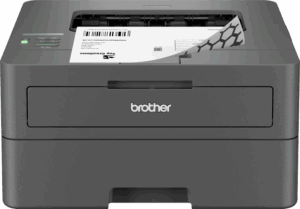
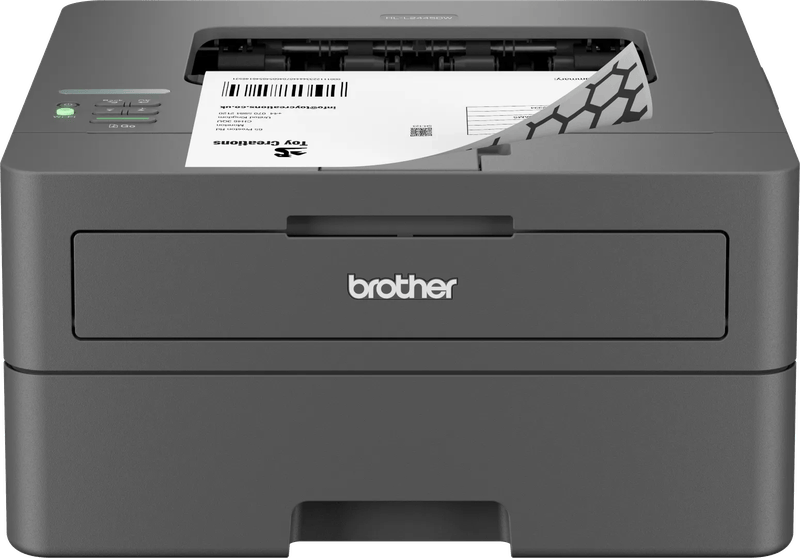
| Brother HL-L2445DW | Mono laser, print only | 32 pages/min, duplex, LAN and Wi-Fi | Anyone who only prints and scans with a phone |
| Brother DCP-L3560CDW | Color LED; print, scan, copy | 26 pages/min, 50-sheet ADF, Gigabit LAN | Color, but irregularly |
| Epson EcoTank ET-2956 | Ink tank; print, scan, copy | 15 pages/min (ISO), no ADF, bottle set 8,500 mono pages | A small entry point with color |
| Epson EcoTank ET-4956 | Ink tank, 4-in-1 with fax | 18 pages/min (ISO), 30-sheet duplex ADF, 250-sheet cassette | Home office with lots of paperwork in color |
| HP Smart Tank 7305 | Ink tank; print, scan, copy | 15 pages/min (ISO), 35-sheet ADF, Ethernet | Anyone who wants to stay with HP, without a subscription |
| Canon MAXIFY GX4050 | Ink tank, 4-in-1 with fax | 35-sheet ADF, 350-sheet paper capacity | Higher share of color |
Brother MFC-L2860DW: the no-fuss workhorse
Fax, duplex printing, a 250-sheet cassette, a 50-sheet document feeder: this monochrome laser has everything a home office needs. Brother states 34 pages per minute, 16 double-sided. Because toner and drum are separate, you only replace what is actually used up. That leaves one serious objection, and it’s called color.
Brother HL-L2445DW: when all you do is print
Same toner, same drum. Missing are the scanner and touch display. In the Brother shop, it costs about half as much as the MFC-L2860DW, and if you scan receipts with your smartphone anyway, this is the right place to save.
Brother DCP-L3560CDW: color that doesn’t dry out
Technically, this color LED machine works like a laser and therefore prints right away even after a long break. It comes with toner for around 1,000 pages per color; according to the manufacturer, the XL cartridges manage 3,000 pages in black and 2,300 per color. Buying four replacement cartridges adds up. It’s a good fit for presentations with a color logo, less so for lots of color pages.
We tested a color laser ourselves in our home office: the Kyocera ECOSYS M5526cdw delivered good print quality, prints double-sided and scans double-sided originals; compatible toners worked well for us. The touchscreen, however, responds sluggishly.
Epson EcoTank ET-2956: small and frugal
As the successor to the ET-2856, it prints, scans and copies, and prints double-sided automatically. According to Epson, one set of bottles lasts 8,500 pages in black and 6,500 in color. Epson itself targets one or two users. There is no document feeder. The paper tray holds only 100 sheets.
Epson EcoTank ET-4956: an ink tank for a real office
Compared with its little brother, it adds fax, Ethernet, a 250-sheet front cassette and a document feeder that captures both sides. According to Epson, ink for 15,100 black and 5,500 color pages is included, counting an extra black bottle. With equal amounts of color and paperwork, this is the more well-rounded compromise than a color laser.
HP Smart Tank 7305: a tank instead of a subscription
HP customers who don’t want Instant Ink end up here. The 7305 offers a 35-sheet feeder, duplex printing, 250 sheets of paper and Ethernet. According to HP, the 135 ml black bottle lasts about 6,000 pages, and each 70 ml color bottle about 8,000. No fax.
Canon MAXIFY GX4050: lots of color, little refilling
According to the data sheet, one black bottle lasts 6,000 ISO pages, and each color bottle 14,000. Fax, a 35-sheet feeder and room for 350 sheets are included, split between a 250-sheet cassette and a 100-sheet rear feed. The model isn’t brand new anymore. But retailers still carry it as new stock.
So which printer is right for me?
- Text, scans, the occasional fax: Brother MFC-L2860DW.
- Print only, small budget: Brother HL-L2445DW.
- Rarely color, but then right away: Brother DCP-L3560CDW.
- Frequent color, lots of paperwork: Epson EcoTank ET-4956 or Canon MAXIFY GX4050.
- Color in little space, no feeder: Epson EcoTank ET-2956.
- HP environment without a subscription: HP Smart Tank 7305.
A printer alone doesn’t make a workspace. For long days at the desk, our articles on the standing desk (in German) and the office monitor (in German) will help.
Frequently asked questions
Laser printer or ink tank for the home office?
Your own printing habits decide. If you print almost only text, and irregularly at that, a monochrome laser belongs on the desk, because toner is a powder and doesn't dry out. If you regularly print text and color, an ink tank is the right choice; according to the manufacturers, one set of bottles lasts several thousand pages.
How do you calculate the cost per printed page?
Divide the price of the replacement cartridge or bottle by the page yield stated by the manufacturer. Epson and HP base their figures on test pages according to ISO/IEC 24711; your own pages with logos, tables and graphics usually use more. With a laser, the drum belongs in the calculation too.
Is a printer subscription such as HP Instant Ink worth it?
According to Stiftung Warentest, Germany's leading consumer testing organization, only if you regularly use up the booked page allowance. Instant Ink bills by page, so an invoice costs as much as a color photo. According to HP, after you cancel, the Instant Ink cartridges stop working at the end of the billing period.
Does third-party ink void the warranty?
Not automatically. According to Stiftung Warentest, neither the manufacturer's warranty nor the statutory warranty expires just because third-party ink was used in the printer. However, if a faulty third-party cartridge causes damage, the manufacturer may refuse to repair it under its voluntary warranty. With HP+, only original cartridges are permitted according to HP.
What features does a home office printer need?
Multi-page contracts can only be scanned conveniently with an automatic document feeder (ADF); without one, every page goes on the glass individually. If government offices or doctors' practices still require a fax, it has to be a 4-in-1 machine. If you scan receipts with your smartphone anyway, a print-only printer such as the Brother HL-L2445DW is enough.
Sources
- Brother: MFC-L2860DW
- Brother: HL-L2445DW
- Brother: DCP-L3560CDW
- Epson: EcoTank ET-2856 (note on successor ET-2956)
- Epson data sheet, EcoTank ET-2956
- Epson data sheet, EcoTank ET-4956
- HP: Smart Tank 7305
- HP: Instant Ink FAQ
- HP: frequently asked questions about HP+
- Alternate (German retailer): Canon MAXIFY GX4050, data sheet (retailer information)
- Stiftung Warentest: updates lock out third-party ink (2021, in German)
- Stiftung Warentest: third-party ink (in German)
Where to buy
- Brother MFC-L2860DWCheck price at Amazon.deCheck price at Amazon.co.ukCheck price at Amazon.nlCheck price at Amazon.com.beCheck price at Amazon.frCheck price at Amazon.itCheck price at Amazon.esCheck price at Amazon.plCheck price at Amazon.seAvailable in Germany: Amazon.de
- Brother HL-L2445DWView at CoolblueAvailable in Germany: CoolblueCheck price at Amazon.deCheck price at Amazon.co.ukCheck price at Amazon.nlCheck price at Amazon.com.beCheck price at Amazon.frCheck price at Amazon.itCheck price at Amazon.esCheck price at Amazon.plCheck price at Amazon.seAvailable in Germany: Amazon.de
- Brother DCP-L3560CDWView at CoolblueAvailable in Germany: CoolblueCheck price at Amazon.deCheck price at Amazon.co.ukCheck price at Amazon.nlCheck price at Amazon.com.beCheck price at Amazon.frCheck price at Amazon.itCheck price at Amazon.esCheck price at Amazon.plCheck price at Amazon.seAvailable in Germany: Amazon.de
- Epson EcoTank ET-2956Check price at Amazon.deCheck price at Amazon.co.ukCheck price at Amazon.nlCheck price at Amazon.com.beCheck price at Amazon.frCheck price at Amazon.itCheck price at Amazon.esCheck price at Amazon.plCheck price at Amazon.seAvailable in Germany: Amazon.de
- Epson EcoTank ET-4956Check price at Amazon.deCheck price at Amazon.co.ukCheck price at Amazon.nlCheck price at Amazon.com.beCheck price at Amazon.frCheck price at Amazon.itCheck price at Amazon.esCheck price at Amazon.plCheck price at Amazon.seAvailable in Germany: Amazon.de
- HP Smart Tank 7305View at CoolblueAvailable in Germany: CoolblueCheck price at Amazon.deCheck price at Amazon.co.ukCheck price at Amazon.nlCheck price at Amazon.com.beCheck price at Amazon.frCheck price at Amazon.itCheck price at Amazon.esCheck price at Amazon.plCheck price at Amazon.seAvailable in Germany: Amazon.de
- Canon MAXIFY GX4050View at CoolblueAvailable in Germany: CoolblueCheck price at Amazon.deCheck price at Amazon.co.ukCheck price at Amazon.nlCheck price at Amazon.com.beCheck price at Amazon.frCheck price at Amazon.itCheck price at Amazon.esCheck price at Amazon.plCheck price at Amazon.seAvailable in Germany: Amazon.de