Contents10 sections
This guide was first published in German on handgetestet.de.
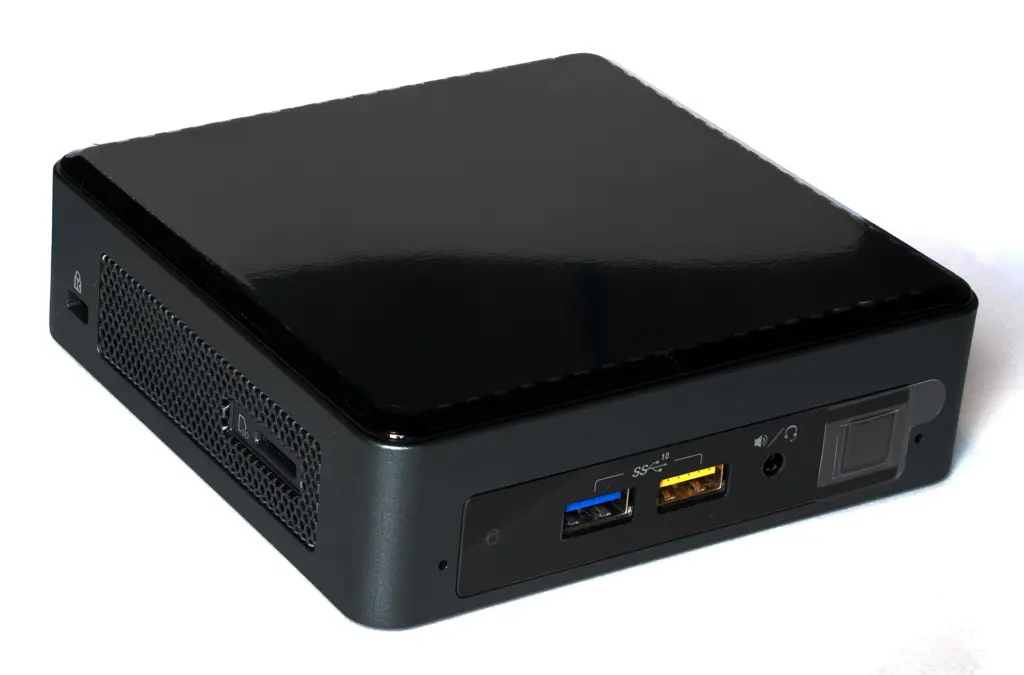
With mini PCs, a purchase rarely fails because of too little performance. Most of the time, the features are the problem. For office work, streaming or a small home server, an energy-efficient device such as the Beelink EQ14 is enough. If you also want to edit photos or connect several monitors, a model with a current Ryzen 7 such as the GEEKOM A8 is the more obvious choice. Anything above that costs noticeably more and needs a specific reason.
This guide covers Windows and Linux mini PCs. We discuss the Mac mini in our comparison of Mac desktops.
A notebook without a screen
Technically, a mini PC is the inside of a notebook, just without the display. That defines both its strengths and its limits.
The processor depends on the task. A four-core Intel N150 is enough for office work, browsing, video playback and services such as a media server or ad blocker. Photo editing, many open programs or virtual machines call for more like eight cores in the Ryzen or Core Ultra class.
There are two designs for RAM. Plug-in SO-DIMM modules can be upgraded later. Soldered LPDDR5x memory is fast but stays the size you bought, forever.
Then the ports. How many monitors should be connected? Do you need USB4 or Thunderbolt for a dock and a fast SSD? Two network ports are handy for router or server projects but usually unnecessary in the office. And if the device runs around the clock as a home server, low power consumption matters more than peak performance.
Be careful with the many listings on Amazon. The same model name often covers different configurations, sometimes even different processors. Compare the exact processor designation, the amount of memory and the number of network ports.
Five mini PCs from frugal to powerful
| Model | Processor | Memory (according to manufacturer) | Special feature | Best for |
|---|---|---|---|---|
| Beelink EQ14 | Intel N150, 4 cores | 16 GB DDR4, 500 GB SSD | Built-in power supply, two LAN ports | Office, home server, media |
| GEEKOM A8 | AMD Ryzen 7 8745HS, 8 cores | 2 × DDR5 slots, up to 64 GB | USB4, SD card reader, up to four monitors | All-rounder for home and office |
| Beelink SER9 Pro | AMD Ryzen 7 H 255, 8 cores | 24 or 32 GB LPDDR5x, soldered | Two SSD slots, microphone and speakers | Home office with video calls |
| Minisforum UM890 Pro | AMD Ryzen 9 8945HS, 8 cores | 2 × DDR5 slots, up to 96 GB | Two 2.5-Gbit LAN, OCuLink, two USB4 | Tinkerers, virtualization, home lab |
| ASUS NUC 15 Pro | Intel Core Ultra 5 225H or 7 255H | 2 × DDR5 slots, up to 96 GB | Two Thunderbolt 4, Wi-Fi 7, also as a kit | Businesses, Linux users, continuous operation |
Beelink EQ14: small, quiet, frugal
Intel’s four-core N150 powers the EQ14, and according to the manufacturer, the power supply sits inside the case. So only one cable runs to the device. Two HDMI outputs handle 4K at 60 hertz, plus there are two network ports, with 1 or 2.5 Gbit/s depending on the version. That covers office work, streaming and a small server with a media library. Photo editing or lots of browser tabs push it to its limits. Buyers report very low power consumption at idle.
GEEKOM A8: lots of performance, upgradeable
An eight-core Ryzen 7 8745HS with Radeon 780M graphics drives the A8. Two slots hold the RAM, up to 64 GB according to GEEKOM. USB4, two HDMI outputs, 2.5-Gbit LAN and an SD card reader cover almost any desk. One weak point remains. There is only one SSD slot, so if you need a lot of storage, choose a large SSD right away.
Beelink SER9 Pro: designed for the home office
The SER9 Pro houses the Ryzen 7 H 255, also with Radeon 780M. Unusually, it has a built-in microphone and speakers, which is quite practical for video calls without a headset. Two SSD slots offer room for plenty of storage. The RAM, on the other hand, is soldered: if you take 24 GB today, you stay at 24 GB. Our advice is therefore 32 GB.
Minisforum UM890 Pro: for tinkerers
Ryzen 9 8945HS, two 2.5-Gbit network ports, two USB4 ports and room for up to 96 GB of RAM. The UM890 Pro is built for users who run virtual machines, containers or a small home lab. According to the manufacturer, an external graphics card can be connected via PCIe 4.0 through the OCuLink port. Minisforum also sells the device as a barebone without memory and SSD. For pure office work, it packs too much technology.
ASUS NUC 15 Pro: the successor to Intel’s NUCs
The NUC line originally came from Intel; ASUS has since taken it over. The NUC 15 Pro runs a Core Ultra 5 225H or Core Ultra 7 255H, along with two Thunderbolt 4 ports, two HDMI 2.1 outputs and Wi-Fi 7. Besides the ready-to-use mini PC with Windows, there are kits without an operating system, for which ASUS explicitly supports Ubuntu 24.04 and Red Hat Enterprise Linux. That gets the attention of businesses and Linux users. In terms of price, it usually sits one class above the Ryzen models from GEEKOM and Beelink.
Is a mini PC suitable as a home server?
It works well for services such as a media server, smart home hub or network-wide ad blocker. As data storage for the whole family, only to a limited extent. There is usually no room for several drives that back each other up. If the main goal is to store photos and backups safely, a NAS is the better device; see our NAS comparison. And since mini PCs are almost always connected to a monitor, our advice on office monitors helps with the workstation.
How we would decide
- Home and office without special requirements: GEEKOM A8. Enough performance for years, upgradeable RAM, USB4. Downside: only one SSD slot.
- Tight budget, office or home server: Beelink EQ14. Costs about half as much and uses little power. Too weak for demanding programs.
- Home office with lots of video calls: Beelink SER9 Pro, but only with 32 GB, as the memory cannot be upgraded.
- Virtualization, home lab, two networks: Minisforum UM890 Pro.
- Business, Linux, Thunderbolt dock: ASUS NUC 15 Pro. More expensive, but with official Linux support.
- Apple users: Mac mini, see our Mac comparison.
Computer and screen in one housing: that is the all-in-one PC; the all-in-one PC guide compares six Windows models.
Frequently asked questions
Which processor is enough for a mini PC?
A four-core Intel N150 is enough for office work, browsing, video playback and services such as a media server or ad blocker. Photo editing, many open programs or virtual machines call for more like eight cores in the Ryzen or Core Ultra class, as in the GEEKOM A8 or the Minisforum UM890 Pro.
Can the RAM in a mini PC be upgraded?
That depends on the design. Plug-in SO-DIMM modules can be upgraded later, as in the GEEKOM A8 up to 64 GB. Soldered LPDDR5x memory is fast but stays the size you bought. In the Beelink SER9 Pro it is soldered, which is why our advice there is 32 GB instead of 24 GB.
Is a mini PC suitable as a home server?
It works well for services such as a media server, smart home hub or network-wide ad blocker; for round-the-clock operation, low power consumption matters. As data storage for the whole family, only to a limited extent, because there is usually no room for several drives that back each other up. For photos and backups, a NAS is the better fit.
What should I look out for when buying a mini PC on Amazon?
The same model name often covers different configurations, sometimes even different processors. So compare the exact processor designation, the amount of memory and the number of network ports before you order.
Which mini PC is suitable for Linux?
The ASUS NUC 15 Pro is available as a kit without an operating system, and ASUS explicitly supports Ubuntu 24.04 and Red Hat Enterprise Linux. It also has two Thunderbolt 4 ports and Wi-Fi 7. In terms of price, it usually sits one class above the Ryzen models from GEEKOM and Beelink.
Which mini PC suits virtualization and a home lab?
The Minisforum UM890 Pro with Ryzen 9 8945HS, two 2.5-Gbit network ports, two USB4 ports and room for up to 96 GB of RAM. According to the manufacturer, an external graphics card can be connected via OCuLink. For pure office work, it packs too much technology.
Sources
- Beelink: EQ14 (N150)
- GEEKOM: A8 Mini PC
- GEEKOM Germany: A8
- Beelink: SER9 Pro (Ryzen 7 H 255)
- Minisforum: UM890 Pro
- ASUS: NUC 15 Pro, technical specifications
Where to buy
- GEEKOM A8Check price at Amazon.deCheck price at Amazon.co.ukCheck price at Amazon.nlCheck price at Amazon.com.beCheck price at Amazon.frCheck price at Amazon.itCheck price at Amazon.esCheck price at Amazon.plCheck price at Amazon.seAvailable in Germany: Amazon.de
- Beelink EQ14 N150Check price at Amazon.deCheck price at Amazon.co.ukCheck price at Amazon.nlCheck price at Amazon.com.beCheck price at Amazon.frCheck price at Amazon.itCheck price at Amazon.esCheck price at Amazon.plCheck price at Amazon.seAvailable in Germany: Amazon.de
- Beelink SER9 ProCheck price at Amazon.deCheck price at Amazon.co.ukCheck price at Amazon.nlCheck price at Amazon.com.beCheck price at Amazon.frCheck price at Amazon.itCheck price at Amazon.esCheck price at Amazon.plCheck price at Amazon.seAvailable in Germany: Amazon.de
- Minisforum UM890 ProCheck price at Amazon.deCheck price at Amazon.co.ukCheck price at Amazon.nlCheck price at Amazon.com.beCheck price at Amazon.frCheck price at Amazon.itCheck price at Amazon.esCheck price at Amazon.plCheck price at Amazon.seAvailable in Germany: Amazon.de
- ASUS NUC 15 ProCheck price at Amazon.deCheck price at Amazon.co.ukCheck price at Amazon.nlCheck price at Amazon.com.beCheck price at Amazon.frCheck price at Amazon.itCheck price at Amazon.esCheck price at Amazon.plCheck price at Amazon.seAvailable in Germany: Amazon.de