Lowest €41.90 (19.11.) · Highest €46.99 (08.11.)
Price watch Logitech R500s at Coolblue
- Today
- €41.90As of 19.11.2026
- Lowest price, 30 days
- €41.90last on 19.11.2026
- Typical price (median), 30 days
- €46.90
- Days measured
- 1208.11.–19.11.2026
Price dropping? We'll let you know
Contents11 sections
This guide was first published in German on handgetestet.de.
A red laser dot on a large TV in the meeting room? In the back row it blurs, and colleagues on the video call do not see it at all. That is exactly what the purchase hinges on. If you speak in front of a screen and projector, a simple laser presenter like the Logitech R500s will serve you well. If you present on displays or in hybrid meetings, you need a digital pointer.
Projection screen, TV or video conference?
A real laser casts light onto the projection surface. On a matte screen, that has worked for decades. On LCD and plasma screens, however, the dot is hard to see, as Logitech itself points out for the R400. A digital pointer works differently: the software draws a spotlight, a magnifier or a frame directly into the image. That way, the highlight also appears on a second monitor and on the shared screen in a conference. If you often present in hybrid meetings, you will find suitable cameras in our webcam guide (in German).
The digital solution comes with one condition. With the Logitech Spotlight 2, the effects only work with the Logi Options+ app, which is available for Windows and macOS. On a tablet or Chromebook, according to the manufacturer, you are left with slide control, cursor and laser. On someone else’s company computer without installation rights, you should expect that.
Range, receiver, power: reading the numbers correctly
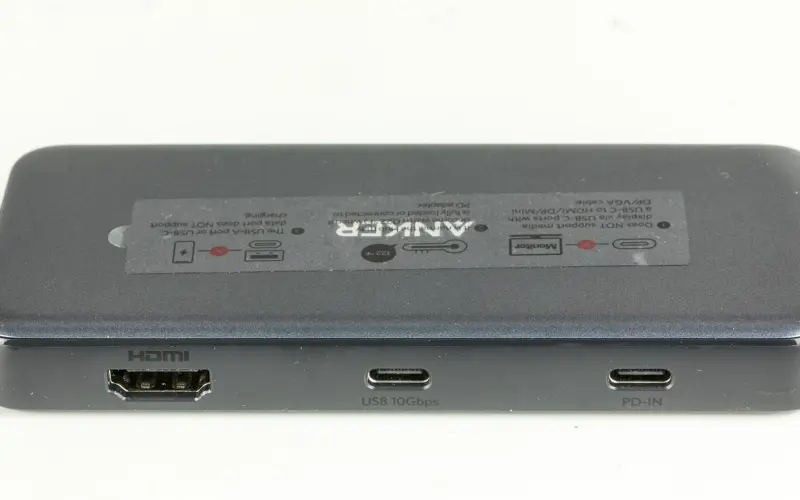
Ranges of 15 to 50 meters sound generous. They apply with a clear line of sight. In a 60-seat seminar room, you will rarely stand more than ten meters from the computer, so the figure is secondary for most rooms. The connection matters more. The Spotlight 2 comes with a USB-C receiver; the other models here plug into USB-A. If you switch between an older conference computer and a new MacBook, plan on an adapter; Kensington explicitly mentions this for newer Macs. Suitable adapters are in our guide to USB-C hubs. Bluetooth helps too, because then the laptop does not need a free port at all.
There are two ways to power them. According to Logitech, batteries last around a year in the R500s and about 13 months in the R400. According to the manual, the Spotlight 2’s rechargeable battery lasts up to 90 days, and one minute of charging provides up to three hours. Sounds convenient. However, Logitech does not include a charging cable; it is sold separately.
Laser class: what it means for your eyes
According to the German Federal Office for Radiation Protection (BfS), consumer laser pointers in the EU may, under the DIN EN 50689 standard, only be class 1 or 2 and have a maximum output of 1 milliwatt. Among other things, the device must show the laser class, output in mW, wavelength in nm, manufacturer or importer, and safety instructions in German. If that is missing, the BfS advises against buying. Its recommendation: class 1, if any. Market surveillance authorities repeatedly find mislabeled pointers with excessive output; in a study commissioned by the BfS, this applied to 3 out of 10 devices.
Green lasers appear brighter at the same output. According to the BfS, however, some emit invisible infrared radiation that can damage the retina; buyers cannot check for themselves whether a device filters it out. For all classes, what Logitech also writes in its safety instructions applies: never point at eyes, not at reflective surfaces, children only under supervision. If your vision is blurry after looking into the beam, see an eye doctor, according to the BfS.
Five presenters side by side
| Model | Range according to the manufacturer | Pointer | Power and wireless | Best for | Offer (affiliate link) |
|---|---|---|---|---|---|
| Logitech R500s | up to 20 m | red laser, under 1 mW | Battery, about 1 year; USB receiver and Bluetooth | Talks with a projector, changing computers | View at CoolblueAvailable in Germany: CoolblueCheck price at Amazon.deCheck price at Amazon.co.ukCheck price at Amazon.nlCheck price at Amazon.com.beCheck price at Amazon.frCheck price at Amazon.itCheck price at Amazon.esCheck price at Amazon.plCheck price at Amazon.seAvailable in Germany: Amazon.de€41.90≈ £34.90≈ CHF 38.73≈ PLN 184.85≈ SEK 466.89≈ DKK 313.18≈ NOK 444.33≈ CZK 1,021.77≈ HUF 15,436≈ RON 224.03≈ ISK 5,740≈ $45.96≈ CA$65.74 at Coolblue · As of 19.11. |
| Logitech Spotlight 2 | up to 30 m | digital effects plus laser | Rechargeable battery, up to 90 days; USB-C receiver and Bluetooth | Hybrid meetings, large screens | Check price at Amazon.deCheck price at Amazon.co.ukCheck price at Amazon.nlCheck price at Amazon.com.beCheck price at Amazon.frCheck price at Amazon.itCheck price at Amazon.esCheck price at Amazon.plCheck price at Amazon.seAvailable in Germany: Amazon.de |
| Logitech R400 | up to 15 m | red laser, class 2 | 2 AAA, about 13 months; USB receiver | Simple slide presentations | View at CoolblueAvailable in Germany: Coolblue€33.99≈ £28.31≈ CHF 31.42≈ PLN 149.96≈ SEK 378.75≈ DKK 254.05≈ NOK 360.45≈ CZK 828.88≈ HUF 12,522≈ RON 181.73≈ ISK 4,657≈ $37.28≈ CA$53.33 at Coolblue · As of 19.11. |
| Kensington Presenter Expert, green laser | up to 50 m | green laser, joystick | Battery; 2.4 GHz receiver | Large halls, mouse control | |
| Targus AMP13EU | up to 15 m | red laser, class 2 | 1 AAA plus spare in the compartment; USB receiver | Occasional talks | Check price at Amazon.deCheck price at Amazon.co.ukCheck price at Amazon.nlCheck price at Amazon.com.beCheck price at Amazon.frCheck price at Amazon.itCheck price at Amazon.esCheck price at Amazon.plCheck price at Amazon.seAvailable in Germany: Amazon.de |
Logitech R500s
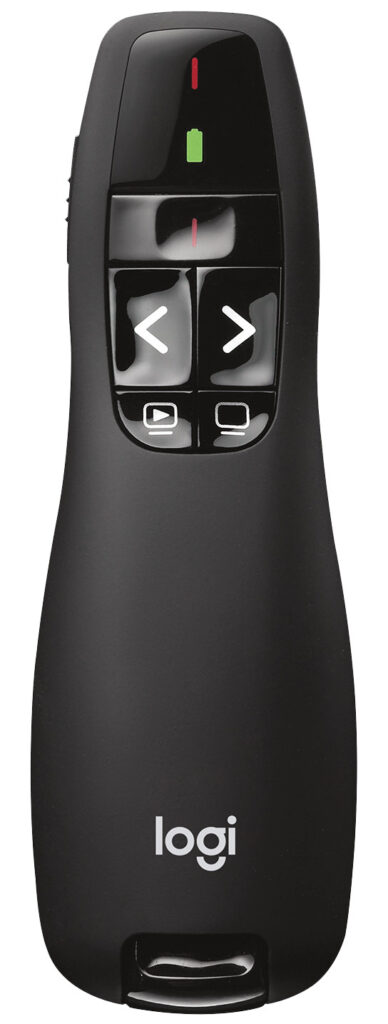
Three buttons, a red laser, the receiver stowed in the housing. The R500s connects via USB receiver or Bluetooth Low Energy and, according to Logitech, reaches up to 20 meters. The manufacturer specifies the wavelength as 640 to 660 nm and the output as under 1 mW. On the class, however, Logitech contradicts itself: the product page says class 1, the technical data sheet in the support section says class 2. If in doubt, check the label on the device.
Logitech Spotlight 2
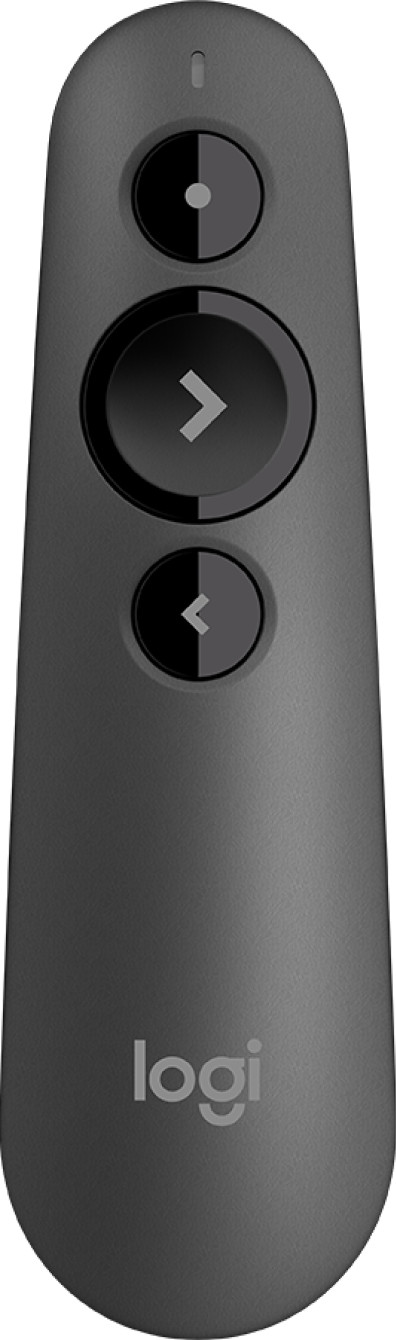
The successor to the 2017 Spotlight arrived in June 2026. It combines both worlds: the highlight button is pressure-sensitive and, when pressed firmly, unlocks spotlight, magnifier, rectangle or pen, confirmed by a vibration. On top of that come a laser via the action button, a vibrating timer and, according to the manual, 30 meters of range. The housing is aluminum and weighs 52.5 grams. Without Options+, little of this remains, and anyone presenting on other people’s computers should know that.
Logitech R400
The R400 is the simplest Logitech. Wireless only via the USB receiver, 15 meters, a red class 2 laser with a maximum continuous output of 1 mW. According to the manufacturer, it runs for around 13 months on two AAA batteries. It needs no software. That is enough for training sessions with a projector. Bluetooth and digital effects are missing.
Kensington Presenter Expert with green laser
The Kensington is aimed at large rooms. According to the manufacturer, its green laser is ten times brighter than a red one, and the data sheet gives the range as up to 50 meters. A switch toggles between slide mode and cursor control, in which a joystick moves the mouse. The buttons are backlit. At 90 grams, it is heavier than the Logitech models. Kensington does not state a laser class online. According to the declaration of conformity, the device meets the laser standard EN 60825-1 and the consumer standard EN 50689, which puts it in class 1 or 2. If you want to avoid the infrared question with green light, choose red.
Targus AMP13EU
A simple wireless presenter with a class 2 red laser, as stated in the user manual. Targus specifies a range of 15 meters over 2.4 GHz. The second battery compartment is handy: a spare battery is included and sits right in the device. The manufacturer’s compatibility list, however, ends at Windows 10 and macOS 10.13. So if you work with Windows 11 or a current Mac, you get no assurance that it will work.
How we would decide
- You speak in front of a screen and projector, sometimes on Windows, sometimes on a Mac: Logitech R500s. A year of battery life, Bluetooth as a backup, no mandatory software.
- You present on large TVs or to participants on a video call: Logitech Spotlight 2, provided Options+ is allowed to run on the computer.
- You only need forward and back for in-house training: Logitech R400 or Targus AMP13EU.
- You stand far from the lectern in a lecture hall and also control the mouse: Kensington Presenter Expert.
One more thought. Logitech explicitly intends the Spotlight 2’s laser for the audience in the room and the digital pointer for viewers on screen. That is exactly what everyday life looks like in meeting rooms where a projector and a TV hang side by side. If you only travel with a mini projector, you do not need this duplication and will get along fine with a red laser.
Frequently asked questions
Does a laser pointer work on a TV?
Barely. On LCD and plasma screens the dot is hard to see, as Logitech itself points out, and participants in a video call do not see it at all. A digital pointer draws a spotlight, magnifier or frame directly into the image, so it also appears on a shared screen.
Which laser class is permitted for presenters?
According to the German Federal Office for Radiation Protection (BfS), consumer laser pointers in the EU may only be class 1 or 2 and have a maximum output of 1 milliwatt. Among other things, the class, output and wavelength must be printed on the device. The BfS recommends class 1, if any, and advises against buying when labeling is missing.
Is a green laser pointer better than a red one?
Green lasers appear brighter at the same output. According to the BfS, however, some emit invisible infrared radiation that can damage the retina, and buyers cannot check whether a device filters it out. If you want to avoid that question, choose red.
How important is a presenter's range?
Secondary for most rooms. Ratings of 15 to 50 meters apply with a clear line of sight; in a 60-seat seminar room, you will rarely stand more than ten meters from the computer. The connection matters more: USB-C or USB-A on the receiver, Bluetooth as a fallback.
What does the Logitech Spotlight 2 require?
Its digital effects only work with the Logi Options+ app for Windows and macOS. On a tablet or Chromebook, according to the manufacturer, you are left with slide control, cursor and laser. According to the manual, the battery lasts up to 90 days, but Logitech does not include a charging cable.
Sources
- German Federal Office for Radiation Protection: Laser pointers (in German)
- Logitech: LED and laser safety information
- Logitech: R500s Laser Presenter
- Logitech Support: R500s technical specifications
- Logitech: Spotlight 2 setup guide (PDF)
- Logitech: Spotlight 2 technical specifications
- Logitech Support: Spotlight 2 with Logi Options+
- Logitech: R400 Wireless Presenter
- Logitech Support: R400 technical specifications
- Kensington: Presenter Expert with green laser
- Kensington: Presenter Expert declaration of conformity (PDF)
- Targus: AMP13EU user manual (PDF)
- Targus: Laser Presentation Remote AMP13EU
Where to buy
 Logitech R500s€41.90≈ £34.90≈ CHF 38.73≈ PLN 184.85≈ SEK 466.89≈ DKK 313.18≈ NOK 444.33≈ CZK 1,021.77≈ HUF 15,436≈ RON 224.03≈ ISK 5,740≈ $45.96≈ CA$65.74 at Coolblue · As of 19.11.View at CoolblueAvailable in Germany: CoolblueCheck price at Amazon.deCheck price at Amazon.co.ukCheck price at Amazon.nlCheck price at Amazon.com.beCheck price at Amazon.frCheck price at Amazon.itCheck price at Amazon.esCheck price at Amazon.plCheck price at Amazon.seAvailable in Germany: Amazon.de
- Logitech Spotlight 2Check price at Amazon.deCheck price at Amazon.co.ukCheck price at Amazon.nlCheck price at Amazon.com.beCheck price at Amazon.frCheck price at Amazon.itCheck price at Amazon.esCheck price at Amazon.plCheck price at Amazon.seAvailable in Germany: Amazon.de
- Logitech R400€33.99≈ £28.31≈ CHF 31.42≈ PLN 149.96≈ SEK 378.75≈ DKK 254.05≈ NOK 360.45≈ CZK 828.88≈ HUF 12,522≈ RON 181.73≈ ISK 4,657≈ $37.28≈ CA$53.33 at Coolblue · As of 19.11.View at CoolblueAvailable in Germany: Coolblue
- Kensington Presenter Expert grüner LaserCheck price at Amazon.deCheck price at Amazon.co.ukCheck price at Amazon.nlCheck price at Amazon.com.beCheck price at Amazon.frCheck price at Amazon.itCheck price at Amazon.esCheck price at Amazon.plCheck price at Amazon.seAvailable in Germany: Amazon.de
- Targus AMP13EUCheck price at Amazon.deCheck price at Amazon.co.ukCheck price at Amazon.nlCheck price at Amazon.com.beCheck price at Amazon.frCheck price at Amazon.itCheck price at Amazon.esCheck price at Amazon.plCheck price at Amazon.seAvailable in Germany: Amazon.de
Still undecided?
Keep comparing at your own pace – every article in this category is checked monthly for new and discontinued models.