Contents12 sections
This guide was first published in German on handgetestet.de.
A laptop cooler is not an air conditioner. It helps where a laptop draws in cool air from below and reaches its limits under sustained load, in other words with a gaming laptop in summer. For that case, we recommend the llano V12 RGB, because it allowed the least temperature rise in a recent measurement series by TechRadar. If, on the other hand, you sit at a desk with an office laptop, what you mainly need is better height and tilt, not more airflow.
Does a cooling pad actually do anything?
The honest answer: sometimes a lot, sometimes nothing at all. In 2020, Notebookcheck had an MSI GP65 with a Core i7 and RTX 2070 run The Witcher 3 for over an hour. With a cooler underneath, the processor dropped on average from 92 to 80 °C and the graphics card from 76 to 70 °C. The editors deliberately chose this device because its bottom panel has particularly large air intakes. For laptops with smaller vents on the bottom, they expected smaller effects.
GameStar came to a sobering result in 2024. A Klim cooler with two 140 mm fans lowered the temperature by just under 1 °C while gaming and by about 2 °C on the Windows desktop, at a room temperature of 28 °C. A passive pad with cooling granules heated up itself.
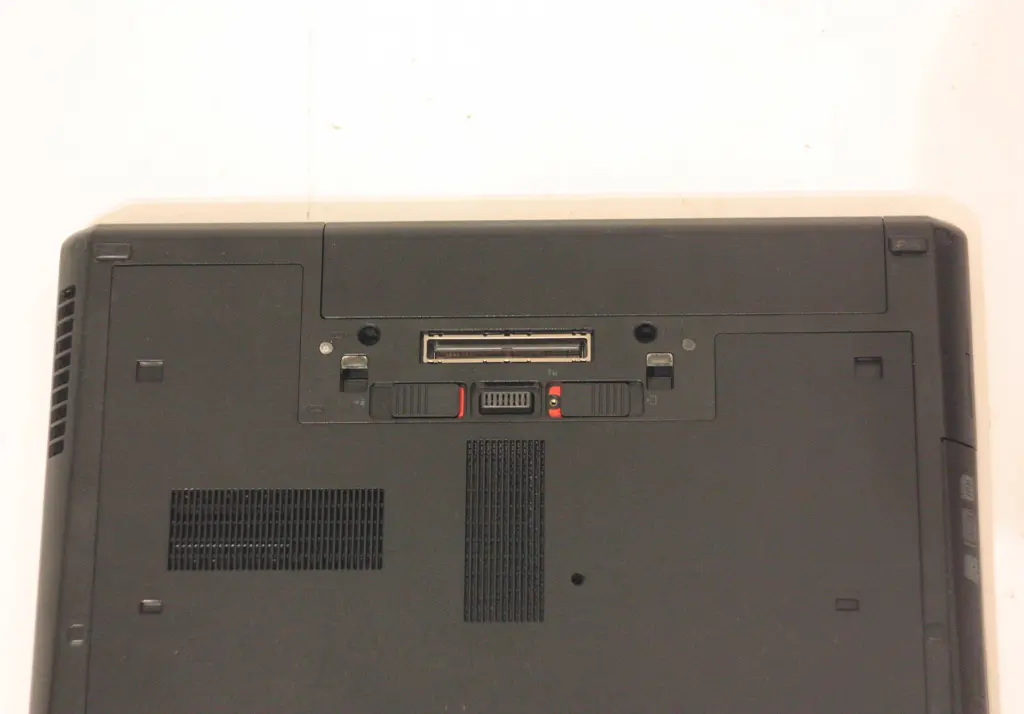
This leads to a simple rule. Turn your laptop over. If you see large vents on the bottom, a cooler can do its job. If the device draws air in from the side or back, the gain stays small.
The type of laptop matters too. In 2026, TechRadar had a fanless MacBook Air M5 convert a 4K video for an hour. On a Klim Ultimate, the estimated processing time dropped from 122 to 114 minutes. With the Acer Predator Helios 300, which has powerful fans of its own, 115 and 113 minutes were almost even.
How loud can cooling be?
With these devices, strong cooling and quiet largely rule each other out. In TechRadar’s measurement series, the Predator Helios 300 heated up by 31.9 °C at its hottest point during the 15-minute 3DMark stress test without a pad. On the llano V12 RGB, it was only 8 °C, on the KLIM Wind 19.5 °C. Measured at head height, the laptop and llano together reached 64 dB, the laptop and KLIM Wind 44 dB. TechRadar therefore considers the llano poorly suited to the office.
Notebookcheck also measured more noise: 59.2 instead of 53.9 dB(A), a good 5 dB more. However, the cooler hummed at a lower pitch than the laptop’s high-pitched fans. Manufacturer figures in dBA, by the way, are only reasonably comparable with each other, not with measured values from tests, because distance and measuring point are missing.
Height, tilt and wrists
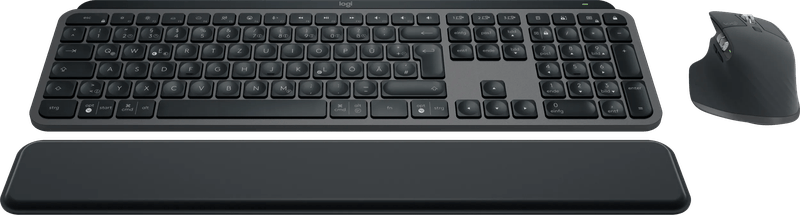
A cooler raises the back of the laptop. That brings the screen up a little but also tilts the keyboard. With two models, TechRadar was bothered by the laptop stoppers at the front, which sit right under the heels of your hands. Several height settings help. For longer work sessions, it is still not enough. According to the DGUV (German Social Accident Insurance), laptops used regularly at an office workstation must meet the same requirements as a fixed computer workstation. As a way to get there, it names an external keyboard and mouse and, if needed, an additional monitor. You will find suitable combinations in our guide to keyboard and mouse sets. If you only care about screen height, a laptop stand (in German) is the calmer solution.
Six laptop coolers at a glance
llano V12 RGB
A single 140 mm fan at up to 2,800 rpm, a foam surface and three height settings. In TechRadar’s measurements, it allowed the least temperature rise. In return, it is loud. The power cable plugs in on the right, which can get tight if your outlet is on the left. Its smaller sibling, the V10, came in at a 12 °C rise and 57.5 dB in the same test.
llano V12 Ultra
The Ultra version connects to the laptop via USB-C and can be controlled with the Myth.Cool software, which displays CPU and GPU temperatures. In June 2026, WinFuture measured about 10 °C less at the CPU on a Chuwi Gamebook at 32 °C in the sun. At high settings, the device was clearly audible. It makes sense if you would rather set the fan curve on screen than with a dial.
Thermaltake Massive Extreme
Thermaltake relies on a 120 mm cross-flow fan with 800 to 3,500 rpm, 48.5 CFM of airflow and an air chamber under the laptop sealed with foam. A sensor shows the temperature on a small display. Three USB 2.0 ports, one USB-C port and a washable bottom filter round it out. The manufacturer itself states 55 dB(A). People in the office next door will hear that.
Cooler Master NotePal ErgoStand IV
More of a stand than a high-performance cooler. Five height settings, a 140 mm fan with 700 to 1,400 rpm and a maximum of 29 dBA according to Cooler Master, plus four USB 2.0 ports. Power comes via USB; according to the data sheet, the pad draws 1 watt. For laptops up to 17 inches.
Cooler Master NotePal U2 Plus V2
Two 80 mm fans can be moved along the aluminum frame until they sit under your laptop’s intakes. That is exactly what rigid models lack. Cooler Master states 21 dBA and 0.57 kg. The single USB port is only for power; there is no pass-through.
KLIM Wind
Four fans at up to 1,200 rpm, blue LEDs, a fixed tilt of 16 degrees. TechRadar praised the low noise but rated the cooling at the bottom end of the test field and found the housing rather lightweight and plastic. If you only want to relieve a lukewarm office laptop, it will do. For a gaming laptop under full load, it is not enough based on these measurements.
How we would decide
- Gaming laptop with large intakes on the bottom, noise doesn’t matter: llano V12 RGB.
- You want to control fans and temperature via software: llano V12 Ultra.
- Mouse, headset and storage should plug into the cooler, temperature display wanted: Thermaltake Massive Extreme.
- Workstation, screen height matters more than degrees: Cooler Master ErgoStand IV.
- Intakes in unusual places, quiet matters: Cooler Master U2 Plus V2.
And one more word on maintenance. ASUS advises never blocking vents, keeping clear of the slots and not using laptops on a sofa, cushion or bed. Clean the device while it is switched off and unplugged, using compressed air spray instead of a compressor, because too much pressure can damage the fan blades. Which laptops have enough cooling reserves of their own is covered in our guide to gaming laptops (in German).
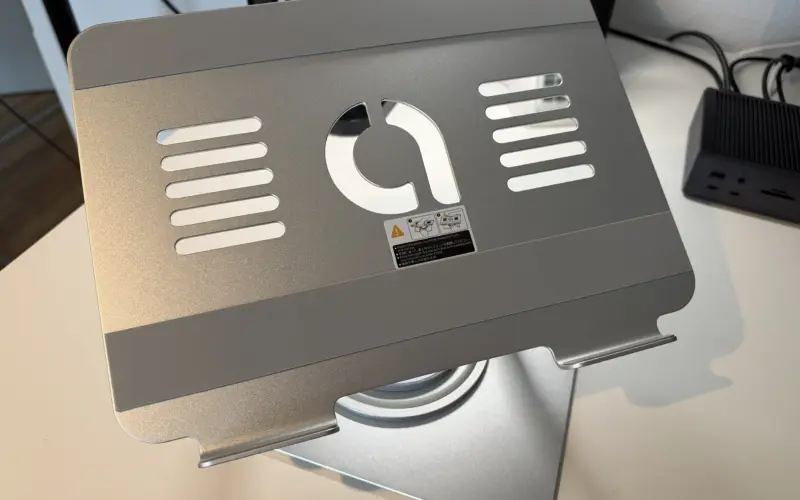
We use a stand that raises, tilts and rotates the laptop ourselves: review of the Lamicall aluminum laptop stand.
Frequently asked questions
Does a laptop cooler actually do anything?
Sometimes a lot, sometimes hardly anything. At Notebookcheck, the CPU temperature of an MSI GP65 with a cooler dropped on average from 92 to 80 °C, but that laptop has especially large air intakes on the bottom. In 2024, GameStar measured only just under 1 °C less while gaming with a Klim cooler.
How can you tell whether a laptop will benefit from a cooler?
Turn the laptop over. If you see large vents on the bottom, a cooler can do its job. If the device draws air in from the side or back, the gain stays small. Notebookcheck also expected smaller effects on laptops with smaller vents on the bottom than on its test unit.
How loud are laptop coolers?
Strong cooling and quiet largely rule each other out. At head height, TechRadar measured 64 dB with a laptop on the llano V12 RGB and 44 dB with the KLIM Wind. Notebookcheck measured 59.2 instead of 53.9 dB(A) with a cooler. Manufacturer figures in dBA are only reasonably comparable with each other.
Which laptop cooler is quiet?
According to the manufacturer, the Cooler Master NotePal U2 Plus V2 with two movable 80 mm fans comes in at 21 dBA, and the ErgoStand IV at a maximum of 29 dBA. TechRadar praised the KLIM Wind for its low noise but rated its cooling at the bottom end of the test field.
Does a laptop cooler replace an ergonomic workstation?
No. It raises the back of the laptop but also tilts the keyboard. According to the DGUV (German Social Accident Insurance), laptops used regularly at an office workstation must meet the same requirements as a fixed computer workstation, for example with an external keyboard and mouse. If it is only about screen height, a laptop stand is the calmer solution.
How do you clean a laptop's fans?
ASUS advises cleaning the device while it is switched off and unplugged, and using compressed air spray instead of a compressor, because too much pressure can damage the fan blades. Vents should never be blocked, and laptops should not be used on a sofa, cushion or bed.
Sources
- TechRadar: Comparative measurement of laptop coolers (August 2026)
- TechRadar: llano V12 RGB review
- TechRadar: KLIM Wind review
- WinFuture: llano V12 Ultra review
- Notebookcheck: How well does a laptop cooling pad work?
- GameStar: Does a laptop cooler really help?
- Thermaltake: Press release on the Massive Extreme
- Cooler Master: NotePal ErgoStand IV
- Cooler Master: NotePal U2 Plus V2
- ASUS Support: Overheating and fan problems
- DGUV Information 215-410: Computer and office workstations (German Social Accident Insurance)
Where to buy
- llano V12 RGBCheck price at Amazon.deCheck price at Amazon.co.ukCheck price at Amazon.nlCheck price at Amazon.com.beCheck price at Amazon.frCheck price at Amazon.itCheck price at Amazon.esCheck price at Amazon.plCheck price at Amazon.seAvailable in Germany: Amazon.de
- llano V12 UltraCheck price at Amazon.deCheck price at Amazon.co.ukCheck price at Amazon.nlCheck price at Amazon.com.beCheck price at Amazon.frCheck price at Amazon.itCheck price at Amazon.esCheck price at Amazon.plCheck price at Amazon.seAvailable in Germany: Amazon.de
- Thermaltake Massive ExtremeCheck price at Amazon.deCheck price at Amazon.co.ukCheck price at Amazon.nlCheck price at Amazon.com.beCheck price at Amazon.frCheck price at Amazon.itCheck price at Amazon.esCheck price at Amazon.plCheck price at Amazon.seAvailable in Germany: Amazon.de
- Cooler Master NotePal ErgoStand IVCheck price at Amazon.deCheck price at Amazon.co.ukCheck price at Amazon.nlCheck price at Amazon.com.beCheck price at Amazon.frCheck price at Amazon.itCheck price at Amazon.esCheck price at Amazon.plCheck price at Amazon.seAvailable in Germany: Amazon.de
- Cooler Master NotePal U2 Plus V2Check price at Amazon.deCheck price at Amazon.co.ukCheck price at Amazon.nlCheck price at Amazon.com.beCheck price at Amazon.frCheck price at Amazon.itCheck price at Amazon.esCheck price at Amazon.plCheck price at Amazon.seAvailable in Germany: Amazon.de
- KLIM WindCheck price at Amazon.deCheck price at Amazon.co.ukCheck price at Amazon.nlCheck price at Amazon.com.beCheck price at Amazon.frCheck price at Amazon.itCheck price at Amazon.esCheck price at Amazon.plCheck price at Amazon.seAvailable in Germany: Amazon.de
Still undecided?
Keep comparing at your own pace – every article in this category is checked monthly for new and discontinued models.