This review was first published in German on handgetestet.de.
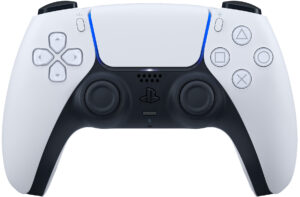
The DualSense is the standard controller of the PlayStation 5 and comes with every console. For this review, we used two units on the same PS5 over a long period, with normal, occasional use and no intensive competitive gaming. So the focus was less on first impressions and more on how well the controller stands the test of time. Our rating: three out of five stars.
The controller under test
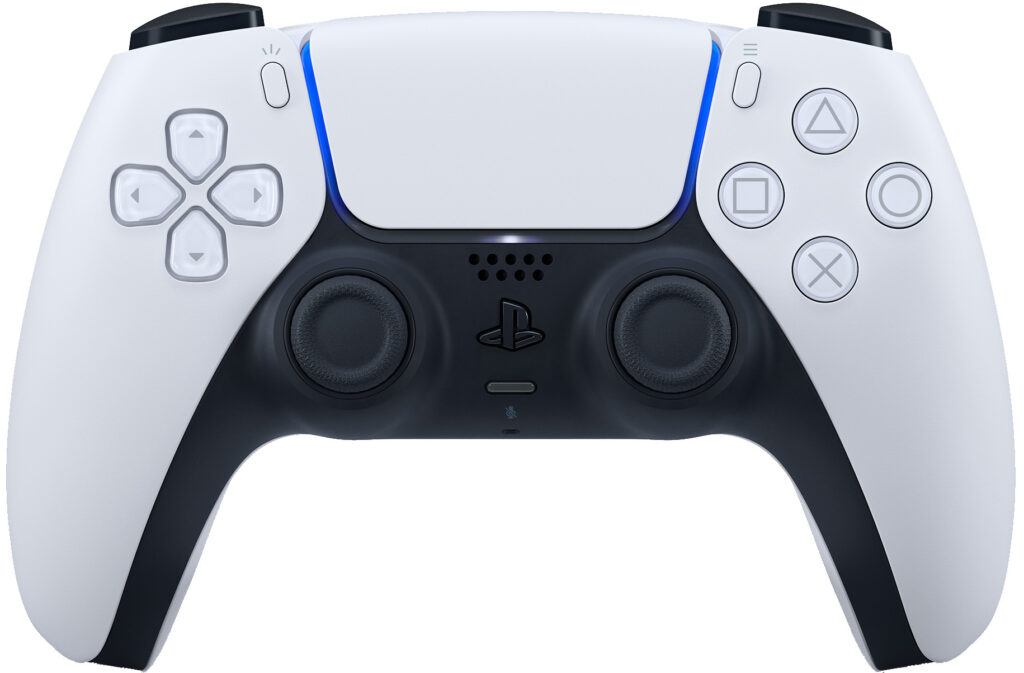
Under test: two Sony DualSense Wireless Controllers for the PlayStation 5. The controller connects to the console via Bluetooth or a USB-C cable and charges over USB-C. Besides the familiar PlayStation buttons, it has a touchpad, a light bar, a built-in microphone and a headphone jack for headsets. Its two special features are haptic feedback, where according to Sony two actuators replace the classic rumble motors, and the adaptive triggers, which build up different amounts of resistance depending on the game. Both only work if the game in question supports them. According to Sony, a USB cable is not included with the controller when bought separately.
Buttons without a single failure
The buttons proved themselves over the entire test period. Not a single button failed on either controller. Shoulder buttons, triggers, D-pad and action buttons still work reliably on both units to this day.
Stick drift on one controller
Within the warranty period, one of the two controllers showed the fault known as stick drift: an analog stick no longer returned cleanly to the center position and reported movement to the console even though nobody was touching it. In a platformer, the character kept running in one direction, making controlled play impossible. The warranty claim went smoothly, and the controller was replaced.
A known problem
This is not an isolated case. In February 2021, a US law firm filed a class action lawsuit against Sony that classifies the drift of the DualSense sticks as a defect, as PC Gamer, among others, reported. Shortly afterwards, the repair platform iFixit took the controller apart and named the potentiometers in the sticks as the main cause: sliding contacts that wear with every movement. Add to that springs that weaken over time, which return the stick to the center, and dust getting inside. According to iFixit, the supplier specifies a lifespan of two million movement cycles for the potentiometers.
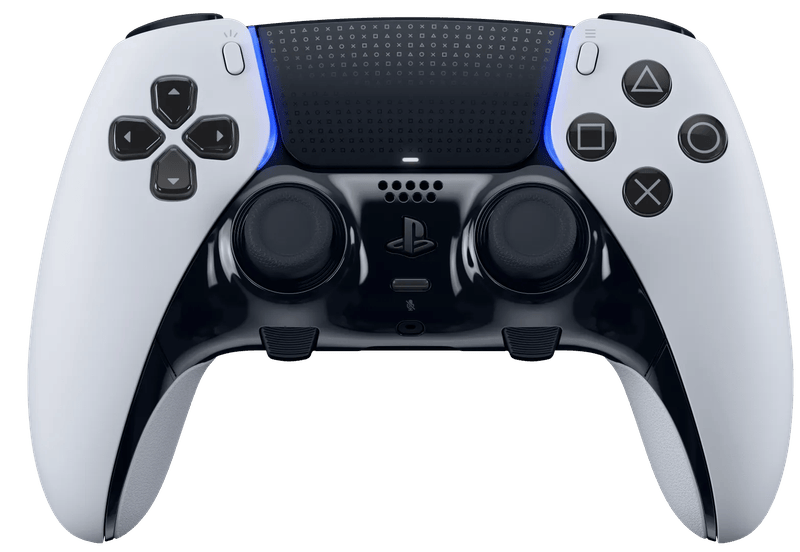
To this day, the problem has not been solved in the production model. In July 2026, Notebookcheck reported on a Sony patent for sticks that detect tilt without contact. Whether and when this will become a product remains open. Some controllers from other manufacturers already use Hall effect or TMR sensors that work without sliding contacts. Sony’s own DualSense Edge relies on replaceable stick modules, but costs about three times as much.
Torn stick caps
The second weak point affects both controllers: on one stick of each, the rubberized coating of the stick cap has come loose or torn, even though the controllers were used normally and not handled roughly. The cap is where your thumb rests all the time. That the coating gives way there with normal use is more wear than we would have expected from a controller in this price range.
Specifications
Data from Sony, taken from the manual for model CFI-ZCT2W and from playstation.com, as of November 18, 2026. We did not measure them ourselves.
| Model | Sony DualSense Wireless Controller, current production CFI-ZCT2W |
|---|---|
| Connection | Bluetooth (2.4 GHz) or USB-C cable |
| Battery | Lithium-ion, built-in, 3.65 V, 1,560 mAh |
| Charging | USB-C, 5 V, 1,500 mA |
| Operating temperature | 5 to 35 °C |
| Weight | approx. 280 g |
| Dimensions (W × H × D) | approx. 160 × 66 × 106 mm |
| Features | haptic feedback, adaptive triggers, touchpad, light bar, microphone, headphone jack |
| Compatible with | PS5, plus PC, Mac, iPhone and iPad |
| In the box | Controller, no USB cable |
Our verdict
Functionally, the DualSense delivers what you expect from the PS5’s standard controller, and for its price a better alternative is hard to find. The buttons on both units survived the long test period without a single failure. The durability of the sticks, on the other hand, is disappointing: one controller with stick drift within the warranty period, torn stick caps on both, and all that with normal, occasional use. If you buy a DualSense, keep your proof of purchase and use the warranty or your statutory rights under consumer law at the first signs of drift. We award three out of five stars.
Our guide Controllers for PC and smartphone compares more controllers for PC, phone and console, and the guide PS5 accessories shows useful add-ons for the console.
Are you a manufacturer or retailer and would like us to test your product? Offer a product for testing (in German).
Frequently asked questions
What is stick drift on the DualSense?
The analog stick no longer returns cleanly to the center and registers movement even though nobody is touching it. The character or camera then moves on its own. Worn potentiometers in the sticks are considered the main cause.
What should I do about stick drift during the warranty period?
File a claim with the retailer or with Sony and keep your proof of purchase ready. In our test, the affected controller was replaced under warranty without any trouble.
Does the DualSense come with a charging cable?
According to Sony, the controller sold on its own does not include a cable. It charges via USB-C, for example with the PS5's cable or a separate charging station.
Does the DualSense work with PC, Mac and iPhone?
Yes, according to Sony via Bluetooth or USB-C with PC, Mac, iPhone and iPad. Haptic feedback and adaptive triggers require a game that supports them and in some cases a wired connection.
Is there a DualSense with more durable sticks?
Sony's DualSense Edge has replaceable stick modules, but costs about three times as much. Some controllers from other manufacturers use Hall effect or TMR sensors without sliding contacts.
Conclusion
The DualSense delivers what you expect from the PS5's standard controller and is hard to beat for its price. The buttons on both test units held up without a single failure. However, one controller developed stick drift within the warranty period, and on both the rubber coating of one stick cap tore – with normal, occasional use. The durability of the sticks is disappointing. Three out of five stars.
Where to buy
- Sony DualSense Wireless Controller (Weiß)View at CoolblueAvailable in Germany: CoolblueCheck price at Amazon.deCheck price at Amazon.co.ukCheck price at Amazon.nlCheck price at Amazon.com.beCheck price at Amazon.frCheck price at Amazon.itCheck price at Amazon.esCheck price at Amazon.plCheck price at Amazon.seAvailable in Germany: Amazon.de
Still undecided?
Keep comparing at your own pace – every article in this category is checked monthly for new and discontinued models.
Share this review
For manufacturers and retailers: embed the review seal
Do you make or sell this product? Then you can show the seal for this review on your website. It links to this review. Embedding is free of charge.


Please embed the code unchanged. The seal applies only to this product and this review. Terms of use and embedding notes