Contents12 sections
This guide was first published in German on handgetestet.de.
Which router is right for you depends on the line that comes into your home, not on the biggest number on the box. On a DSL connection, we recommend the FRITZ!Box 7690: Wi-Fi 7, a base station for cordless phones, two 2.5-gigabit ports and supervectoring up to 300 Mbps in one device. If you want to spend less, the new FRITZ!Box 7630 gives you the same phone features with narrower Wi-Fi. With fiber in the basement, the 5690 series is the one to look at; on a cable connection, the 6690 Pro or the less expensive 6670 Cable.
Many people buy the other way around. First the fastest Wi-Fi, then the question of the wall socket. A TP-Link router with more than 9 Gbps of wireless throughput will still stay silent on a phone line, because it lacks a DSL modem. That is why this comparison separates routers with a built-in modem from pure routers that need a modem in front of them.
First the socket on the wall, then the Wi-Fi
DSL: the modem has to be built in
On a phone line, the router needs a built-in VDSL modem. The fastest DSL plans run on supervectoring, technically VDSL2 with profile 35b. FRITZ! does not quote more than 300 Mbps for supervectoring, and that is exactly why the Wi-Fi on this kind of connection does not need to reach double-digit gigabit figures. Two fast bands are enough.
There is one special case. Some providers run fiber into the basement and bring the signal into the apartments over the existing phone line using G.fast. FRITZ! builds dedicated variants for this, the 7682 and the new 7632. Whether your connection uses G.fast is stated in your contract or your login details. If nothing about it is mentioned there, you do not need it.
Cable: DOCSIS instead of DSL
On the coaxial connection of a cable network, the same principle applies with different technology. Both current FRITZ! cable boxes support DOCSIS 3.1, the standard that lets cable networks deliver gigabit speeds. Alternatively, the provider’s device stays in place as a pure modem, and a router without a modem is connected behind it with a network cable. That works. But it costs you a second power outlet, a second power supply and setting things up twice.
Fiber: with or without the provider’s modem
There are two routes here. If the provider installs a fiber modem (ONT) next to the connection socket, any router with a fast WAN port will do, including one from TP-Link, ASUS or Netgear. Or the FRITZ!Box takes over the modem role as well: the 5690 and 5690 Pro take the fiber cable directly via an SFP module, for the AON and GPON network types.
The differences are quickly explained. With AON, each household gets its own fiber to the distribution point; with GPON, several households share one fiber via passive splitters, according to FRITZ! at up to 2.5 Gbps. XGS-PON is the next level, with up to 10 Gbps. For this, there is a dedicated FRITZ!Box 5690 XGS. Otherwise, in such networks the provider’s ONT stays in front, and the 2.5-gigabit port of another box takes over. Your provider can tell you which type you have.
Mobile networks: when no line is available
In a new development without a connection or in a vacation home, there is the mobile network, with dedicated routers for the SIM card. What matters there is covered in our 5G router guide. For hotel rooms and RVs, a small travel router (in German) is a better fit.
Router with a modem or router behind the modem?
A router with a built-in modem connects directly to the socket and completely replaces the provider’s device. In Germany, this is mainly FRITZ!Box territory, along with Deutsche Telekom’s Speedport. The devices from ASUS, TP-Link, Netgear and Ubiquiti in this comparison are pure routers without a modem. They need a device in front of them: the fiber modem, a cable modem or a DSL modem.
A DSL modem that works with all providers is therefore a common question. The answer is unspectacular. A modem with VDSL2 and supervectoring basically works with any DSL provider once the login credentials have been entered. For the 7690, FRITZ! explicitly also lists Telekom’s Annex J connections.
When is the detour via two devices worth it? When an ONT is already on the wall anyway. Then only the WAN port matters, and pure routers often bring more fast ports, 10-gigabit connections or an SFP+ slot for a fiber cable to the switch. If you make cordless calls over your landline, however, you then need a separate DECT base station, except with the FRITZ!Box 4630.
Can I simply replace my provider’s router?
Yes. Under Section 73 of the German Telecommunications Act (TKG), the public network ends at a passive network termination point, meaning at the wall socket and not at the router. Providers may supply their own devices but may not make their use mandatory. They must hand over login credentials and the necessary information free of charge in text form.
For fiber, several industry associations had applied to move the network termination point behind the fiber modem. On January 22, 2025, the Bundesnetzagentur, Germany’s Federal Network Agency, rejected this and declared that the free choice of terminal equipment also applies in passive optical fiber networks. An objection was filed against the decision; according to the agency, this does not affect the validity of Section 73 (1). What this means in everyday life, from handing over login credentials to dealing with outages, is covered in our guide your own router or a rented device (in German).
Whether buying pays off is shown by a simple calculation: the monthly rental fee times the planned period of use, next to the purchase price. The longer you keep the connection, the more the calculation favors buying, because the rental fee keeps running even after the price of your own device would long have been reached. Rented devices do have a real advantage: if the box fails, the provider replaces it. With your own device, you are responsible yourself, but in return you keep control over updates and settings.
Wi-Fi 6, 6E and 7: what the numbers on the box mean
„BE19000,“ „up to 12.2 Gbps,“ „18.5 Gbps tri-band.“ Figures like these add up the theoretical maximum rates of all wireless bands. No smartphone reaches them, because it usually uses one band, with two antennas instead of four. More meaningful is the figure per band and whether the band is even included.
Wi-Fi 6E opened up the 6 GHz band, which the Bundesnetzagentur released in Germany in July 2021: 480 MHz of additional spectrum from 5,945 to 6,425 MHz. That does not beat physics. Higher frequencies pass through walls less well. 6 GHz is a band for the room with the router and the room next door.
Wi-Fi 7 adds three things. Channels 320 MHz wide, in the 6 GHz band according to the Wi-Fi Alliance, double the possible throughput compared with Wi-Fi 6. In Germany, exactly one such channel fits into the 480 MHz. According to the Wi-Fi Alliance, 4K-QAM modulation brings around 20 percent more than Wi-Fi 6’s 1024-QAM, but only with a very good signal. And Multi-Link Operation, MLO for short, lets a device use several bands at the same time, which above all makes the connection more stable when one of them is disrupted.
What follows from this? A Wi-Fi 7 router without 6 GHz, such as the FRITZ!Box 7690, the 7630 or the Speedport 7, uses channels at most 160 MHz wide in the 5 GHz band. For a DSL connection with up to 300 Mbps, that is more than enough. Only if you have gigabit fiber, move data between a NAS and computer on your home network and own new devices with 6 GHz will you notice the third band.
Phone, smart home and ports: the underrated fine print
Every current box has a DECT base station that, according to FRITZ!, can register up to six cordless phones, plus a built-in answering machine and fax. According to Deutsche Telekom, the Speedport 7 accepts up to five handsets. Which phones go with them, including models with large buttons, is covered in our DECT phone guide (in German).
For an old corded phone or a fax machine, the analog port matters, often called a/b or FXS. According to the data sheets, the 7690 and the 6690 Pro have two of them, the 7630 and 4630 only one. ISDN systems are a chapter of their own. The data sheets of the new boxes no longer list an ISDN port for phone systems. Older systems will only keep working if they support SIP or have an analog connection.
In the smart home, there are three wireless worlds. DECT ULE is used by FRITZ!’s own thermostats, smart plugs and buttons, and every current FRITZ!Box supports it. Zigbee, which many lamps and sensors from other brands speak, is built into the 5690 Pro, the 6670 Cable, the 6690 Pro and the announced 7-90. Matter, finally, connects devices across brands with Apple Home, Google Home or Amazon Alexa. With FRITZ!OS 8.50, the 5690 Pro can be used as a Matter bridge, according to FRITZ!. FRITZ! does not list Thread radio, which many new Matter devices use, for any box. For that, you still need a separate Thread node, which some smart speakers and TV boxes include.
The network ports deserve a second look. A gigabit port manages just under 1 Gbps and is enough for almost everything that comes over the internet. A 2.5-gigabit port becomes interesting if your connection delivers more than 1 Gbps or there is a NAS on your home network. 10 gigabits, as on the ASUS RT-BE88U, TP-Link Archer BE800 or Netgear RS600, is needed almost only by households with a fast switch and computers that have 10-gigabit cards themselves.
All FRITZ!Boxes and most pure routers have a USB port. It turns a hard drive into a simple network drive, and some devices also accept a mobile broadband stick as a backup line. It does not replace a real NAS. The UniFi gateways do not have one.
Updates, VPN, parental controls: how to spot a good manufacturer
A router is connected to the internet around the clock. And it often stays in use longer than any smartphone. That is why the update policy matters more than any wireless rate.
FRITZ! is one of the few to publish a list with minimum dates. For the 7690, 7630, 5690, 5690 Pro, 4630, 6670 Cable and 6690 Pro, it lists updates until at least January 1, 2033, and for the older 7590 AX until early 2032. The older 7490 has had no commitment since October 2025. If you are still running one, you should consider replacing it. Deutsche Telekom promises at least five years of software updates for the Speedport 7. ASUS, TP-Link, Netgear and Ubiquiti do not state a period on their product pages.
And the BSI? The Technical Guideline TR-03148 for secure broadband routers from Germany’s Federal Office for Information Security was the basis for the IT security label in the router category. Since October 2024, the European standard ETSI TS 103 848 has applied instead. The label is a manufacturer’s declaration monitored by the BSI, not a lab test. It is currently carried mainly by routers for business customers, for example from LANCOM. For the common home routers in this comparison, we found no label at the BSI (as of 11/14/2026). That is not a security flaw, just a missing certification.
For VPN, WireGuard has prevailed because it is fast and can be set up on a smartphone with a QR code. According to its data sheet, the FRITZ!Box 7690 supports it alongside IPSec; ASUS and Ubiquiti list WireGuard and OpenVPN, as does TP-Link for the Archer BE230. For the Speedport 7, Deutsche Telekom has announced WireGuard via an update.
Parental controls are where the business models diverge. FRITZ! includes time quotas and filters in FRITZ!OS at no extra cost, and version 8.50 added a DNS filter against advertising, tracking and phishing addresses. According to its own advertising, ASUS provides a permanently free license for AiProtection with parental controls. At TP-Link, HomeShield is free in its basic version, while the Pro tier costs extra. Netgear includes Armor by Bitdefender only for a trial period, after which a subscription follows. At Deutsche Telekom, Protect Home is part of the paid Wi-Fi packages. If you have children at home, it is best to factor in the subscription from the start.
Then there is power. According to FRITZ!, the FRITZ!Box 7690 draws 12 to 13 watts on average, and the announced 7-90 around 12 watts. Over a year, that comes to about 105 to 115 kilowatt hours. Ubiquiti only gives maximum values, 26 watts for the Dream Router 7. If you want the router to keep running during a power outage, for example for the phone, you will find the right size in our UPS guide.
When one device is not enough
The router sits where the socket is, in the worst case in the basement. In a two-room apartment of 60 m², one device is almost always enough.
In an older building with thick brick walls or in a townhouse over three floors, things look different. There, an even more powerful router does not help; a second access point does. How a mesh system spreads the network across several devices is explained in detail in our article on mesh Wi-Fi. If it is only about a single dead spot in the bedroom, a Wi-Fi repeater (in German) is often enough. If there is already a network cable in the house, a wired access point (in German) is the most stable solution. How the FRITZ!Repeater 1610 Outdoor performs on the patio and in the garden is shown in our review.
All routers in this comparison support mesh, but each within its own system: FRITZ! calls it Mesh, TP-Link relies on EasyMesh, ASUS on AiMesh, Deutsche Telekom on its own Speedport extenders, and Ubiquiti on UniFi access points. The simplest approach remains taking the router and the additional devices from the same brand.
Seven routers with a built-in modem
Specifications according to the manufacturers, as of November 14, 2026.
| Model | Connection | Wi-Fi according to manufacturer | Phone and smart home | Network | Updates until at least |
|---|---|---|---|---|---|
| FRITZ!Box 7690 | VDSL with supervectoring up to 300 Mbps, ADSL2+ | Wi-Fi 7, 2.4 and 5 GHz, 4×4, up to 1,376 and 5,760 Mbps | DECT for 6 phones, 2× analog, DECT ULE | 2× 2.5 Gbps, 2× 1 Gbps, USB 2.0 | 01/01/2033 |
| FRITZ!Box 7630 | VDSL with supervectoring up to 300 Mbps | Wi-Fi 7, 2.4 and 5 GHz, 2×2, up to 688 and 2,880 Mbps | DECT for 6 phones, 1× analog, DECT ULE | 1× 2.5 Gbps, 3× 1 Gbps, USB 3.0 | 01/01/2033 |
| FRITZ!Box 5690 Pro | Fiber AON and GPON via SFP, plus VDSL | Wi-Fi 7, 2.4, 5 and 6 GHz | DECT for 6 phones, Zigbee, Matter bridge | 1× 2.5 Gbps, 4× 1 Gbps | 01/01/2033 |
| FRITZ!Box 5690 | Fiber AON and GPON or behind an ONT | Wi-Fi 7, 2.4 and 5 GHz | DECT for 6 phones | 2× 2.5 Gbps, 2× 1 Gbps | 01/01/2033 |
| FRITZ!Box 6690 Pro | Cable, DOCSIS 3.1 | Wi-Fi 7, 2.4, 5 and 6 GHz, up to 688, 5,760 and 5,760 Mbps | DECT for 6 phones, 2× analog, Zigbee | 1× 2.5 Gbps, 3× 1 Gbps, 2× USB 3.0 | 01/01/2033 |
| FRITZ!Box 6670 Cable | Cable, DOCSIS 3.1 | Wi-Fi 7, 2.4 and 5 GHz, up to 2,880 Mbps at 5 GHz | DECT for 6 phones, Zigbee | 1× 2.5 Gbps, 4× 1 Gbps | 01/01/2033 |
| Telekom Speedport 7 | VDSL, ADSL and fiber, no cable | Wi-Fi 7, 2.4 and 5 GHz, up to 6,760 Mbps combined | DECT for 5 phones, 2 phone ports | 1× 2.5 Gbps, 3× 1 Gbps, USB 3.0 | at least 5 years according to Telekom |
FRITZ!Box 7690
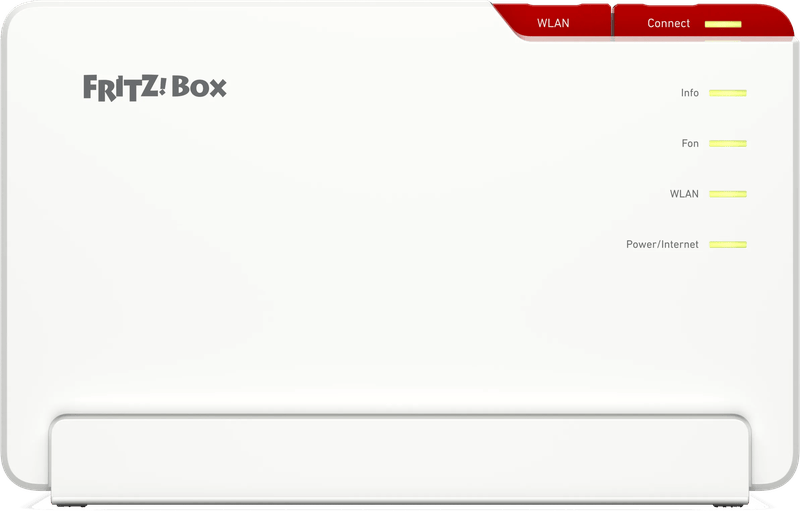
The device for a classic phone-line connection. It transmits Wi-Fi 7 on 2.4 and 5 GHz, with four antennas per band, and has two 2.5-gigabit ports for a NAS or computer. Analog phones get two ports, and cordless phones up to six slots on the DECT base station. 6 GHz is missing, which hardly matters on a DSL connection. For most DSL households, this is the box that will give you peace of mind for the next few years.
FRITZ!Box 7630
In stores since June 1, 2026, making it the newest FRITZ!Box for DSL that you can buy on the open market. It has the same phone features and update commitment as the 7690, but only two antennas per band, one fast port instead of two and one analog port. In an apartment with one or two rooms between you and the router, that is perfectly adequate. Across several floors, the 7690 is the better choice.
FRITZ!Box 5690 Pro
It handles both DSL and fiber, and that is its real purpose. On top of that come tri-band Wi-Fi 7 including 6 GHz, a Zigbee radio and, since FRITZ!OS 8.50, the Matter bridge. Pure DSL customers without fiber plans pay the premium over the 7690 for features that go unused.
FRITZ!Box 5690
The leaner fiber variant without a DSL modem and without 6 GHz. According to the data sheet, it works directly on AON and GPON or behind a fiber or cable modem. If you will never need DSL again, you get what you need here without extra baggage. For XGS-PON networks, there is the dedicated 5690 XGS.
FRITZ!Box 6690 Pro
Since September 1, 2026, the new top model for cable connections: according to FRITZ!, the first cable router with tri-band Wi-Fi 7, plus DECT, Zigbee, two analog ports and two USB ports. What sets it apart from the 6670 is the 6 GHz band and the stronger 5 GHz radio module. With a gigabit plan and many new devices, that is an argument; otherwise, not really.
FRITZ!Box 6670 Cable
On a cable connection, it completely replaces the rented device. DOCSIS 3.1, dual-band Wi-Fi 7 with, according to FRITZ!, up to 2,880 Mbps at 5 GHz, plus DECT and Zigbee. Its Wi-Fi is therefore below that of the 6690 Pro, which rarely matters in a normal apartment. It remains the sensible choice for cable customers who do not need the latest model.
Telekom Speedport 7
The successor to the Smart 4 series, available since fall 2025. It has built-in modems for DSL and fiber, dual-band Wi-Fi 7 and a DECT base station for five phones; it does not work on cable connections. Deutsche Telekom promises at least five years of software updates. It is mainly interesting for Telekom customers who want to use Speedport extenders for their mesh network.
Eight routers for the spot behind the modem or ONT
No built-in DSL or cable modem. These routers need a device from the provider in front of them, usually the fiber modem.
| Model | Wi-Fi according to manufacturer | Fastest ports | Phone | VPN and security package |
|---|---|---|---|---|
| FRITZ!Box 4630 | Wi-Fi 7, 2.4 and 5 GHz, up to 688 and 2,880 Mbps | 2× 2.5 Gbps, 2× 1 Gbps | DECT, 1× analog | FRITZ!OS with parental controls at no extra cost |
| TP-Link Archer BE550 | Wi-Fi 7, 2.4, 5 and 6 GHz, up to 574, 2,880 and 5,760 Mbps | 5× 2.5 Gbps | none | OpenVPN, HomeShield, Pro tier for a fee |
| TP-Link Archer BE800 | Wi-Fi 7, 2.4, 5 and 6 GHz, up to 1,376, 5,760 and 11,520 Mbps | 10 Gbps, 10 Gbps as SFP+ or RJ45, 4× 2.5 Gbps | none | OpenVPN, HomeShield, Pro tier for a fee |
| ASUS RT-BE58U | Wi-Fi 7, 2.4 and 5 GHz, up to 688 and 2,882 Mbps | 1× 2.5 Gbps, 4× 1 Gbps | none | WireGuard, OpenVPN, AiProtection |
| ASUS RT-BE88U | Wi-Fi 7, 2.4 and 5 GHz, up to 1,376 and 5,764 Mbps | 10 Gbps, 10 Gbps SFP+, 4× 2.5 Gbps, 4× 1 Gbps | none | WireGuard, OpenVPN, AiProtection |
| Netgear Nighthawk RS300 | Wi-Fi 7, 2.4, 5 and 6 GHz, up to 9.3 Gbps combined | 2.5 Gbps to the internet | none | VPN, Armor as a subscription after the trial period |
| Netgear Nighthawk RS600 | Wi-Fi 7, 2.4, 5 and 6 GHz, up to 0.7, 5.8 and 11.5 Gbps | 2× 10 Gbps, 3× 1 Gbps | none | VPN, Armor as a subscription after the trial period |
| Ubiquiti UniFi Dream Router 7 | Wi-Fi 7, 2.4, 5 and 6 GHz, up to 0.688, 4.3 and 5.7 Gbps | 10 Gbps SFP+, 4× 2.5 Gbps, one of them with PoE | none | WireGuard, OpenVPN, no subscription |
FRITZ!Box 4630
The FRITZ!Box for everyone whose fiber modem is already on the wall. It has no modem of its own, but everything else that makes the boxes what they are: a DECT base station, one analog port, mesh with FRITZ! repeaters and the same update commitment until 2033. For fiber households with a landline phone, this is an affordable way to get the FRITZ! feature set.
TP-Link Archer BE550 and BE800
According to TP-Link, the BE550 offers three bands including 6 GHz and five 2.5-gigabit ports, which saves you a switch in a home office with a NAS and a fast computer. On the 2.4 GHz band, it stays at Wi-Fi 6. The BE800 adds 320 MHz channels in the 6 GHz band and two 10-gigabit ports, one of which can optionally take a fiber module. Both lack phone features entirely.
ASUS RT-BE58U and RT-BE88U
The RT-BE58U is the simple entry point: two bands, one 2.5-gigabit port, AiMesh for later expansion. For a smaller apartment behind the fiber modem, that is perfectly adequate. The RT-BE88U also does without 6 GHz, but has four antennas per band and more ports than some switches, including two with 10 gigabits. Both support WireGuard for remote access when you are on the go.
Netgear Nighthawk RS300 and RS600
Both transmit on three bands. With its 2.5-gigabit internet port, the RS300 is the sensible size; the RS600 brings 320 MHz channels in the 6 GHz band and two 10-gigabit ports. Netgear does not state which VPN protocols they support or how long updates will be provided. The Armor security package continues as a subscription after the trial period.
Ubiquiti UniFi Dream Router 7
A device from the world of business networks. It manages the network, including UniFi access points and switches, in a single interface, with no subscription. An SFP+ slot takes a fiber module, and one port powers an access point via PoE. If you simply want Wi-Fi and a phone, you are better served by a FRITZ!Box.
What is new and what is still to come
Since August 2025, the company behind the FRITZ!Box is no longer called AVM. AVM GmbH became FRITZ! GmbH; products and support stayed the same.
The newest FRITZ!Box for DSL on the open market is the 7630, released on June 1, 2026. At IFA in September 2026, FRITZ! already showed the next generation, the FRITZ!Box DSL/Fiber 7-90, in a new housing and with a new naming scheme. It is set to combine DSL with supervectoring, fiber via GPON and AON, and tri-band Wi-Fi 7, without a fan. FRITZ! did not give a retail launch date or price in the announcement. If you need a DSL router now, you do not have to wait for it. The 7690 gets the same update commitment.
For XGS-PON fiber with up to 10 Gbps, there is now the FRITZ!Box 5690 XGS, and for G.fast connections the 7682. Both are special cases. Your provider will tell you whether you need one of them.
How we would decide
- DSL connection, phone in the house, several rooms: FRITZ!Box 7690.
- DSL in a smaller apartment: FRITZ!Box 7630, which saves money with the same phone features.
- DSL today, fiber already announced for the building: FRITZ!Box 5690 Pro, because it handles the switch without a new device.
- Fiber with no way back to DSL: FRITZ!Box 5690, or the 4630 with an existing ONT and a landline.
- Cable connection: FRITZ!Box 6670 Cable, or the 6690 Pro with a gigabit plan and many new devices.
- Telekom customer with Speedport extenders: Speedport 7.
- Fiber with ONT, no landline, many devices with 6 GHz: TP-Link Archer BE550.
- Network with 10 gigabits, NAS and switch: ASUS RT-BE88U or TP-Link Archer BE800.
- Expansion with cameras and access points from a single source: UniFi Dream Router 7.
- Small apartment, modem already in place, tight budget: ASUS RT-BE58U.
If a room still has no reception after that, the router is rarely to blame. Usually, a second access point is simply missing.
Is the problem not the device at all, but the line? How to find the right connection and switch providers without an outage is covered in our guide switching internet providers (in German). If fiber is being rolled out on your street, our guide to fiber connections (in German) will help you decide.
If your line is permanently too slow, you have a right to a price reduction or to cancel your contract under German law. How to document this is covered in our guide internet too slow (in German).
Frequently asked questions
What is the newest FRITZ!Box for DSL?
In stores, it is the FRITZ!Box 7630, available since June 1, 2026: supervectoring up to 300 Mbps, Wi-Fi 7 on 2.4 and 5 GHz, a DECT base station and one 2.5-gigabit port. At IFA in September 2026, FRITZ! already showed the FRITZ!Box DSL/Fiber 7-90 for DSL and fiber with tri-band Wi-Fi 7. FRITZ! did not give a retail date for it.
Is there a DSL modem that works with all providers?
Yes. A router with a VDSL2 modem and supervectoring basically works with any DSL provider in Germany once the login credentials have been entered. Under Section 73 of the German Telecommunications Act (TKG), providers must hand over these credentials free of charge. The current FRITZ!Boxes for DSL such as the 7690 and 7630 are exactly that kind of device.
Which router works on a DSL connection?
One with a built-in VDSL modem, meaning a FRITZ!Box from the 7 series, the 5690 Pro or Deutsche Telekom's Speedport 7. The routers from TP-Link, ASUS, Netgear and Ubiquiti in our comparison have no DSL modem and stay silent on a phone line.
Am I allowed to replace my provider's router?
Yes. Under Section 73 of the German Telecommunications Act, the public network ends at the wall socket, not at the router. Providers may supply their own devices but may not make their use mandatory, and they must hand over login credentials free of charge in text form. On January 22, 2025, the Bundesnetzagentur, Germany's Federal Network Agency, confirmed that this also applies to fiber networks.
Do I need a modem from my provider for fiber?
Not necessarily. If the provider has installed a fiber modem (ONT), any router with a fast WAN port will do. The FRITZ!Box 5690 and 5690 Pro take the fiber cable directly via an SFP module, for AON and GPON. For XGS-PON, there is the dedicated 5690 XGS.
Which router is suitable for a cable connection?
A router with a DOCSIS 3.1 modem, such as the FRITZ!Box 6670 Cable or the new 6690 Pro with tri-band Wi-Fi 7. Both have DECT and Zigbee. Deutsche Telekom's Speedport 7 does not work on cable. Alternatively, the provider's device stays in place as a modem and a router without a modem is connected behind it.
Do I need Wi-Fi 7 and 6 GHz?
Only if your devices support it and your connection is fast. In Germany, the 6 GHz band has 480 MHz of spectrum, but it passes through walls less well. On a DSL connection with up to 300 Mbps, a Wi-Fi 7 router with 2.4 and 5 GHz such as the FRITZ!Box 7690 is more than enough.
How long does a FRITZ!Box receive updates?
FRITZ! states updates until at least January 1, 2033 for the 7690, 7630, 5690, 5690 Pro, 4630, 6670 Cable and 6690 Pro, and until early 2032 for the 7590 AX. The 7490 has not received updates since October 2025. Deutsche Telekom promises at least five years for the Speedport 7.
Which routers are certified by the BSI?
The BSI, Germany's Federal Office for Information Security, issues an IT security label for routers, formerly based on TR-03148 and since October 2024 based on ETSI TS 103 848. It is a manufacturer's declaration supervised by the BSI. It is mainly carried by business routers, for example from LANCOM. We found no label for FRITZ!Box, Speedport, ASUS, TP-Link, Netgear or UniFi (as of 11/14/2026).
Is parental control in the router free?
With FRITZ!, yes: time quotas and filters are part of FRITZ!OS, and since version 8.50 so is a DNS filter. ASUS advertises free AiProtection. TP-Link HomeShield is free in its basic version, while the Pro tier costs extra. Netgear Armor becomes a subscription after the trial period, and at Deutsche Telekom, Protect Home is part of the paid Wi-Fi packages.
Is AVM now FRITZ!?
Yes. Since August 2025, AVM GmbH has been called FRITZ! GmbH. According to the company, only the company name changes; products, updates and support remain the same.
Sources
- Section 73 TKG, connection of telecommunications terminal equipment (gesetze-im-internet.de, in German)
- Bundesnetzagentur: Free choice of terminal equipment applies in passive optical fiber networks (01/22/2025, in German)
- Bundesnetzagentur: Proceedings on the network termination point in PON fiber networks (in German)
- Bundesnetzagentur: Wi-Fi now also permitted in the 6 GHz range (07/14/2021, in German)
- Wi-Fi Alliance: Wi-Fi CERTIFIED 7
- BSI: TR-03148 Secure broadband routers (in German)
- BSI: IT security label for routers based on ETSI TS 103 848 (in German)
- FRITZ!: Focus on FRITZ!, AVM GmbH becomes FRITZ! GmbH (08/05/2025)
- FRITZ!: Product support status
- FRITZ!: FRITZ!Box 7690, technical specifications
- FRITZ!: FRITZ!Box 7630 is now available (06/01/2026)
- FRITZ!: The FRITZ!Box 6690 Pro is here (09/01/2026)
- FRITZ!: IFA premiere of the FRITZ!Box DSL/Fiber 7-90 (09/01/2026)
- FRITZ!: IFA 2025 new products including the 5690 XGS, 4630 and 7630
- FRITZ!: FRITZ!OS 8.50 (09/29/2026)
- FRITZ!: FRITZ!Box 5690 Pro data sheet (PDF)
- FRITZ!: FRITZ!Box 5690 data sheet (PDF)
- FRITZ!: FRITZ!Box 6670 Cable data sheet (PDF)
- Deutsche Telekom: Speedport 7 and Wi-Fi packages (press release, in German)
- Telekom: Speedport 7 in the online shop (in German)
- TP-Link: Archer BE550
- TP-Link: Archer BE800
- TP-Link: Archer BE230
- ASUS: RT-BE58U, technical specifications
- ASUS: RT-BE88U, technical specifications
- Netgear: Nighthawk RS300
- Netgear: Nighthawk RS600
- Ubiquiti: UniFi Dream Router 7, technical specifications
Where to buy
- FRITZ!Box 7690View at CoolblueAvailable in Germany: Coolblue
- FRITZ!Box 7630Check price at Amazon.deAvailable in Germany: Amazon.de
- FRITZ!Box 5690 ProView at CoolblueAvailable in Germany: Coolblue
- FRITZ!Box 5690Check price at Amazon.deAvailable in Germany: Amazon.de
- FRITZ!Box 6690 ProCheck price at Amazon.deAvailable in Germany: Amazon.de
- FRITZ!Box 6670 CableView at CoolblueAvailable in Germany: Coolblue
- Telekom Speedport 7Check price at Amazon.deAvailable in Germany: Amazon.de
- FRITZ!Box 4630View at CoolblueAvailable in Germany: Coolblue
- TP-Link Archer BE550View at CoolblueAvailable in Germany: Coolblue
- TP-Link Archer BE800View at CoolblueAvailable in Germany: Coolblue
- ASUS RT-BE58UCheck price at Amazon.deAvailable in Germany: Amazon.de
- ASUS RT-BE88UCheck price at Amazon.deAvailable in Germany: Amazon.de
- Netgear Nighthawk RS300View at CoolblueAvailable in Germany: Coolblue
- Netgear Nighthawk RS600View at CoolblueAvailable in Germany: Coolblue
- Ubiquiti UniFi Dream Router 7View at CoolblueAvailable in Germany: Coolblue