Contents12 sections
This guide was first published in German on handgetestet.de.
In older buildings, Wi-Fi rarely fails because of the router. It fails because of the wall. Behind a thick wall, an expensive repeater gets just as little signal as the tablet in front of it, and then the money was wasted. Where wireless cannot get through, powerline helps, because the network then runs over the electrical wiring. For apartments in older buildings, we therefore consider the devolo Magic 2 WiFi 6 next the more reliable choice. If it is only about a dead spot behind an ordinary wall, the much cheaper FRITZ!Repeater 1700 is enough.
This guide covers individual solutions for one or two rooms. A whole house across several floors is better served by the sets in our mesh Wi-Fi guide.
Why a repeater only passes on what arrives
A repeater does not create a signal. It receives the router’s wireless signal and transmits it again, and that can only be as good as the reception at its outlet. That is why it does not belong in the room with the dead spot, but halfway there, at a point where the router signal is still stable. If an older building has no such point, because the very first wall swallows almost everything, any repeater is the wrong answer.
That leaves three options. The repeater is the simplest: plug it in, pair it, done, which makes sense if the signal is only too weak for one or two rooms. Powerline needs one adapter at the router and one in the target room. In between, the data takes the route over the power grid and so bypasses the wall; wireless only takes over again at the destination. Finally, a mesh system spreads several coordinated devices across the whole house, with more effort and more cost.
Frequency bands: what 6 GHz does and does not deliver
A second look at the data sheet clarifies the bands. Dual-band repeaters have to handle receiving and passing on over the same bands. Tri-band devices with 6 GHz have one more band. But 6 GHz gets through walls worse than 2.4 GHz, and it only helps if the router also supports this band. In an older building, that is an advantage for the hallway. Rarely for the room behind the load-bearing wall.
Power lines as data cables: limits in old wiring
Powerline stands or falls with the wiring. AVM advises plugging the adapters directly into a wall outlet, not into a power strip, an extension cord or behind a surge protector. According to AVM, several outlets side by side behave like a power strip. You should also avoid connections across different phases, fuse boxes or residual current devices (RCDs). devolo names switching power supplies, dimmers and chargers as typical sources of interference.
This leads to a simple rule. If the router and the target room are on different fuse boxes, powerline may disappoint. On top of that, the systems do not understand one another: FRITZ! relies on HomePlug AV2, devolo Magic and TP-Link Deco PX50 on G.hn. According to devolo, Magic adapters also do not work with older dLAN and HomePlug AV devices. So buy a set from one family and later expand only within that family.
Six devices, two principles
| Model | Technology according to manufacturer | LAN | Best for |
|---|---|---|---|
| FRITZ!Repeater 1700 | Wi-Fi 7, dual-band (5 GHz up to 2880 Mbit/s) | 1 × Gigabit | FRITZ!Box households, one dead spot |
| TP-Link RE655BE | Wi-Fi 7, tri-band with 6 GHz, MLO | 1 × 2.5 Gbit/s | Routers with Wi-Fi 7 and 6 GHz |
| Netgear Nighthawk EXS27 | Wi-Fi 7, dual-band, up to 100 m² | 1 × 2.5 Gbit/s | Third-party routers, fast wired port in the target room |
| devolo Magic 2 WiFi 6 next | Powerline G.hn up to 2400 Mbit/s, Wi-Fi 6 dual-band, mesh | 2 × Gigabit | Older buildings with thick walls |
| FRITZ!Powerline 1240 AX WLAN Set | Powerline HomePlug AV2 up to 1200 Mbit/s, Wi-Fi 6 on 2.4 GHz only | 2 × Gigabit per adapter | FRITZ!Box households, wired devices in the target room |
| TP-Link Deco PX50 | Powerline G.hn up to 1500 Mbit/s, Wi-Fi 6 dual-band, mesh | 3 × Gigabit | Several rooms, fresh start with a separate system |
FRITZ!Repeater 1700
Wi-Fi 7 on 2.4 and 5 GHz, with up to 2880 Mbit/s on 5 GHz and 688 Mbit/s on 2.4 GHz: that is how FRITZ! describes the small plug-in repeater. It has one Gigabit LAN port and draws around 4 watts on average. With a FRITZ!Box, it automatically becomes part of the mesh; with other routers, it works as a regular repeater. A third band is missing. It is not built for a real concrete wall.
TP-Link RE655BE
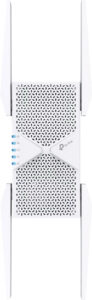
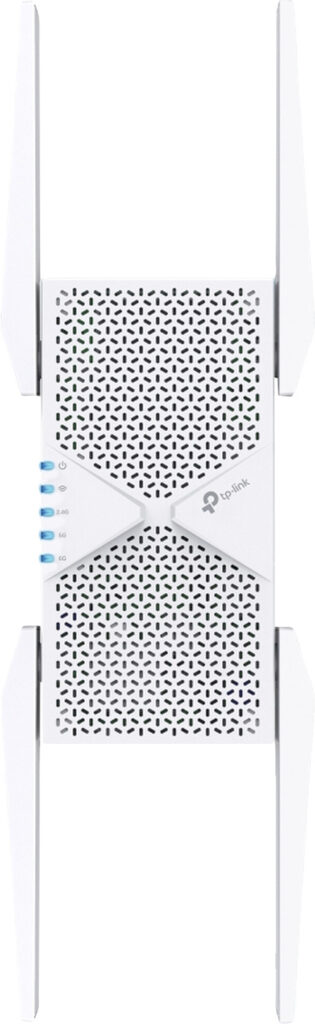
Four external antennas make the RE655BE a large device for a wall outlet. TP-Link specifies three bands with up to 5764 Mbit/s on 6 GHz, 2882 Mbit/s on 5 GHz and 688 Mbit/s on 2.4 GHz. It also supports Multi-Link Operation and has a 2.5-Gigabit port. According to the manufacturer, it is EasyMesh-compatible, but not certified. Only buy it if your router itself offers Wi-Fi 7 with 6 GHz. Otherwise you are paying for a band nobody uses.
Netgear Nighthawk EXS27
Netgear’s Wi-Fi 7 repeater transmits on 2.4 and 5 GHz. In theory, up to 5 Gbit/s is possible according to the manufacturer, although Netgear itself points out that real-world figures are lower. It is meant to cover up to 100 m² and 45 devices, and the 2.5-Gigabit port is suitable, for example, for a computer or a console in the target room. At 336 grams, though, it puts quite some weight on an older wall outlet. The product page does not explicitly mention mesh, only a single network name with Smart Roaming.
devolo Magic 2 WiFi 6 next
The Starter Kit contains a LAN adapter for the router and a Wi-Fi adapter for the target room. Over the power line, devolo specifies up to 2400 Mbit/s according to the G.hn standard. At the destination, the adapter transmits with Wi-Fi 6 on 2.4 and 5 GHz and offers two Gigabit ports. Because it has a built-in outlet with a line filter, you do not lose the wall outlet. According to the data sheet, mesh, Access Point Steering and a guest network are on board. There are two drawbacks. Wi-Fi 7 is missing, and the kit costs considerably more than a repeater.
FRITZ!Powerline 1240 AX WLAN Set
The set combines the FRITZ!Powerline 1240 AX with a 1210 and, according to AVM, transmits up to 1200 Mbit/s over the power line. Each adapter has two Gigabit ports, and with a FRITZ!Box it fits into the mesh. Read the data sheet carefully and you will stumble over the Wi-Fi. It only transmits on 2.4 GHz with up to 600 Mbit/s. That handles a printer, TV and console on a cable without any problem, but fast Wi-Fi in the home office, not so much.
TP-Link Deco PX50
A small mesh system whose nodes talk to each other over the power line. TP-Link specifies Wi-Fi 6 with up to 2402 Mbit/s on 5 GHz, G.hn powerline with up to 1500 Mbit/s and three Gigabit ports per device. It comes as a 2-pack or 3-pack and is set up via app. This is more a system than an individual solution. If the FRITZ!Box is to remain the hub, devolo or FRITZ! is the simpler choice.
Which solution suits which home
- Older building, dead spot behind a thick wall: devolo Magic 2 WiFi 6 next.
- FRITZ!Box in place, only one room too weak: FRITZ!Repeater 1700. Try it at the right outlet first, then think about powerline.
- Router with Wi-Fi 7 and 6 GHz: TP-Link RE655BE.
- Third-party router, computer in the target room on a cable: Netgear Nighthawk EXS27.
- TV and console on a cable, Wi-Fi secondary: FRITZ!Powerline 1240 AX WLAN Set.
- Three rooms, no FRITZ! interface wanted: TP-Link Deco PX50.
One more thought. If you are planning a video doorbell at the front door, close the Wi-Fi gap in the hallway first. The smallest device with the weakest radio often sits farthest from the router.
Is the problem not the device at all, but the line? How to find the right connection and switch providers without an outage is explained in our guide switching internet providers (in German). If fiber is currently being rolled out on your street, the guide fiber connection (in German) helps you decide.
If the line is permanently too slow, in Germany you have the right to a price reduction or to cancel. How to document this is explained in the guide internet too slow (in German).
If the picture from outdoor cameras drops out, the guide security cameras and Wi-Fi (in German) helps.
Not every outdoor repeater works wirelessly: in our review of the FRITZ!Repeater 1610 Outdoor, it needed a LAN cable to the router outside.
Frequently asked questions
Where should a Wi-Fi repeater be placed?
Not in the room with the dead spot, but halfway there, at a point where the router signal is still stable. A repeater receives the wireless signal and transmits it again; it can only be as good as the reception at its outlet.
What is better in an older building, a repeater or powerline?
If the very first wall swallows almost everything, any repeater is the wrong answer. Powerline needs one adapter at the router and one in the target room; in between, the data travels over the power grid and so bypasses the wall. Wireless only takes over again at the destination.
What should you watch for with powerline adapters?
AVM advises plugging the adapters directly into a wall outlet, not into a power strip or an extension cord. Connections across different phases, fuse boxes or residual current devices (RCDs) should be avoided. devolo names switching power supplies, dimmers and chargers as typical sources of interference.
Are powerline adapters from different manufacturers compatible?
No. FRITZ! relies on HomePlug AV2, devolo Magic and TP-Link Deco PX50 on G.hn. According to devolo, Magic adapters also do not work with older dLAN and HomePlug AV devices. So buy a set from one family and later expand only within that family.
Does a repeater with 6 GHz give more range?
Not really. 6 GHz gets through walls worse than 2.4 GHz and only helps if the router also supports this band. In an older building, that is an advantage for the hallway, rarely for the room behind the load-bearing wall. Only buy the TP-Link RE655BE if your router itself offers Wi-Fi 7 with 6 GHz.
When does a mesh system make more sense than a repeater?
Repeaters and powerline sets are individual solutions for one or two rooms. A mesh system spreads several coordinated devices across the whole house, with more effort and more cost. For several floors, such sets are the better choice.
Sources
- FRITZ!: FRITZ!Repeater 1700
- FRITZ!: FRITZ!Repeater 1700 data sheet
- TP-Link: RE655BE
- Netgear: Nighthawk EXS27
- devolo: Magic 2 WiFi 6 next data sheet
- FRITZ!: FRITZ!Powerline 1240 AX WLAN Set, technical specifications
- TP-Link: Deco PX50
- AVM: Positioning FRITZ!Powerline optimally
- devolo: Powerline optimization guide
Where to buy
- devolo Magic 2 WiFi 6 nextCheck price at Amazon.deAvailable in Germany: Amazon.de
- FRITZ!Repeater 1700Check price at Amazon.deAvailable in Germany: Amazon.de
- TP-Link RE655BEView at CoolblueAvailable in Germany: CoolblueCheck price at Amazon.deAvailable in Germany: Amazon.de
- Netgear Nighthawk EXS27Check price at Amazon.deAvailable in Germany: Amazon.de
- FRITZ!Powerline 1240 AX WLAN SetCheck price at Amazon.deAvailable in Germany: Amazon.de
- TP-Link Deco PX50Check price at Amazon.deAvailable in Germany: Amazon.de