Contents11 sections
This guide was first published in German on handgetestet.de.
An all-in-one printer in the home office rarely falls short at printing. It falls short at scanning. If you have to digitize twelve pages of tax documents, a rental agreement or a stack of receipts and place every sheet on the glass by hand to do it, you will give up after the third time. For a typical home office with a few hundred pages a month, we therefore consider the Epson EcoTank ET-4956 the most sensible choice: ink tank, fax, automatic document feeder and two-sided scanning, all on board according to the manufacturer. If you move significantly more paper, take a look at the larger ET-5855.
What does a device for the home office really need to do?
They can all print. The differences lie in the paper path. That is exactly where a second look at the data sheet pays off.
- Depending on the model, the automatic document feeder (ADF) holds 30 to 50 sheets. A 40-page tax binder goes through the larger feeder in a single pass, and through the smaller one in two.
- In the brochure, “duplex” usually only means two-sided printing. Whether the feeder also scans two-sided originals is listed on a separate line. According to the manufacturers, that is the case with the Epson inkjet models and the HP model below.
- A fax needs a phone line. If you only need it because a doctor’s office, a government office or a law firm still insists on it, any of the six devices will do. Forwarding to your inbox is handy: for the ET-5855, Epson calls it “fax to email,” and HP calls it “fax archiving to email” on the OfficeJet.
- The app does not replace the driver; it complements it. Epson offers Smart Panel and Epson Connect, Brother offers Mobile Connect, Kyocera offers Mobile Print. Epson, HP and Kyocera also list AirPrint and Mopria.
That leaves the question of ink or toner. It determines less about print quality than about how often you have to buy supplies. More on that further below.
Six devices with document feeder and fax
Epson EcoTank ET-4956: our pick for the home office
At 7.3 kg and with a 6.1 cm touchscreen, the ET-4956 is the most compact device here. According to Epson, it prints 18 pages per minute in black and white, faxes and scans both sides via the 30-sheet feeder. According to the manufacturer, the bottles included are enough for up to 15,100 black-and-white pages and 5,500 color pages. For invoices, forms and the occasional photo, that is plenty. If you scan thick stacks every day, however, you will feel the smaller feeder.
Epson EcoTank ET-5855: when the home office is a real office
The big brother weighs 17.8 kg and needs space accordingly. In return, according to Epson, it holds 550 sheets in three trays, feeds 50 originals and prints 25 pages per minute, just as fast in color as in black and white. The fax stores up to 550 pages and 200 speed dial numbers. A replacement ink set is rated for 7,500 black-and-white pages and 6,000 color pages. For two letters a week, the device would be oversized.
Epson WorkForce Pro WF-C4810DTWF
Cartridges instead of a tank. According to Epson, the black XL cartridge lasts for 2,200 pages, the color XL cartridges for 1,700 each. In return, you get two paper trays holding 500 sheets in total, a 50-sheet feeder with two-sided scanning and a 10.9 cm touchscreen at 11.9 kg. Epson specifies a recommended volume of 200 to 1,700 pages a month. If you would rather insert ink than pour it, this is the one for you.
HP OfficeJet Pro 9130b
The HP device is designed for offices with a network: two trays of 250 sheets each, dual-band Wi-Fi, Ethernet and two phone jacks for the fax. According to HP, the 35-sheet feeder scans both sides at up to 21 images per minute in black and white. Before buying, you should know about one paragraph on the HP product page. The printer blocks cartridges whose chip does not come from HP, and HP keeps this up to date via firmware updates. If you buy original cartridges anyway, you will not notice any of this. If you want to use third-party cartridges, you should choose a different device.
Brother MFC-L3760CDW
A color LED device that works with toner like a laser. Brother specifies 26 pages per minute in color and black and white, a 50-sheet feeder, a 250-sheet cassette and a fax that stores up to 500 pages and can also send and receive from a PC. At 20.4 kg, it belongs on a sturdy piece of furniture, not on the windowsill. It can print on both sides, for plain A4 paper. Borderless photo printing, on the other hand, is listed by Epson for the ET-4956 and by HP for the OfficeJet.
Kyocera ECOSYS MA2101cwfx
Kyocera builds for offices rather than living rooms, and you can see that in the specs. The drum and developer are permanently installed, and according to Kyocera their warranty runs for three years or up to 100,000 pages; the device itself has a two-year carry-in warranty. According to the ISO standard, the black toner TK-5490K lasts for 2,800 pages, the colors for 2,400 each. At 26 kg, it is the heaviest device here, and at 21 pages per minute not the fastest. The fax handles broadcasting, delayed sending and network fax.
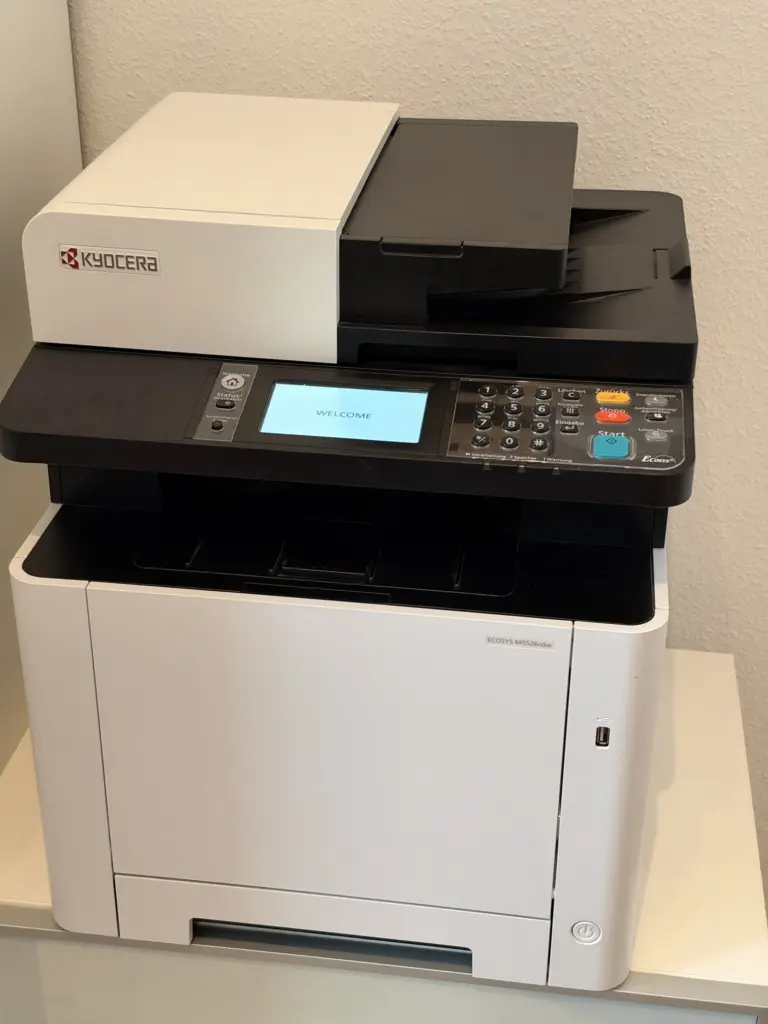
We tested an older Kyocera color device ourselves: the Kyocera ECOSYS M5526cdw scans both sides via its 50-sheet feeder and delivered good print quality; only the touchscreen and menu are sluggish.
How far does one fill go?
A sample calculation. You print 300 pages a month, almost all of it text. With the ET-4956, the black ink supplied lasts around four years on paper, according to the manufacturer’s figures. With the WorkForce’s XL cartridge, it is a good seven months, with the Kyocera toner a good nine. The figures apply to standardized test pages. HP explicitly states that the actual yield can vary considerably depending on content. Still, the calculation works as a ballpark figure. It shows how rarely you need to buy refills with a tank.
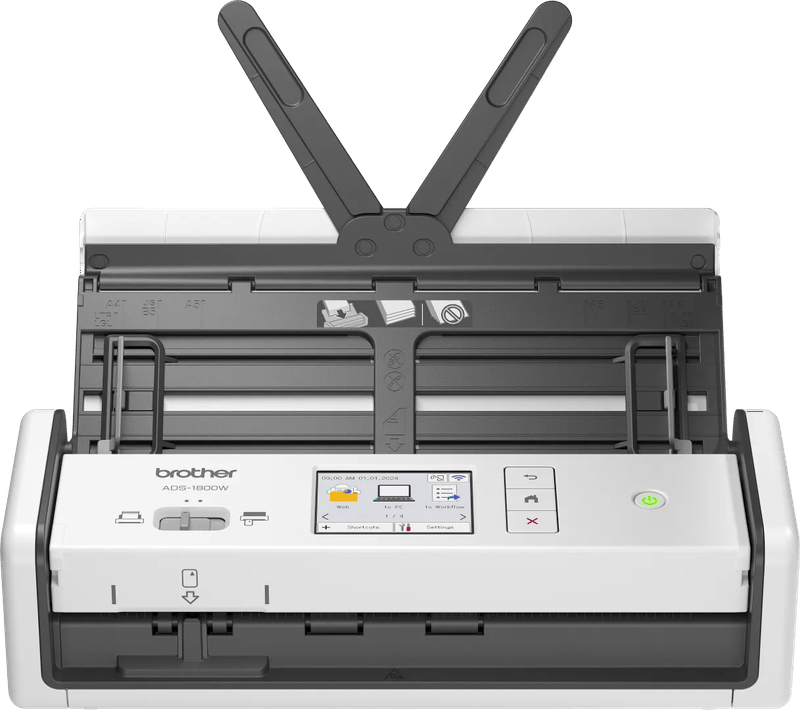
You print almost only in black and white and are thinking about a laser? Then our guide to home office printers, laser versus ink tank will help. If you really just want to get rid of paper, a dedicated document scanner often gets you there faster than any all-in-one device.
How we would decide
- Home office with mixed paperwork, occasional fax: Epson EcoTank ET-4956.
- Small office at home, large stacks, three paper types: Epson EcoTank ET-5855.
- Cartridges preferred, two trays for letterhead and plain paper: Epson WorkForce Pro WF-C4810DTWF.
- Network with several users and original cartridges: HP OfficeJet Pro 9130b.
- Lots of text and color only for charts: Brother MFC-L3760CDW. If you also want a long warranty on the imaging unit: Kyocera ECOSYS MA2101cwfx.
Before buying, check whether you really need to fax. If not, the selection becomes much larger.
Frequently asked questions
What should you look for in the document feeder of an all-in-one printer?
Depending on the model, the feeder holds 30 to 50 sheets; with the larger one, a 40-page binder goes through in a single pass. It also matters whether it scans both sides. Duplex in the brochure often only means two-sided printing; two-sided scanning is listed on a separate line.
Do you still need a printer with fax today?
Only if a doctor's office, a government office or a law firm insists on it. Then any of the six devices will do, but you need a phone line. Forwarding to your inbox is handy; for the ET-5855, Epson calls it fax to email. Without a need for fax, the selection becomes much larger.
Ink tank, cartridge or toner: what is the difference?
The choice determines less about print quality than about how often you have to buy supplies. At 300 pages of text a month, the black ink supplied with the ET-4956 lasts around four years on paper, the WorkForce's XL cartridge a good seven months and the Kyocera toner a good nine. The figures apply to standardized test pages.
Can I use third-party cartridges in the HP OfficeJet Pro 9130b?
HP states on the product page that the printer blocks cartridges whose chip does not come from HP, and keeps this up to date via firmware updates. If you buy original cartridges, you will not notice any of this. For third-party cartridges, it should be a different device.
Which all-in-one printer suits lots of text with a little color?
The Brother MFC-L3760CDW works as a color LED printer with toner, prints 26 pages per minute according to Brother and has a 50-sheet feeder. At 20.4 kg, it needs a sturdy piece of furniture. If you want a long warranty on the drum and developer, look at the Kyocera ECOSYS MA2101cwfx.
Who is the larger Epson ET-5855 worth it for?
For freelancers and small business owners with large stacks and several paper types. According to Epson, it holds 550 sheets in three trays, feeds 50 originals and prints 25 pages per minute, in color as well. At 17.8 kg, it needs space; for two letters a week, it would be oversized.
Sources
- Epson: EcoTank ET-4956, technical specifications
- Epson: EcoTank ET-5855, technical specifications
- Epson: WorkForce Pro WF-C4810DTWF, technical specifications
- HP: OfficeJet Pro 9130b, technical specifications
- Brother: MFC-L3760CDW, specifications
- Kyocera: ECOSYS MA2101cwfx, main specifications
Where to buy
- Epson EcoTank ET-4956Check price at Amazon.deCheck price at Amazon.co.ukCheck price at Amazon.nlCheck price at Amazon.com.beCheck price at Amazon.frCheck price at Amazon.itCheck price at Amazon.esCheck price at Amazon.plCheck price at Amazon.seAvailable in Germany: Amazon.de
- Epson EcoTank ET-5855Check price at Amazon.deCheck price at Amazon.co.ukCheck price at Amazon.nlCheck price at Amazon.com.beCheck price at Amazon.frCheck price at Amazon.itCheck price at Amazon.esCheck price at Amazon.plCheck price at Amazon.seAvailable in Germany: Amazon.de
- Epson WorkForce Pro WF-C4810DTWFCheck price at Amazon.deCheck price at Amazon.co.ukCheck price at Amazon.nlCheck price at Amazon.com.beCheck price at Amazon.frCheck price at Amazon.itCheck price at Amazon.esCheck price at Amazon.plCheck price at Amazon.seAvailable in Germany: Amazon.de
- HP OfficeJet Pro 9130bCheck price at Amazon.deCheck price at Amazon.co.ukCheck price at Amazon.nlCheck price at Amazon.com.beCheck price at Amazon.frCheck price at Amazon.itCheck price at Amazon.esCheck price at Amazon.plCheck price at Amazon.seAvailable in Germany: Amazon.de
- Brother MFC-L3760CDWCheck price at Amazon.deCheck price at Amazon.co.ukCheck price at Amazon.nlCheck price at Amazon.com.beCheck price at Amazon.frCheck price at Amazon.itCheck price at Amazon.esCheck price at Amazon.plCheck price at Amazon.seAvailable in Germany: Amazon.de
- Kyocera ECOSYS MA2101cwfxCheck price at Amazon.deCheck price at Amazon.co.ukCheck price at Amazon.nlCheck price at Amazon.com.beCheck price at Amazon.frCheck price at Amazon.itCheck price at Amazon.esCheck price at Amazon.plCheck price at Amazon.seAvailable in Germany: Amazon.de
Still undecided?
Keep comparing at your own pace – every article in this category is checked monthly for new and discontinued models.