Contents10 sections
This guide was first published in German on handgetestet.de.
„Is an iPad enough for me, or do I need a MacBook after all?“ By the start of the semester at the latest, this question comes up. For university and office work, our answer is usually the MacBook Air 13 with M5. The iPad Air wins if you mostly write by hand, draw or read and only occasionally type longer texts.
It often goes differently. An iPad Pro, plus a keyboard and pencil, and you have arrived at the price of a good notebook. And in the end, you are still missing that one program that only exists for the Mac. On a tight budget? Then the MacBook Neo is an option, with a considerably lower starting price.
First the work, then the device
The question is less „tablet or laptop“ than this: how do you produce your results? Five points separate the two types of device in everyday use.
First, typing versus handwriting. Term papers, reports and long emails are most comfortable on a permanently attached laptop keyboard, even on your lap on the train. If you annotate lecture slides by hand, sketch formulas or draw, an iPad with Apple Pencil gives you a clear advantage. A MacBook has no touchscreen for a pencil, with the exception of the expensive PROLED model.
Second, the software. The MacBook runs macOS with full desktop programs; the iPad runs iPadOS. Many apps are available for both. Not all. Development environments such as Xcode, some statistics and specialist programs used at universities, or company software require a computer, so if in doubt, ask your department or IT team beforehand.
Third, the accessories. On the iPad, the keyboard and pencil cost extra. The iPad Air pairs with the Magic Keyboard for iPad Air, the entry-level iPad with the Magic Keyboard Folio. Only with both does the tablet become a work device, and only then is a price comparison fair.
Fourth, ports and displays. The iPad Air has one USB-C port with up to 10 Gbit/s and, according to Apple, supports one external display up to 6K. The MacBook Air has two Thunderbolt 4 ports, MagSafe for charging and support for up to two external displays. At a desk with a monitor and docking station, the notebook is ahead. Fifth, the battery: Apple specifies up to 10 hours of web browsing or video for the iPad Air, and up to 15 hours of web browsing and up to 18 hours of video streaming for the MacBook Air. Both make it through a long day at university, the MacBook Air with more in reserve.
That leaves weight. According to Apple, the 11-inch iPad Air weighs 464 grams and the 13-inch MacBook Air 1.23 kilograms. A clear win for the tablet, or so it seems. With a keyboard case, however, the advantage shrinks, and Apple does not list the keyboard’s weight on the iPad page. Ask about it before you buy.
Six devices the decision usually comes down to
| Model | Chip | Display and weight | Input | Best for | Offer (affiliate link) |
|---|---|---|---|---|---|
| iPad (A16) | A16 | 11 inches, IPS, 477 g | Pencil (USB-C), Magic Keyboard Folio | note-taking, reading, second device | Check price at Amazon.deCheck price at Amazon.co.ukCheck price at Amazon.nlCheck price at Amazon.com.beCheck price at Amazon.frCheck price at Amazon.itCheck price at Amazon.esCheck price at Amazon.plCheck price at Amazon.seAvailable in Germany: Amazon.de |
| iPad Air 11 inch (M4) | M4, 12 GB RAM | 11 inches, IPS, 464 g | Pencil Pro, Magic Keyboard for iPad Air | university with handwriting | |
| iPad Pro 13 inch (M5) | M5, 12 or 16 GB RAM | 13 inches, Tandem OLED, 120 Hz, 579 g | Pencil Pro, Magic Keyboard for iPad Pro | drawing, photo editing on the go | |
| MacBook Neo | A18 Pro, 8 GB RAM | 13 inches, 500 nits, 1.23 kg | fixed keyboard, no pencil | writing, office work, small budget | Check price at Amazon.deAvailable in Germany: Amazon.deCheck price at Amazon.nlCheck price at Amazon.com.beCheck price at Amazon.frCheck price at Amazon.esCheck price at Amazon.plCheck price at Amazon.se |
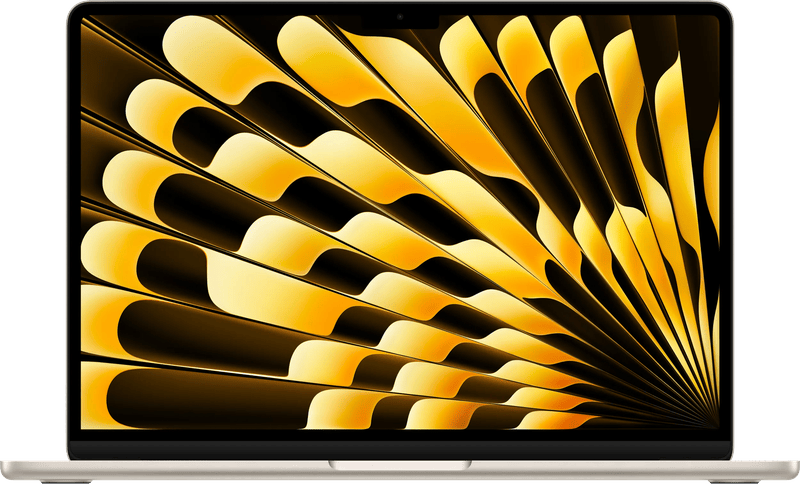
| MacBook Air 13 inch (M5) | M5, 16 to 32 GB RAM | 13.6 inches, 500 nits, 1.23 kg | fixed keyboard, no pencil | university and office | Check price at Amazon.deAvailable in Germany: Amazon.deCheck price at Amazon.nlCheck price at Amazon.com.beCheck price at Amazon.frCheck price at Amazon.esCheck price at Amazon.plCheck price at Amazon.se |
| MacBook Pro 14 inch (M6) | M6, 16 to 32 GB RAM | 14.2 inches, Liquid Retina XDR, 120 Hz | fixed keyboard, no pencil | photo, video, creative work | Check price at Amazon.deAvailable in Germany: Amazon.de |
All figures are manufacturer specifications from apple.com/de, as of November 1, 2026. All sizes and chips of the model lines are listed in our iPad comparison and our MacBook comparison.
iPad (A16) with Magic Keyboard Folio
The entry-level iPad handles note-taking, research, streaming and video conferencing. It supports the Apple Pencil (USB-C) but not the Pencil Pro, and according to Apple, its USB-C port transfers only up to 480 Mbit/s. Alongside a computer at home, it works well as a second device. As the only work device for an entire degree, we would not buy it.
iPad Air 11 inch (M4)
From here on, the tablet becomes a serious tool. The M4 with 12 GB of memory comes from the Mac family, and the Pencil Pro and the Magic Keyboard for iPad Air go with it. Students of medicine, law or teacher training who read, highlight and take handwritten notes a lot are well equipped with it. Get at least 256 GB. The storage cannot be expanded.
iPad Pro 13 inch (M5)
Illustration, photo editing on the go, video editing on a tablet: that is what the large iPad Pro is built for. Apple lists a Tandem OLED display with ProMotion up to 120 Hz, Thunderbolt and at least 256 GB of storage. For office work and university, the extra cost hardly pays off. If you draw for your work, you get the largest drawing surface in the lineup.
MacBook Neo
The Neo has the A18 Pro from the iPhone, plus 8 GB of memory and a 256 or 512 GB SSD. According to Apple, the battery lasts up to 16 hours of video streaming. The limitations are clear. One port runs only at USB 2 speed, and only one external monitor up to 4K is supported. Writing, office work and research still work well, and there is no cheaper way to get macOS.
MacBook Air 13 inch (M5)
If you are studying or working in an office, this is the most sensible choice. Out of the box, the Air has 16 GB of memory and a 512 GB SSD, and it weighs 1.23 kilograms. Apple specifies up to 18 hours of video streaming. Compared with the iPad Air with a keyboard, you get more storage out of the box, two fast ports and no software compromises.
MacBook Pro 14 inch (M6)
The entry-level Pro only makes sense for creative work on the computer, such as photography with large archives, video editing or music production. On board: a bright Liquid Retina XDR display with up to 120 Hz, HDMI, an SDXC card reader and three Thunderbolt ports. According to Apple, it ships from November 6. Oversized for text work.
How to decide
- Studies with lots of writing, code or statistics: MacBook Air 13 (M5). A tablet can at most be a second device here.
- Studies with lots of reading, highlighting and handwriting: iPad Air 11 (M4) with Apple Pencil Pro and Magic Keyboard. If large term papers come along, plan on a computer in the long run after all.
- Office, email, spreadsheets, video calls: MacBook Air 13 (M5). For simple tasks and a tight budget, the MacBook Neo is enough.
- Drawing and illustration: iPad Pro 13 (M5) with Pencil Pro. A Mac cannot replace the pencil here.
- Photo and video: MacBook Pro 14 (M6), because the card reader, storage and display outputs make everyday work easier.
- Reading, streaming and the couch: iPad (A16). Nobody needs a laptop for that.
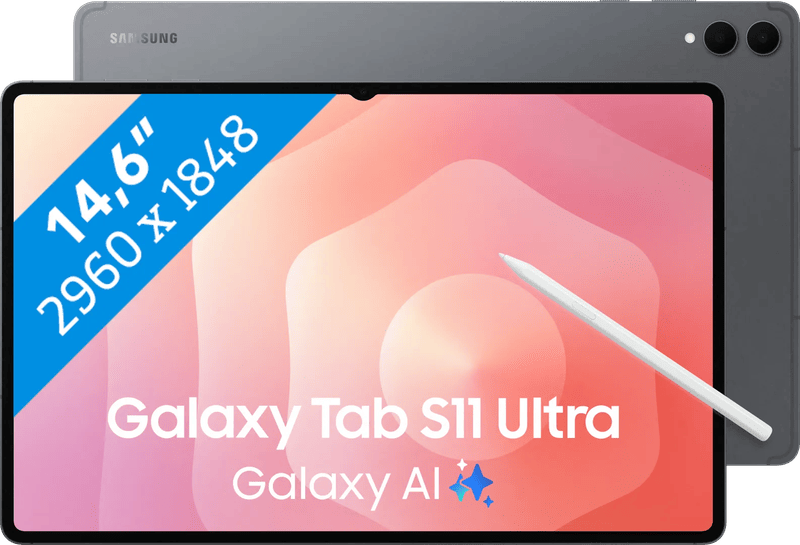
Set on a tablet, but open to another manufacturer? Our tablet guide collects Android alternatives.
Frequently asked questions
Is an iPad enough for university?
If you do a lot of reading, highlighting and handwritten note-taking, yes: the iPad Air 11 with M4, Pencil Pro and Magic Keyboard suits subjects such as medicine, law or teacher training, for example. For a lot of writing, code or statistics, the MacBook Air is the better foundation.
Which programs do not run on the iPad?
Development environments such as Xcode, some statistics and specialist programs used at universities, or company software require a computer. Many apps are available for both systems, but not all. If in doubt, ask your department or IT team beforehand.
Is an iPad with a keyboard cheaper than a MacBook?
Often not. On the iPad, the keyboard and pencil cost extra, and only with both does the tablet become a work device. An iPad Pro with accessories ends up at the price of a good notebook. A fair comparison always factors in the accessories.
Is the iPad much lighter than a MacBook Air?
According to Apple, the 11-inch iPad Air weighs 464 grams and the 13-inch MacBook Air 1.23 kilograms. With a keyboard case, however, the advantage shrinks, and Apple does not list the keyboard's weight on the iPad page.
Who is the MacBook Neo enough for?
For writing, office work and research on a small budget. It has the A18 Pro with 8 GB of memory and, according to Apple, up to 16 hours of video streaming. Limitations: one port runs only at USB 2 speed, and only one external monitor up to 4K is supported.
Which battery lasts longer, iPad Air or MacBook Air?
Apple specifies up to 10 hours of web browsing or video for the iPad Air, and up to 15 hours of web browsing and up to 18 hours of video streaming for the MacBook Air. Both make it through a long day at university, the MacBook Air with more in reserve.
Sources
- Apple: Compare iPad models
- Apple: iPad Air (M4), technical specifications
- Apple: iPadOS
- Apple: MacBook Neo, technical specifications
- Apple: MacBook Air, technical specifications
- Apple: Compare Mac models
- Apple Newsroom: MacBook Pro 14 with M6
Where to buy
- MacBook Air 13 Zoll (M5)Check price at Amazon.deAvailable in Germany: Amazon.deCheck price at Amazon.nlCheck price at Amazon.com.beCheck price at Amazon.frCheck price at Amazon.esCheck price at Amazon.plCheck price at Amazon.se
- Apple MacBook NeoCheck price at Amazon.deAvailable in Germany: Amazon.deCheck price at Amazon.nlCheck price at Amazon.com.beCheck price at Amazon.frCheck price at Amazon.esCheck price at Amazon.plCheck price at Amazon.se
- Apple iPad Air 11 Zoll (M4, WLAN, 128 GB, Space Grau)Check price at Amazon.deCheck price at Amazon.co.ukCheck price at Amazon.nlCheck price at Amazon.com.beCheck price at Amazon.frCheck price at Amazon.itCheck price at Amazon.esCheck price at Amazon.plCheck price at Amazon.seAvailable in Germany: Amazon.de
- Apple iPad (A16)Check price at Amazon.deCheck price at Amazon.co.ukCheck price at Amazon.nlCheck price at Amazon.com.beCheck price at Amazon.frCheck price at Amazon.itCheck price at Amazon.esCheck price at Amazon.plCheck price at Amazon.seAvailable in Germany: Amazon.de
- Apple iPad Pro 13 Zoll (M5, WLAN, 256 GB, Space Schwarz)Check price at Amazon.deCheck price at Amazon.co.ukCheck price at Amazon.nlCheck price at Amazon.com.beCheck price at Amazon.frCheck price at Amazon.itCheck price at Amazon.esCheck price at Amazon.plCheck price at Amazon.seAvailable in Germany: Amazon.de
- Apple MacBook Pro 14 (M6)Check price at Amazon.deAvailable in Germany: Amazon.deView at CoolblueAvailable in Germany: Coolblue
- iPad Pro 13" 256GB Wifi€1,572.00≈ £1,309.32≈ CHF 1,453.00≈ PLN 6,935.35≈ SEK 17,516.80≈ DKK 11,749.76≈ NOK 16,670.27≈ CZK 38,334.79≈ HUF 579,125≈ RON 8,405.01≈ ISK 215,364≈ $1,724.17≈ CA$2,466.47 at Coolblue · As of 18.11.View at CoolblueAvailable in Germany: Coolblue
Still undecided?
Keep comparing at your own pace – every article in this category is checked monthly for new and discontinued models.