Contents13 sections
This guide was first published in German on handgetestet.de.
The laptop finds the home network instantly, but the tower under the desk does not find it at all, because its motherboard has no wireless built in. If you can open the case, a PCIe card with a separate antenna base is a better choice than a USB stick, for example the TP-Link Archer TXE75E for Wi-Fi 6E. A USB adapter remains the right choice if you do not want to get out the screwdriver or you use Linux. In that case, you end up with the TP-Link Archer TXE70UH, for which TP-Link offers an official Linux driver.
Card or stick: what can your computer handle?
A PCIe card needs a free slot. A short x1 slot is enough; ASUS explicitly names it for the PCE-BE92BT. The advantage is outside, on the cable: TP-Link’s cards connect their two antennas to a magnetic base with one meter of cable. That way the antennas sit on top of the desk instead of behind a metal case on the floor. For Bluetooth, a cable is included that goes to an internal USB header on the motherboard. If none is free there, the card will still work on Wi-Fi, but your mouse and headphones stay silent.
Sticks are quicker to plug in; their weak point is where they sit. At the back of the computer, between cables, no antenna gets good reception. TP-Link and Netgear therefore include a stand with a USB cable with their larger models; for the TXE70UH, it is 1.2 meters long.
And the port? AVM writes in the manual for the FRITZ!WLAN Stick AC 860 that full data rates in the 5 GHz band require a USB 3.0 or 3.1 port. A nano adapter in an old USB 2.0 socket simply cannot reach its rated speeds.
Is Wi-Fi 6E worth it, or should you go straight to Wi-Fi 7?
Both standards also use the 6 GHz band. In Germany, the range from 5945 to 6425 MHz is approved for this, as set out in the general license of the German Federal Network Agency (Bundesnetzagentur, Vfg. 76/2025). Low-power Wi-Fi devices may only transmit there indoors, not outdoors and not in road vehicles. For a PC in a home office, that makes no difference. But do the math: 480 MHz of band leaves room for exactly one 320 MHz channel without overlap. TP-Link itself points out that 320 MHz may not be available depending on the region.
Before you order, it pays to check Windows. TP-Link and Netgear only enable 6 GHz on their 6E adapters under Windows 11; under Windows 10, you are limited to 2.4 and 5 GHz. For Wi-Fi 7, Microsoft requires Windows 11 version 24H2 or later with a suitable driver. Multi-link operation (MLO) and 320 MHz channels are only available with a Wi-Fi 7 router. If you still have a Wi-Fi 6 router, a Wi-Fi 7 card brings you nothing today except headroom. When a new router is worth it is covered in our guide to DSL and fiber routers.
What about Linux?
This is where the field splits. For the Archer TXE70UH (hardware V1 and V1.6), TP-Link offers an official Linux driver for kernels 3.13 to 6.14, also as a DKMS package that rebuilds itself after kernel updates. For the Archer TX20U Nano, there is only a beta, and only for hardware V1.6. The version is printed on the adapter’s label after „Ver:“. If you are running a kernel newer than 6.14, TP-Link advises checking the download page for a more recent driver.
Cards with an Intel chip are a different story. Intel ships its Wi-Fi drivers directly in the Linux kernel and lists kernel 5.10 as the minimum for the Wi-Fi 6E chip AX210 and kernel 6.5 for the Wi-Fi 7 chip BE200. TP-Link states an Intel chipset for the TXE75E but gives no model designation and officially lists only Windows. Under Linux, the lspci command shows which chip is actually installed. AVM, ASUS and Netgear list only Windows for the models below.
Seven Wi-Fi adapters according to manufacturer specs
TP-Link Archer TXE75E
It suits the typical Windows 11 tower. According to TP-Link, the card transmits on three bands, uses an Intel chipset and comes with a magnetic base, a low-profile bracket and a Bluetooth cable. On the Bluetooth version, the manufacturer’s page contradicts itself (5.2 and 5.3). For a mouse and headset, that does not matter.
TP-Link Archer TBE550E
The Wi-Fi 7 sibling with 320 MHz channels in the 6 GHz band and MLO, which bundles 2.4 GHz with 5 or 6 GHz. TP-Link supports only 64-bit Windows 11. It only makes sense if you already have a Wi-Fi 7 router.
ASUS PCE-BE92BT
Also Wi-Fi 7 with Bluetooth 5.4, designed for a PCIe x1 slot. ASUS lists Windows 10 and 11. According to Microsoft, however, the Wi-Fi 7 features require Windows 11 version 24H2 or later, so under Windows 10 they go unused.
TP-Link Archer TXE70UH
The stick we would recommend to Linux users first. It transmits on all three bands, connects via USB 3.0 and comes with a stand so it does not disappear behind the case.
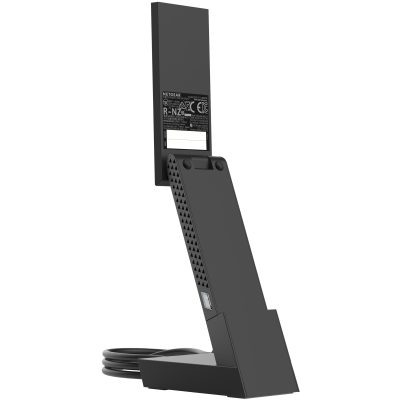
Netgear Nighthawk A8000
Netgear states up to 3 Gbit/s. According to the data sheet, however, it is at most 1200 Mbit/s per band, because the adapter uses channels up to 80 MHz, not 160 MHz. If you copy large files across your home network, you get less than the figure on the box suggests.
TP-Link Archer TX20U Nano
Small enough to stay plugged into a laptop. It does, however, connect via USB 2.0 and has no 6 GHz. It works as a replacement for broken internal Wi-Fi, but hardly as an upgrade for a desktop PC.
AVM FRITZ!WLAN Stick AC 860
A Wi-Fi 5 stick that picks up its access credentials by itself on a FRITZ!Box via Stick & Surf; on other routers, it connects via WPS. According to the manual, it encrypts with WPA2; WPA3 is missing. If your router only runs WPA3, this stick is the wrong choice.
How we would decide
- Tower with a free PCIe slot and Windows 11: TP-Link Archer TXE75E.
- Wi-Fi 7 router already in place: TP-Link Archer TBE550E or ASUS PCE-BE92BT, both fully usable only with Windows 11 version 24H2 or later.
- Linux, or no screwdriver at hand: TP-Link Archer TXE70UH; check the hardware version and kernel first.
- Laptop with failed Wi-Fi: TP-Link Archer TX20U Nano.
- FRITZ!Box at home and no desire to fiddle with settings: FRITZ!WLAN Stick AC 860, provided the router allows WPA2.
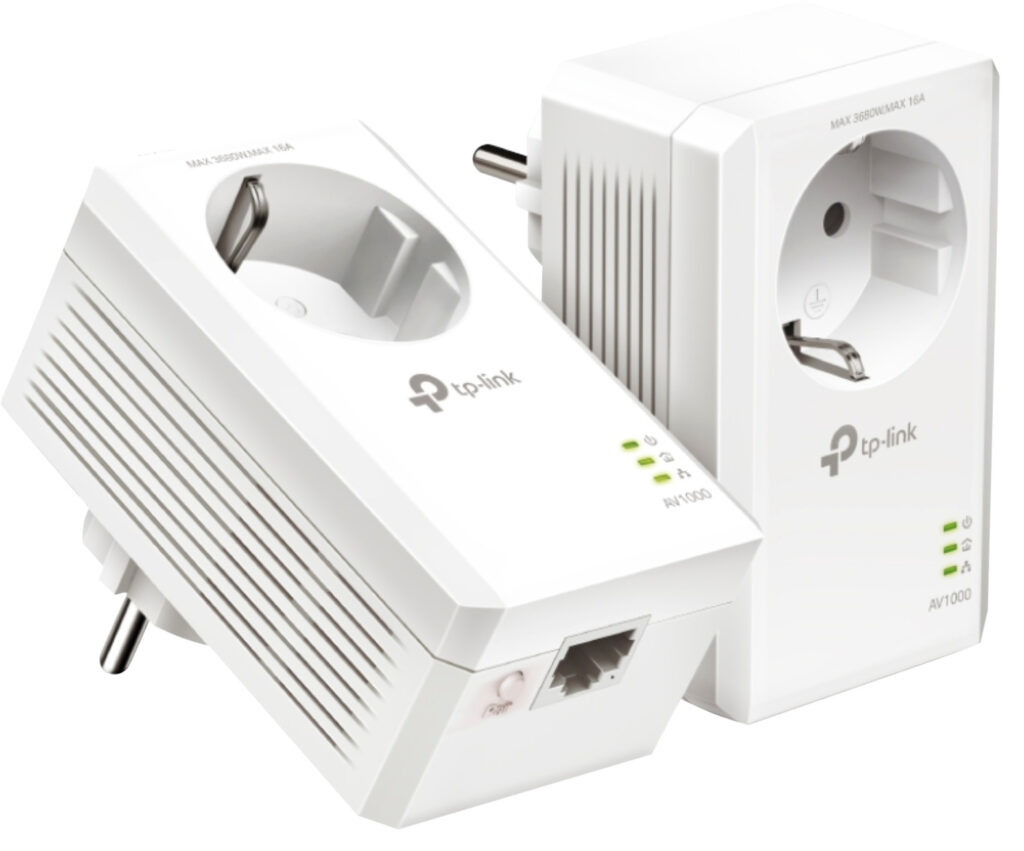
If the signal in your home office is weak to begin with, no adapter will help. Then you need a second access point there, see mesh Wi-Fi, or a wired path over the power line, see powerline adapters.
Frequently asked questions
PCIe card or USB Wi-Fi adapter: which is better for a PC?
The card needs a free slot; a short x1 slot is enough. Its advantage: the antennas sit on top of the desk on a magnetic base instead of behind the metal case. Sticks are quicker to plug in, but they get poor reception at the back of the computer between cables, which is why larger models come with a stand.
Does a USB Wi-Fi adapter need USB 3.0?
For full data rates in the 5 GHz band, yes: AVM writes in the manual for the FRITZ!WLAN Stick AC 860 that this requires a USB 3.0 or 3.1 port. A nano adapter in an old USB 2.0 socket simply cannot reach its rated speeds.
Is a Wi-Fi 7 adapter worth it?
Only with a matching router. Multi-link connections and 320 MHz channels are only available with a Wi-Fi 7 router, and Microsoft requires Windows 11 version 24H2 or later. If you still have a Wi-Fi 6 router, a Wi-Fi 7 card brings you nothing today except headroom.
Does 6 GHz work under Windows 10?
Not with the 6E adapters from TP-Link and Netgear: 6 GHz is only enabled under Windows 11; under Windows 10, you are limited to 2.4 and 5 GHz. So check your Windows version before you buy.
Which Wi-Fi adapter works under Linux?
For the Archer TXE70UH, TP-Link offers an official Linux driver for kernels 3.13 to 6.14, also as a DKMS package. For the TX20U Nano, there is only a beta for hardware V1.6. Cards with an Intel chip use the drivers in the Linux kernel; the lspci command shows which chip is installed.
Does the FRITZ!WLAN Stick AC 860 work with any router?
On a FRITZ!Box, it picks up the access credentials by itself via Stick & Surf; on other routers, it connects via WPS. According to the manual, it encrypts with WPA2; WPA3 is missing. If your router only runs WPA3, this stick is the wrong choice.
Sources
- TP-Link: Archer TXE75E
- TP-Link: Archer TBE550E
- TP-Link: Archer TXE70UH
- TP-Link: Archer TX20U Nano
- TP-Link: Linux drivers for USB Wi-Fi adapters
- ASUS: PCE-BE92BT, technical specifications
- Netgear: Nighthawk A8000
- AVM: FRITZ!WLAN Stick AC 860 manual (PDF, in German)
- Intel: Linux support for Intel wireless adapters
- Microsoft: Windows 11 specifications (Wi-Fi 6E and Wi-Fi 7)
- Bundesnetzagentur (German Federal Network Agency): general license for 6 GHz Wi-Fi, Vfg. 76/2025 (PDF)
Where to buy
- TP-Link Archer TXE75ECheck price at Amazon.deCheck price at Amazon.co.ukCheck price at Amazon.nlCheck price at Amazon.com.beCheck price at Amazon.frCheck price at Amazon.itCheck price at Amazon.esCheck price at Amazon.plCheck price at Amazon.seAvailable in Germany: Amazon.de
- TP-Link Archer TBE550ECheck price at Amazon.deCheck price at Amazon.co.ukCheck price at Amazon.nlCheck price at Amazon.com.beCheck price at Amazon.frCheck price at Amazon.itCheck price at Amazon.esCheck price at Amazon.plCheck price at Amazon.seAvailable in Germany: Amazon.de
- ASUS PCE-BE92BTCheck price at Amazon.deCheck price at Amazon.co.ukCheck price at Amazon.nlCheck price at Amazon.com.beCheck price at Amazon.frCheck price at Amazon.itCheck price at Amazon.esCheck price at Amazon.plCheck price at Amazon.seAvailable in Germany: Amazon.de
- TP-Link Archer TXE70UHCheck price at Amazon.deCheck price at Amazon.co.ukCheck price at Amazon.nlCheck price at Amazon.com.beCheck price at Amazon.frCheck price at Amazon.itCheck price at Amazon.esCheck price at Amazon.plCheck price at Amazon.seAvailable in Germany: Amazon.de
 Netgear Nighthawk A8000€44.99≈ £37.47≈ CHF 41.58≈ PLN 198.49≈ SEK 501.32≈ DKK 336.27≈ NOK 477.10≈ CZK 1,097.13≈ HUF 16,574≈ RON 240.55≈ ISK 6,164≈ $49.35≈ CA$70.59 at Coolblue · As of 19.11.View at CoolblueAvailable in Germany: CoolblueCheck price at Amazon.deCheck price at Amazon.co.ukCheck price at Amazon.nlCheck price at Amazon.com.beCheck price at Amazon.frCheck price at Amazon.itCheck price at Amazon.esCheck price at Amazon.plCheck price at Amazon.seAvailable in Germany: Amazon.de
- TP-Link Archer TX20U NanoCheck price at Amazon.deCheck price at Amazon.co.ukCheck price at Amazon.nlCheck price at Amazon.com.beCheck price at Amazon.frCheck price at Amazon.itCheck price at Amazon.esCheck price at Amazon.plCheck price at Amazon.seAvailable in Germany: Amazon.de
- AVM FRITZ!WLAN Stick AC 860Check price at Amazon.deCheck price at Amazon.co.ukCheck price at Amazon.nlCheck price at Amazon.com.beCheck price at Amazon.frCheck price at Amazon.itCheck price at Amazon.esCheck price at Amazon.plCheck price at Amazon.seAvailable in Germany: Amazon.de
Still undecided?
Keep comparing at your own pace – every article in this category is checked monthly for new and discontinued models.