Contents13 sections
This guide was first published in German on handgetestet.de.
If your new second screen stays black, the panel is rarely to blame. Usually it is the laptop. If its USB-C port does not output a video signal, even the nicest display will not help. Once that is settled, a 16-inch model in 16:10 format such as the ARZOPA Z1RC is all you need for working on the go. Paying more only makes sense for touch, very high brightness or smooth 120 Hz.
Can my laptop even send video over USB-C?
That is the first question, and it decides everything. Almost all of the devices below expect the video signal over USB-C in what is called DisplayPort Alt Mode. ASUS explicitly lists the USB-C ports of its ZenScreen models as „DP Alt Mode“ in the spec sheet. Whether your laptop supports it is often indicated by a small display or lightning-bolt icon next to the port. The spec sheet is more reliable. If it only says „USB-C (data),“ HDMI is the way to go. In that case, you need a second cable for power.
Is a single cable enough for video and power?
Only if the laptop supplies enough power over USB-C. The manufacturers‘ consumption figures range from just under 8 watts (ASUS MB169CK) to 13 watts (espresso Pro 15 at full brightness). If the port is too weak, the monitor dims or flickers. Models with two USB-C ports are more convenient: the charger powers the monitor and passes the power through to the laptop.
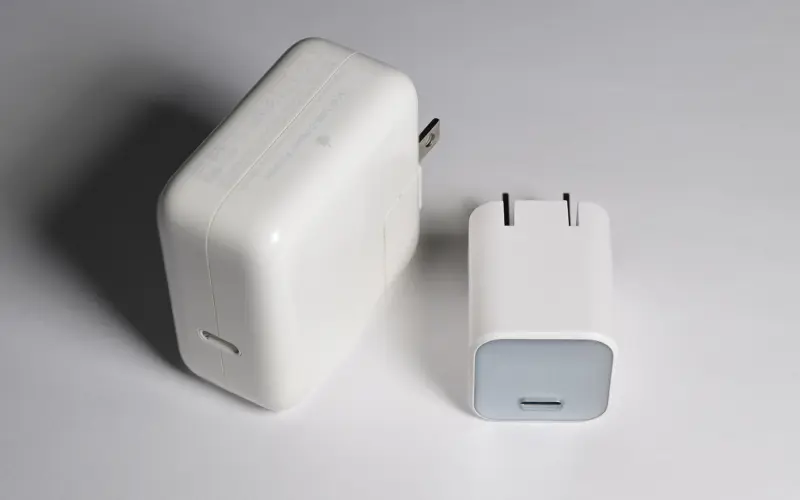
For continuous use on the charger, the charger should not be the cheapest one available. Which wattage suits a laptop and monitor together is covered in our buying advice for USB-C chargers (in German).
Which size, which resolution, how much weight?
15.6 inches in 16:9 is the standard. A 16-inch screen in 16:10 gives you more height for spreadsheets and code, and the format is a better match for most current laptops. On 15.6 inches, Full HD is enough for office work, while 2560 × 1600 pixels on 16 inches look noticeably sharper. 4K mainly pays off for photos and fine text. It does, however, cost power.
Weight is underestimated. The gap between 0.7 and 1.2 kilograms is bigger than the numbers suggest, because the monitor travels in addition to the laptop.
And touch?
Touch input runs over the USB-C cable. According to UPERFECT, it does not work over HDMI alone. macOS does not support touchscreens out of the box; espresso supplies its own espressoFlow software for this.
Six portable monitors you can buy in 2026
ARZOPA Z1RC
Lots of screen, small price. ARZOPA specifies 2560 × 1600 pixels on 16 inches, two USB-C ports carrying power and video, mini HDMI and a built-in stand. ARZOPA itself states the brightness as 350 cd/m², though 500 also shows up in promotional copy. Plan with the lower figure. That makes things tight by a café window. In the office and in a hotel room, it is enough.
ASUS ZenScreen MB169CK
A no-nonsense office screen in pocket format. Full HD, 0.78 kilograms and, according to ASUS, a consumption of just 7.64 watts: none is more frugal here, which also makes it interesting for laptops with a weak USB-C port. On the other side of the ledger are 250 cd/m². In bright rooms, the picture quickly looks washed out. According to ASUS, a rotating stand and a protective sleeve are included.
ASUS ZenScreen MB16QHG
The strongest package when it comes to picture quality: 16 inches, 2560 × 1600, 120 Hz, 100 percent DCI-P3 according to ASUS and DisplayHDR 400 certification. At 1.2 kilograms, however, it is the heaviest candidate, and ASUS includes a power adapter. It weighs too much for a daily commute. At a second desk, when reviewing photos or for weekend gaming, though, the difference is clearly visible. If you only edit photos at a fixed workstation, take a look at our monitors for photo and video editing.
Lenovo ThinkVision M14t Gen 2
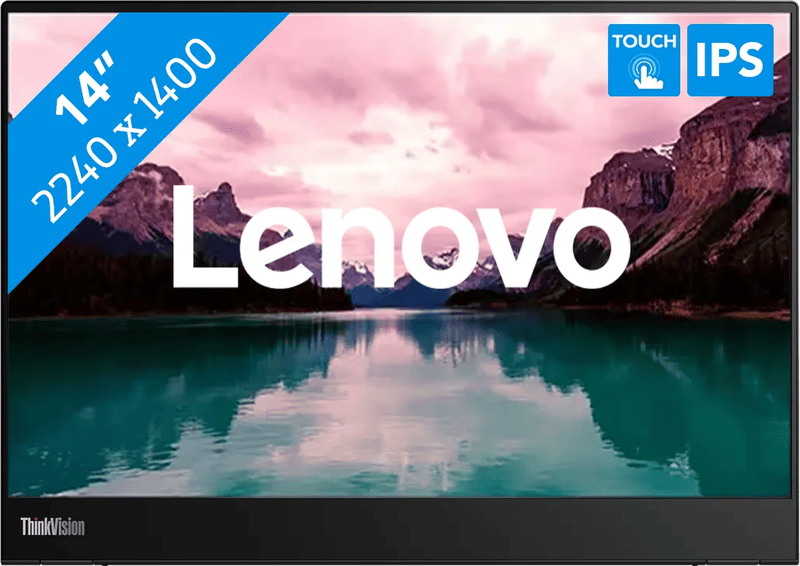
Smaller than the rest. That is exactly the point. At 14 inches and 0.7 kilograms, the M14t Gen 2 fits in the same bag next to a 14-inch notebook. Lenovo specifies 10-point touch, a pen in the box, a stand that tilts and swivels, and two USB-C ports that pass up to 65 watts through to the laptop. A brightness of 300 cd/m² is solid, nothing more.
espresso Pro 15
By a wide margin the most expensive option in this comparison. In return, espresso promises 4K on 15.6 inches, 550 cd/m², touch for Mac and Windows and a 9-millimeter-thin aluminum housing. The magnetic stand adds a good half kilo on top. Mac owners get one of the few ways to use touch without tinkering. If you only handle email and spreadsheets, you are paying for capabilities you do not need.
UPERFECT 15.6-inch touch with battery
A special case. This touch model contains a 10,800 mAh battery that, according to UPERFECT, allows three to four hours of use. This lets the monitor run with game consoles or smartphones that supply hardly any power themselves. UPERFECT changes its model names frequently, and there are many similar variants. So check carefully whether touch, battery and 120 Hz are part of the offer in front of you.
Which one suits me?
Working with two screens on the go without spending much: that is what the ARZOPA Z1RC is for. A large 16:10 picture, two USB-C ports, low weight. You accept the lower brightness in return.
- If your laptop supplies little power over USB-C, the consumption figure speaks for the ASUS ZenScreen MB169CK; according to ASUS, it needs the least.
- If every gram counts, the Lenovo ThinkVision M14t Gen 2 is the choice, with touch and a pen on top.
- If picture quality matters more than weight, the ASUS ZenScreen MB16QHG is an option.
- On a Mac with touch and 4K, and budget is no concern: espresso Pro 15.
- No outlet within reach? Then a UPERFECT model with a battery.
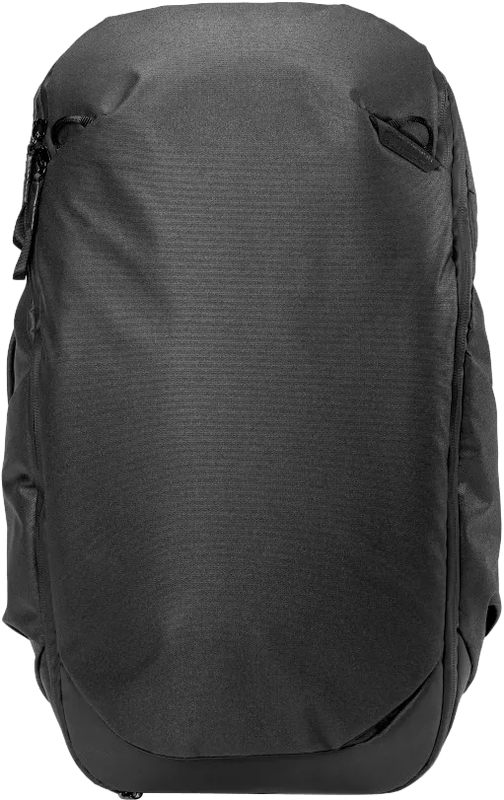
One more practical point. A portable monitor is thin, but sensitive to pressure on the panel. A bag with its own padded compartment protects it better than any sleeve. What to look for there is shown in our guide to laptop backpacks (in German).
Frequently asked questions
Does a portable monitor work with every laptop?
Only if the USB-C port outputs a video signal in DisplayPort Alt Mode. A small display or lightning-bolt icon next to the port is a hint, but the spec sheet is more reliable. If it only lists USB-C for data, HDMI is the way to go, with a second cable for power.
Is a single USB-C cable enough for video and power?
Only if the laptop supplies enough power. Manufacturer figures range from just under 8 watts for the ASUS MB169CK to 13 watts for the espresso Pro 15 at full brightness. If the port is too weak, the monitor dims or flickers. Models with two USB-C ports pass power from the charger through to the laptop.
Which size and resolution make sense?
15.6 inches in 16:9 is the standard, and Full HD is enough on that size for office work. A 16-inch screen in 16:10 gives you more height for spreadsheets and code, and 2560 × 1600 pixels look noticeably sharper there. 4K mainly pays off for photos and fine text, but it costs power.
Does touch on a portable monitor also work with a Mac?
macOS does not support touchscreens out of the box. espresso supplies its own espressoFlow software for this, which makes the espresso Pro 15 one of the few ways to get touch on a Mac. Touch input generally runs over the USB-C cable; according to UPERFECT, it does not work over HDMI alone.
Which portable monitor is the lightest?
The Lenovo ThinkVision M14t Gen 2 weighs around 0.7 kg and, at 14 inches, fits in the same bag next to a 14-inch notebook. Touch and a pen are included. The gap between 0.7 and 1.2 kilograms is bigger than the numbers suggest, because the monitor travels in addition to the laptop.
Are there portable monitors with a built-in battery?
Yes, for example a 15.6-inch touch model from UPERFECT with a 10,800 mAh battery that, according to the manufacturer, allows three to four hours of use. This lets the monitor run with game consoles or smartphones too. Model names change frequently, so check whether touch, battery and 120 Hz are really part of the offer.
Sources
- ASUS: ZenScreen MB16QHG, technical specifications
- ASUS: ZenScreen MB169CK, technical specifications
- Lenovo PSREF: ThinkVision M14t Gen 2
- ARZOPA: Z1RC 2.5K Portable Monitor
- espresso Displays: espresso Pro 15
- espresso Displays: cables and power supply
- UPERFECT: 15.6-inch touch monitor with battery
- Lenovo ThinkVision M14t Gen 2: product specifications
Where to buy
- ARZOPA Z1RCCheck price at Amazon.deCheck price at Amazon.co.ukCheck price at Amazon.nlCheck price at Amazon.com.beCheck price at Amazon.frCheck price at Amazon.itCheck price at Amazon.esCheck price at Amazon.plCheck price at Amazon.seAvailable in Germany: Amazon.de
- ASUS ZenScreen MB169CKCheck price at Amazon.deCheck price at Amazon.co.ukCheck price at Amazon.nlCheck price at Amazon.com.beCheck price at Amazon.frCheck price at Amazon.itCheck price at Amazon.esCheck price at Amazon.plCheck price at Amazon.seAvailable in Germany: Amazon.de
- ASUS ZenScreen MB16QHGCheck price at Amazon.deCheck price at Amazon.co.ukCheck price at Amazon.nlCheck price at Amazon.com.beCheck price at Amazon.frCheck price at Amazon.itCheck price at Amazon.esCheck price at Amazon.plCheck price at Amazon.seAvailable in Germany: Amazon.de
- Lenovo ThinkVision M14t Gen 2Check price at Amazon.deCheck price at Amazon.co.ukCheck price at Amazon.nlCheck price at Amazon.com.beCheck price at Amazon.frCheck price at Amazon.itCheck price at Amazon.esCheck price at Amazon.plCheck price at Amazon.seAvailable in Germany: Amazon.de
- espresso Pro 15Check price at Amazon.deCheck price at Amazon.co.ukCheck price at Amazon.nlCheck price at Amazon.com.beCheck price at Amazon.frCheck price at Amazon.itCheck price at Amazon.esCheck price at Amazon.plCheck price at Amazon.seAvailable in Germany: Amazon.de
- UPERFECT 15,6 Zoll Touch mit 10.800 mAhCheck price at Amazon.deCheck price at Amazon.co.ukCheck price at Amazon.nlCheck price at Amazon.com.beCheck price at Amazon.frCheck price at Amazon.itCheck price at Amazon.esCheck price at Amazon.plCheck price at Amazon.seAvailable in Germany: Amazon.de
- Lenovo ThinkVision M14t Gen2€259.00≈ £215.72≈ CHF 239.39≈ PLN 1,142.66≈ SEK 2,886.04≈ DKK 1,935.87≈ NOK 2,746.57≈ CZK 6,315.97≈ HUF 95,416≈ RON 1,384.80≈ ISK 35,483≈ $284.07≈ CA$406.37 at Coolblue · As of 19.11.View at CoolblueAvailable in Germany: Coolblue
Still undecided?
Keep comparing at your own pace – every article in this category is checked monthly for new and discontinued models.