Contents13 sections
This guide was first published in German on handgetestet.de.
Binder spines, cables, storage containers and, on the side, parcel labels too: anyone who wants to handle everything with one device often ends up with a printer on the desk that only does one of those jobs properly. For labeling around the house and office, we recommend a tape device such as the Brother PT-P710BT; for shipping, a 4-inch thermal printer. Do you need both? Then buy two devices. It saves you trouble.
Tape or roll: what is the difference?
Hardly any label printer needs ink. What matters is the material, and this point is often underestimated.
According to Brother, its TZe tape cassettes mostly use a laminated protective layer. On toolboxes, cables or in the basement, labels like these last much longer than paper. Direct thermal labels, on the other hand, are paper with a heat-sensitive coating. DYMO states openly in its manual that they fade in sunlight, under fluorescent lamps or in contact with plasticizers. On a parcel, that does not matter. On a binder that sits on a shelf for years, it very much does.
What width do shipping labels need?
The common 4-inch format requires a printer for rolls about 100 millimeters wide. Devices for 62-millimeter rolls are too narrow for this.
Do third-party rolls work too?
Not always. According to DYMO, the LabelWriter 550 series only runs original rolls, and that kind of lock-in is something you should know about before you order.
Is an app enough, or do you need a computer?
Small devices can often only be operated via a smartphone app. If you print address lists from a computer, you need USB or a network connection and desktop software.
The app also raises a sober question. Some manufacturers offer separate apps for private and business customers, and some require an account. What data the individual apps collect could not be clarified for every model. So before installing, check the privacy information in the App Store or on Google Play, and do not grant any permissions that are not needed for printing.
Which devices are available on Amazon.de in 2026?
Brother PT-P710BT: the tape classic with a rechargeable battery
According to the user manual, Brother’s cube handles TZe cassettes from 3.5 to 24 millimeters, cuts automatically and charges its lithium-ion battery via USB. Designs are created on the phone with the iPrint&Label or P-touch Design&Print 2 apps, or on a computer via USB. The manual also notes a quirk: Bluetooth only works with mobile devices, not with computers. Per meter, the tapes cost more than paper labels. In return, you get labels that stay legible even in damp or dirty places.
Brother QL-820NWBc: office, network and red
The QL-820NWBc prints using direct thermal technology at 300 dpi, or 300 × 600 dpi in fine mode. According to Brother’s data sheet, it reaches up to 176 millimeters per second, but only 24 in two-color printing. It connects via LAN, Wi-Fi, USB or Bluetooth, and a battery is available as an accessory. Parcel labels in 4-inch format? For those, the maximum print width of 58 millimeters is not enough.
DYMO LabelWriter 550: quick to set up, but locked in
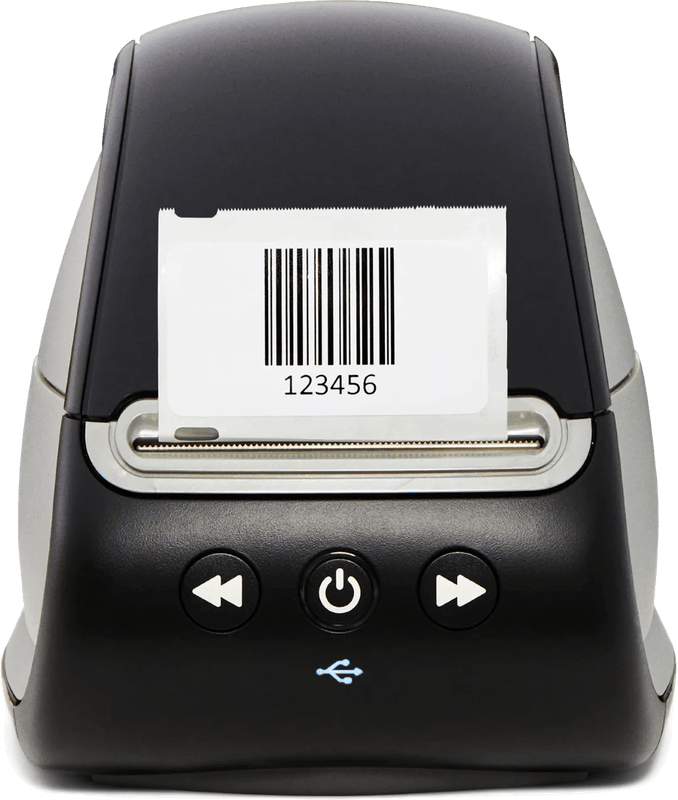
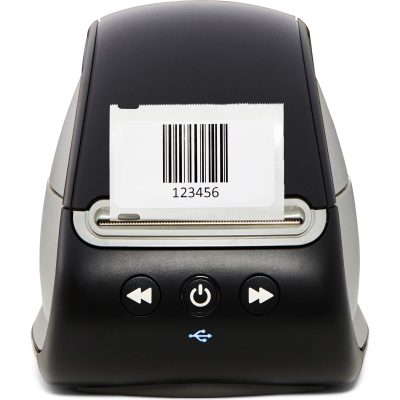
The small LabelWriter prints at 300 dpi on labels up to 62 millimeters wide and is operated via the DYMO Connect for Desktop software. Automatic Label Recognition reports the size and remaining amount on the roll. However, according to DYMO, the 550 series only works with original DYMO labels. If you print a lot, calculate the running costs beforehand. For larger shipping labels, the LabelWriter 5XL handles labels up to 115 millimeters wide.
Zebra ZD421d: when parcels go out every day
Zebra builds printers for warehouses and logistics, and that is how the data sheet reads, too. The ZD421d takes media from 15 to 108 millimeters, prints at 203 dpi at up to 152 millimeters per second and holds rolls up to 127 millimeters in outer diameter. Ethernet and Wi-Fi are optional; according to Zebra, Bluetooth Low Energy is only used for setup via the app. For a few parcels a month, it does not pay off. A shop with a fixed shipping day, on the other hand, is well served, because large rolls need changing less often.
Phomemo PM-241-BT: shipping labels from your phone
The Phomemo is meant for selling via Kleinanzeigen (classifieds platform) or your own small shop. According to the manufacturer, it prints at 203 dpi on labels from 25.4 to 117 millimeters wide and connects via USB or Bluetooth. These key figures come from the manufacturer’s short description, not from a complete data sheet. Check in advance whether your shipping service supports the label format.
NIIMBOT B1: small, inexpensive, app only
According to NIIMBOT, the B1 prints at 203 dpi on labels from 20 to 50 millimeters with an effective print width of 48 millimeters. It is operated via the NIIMBOT app for businesses or the NIIM app for home use. Spice jars, price tags, craft projects: for those, it is enough. But keep the material in mind. Thermal paper is not laminated tape and fades over time.
If you want to digitize your paper filing after getting the printer, the document scanner guide can help. Letters and photos still need a regular printer; for guidance, see the laser printer guide and the inkjet printer guide.
So which device suits whom?
- Organizing at home, workshop, cables: Brother PT-P710BT. The laminated tapes are the reason, not the app.
- Office with address labels and several users: Brother QL-820NWBc, because it sits on the network via LAN or Wi-Fi and can highlight in red if you want.
- Shipping parcels occasionally: Phomemo PM-241-BT. For a handful of shipments a week, it does not have to be a logistics device.
- Daily shipping: Zebra ZD421d. According to retailer listings, considerably more expensive, but designed for large rolls and high speed.
- Small budget, short-lived labels: NIIMBOT B1. According to retailer listings, it sits in the lowest price range of this list.
- DYMO LabelWriter 550: really only an option if you already use DYMO labels. Being tied to original rolls is a real drawback for heavy users.
Frequently asked questions
What is the difference between a tape cassette and a thermal label?
For its TZe tapes, Brother mostly relies on a laminated protective layer that lasts much longer on cables or in the basement. Direct thermal labels are paper with a heat-sensitive coating and, according to DYMO, fade in sunlight, under fluorescent lamps or through plasticizers. That is fine for parcels, but not for binders.
What width do shipping labels need?
The common 4-inch format requires a printer for rolls about 100 millimeters wide. Devices for 62-millimeter rolls are too narrow for this, including the Brother QL-820NWBc with its 58-millimeter print width. The Zebra ZD421d takes media up to 108 millimeters, the Phomemo PM-241-BT up to 117 millimeters according to the manufacturer.
Do third-party labels work in the DYMO LabelWriter 550?
No. According to DYMO, the 550 series only works with original DYMO labels. If you print a lot, it is therefore worth checking the running costs before you buy. The device is mainly an option if you already use DYMO labels.
Can a label printer only be operated via an app?
Small devices often can, for example the NIIMBOT B1. If you print address lists from a computer, you need USB or a network connection plus desktop software. With the Brother PT-P710BT, Bluetooth only works with mobile devices; on a computer it runs via USB. Before installing the app, check the privacy information and only grant the permissions that are actually needed.
Which label printer is suitable for daily shipping?
For daily shipping, the Zebra ZD421d is the right fit. According to its data sheet, it prints up to 152 millimeters per second and holds rolls up to 127 millimeters in outer diameter, so you have to change rolls less often. For a handful of shipments a week, the Phomemo PM-241-BT is enough.
Sources
- Brother: PT-P710BT user guide (PDF)
- Brother Support: PT-P710BT specifications
- Brother Support: QL-820NWB/QL-820NWBc specifications
- DYMO: LabelWriter 550, 550 Turbo, 5XL user guide (PDF)
- Zebra: ZD400 series data sheet
- Phomemo: PM-241-BT
- NIIMBOT: B1
Where to buy
- Brother PT-P710BTCheck price at Amazon.deCheck price at Amazon.co.ukCheck price at Amazon.nlCheck price at Amazon.com.beCheck price at Amazon.frCheck price at Amazon.itCheck price at Amazon.esCheck price at Amazon.plCheck price at Amazon.seAvailable in Germany: Amazon.de
- Brother QL-820NWBcCheck price at Amazon.deCheck price at Amazon.co.ukCheck price at Amazon.nlCheck price at Amazon.com.beCheck price at Amazon.frCheck price at Amazon.itCheck price at Amazon.esCheck price at Amazon.plCheck price at Amazon.seAvailable in Germany: Amazon.de
 DYMO LabelWriter 550€94.90≈ £79.04≈ CHF 87.72≈ PLN 418.68≈ SEK 1,057.47≈ DKK 709.32≈ NOK 1,006.37≈ CZK 2,314.23≈ HUF 34,961≈ RON 507.40≈ ISK 13,001≈ $104.09≈ CA$148.90 at Coolblue · As of 19.11.View at CoolblueAvailable in Germany: CoolblueCheck price at Amazon.deCheck price at Amazon.co.ukCheck price at Amazon.nlCheck price at Amazon.com.beCheck price at Amazon.frCheck price at Amazon.itCheck price at Amazon.esCheck price at Amazon.plCheck price at Amazon.seAvailable in Germany: Amazon.de
- Zebra ZD421dCheck price at Amazon.deCheck price at Amazon.co.ukCheck price at Amazon.nlCheck price at Amazon.com.beCheck price at Amazon.frCheck price at Amazon.itCheck price at Amazon.esCheck price at Amazon.plCheck price at Amazon.seAvailable in Germany: Amazon.de
- Phomemo PM-241-BTCheck price at Amazon.deCheck price at Amazon.co.ukCheck price at Amazon.nlCheck price at Amazon.com.beCheck price at Amazon.frCheck price at Amazon.itCheck price at Amazon.esCheck price at Amazon.plCheck price at Amazon.seAvailable in Germany: Amazon.de
- NIIMBOT B1Check price at Amazon.deCheck price at Amazon.co.ukCheck price at Amazon.nlCheck price at Amazon.com.beCheck price at Amazon.frCheck price at Amazon.itCheck price at Amazon.esCheck price at Amazon.plCheck price at Amazon.seAvailable in Germany: Amazon.de
Still undecided?
Keep comparing at your own pace – every article in this category is checked monthly for new and discontinued models.