Price dropping? We'll let you know
Contents14 sections
This guide was first published in German on handgetestet.de.
An expensive recorder on a camera that does not even output RAW over HDMI: this bad buy happens surprisingly often with field monitors. If you just want to see better, you need a bright on-camera monitor such as the Atomos Shinobi II or the Feelworld F6 PLUSX. If, on the other hand, you want ProRes RAW on the card and have a suitable mirrorless camera ready, you will as a rule end up with the Atomos Ninja RAW.
Sounds trivial. Yet many buyers confuse monitor and recorder, because the two types of device look almost identical from the outside. Incidentally, a field monitor has nothing to do with camera monitor systems for vehicles: under UN Regulation No. 46, those count as devices for indirect vision and, with type approval, can replace the exterior mirror there. A monitor for a film camera is neither built nor approved for that.
What do I need to know about my camera beforehand?
Three things, and before you open the first spec sheet. Which video output does the camera have? What resolution and frame rate does it deliver there? And is it on the recorder manufacturer’s RAW compatibility list? Atomos keeps such lists for each device. If your camera is missing from it, the recorder will at best record ProRes from the finished video signal. That is useful, just something different from RAW straight from the sensor.
Which cameras offer a clean HDMI output in the first place is explained in our article on buying a mirrorless camera (in German).
How bright, how big, which connection?
With 1,000 nits, you will get along fine indoors and in the shade. Outdoors in daylight, 1,500 nits and more are considerably more comfortable. Even Atomos writes of the Shinobi II that you may still need a sun hood in direct sunlight.
As for size: five inches sit in good balance on a small camera and put hardly any strain on the hot shoe. Seven inches show focus better but are more at home on rigs, with the focus puller, or in front of the client and director.
Mirrorless cameras almost always have HDMI, often as a fragile micro or mini port. SDI locks with a BNC connector and handles long cable runs, but it only helps if your camera or your wireless video transmitter has this connection too.
And what does it cost to run on the side?
- Power: Almost all the devices here take batteries in the Sony NP-F format; Blackmagic relies on the L-series. A recorder draws noticeably more power than a pure monitor. Plan for large batteries or USB-C Power Delivery.
- Storage: Recorders write to CFexpress Type B, SD cards or external USB-C SSDs. The media cost extra and fill up quickly when shooting RAW.
Seven monitors and recorders side by side
All figures are manufacturer specifications; the brightness of the Video Assist is taken from retailer spec sheets. Brightness is a peak value. In everyday use, it turns out lower depending on the settings.
Atomos Ninja RAW
Atomos introduced the Ninja RAW in February 2026. According to the manufacturer, it records ProRes and ProRes RAW over HDMI straight from the sensor, up to 6K at 30 frames per second, to either CFexpress Type B or USB-C storage. The screen reaches up to 1,500 nits. Power comes from NP-F batteries, a USB-C power bank or a power adapter. On supported cameras, you control recording, ISO, shutter, aperture and white balance from the monitor. As long as the camera is on the RAW list, we consider it the most sensible recorder choice for a mirrorless camera.
Atomos Ninja TX
In addition to HDMI 2.0, the Ninja TX adds a 12G-SDI connection, Wi-Fi 6E and NDI for transmission over the network. Atomos cites recording up to 8K at 30 frames as well as ProRes, ProRes RAW, DNx and H.265. It is powered by NP-F batteries or USB-C Power Delivery; the spec sheet gives an input range of 6.2 to 16.8 volts. On a single mirrorless camera, you are paying for features here that will hardly ever be used.
Atomos Shinobi II
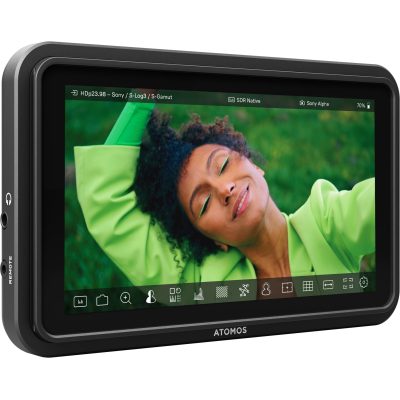
A pure monitor, no recording. In return, according to Atomos, the Shinobi II weighs only 210 grams, reaches 1,500 nits and controls cameras from Canon, Panasonic, Sony and Z CAM via USB-C. The reverse direction is handy too, since it can power the camera with up to 13 watts via USB-C. The HDMI 1.4 input is enough for 4K at 30 frames. That is the limit.
Blackmagic Video Assist 5″ 12G HDR
Blackmagic builds in 12G-SDI and HDMI and records ProRes and DNx, and on supported cameras also 12-bit Blackmagic RAW. ProRes RAW is missing. Retailers list the 5-inch screen at 2,500 nits. Footage is stored on an SD card or a USB-C drive. Power comes from two L-series batteries that can be swapped one after the other without interrupting recording. The 7-inch version has two SD slots and mini XLR inputs for audio.
Feelworld F6 PLUSX
A fraction of the price of a recorder, and the essentials are there: 5.5 inches, Full HD, 1,600 nits, touch control, custom 3D LUTs, waveform and histogram. According to Feelworld, the F6 PLUSX weighs 235 grams, accepts 7 to 24 volts and has a battery plate for NP-F and LP-E6. It cannot record, and SDI is missing. Honestly, though, that is still enough to get started.
Feelworld LUT7S
Seven inches with 1,920 × 1,200 pixels and 2,200 nits, plus 3G-SDI and 4K HDMI. The LUT7S is built for judging focus from a meter away or for showing a client the image. A light sensor adjusts the brightness automatically. On a small hot shoe it looks out of place; on a rig with a monitor arm it is right at home.
Portkeys BM5 IV
Here, camera control takes center stage. According to the manufacturer, the BM5 IV has 5.5 inches, 2,000 nits, HDMI and 3G-SDI and operates many cameras by cable, so you can change aperture, ISO or recording from the monitor. The BM5 IV WR version controls wirelessly. Which functions work on your model only the compatibility list will tell you, and you should check it before you buy.
And SmallRig?
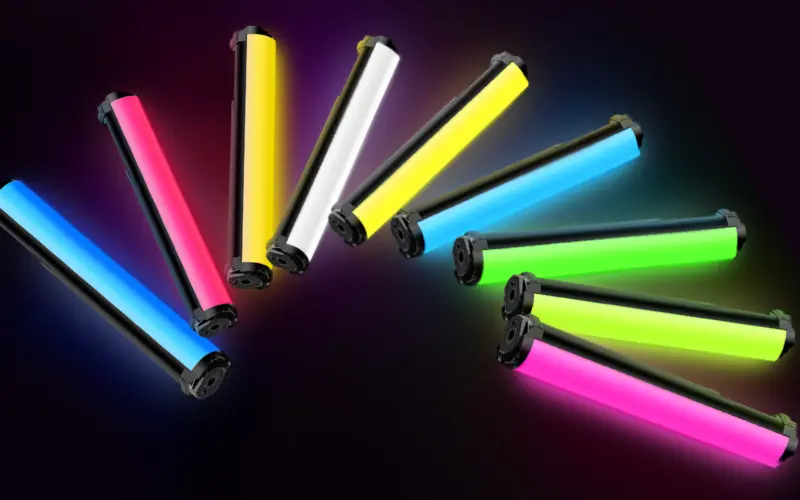
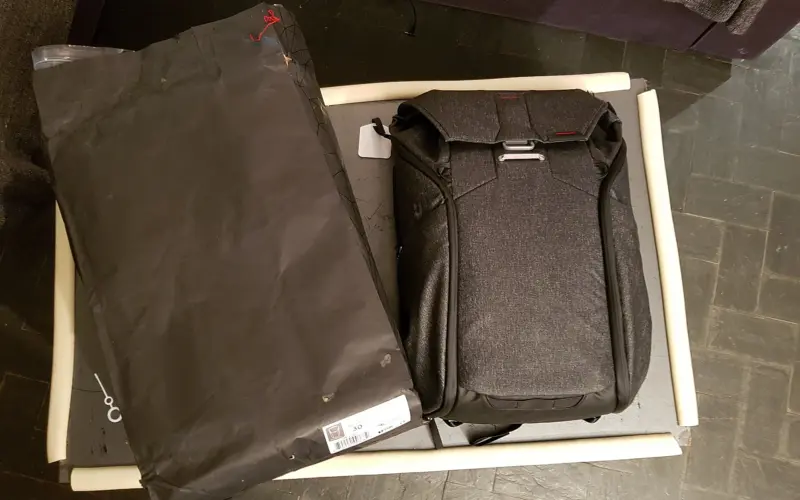
The name comes up constantly with field monitors, but SmallRig mainly builds everything around them: cages with a sun hood and HDMI clamp, for example for the Video Assist 7″, plus tilting and swiveling monitor mounts that, according to SmallRig, carry up to 1.5 kilograms. A cable clamp like this protects the camera’s fragile HDMI port. If the monitor, batteries and lights come along on the road, you will find suitable bags in our camera backpack guide (in German). How to light indoor scenes is covered in the article on continuous lighting and video lights.
Which device belongs on my camera?
With RAW over HDMI on a mirrorless camera: Atomos Ninja RAW. Check the compatibility list first, or it will remain an expensive ProRes recorder.
If all you want is a brighter, larger image without recording, take the Atomos Shinobi II if weight matters, and the Feelworld F6 PLUSX on a tight budget. On a Blackmagic camera or with SDI on set, the Video Assist 5″ 12G HDR comes out ahead because it records Blackmagic RAW. We see the Atomos Ninja TX in productions with SDI, networking and cloud; for solo shooters it is usually oversized. If you pull focus or let the client watch along, put the Feelworld LUT7S on a rig. And if you want to operate the camera from the monitor, go for the Portkeys BM5 IV.
Frequently asked questions
What is the difference between a field monitor and a recorder?
A monitor only shows the image larger and brighter; a recorder also records it, for example in ProRes or ProRes RAW. From the outside, the two look almost identical. Pure monitors such as the Atomos Shinobi II or the Feelworld F6 PLUSX cannot record.
What should you know about your camera before buying a field monitor?
Three things: which video output the camera has, what resolution and frame rate it delivers there, and whether it is on the recorder manufacturer's RAW compatibility list. If it is missing there, the recorder will at best record ProRes from the finished video signal, not RAW straight from the sensor.
How bright does a field monitor need to be for outdoor use?
With 1,000 nits, you will get along fine indoors and in the shade. Outdoors in daylight, 1,500 nits and more are considerably more comfortable. Even Atomos writes of the Shinobi II that you may still need a sun hood in direct sunlight. Brightness is a peak value.
Five or seven inches for an on-camera monitor?
Five inches sit in good balance on a small camera and put hardly any strain on the hot shoe. Seven inches show focus better but are more at home on rigs, with the focus puller, or in front of the client and director, such as the Feelworld LUT7S on a monitor arm.
Does a field monitor need SDI, or is HDMI enough?
Mirrorless cameras almost always have HDMI, often as a fragile micro or mini port. SDI locks with a BNC connector and handles long cable runs, but it only helps if the camera or the wireless video transmitter has this connection too. A cable clamp protects the camera's HDMI port.
What running costs does a recorder have?
A recorder draws noticeably more power than a pure monitor, so plan for large batteries, usually in the Sony NP-F format, or USB-C Power Delivery. On top of that come storage media such as CFexpress Type B, SD cards or external USB-C SSDs, which fill up quickly when shooting RAW.
Sources
- Atomos: Ninja RAW (announcement)
- Atomos: Ninja TX, technical specifications
- Atomos: Shinobi II, technical specifications
- Blackmagic Design: Video Assist
- Feelworld: F6 PLUSX
- Feelworld: LUT7S
- Portkeys: Monitors with camera control
- SmallRig: Cage with sun hood for Video Assist 7″
- Newsshooter: Atomos Ninja RAW
- UNECE: UN Regulation No. 46, camera monitor systems as mirror replacement (PDF)
Where to buy
- Atomos Ninja RAWCheck price at Amazon.deCheck price at Amazon.co.ukCheck price at Amazon.nlCheck price at Amazon.com.beCheck price at Amazon.frCheck price at Amazon.itCheck price at Amazon.esCheck price at Amazon.plCheck price at Amazon.seAvailable in Germany: Amazon.de
- Feelworld F6 PLUSXCheck price at Amazon.deCheck price at Amazon.co.ukCheck price at Amazon.nlCheck price at Amazon.com.beCheck price at Amazon.frCheck price at Amazon.itCheck price at Amazon.esCheck price at Amazon.plCheck price at Amazon.seAvailable in Germany: Amazon.de
 Atomos Shinobi II€375.00≈ £312.34≈ CHF 346.61≈ PLN 1,654.43≈ SEK 4,178.63≈ DKK 2,802.90≈ NOK 3,976.69≈ CZK 9,144.75≈ HUF 138,150≈ RON 2,005.01≈ ISK 51,375≈ $411.30≈ CA$588.38 at Coolblue · As of 18.11.View at CoolblueAvailable in Germany: CoolblueCheck price at Amazon.deCheck price at Amazon.co.ukCheck price at Amazon.nlCheck price at Amazon.com.beCheck price at Amazon.frCheck price at Amazon.itCheck price at Amazon.esCheck price at Amazon.plCheck price at Amazon.seAvailable in Germany: Amazon.de
- Atomos Ninja TXCheck price at Amazon.deCheck price at Amazon.co.ukCheck price at Amazon.nlCheck price at Amazon.com.beCheck price at Amazon.frCheck price at Amazon.itCheck price at Amazon.esCheck price at Amazon.plCheck price at Amazon.seAvailable in Germany: Amazon.de
- Blackmagic Video Assist 5" 12G HDRCheck price at Amazon.deCheck price at Amazon.co.ukCheck price at Amazon.nlCheck price at Amazon.com.beCheck price at Amazon.frCheck price at Amazon.itCheck price at Amazon.esCheck price at Amazon.plCheck price at Amazon.seAvailable in Germany: Amazon.de
- Feelworld LUT7SCheck price at Amazon.deCheck price at Amazon.co.ukCheck price at Amazon.nlCheck price at Amazon.com.beCheck price at Amazon.frCheck price at Amazon.itCheck price at Amazon.esCheck price at Amazon.plCheck price at Amazon.seAvailable in Germany: Amazon.de
- Portkeys BM5 IVCheck price at Amazon.deCheck price at Amazon.co.ukCheck price at Amazon.nlCheck price at Amazon.com.beCheck price at Amazon.frCheck price at Amazon.itCheck price at Amazon.esCheck price at Amazon.plCheck price at Amazon.seAvailable in Germany: Amazon.de
Still undecided?
Keep comparing at your own pace – every article in this category is checked monthly for new and discontinued models.